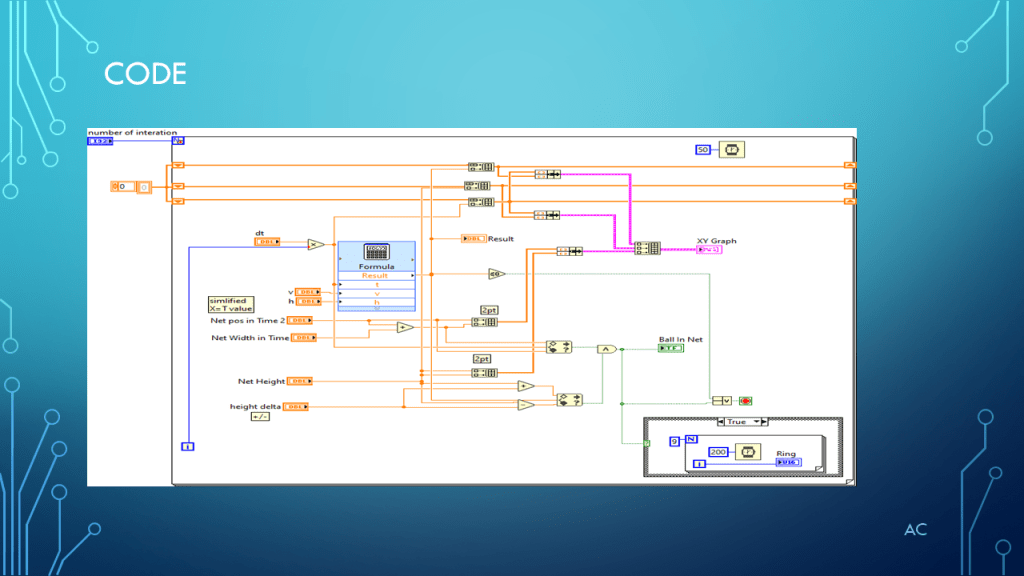
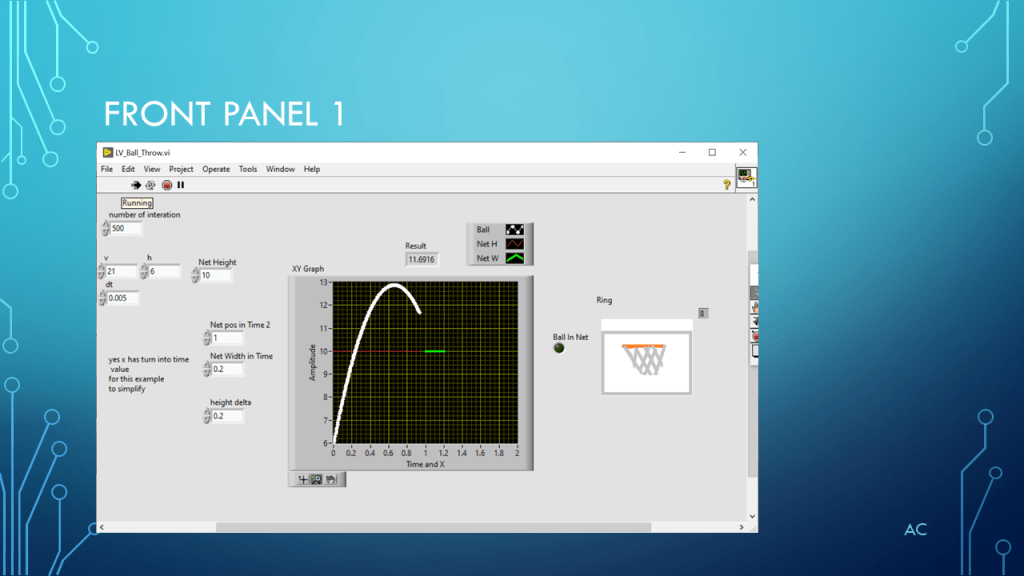
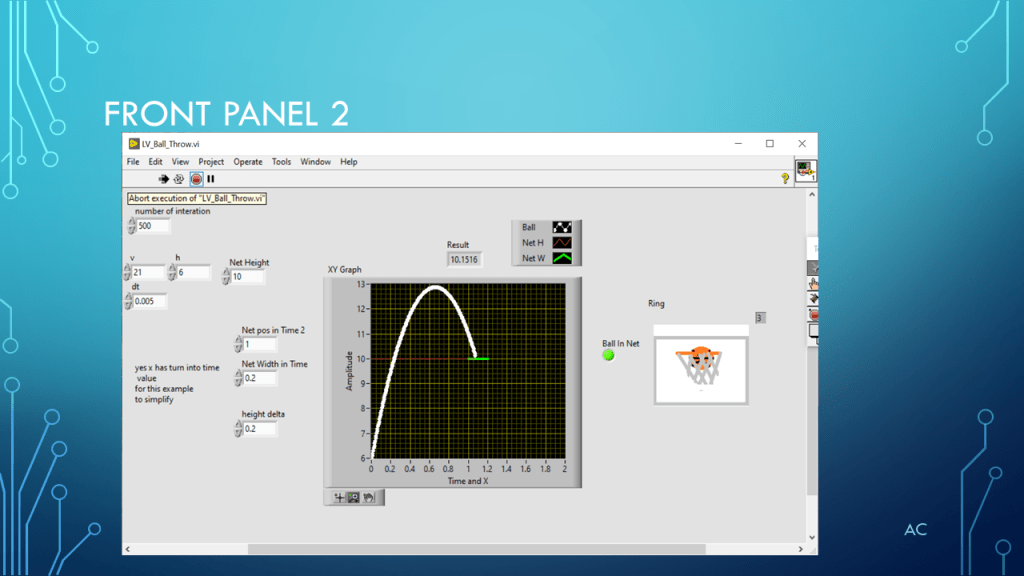
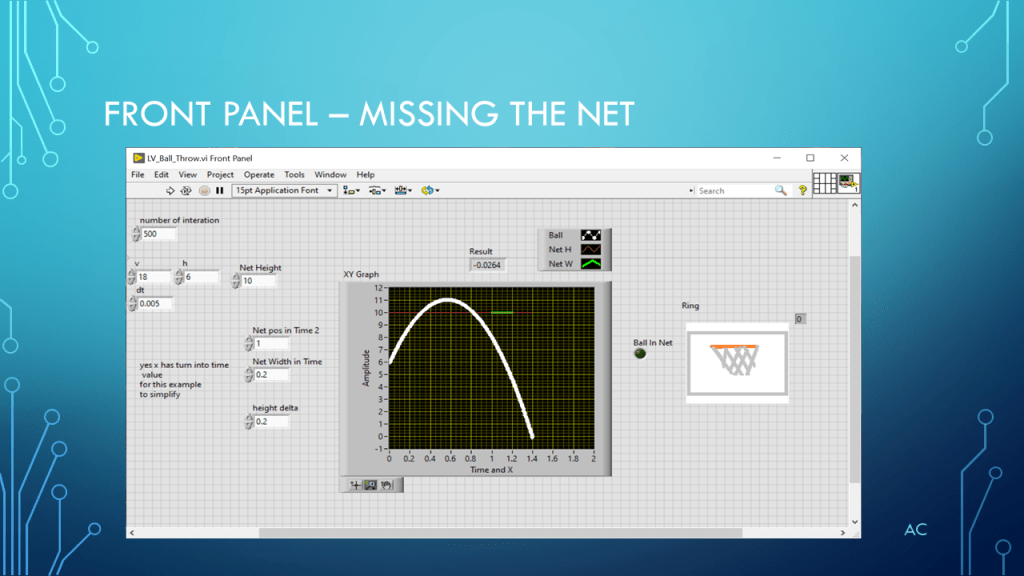
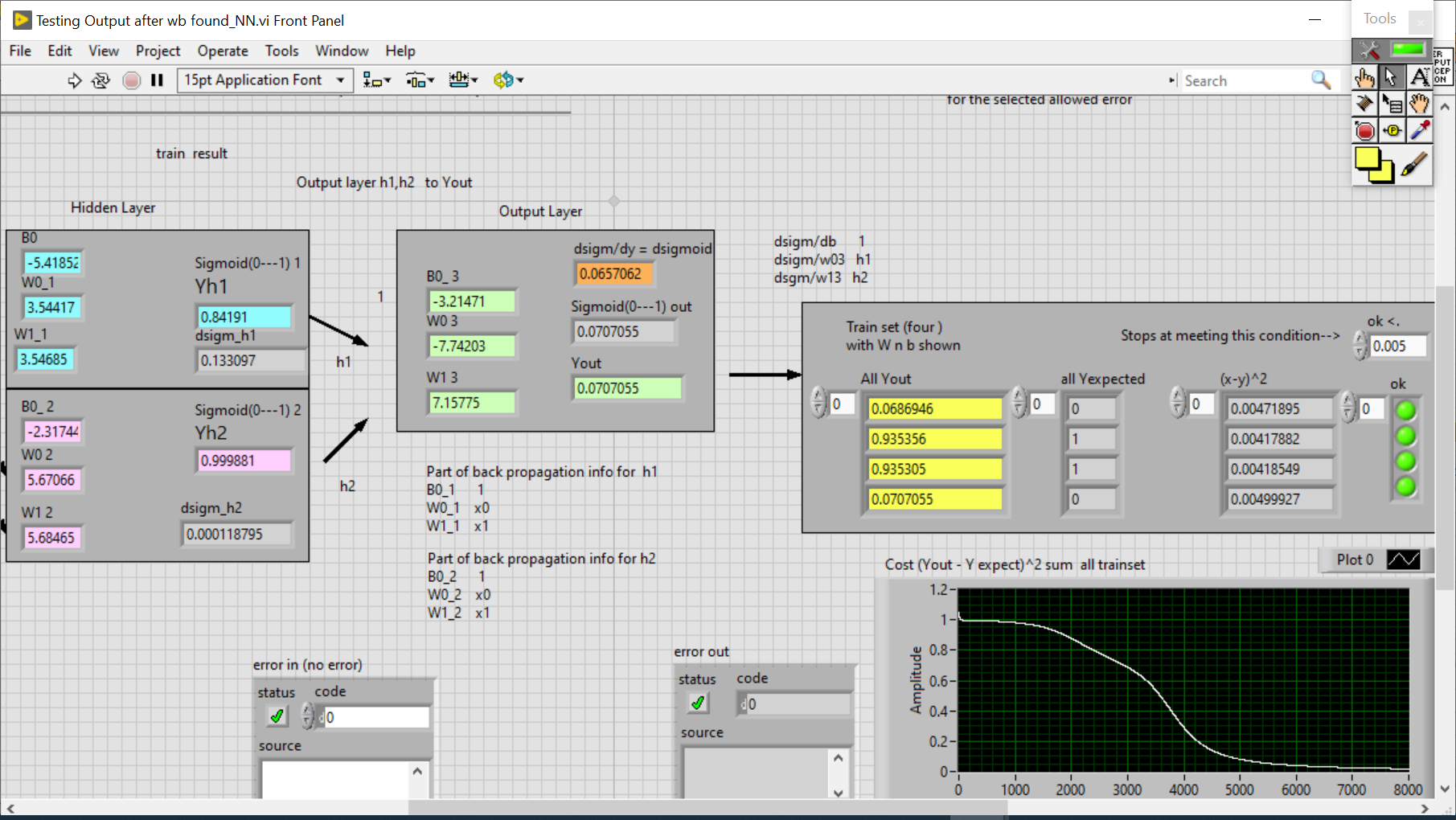
LV Throw Ball with mini animation

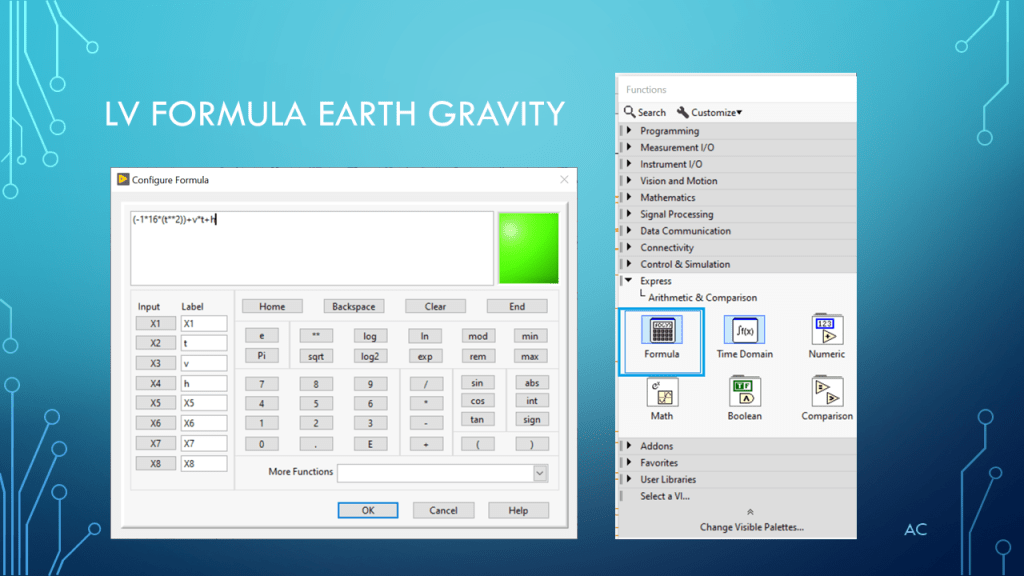
Using LabVIEW(R) ‘s Formula, XY Graph, Pict Ring, and Microsoft’s Paint app
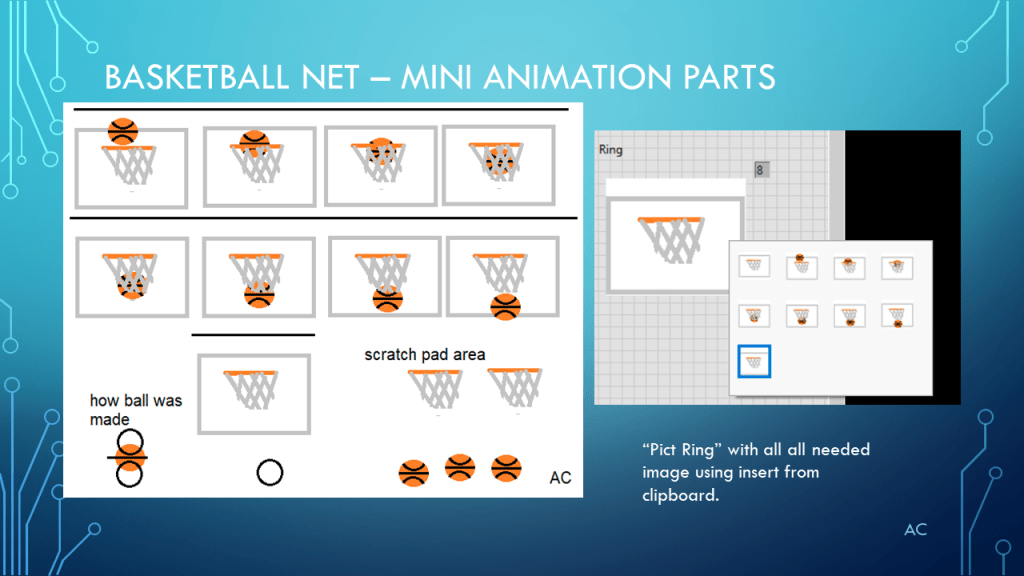
short video of basket ball in net animation

Notes

• This is an example and by no means a complete solution.

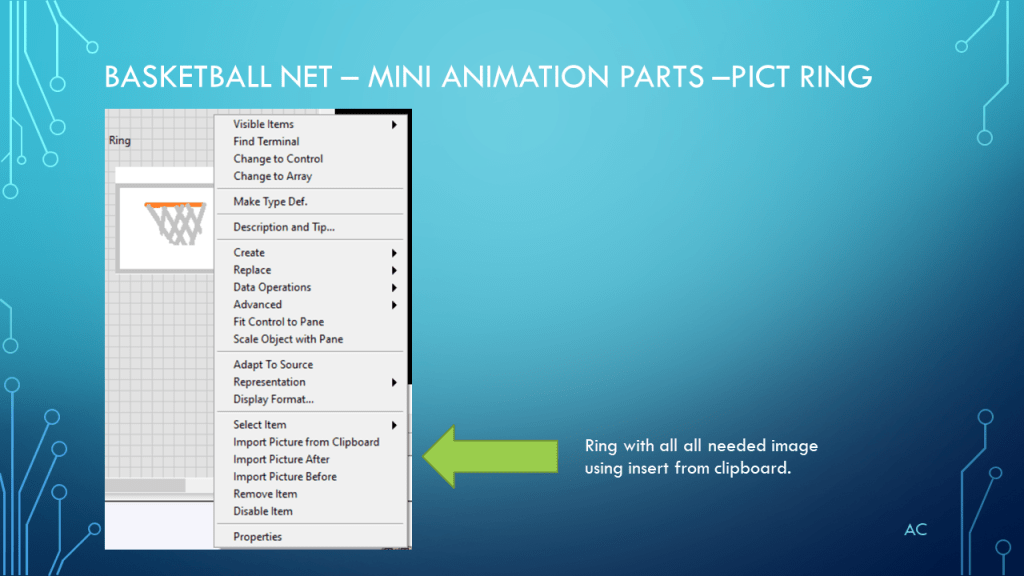
• Created to show multiple plots on “XY Graph” and mini animation with Pict Ring

• Topic Tags: “Formula”, “XY Graph”, ”Pict Ring”, ”Mini Animation”, ”Earth Gravity”

• Used LV2019 in this presentation

• LabVIEW® is a “National Instrument” (NI) product.

• PowerPoint is a Microsoft product.

• Presentation shown to spark ideas of use.

• This presentation is not connected to or endorsed by any company.

• Use at your own risk.
Posted in Test Sector | Tagged , , , , | Leave a comment

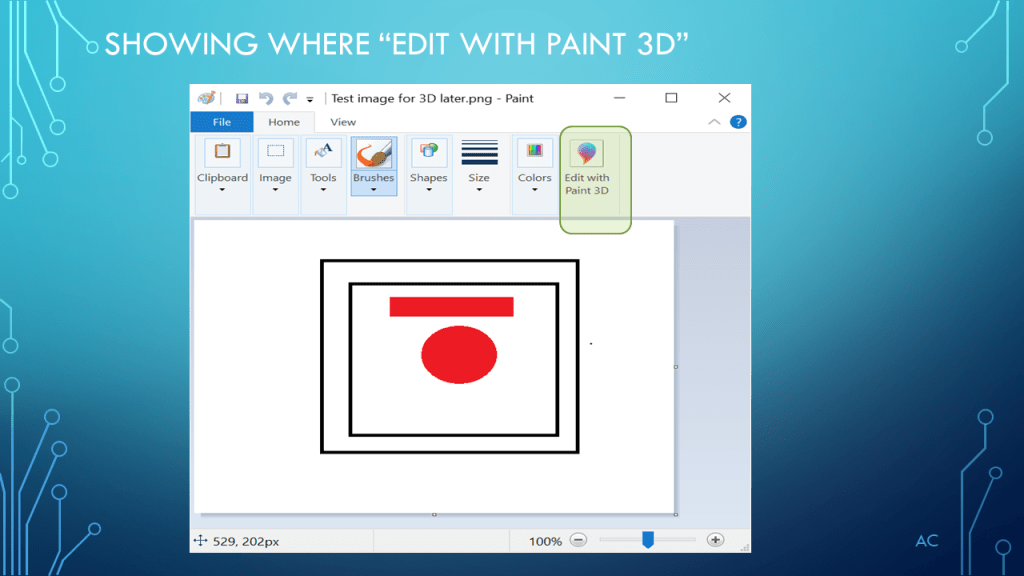
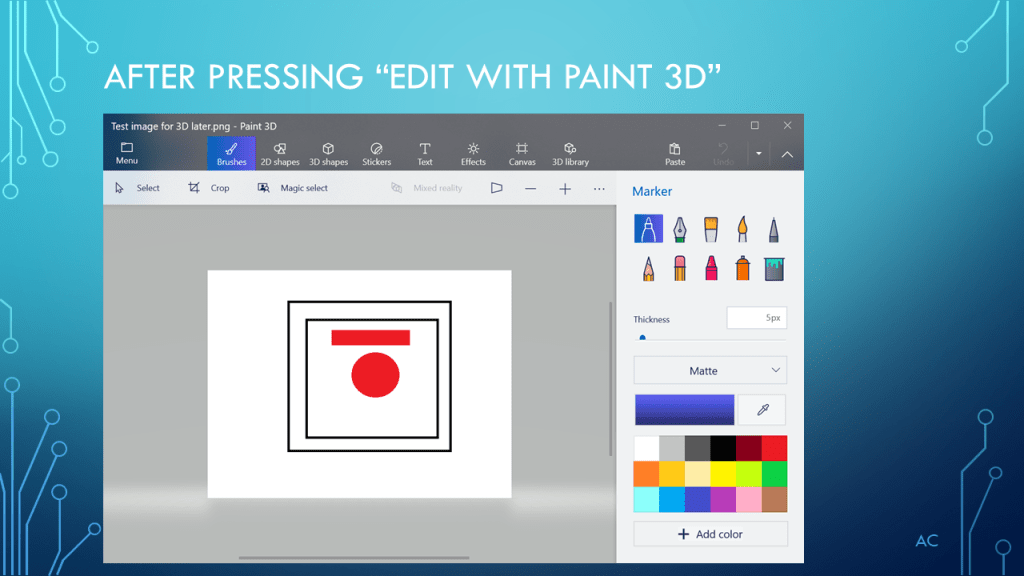
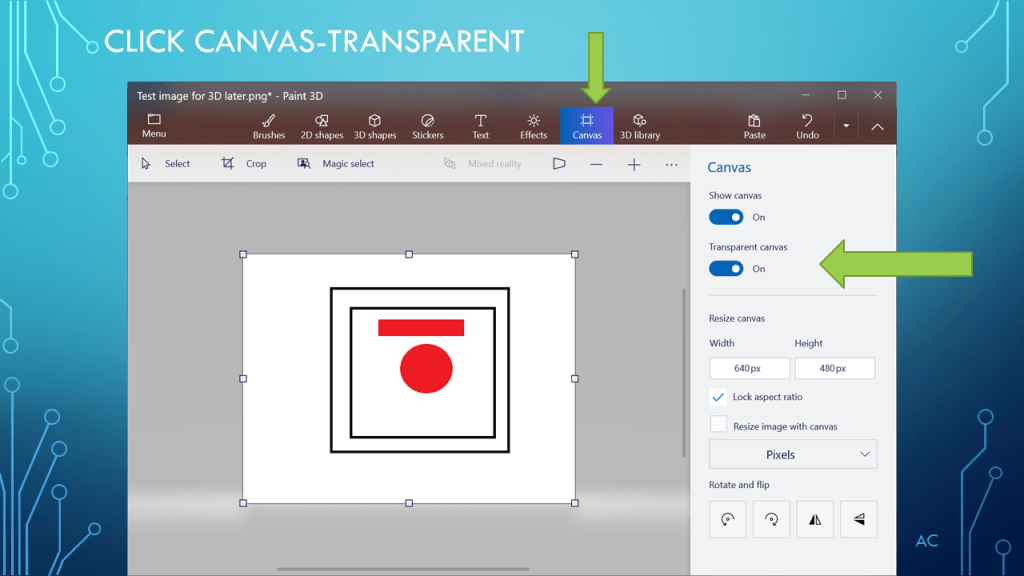
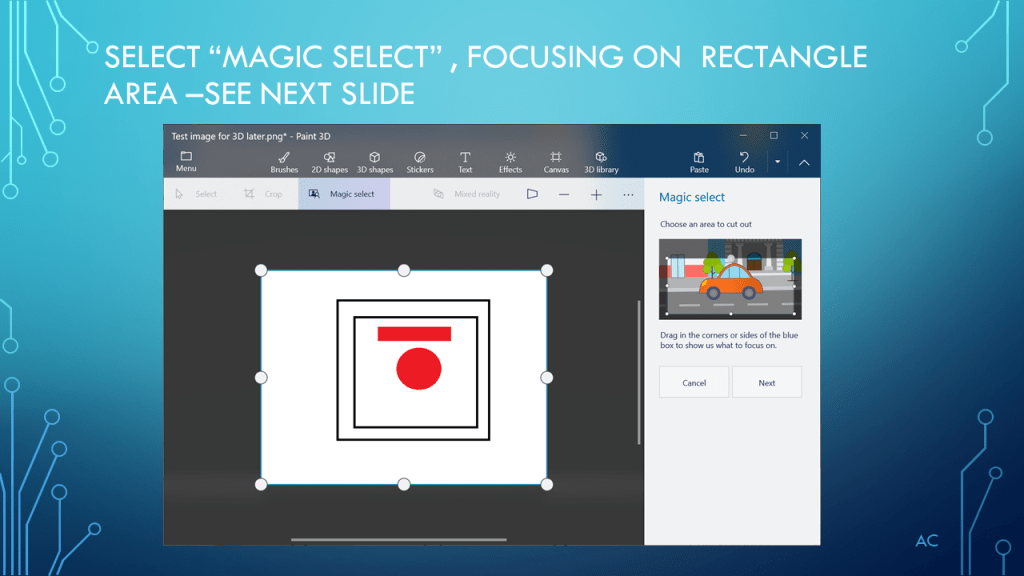
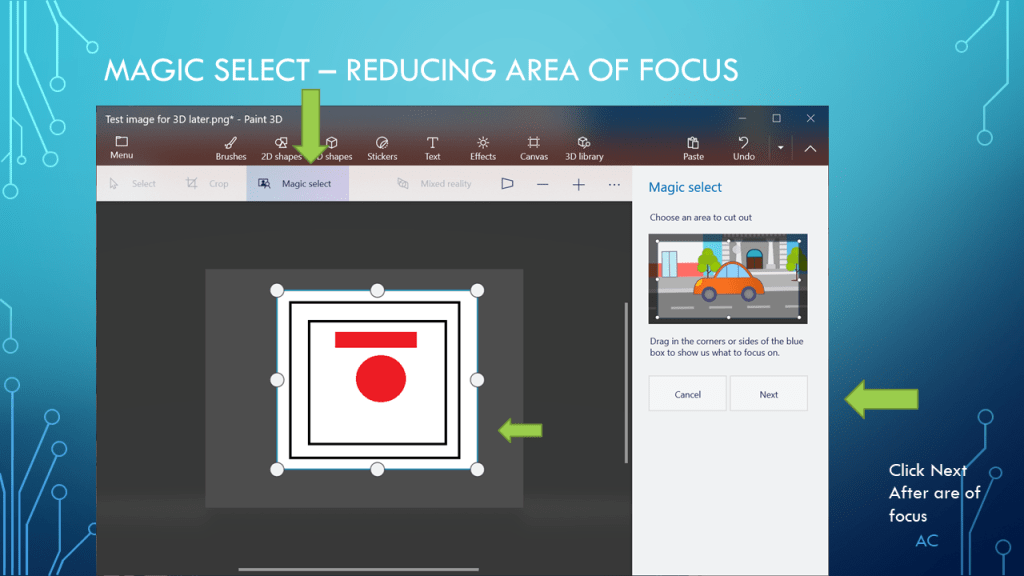
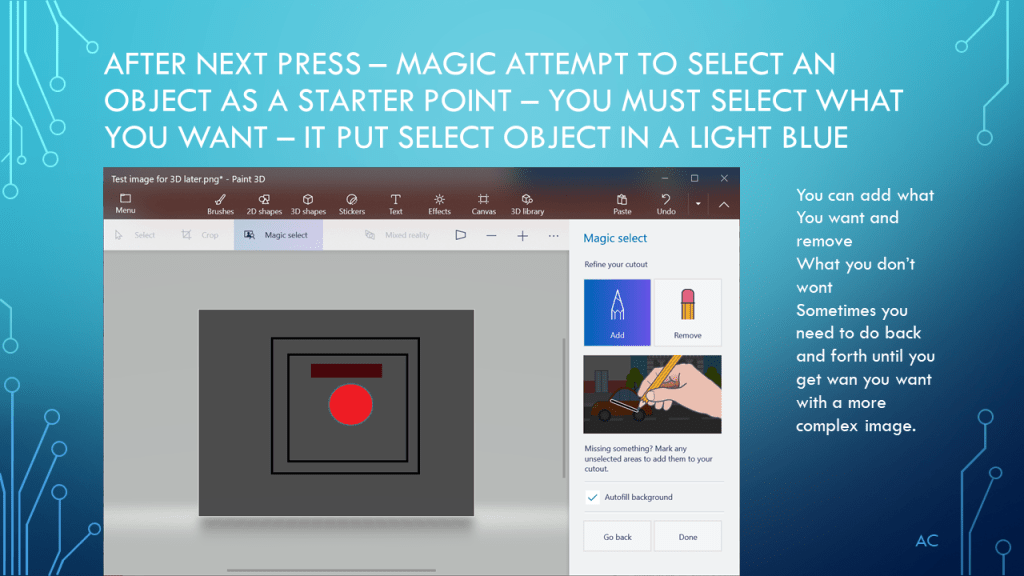
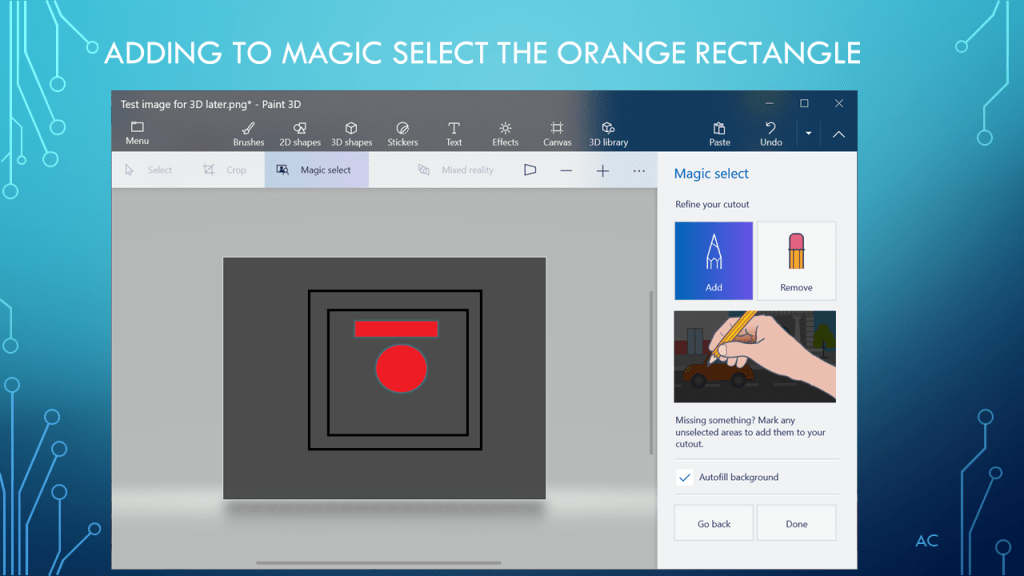
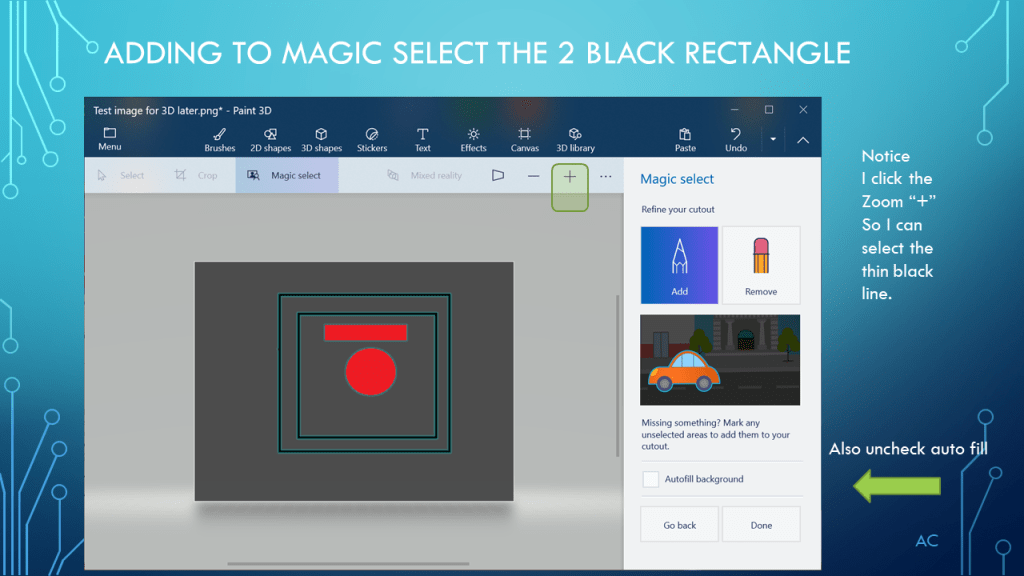
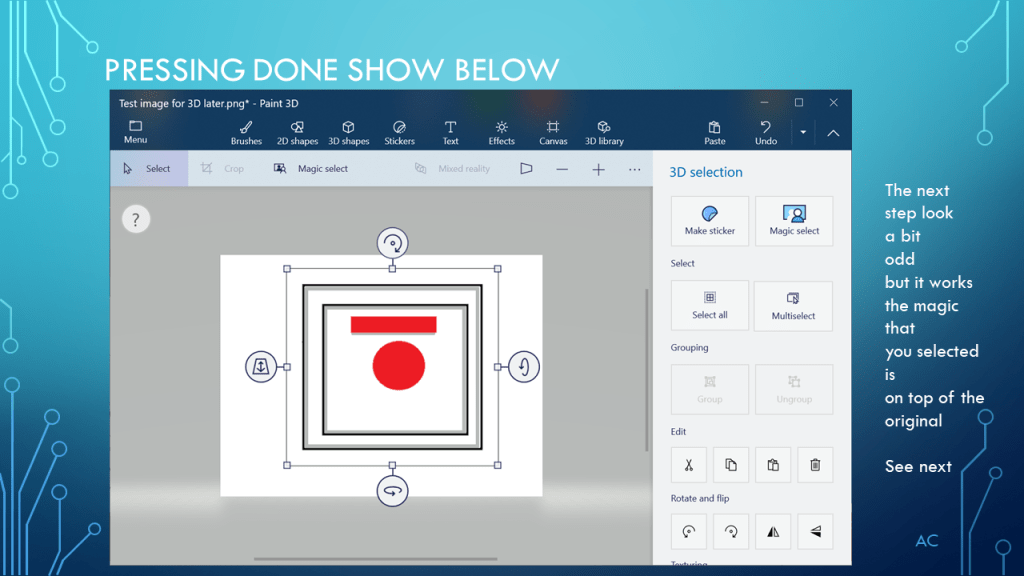
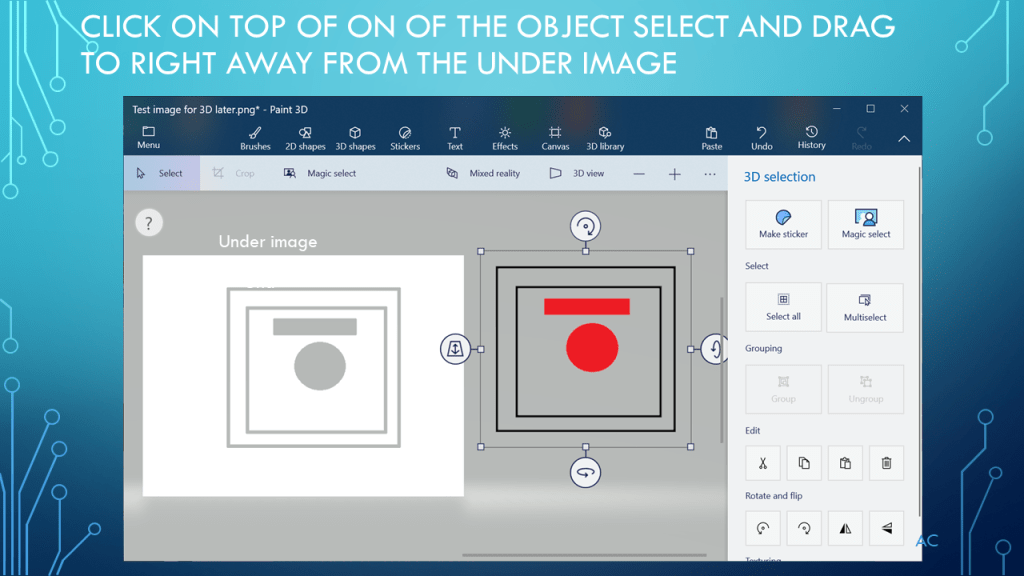
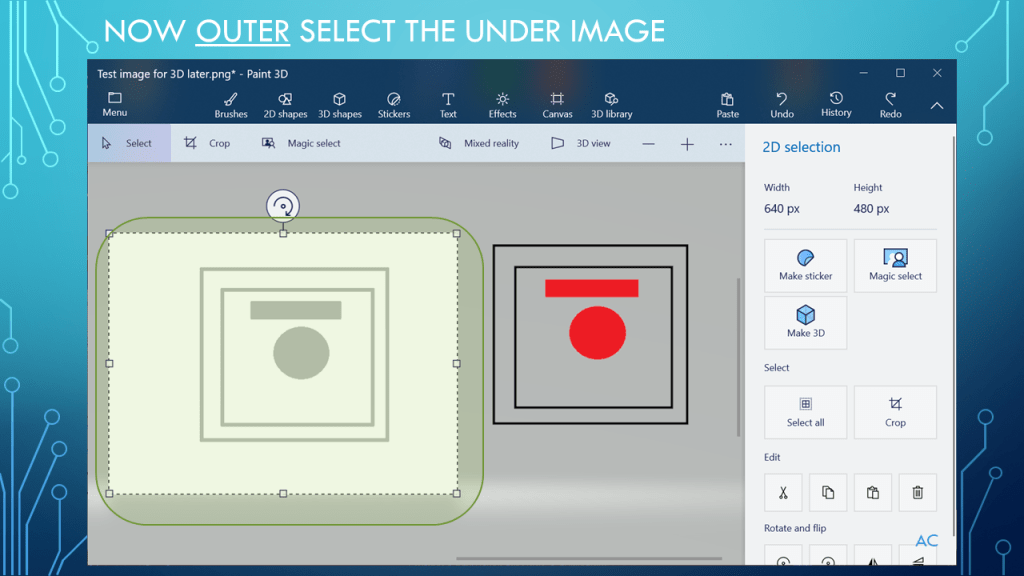
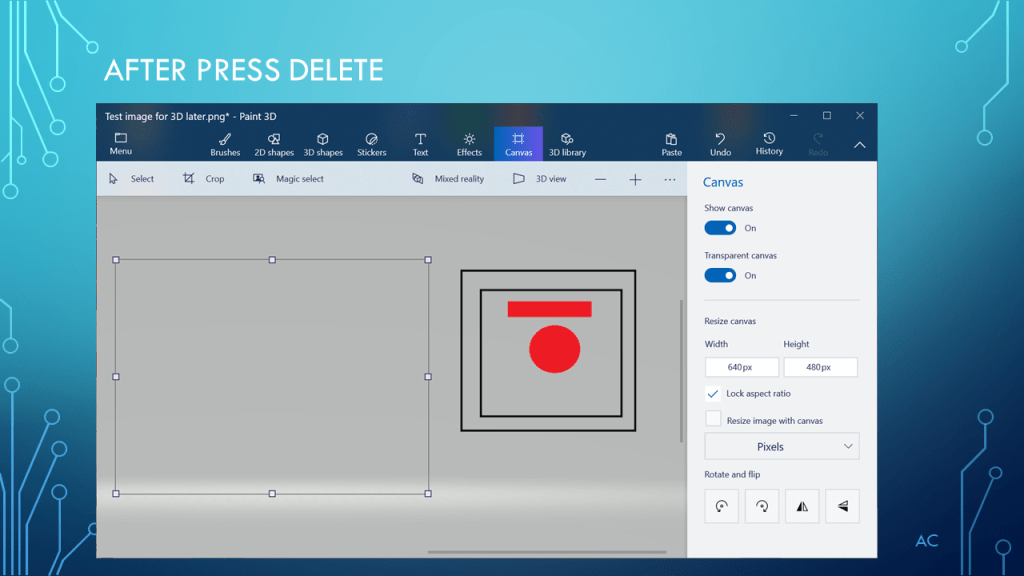
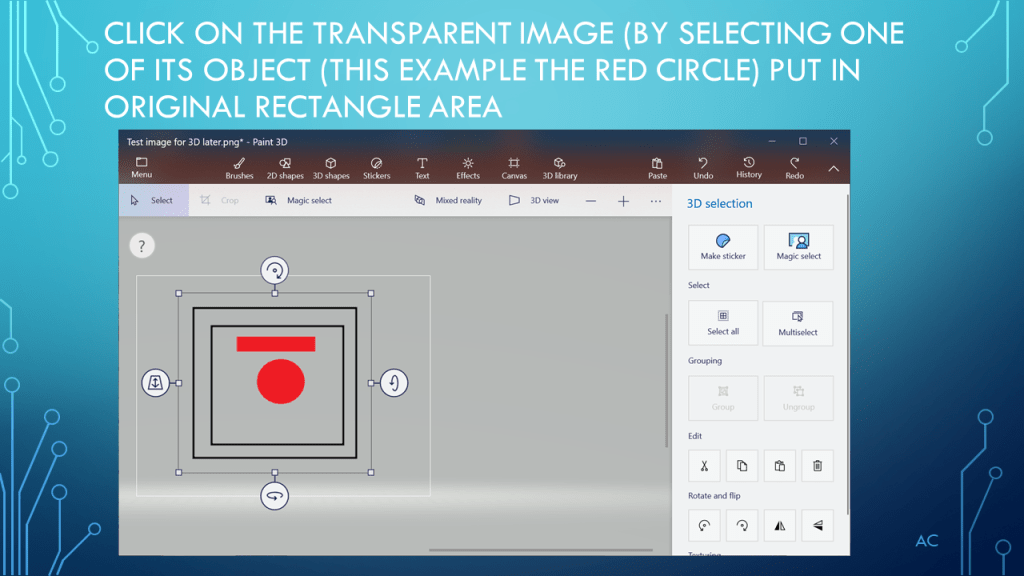
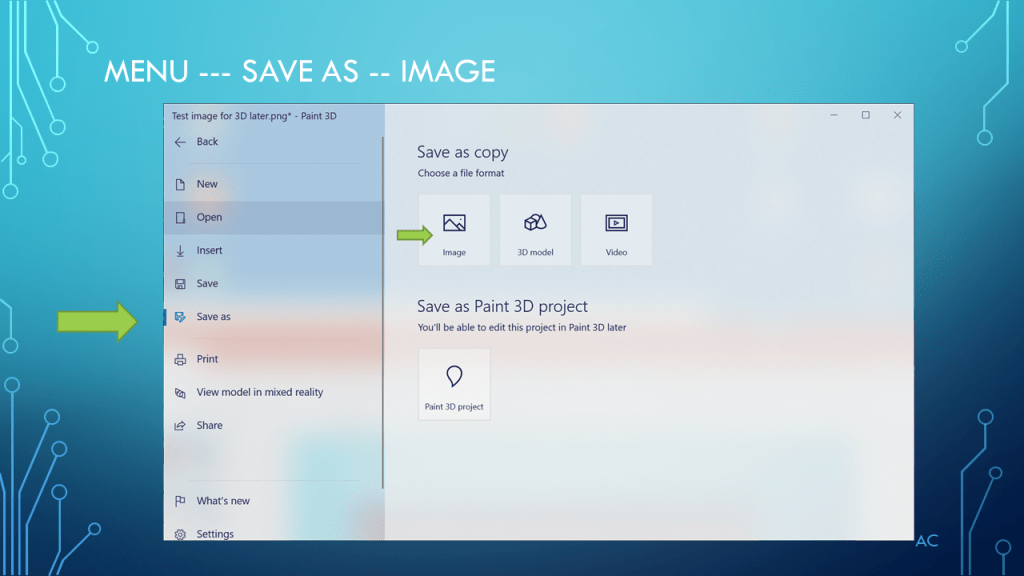
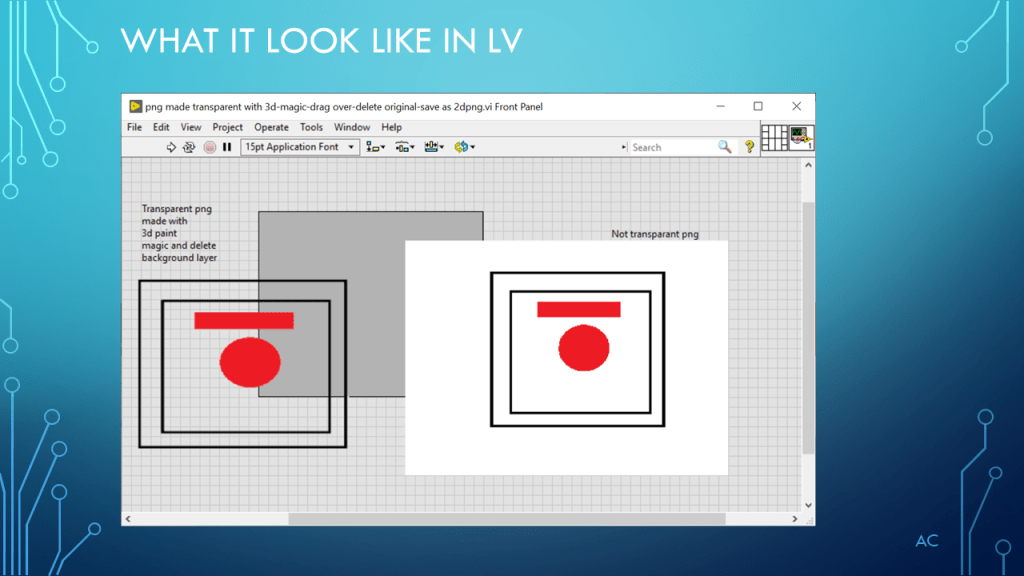
Convert PNG to Transparent PNG

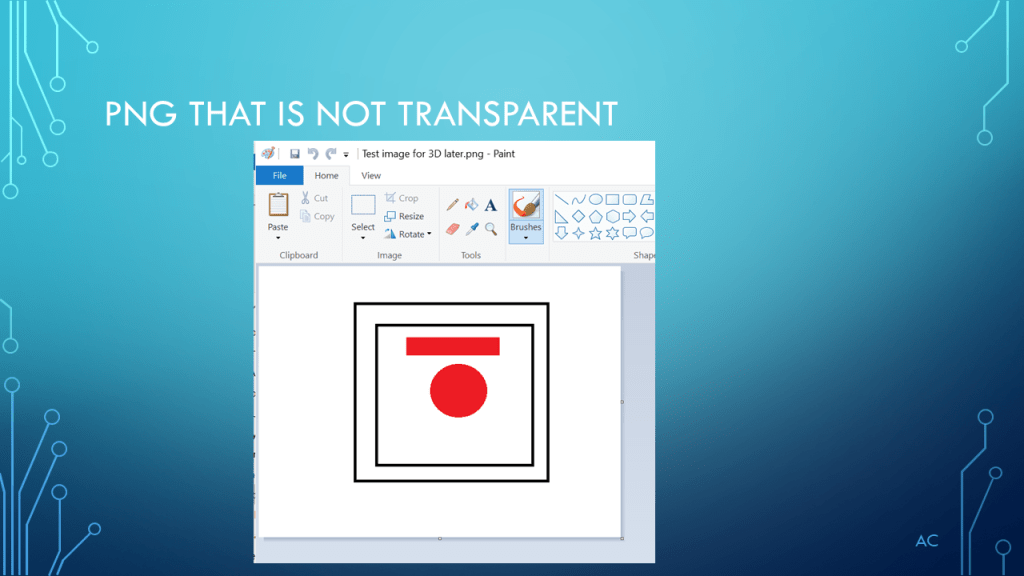
Needed to convert a PNG image to Transparent Background PNG

Notes

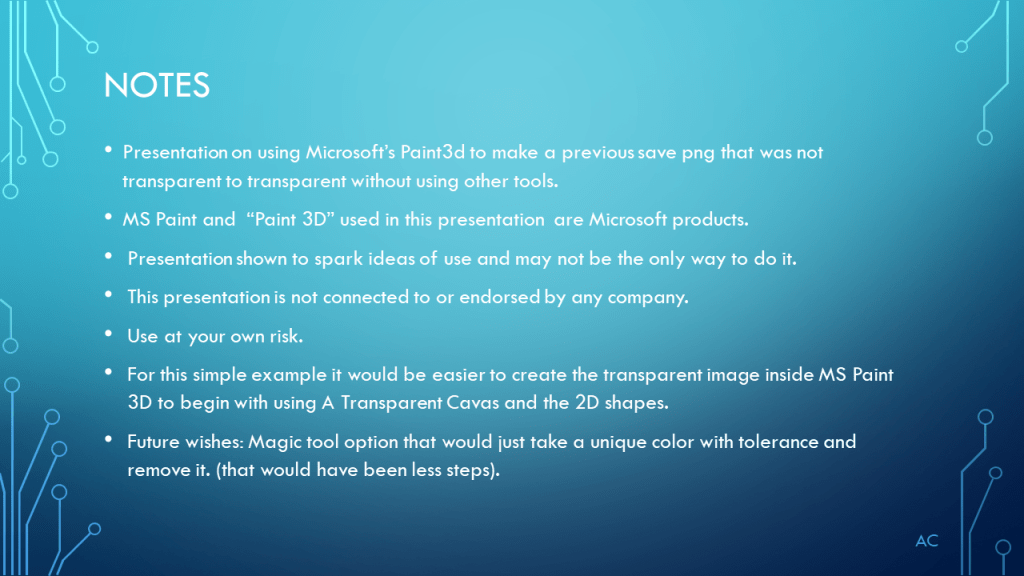
•Presentation on using Microsoft’s Paint3d to make a previous save png that was not transparent to transparent without using other tools.

•MS Paint and  “Paint 3D” used in this presentation  are Microsoft products.

•Presentation shown to spark ideas of use and may not be the only way to do it.

•This presentation is not connected to or endorsed by any company.

•Use at your own risk.

•For this simple example it would be easier to create the transparent image inside MS Paint 3D to begin with using A Transparent Cavas and the 2D shapes.

•Future wishes: Magic tool option that would just take a unique color with tolerance and remove it. (that would have been less steps).

Posted in Test Sector | Tagged , | Leave a comment

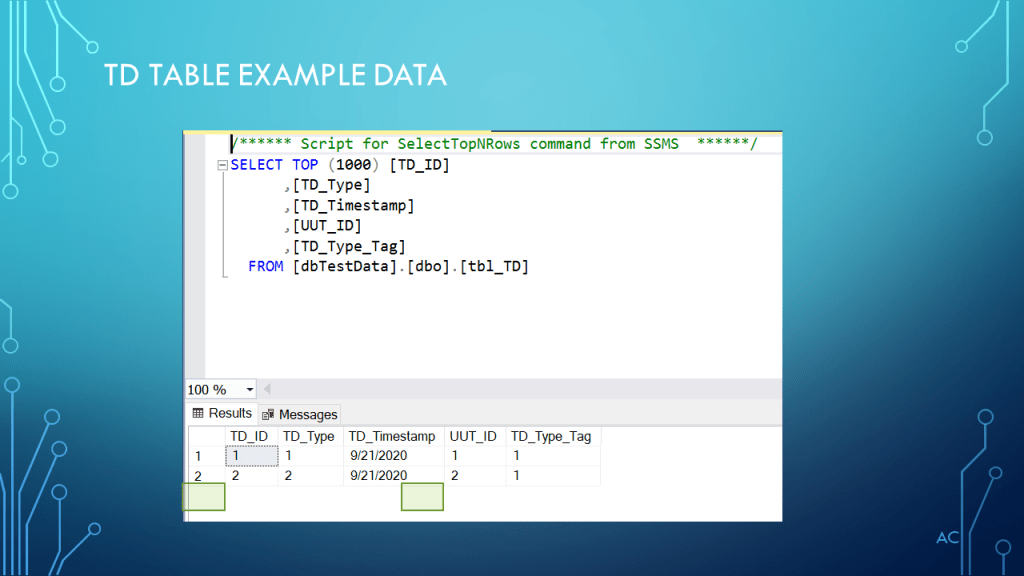
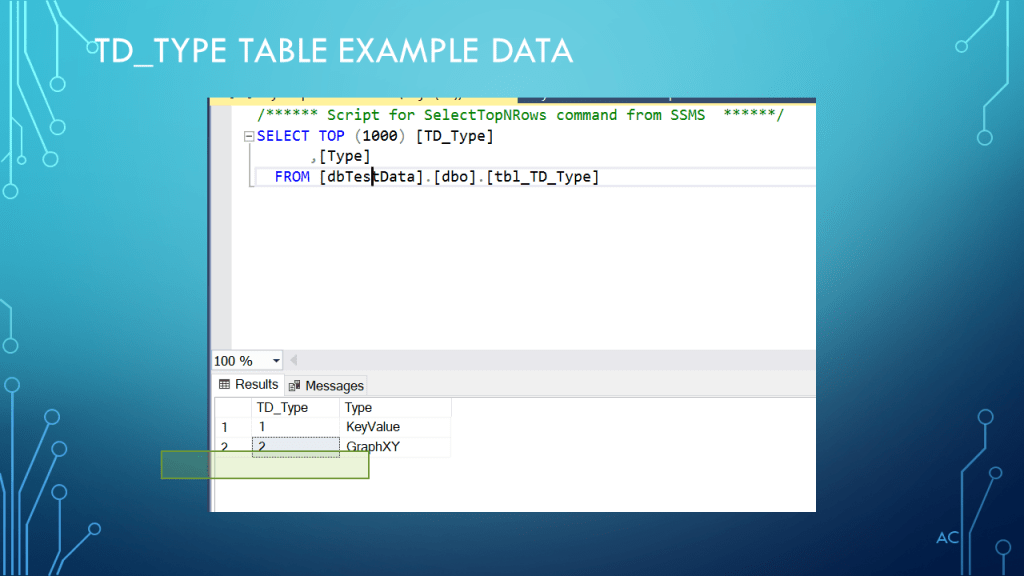
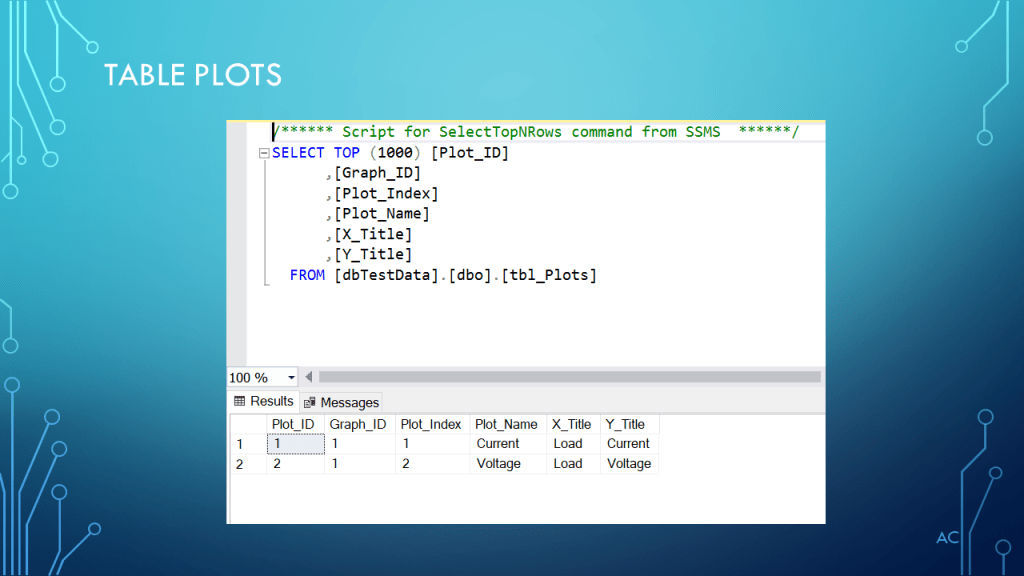
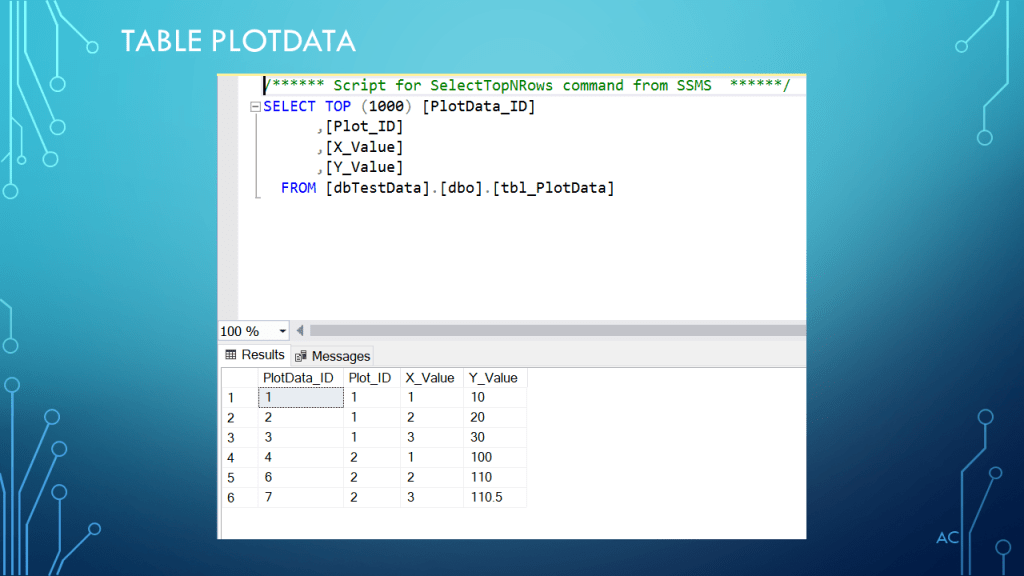
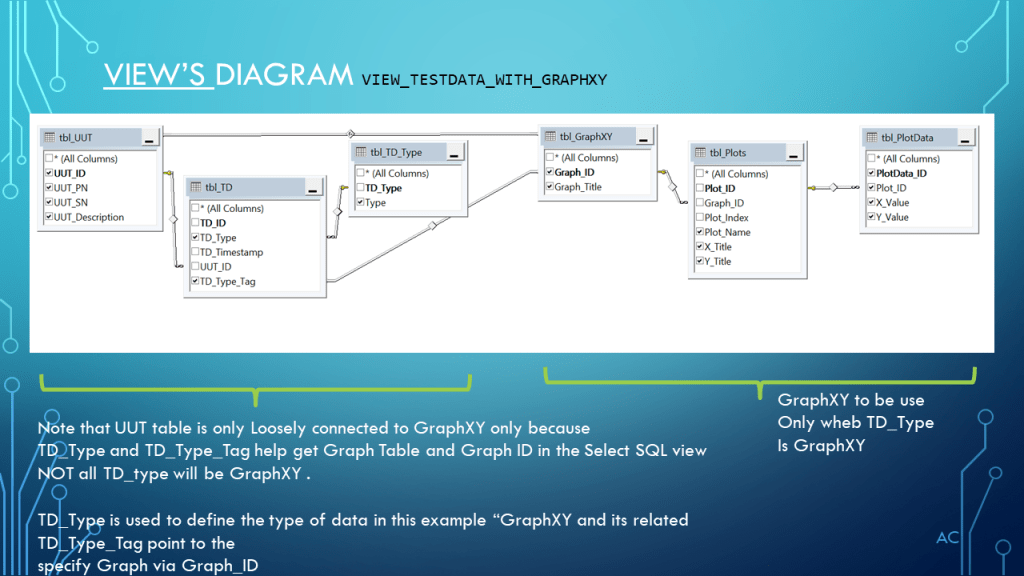
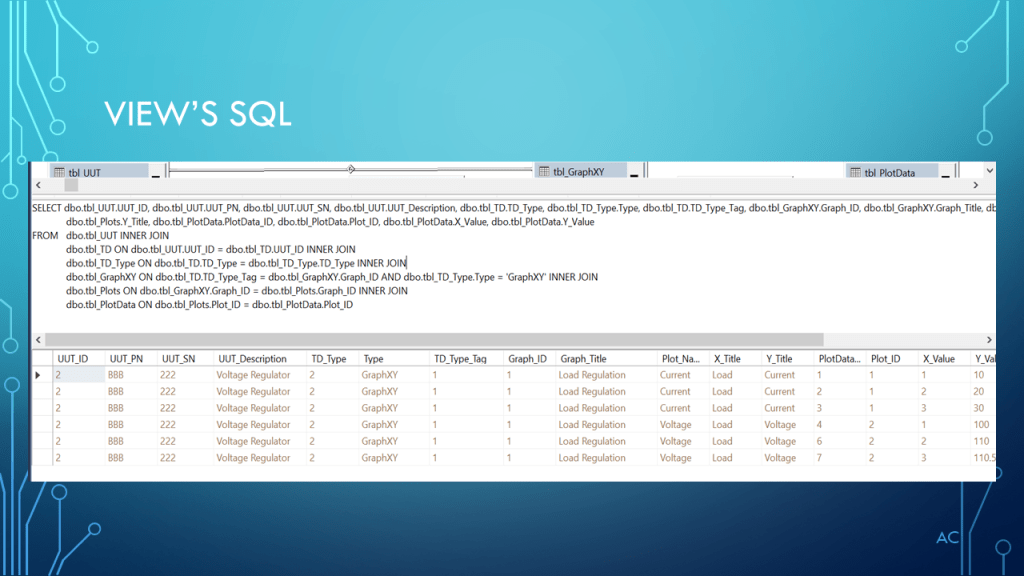
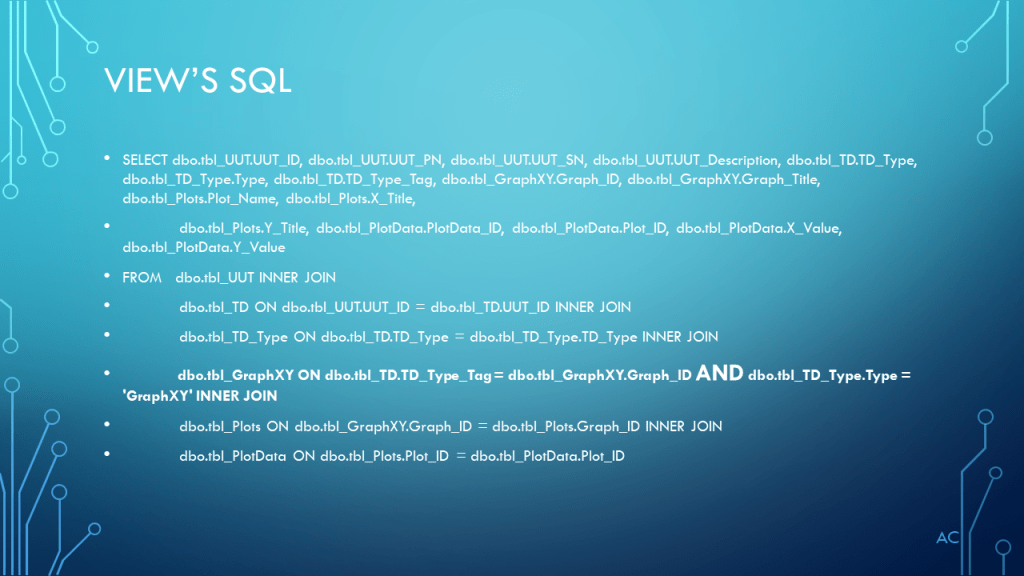
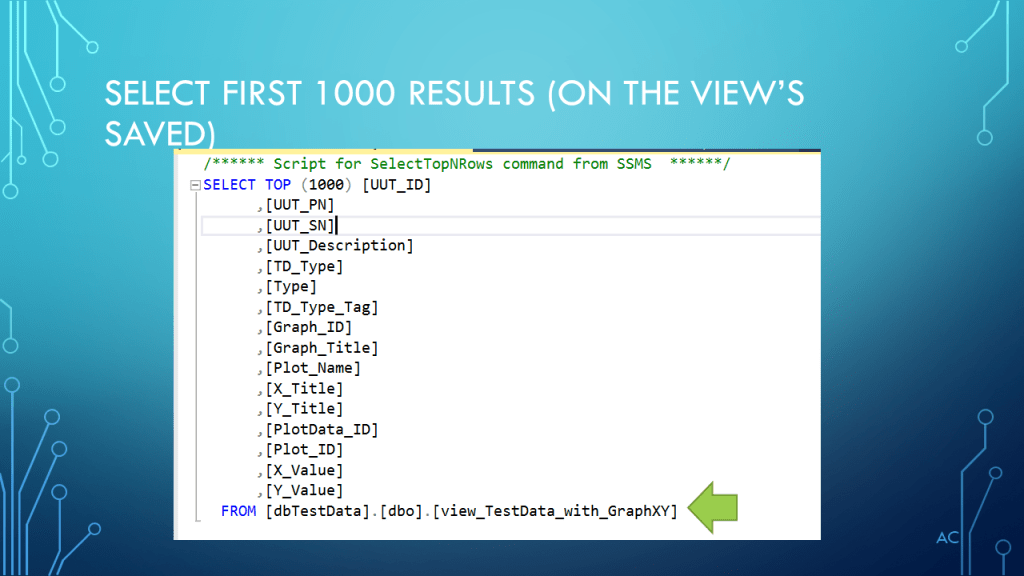
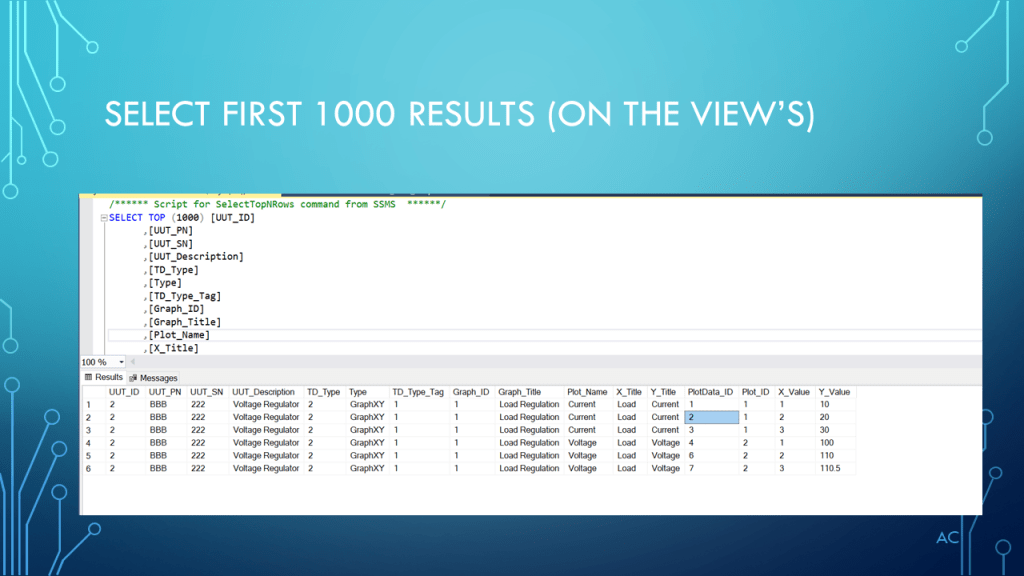
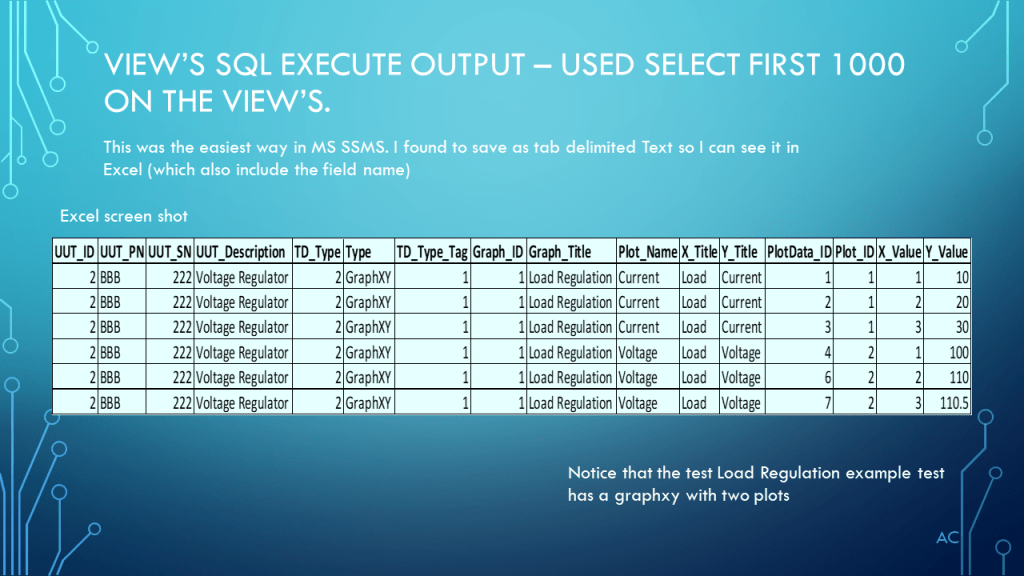
SQL Test Data Example GraphXY in MS SSMS

Extracting GraphXY type data from an example Testdata using MS Sql Server Management Studio

Added missing Graph, Plots, and Plotdata table 9/24/2020

Notes

•This is an example and by no means a complete solution.

•Showing a possible way to get all the GraphXY data.

•MS SSMS is a Microsoft product (Sql Server Management Studio)

•Presentation shown to spark ideas of use.

•This presentation is not connected to or endorsed by any company.

•Use at your own risk.

Posted in Test Sector | Tagged , , , , | Leave a comment

Get info from MS,s SQL Server in LabVIEW(R) via Dot Net

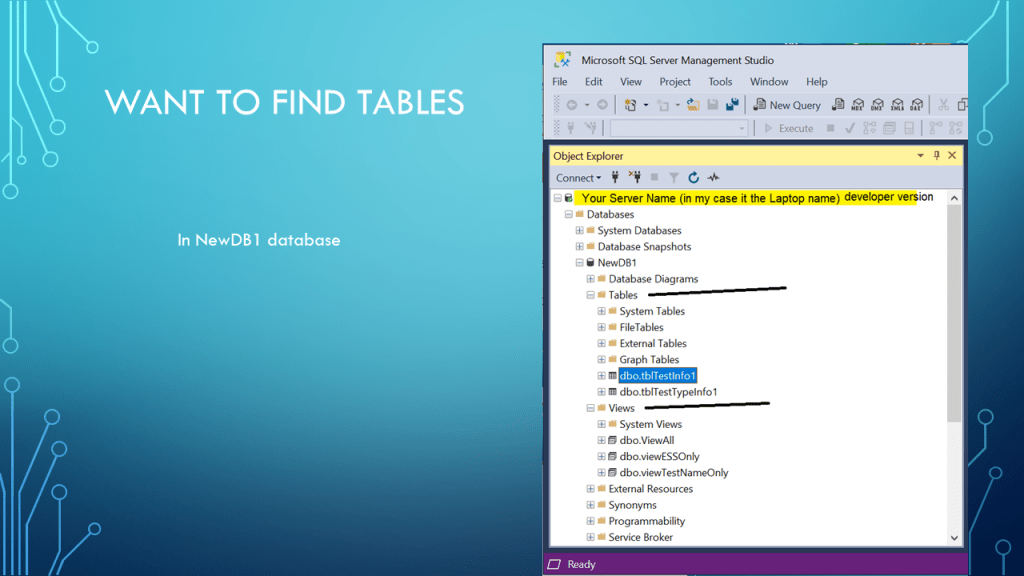
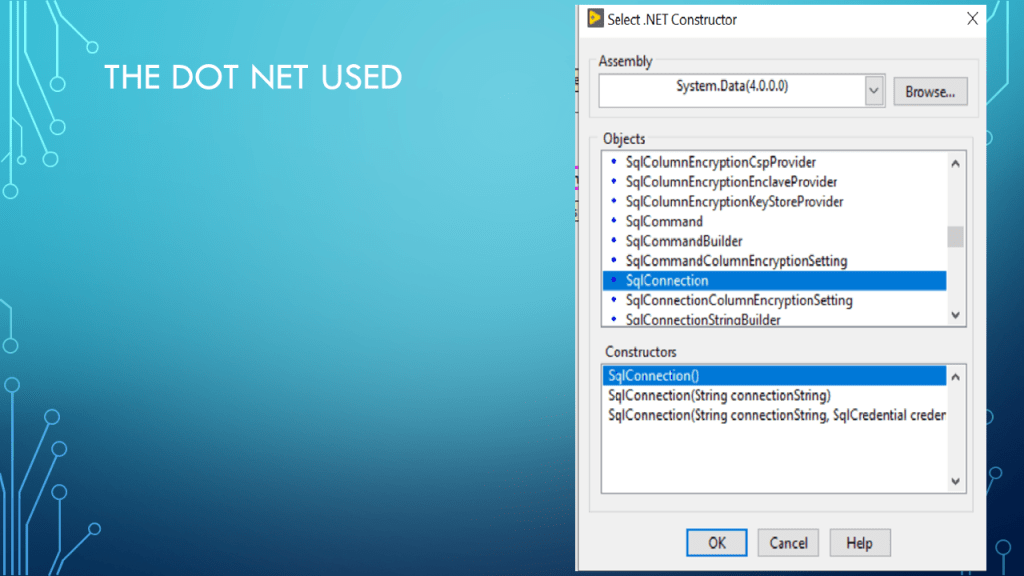
Get table information from MS SQL Server database using Dot Net (.Net)

•Showing how to used .Net in NI’s LabVIEW®  to get tables in a database.

•Technologies used  .NET(Dot Net) and Microsoft SQL SERVER (“the free developer version”) and Microsoft SQL Server Management Studio (SSMS).

•Presentation shown to spark ideas of use. (used LV2019 Base version)

•LabVIEW® 2019 is a National Instruments (NI) product

•This presentation is not connected to or endorsed by any company

•Use at your own risk.

•Yes, it most likely much easier with the NI’s DB Toolkit, but don’t have that.

•Help from ref site: https://stackoverflow.com/questions/6671067/retrieve-list-of-tables-from-specific-database-on-server-c-sharp/6671427#6671427 it’s solution with a green check

Posted in Test Sector | Tagged , , , , , | Leave a comment

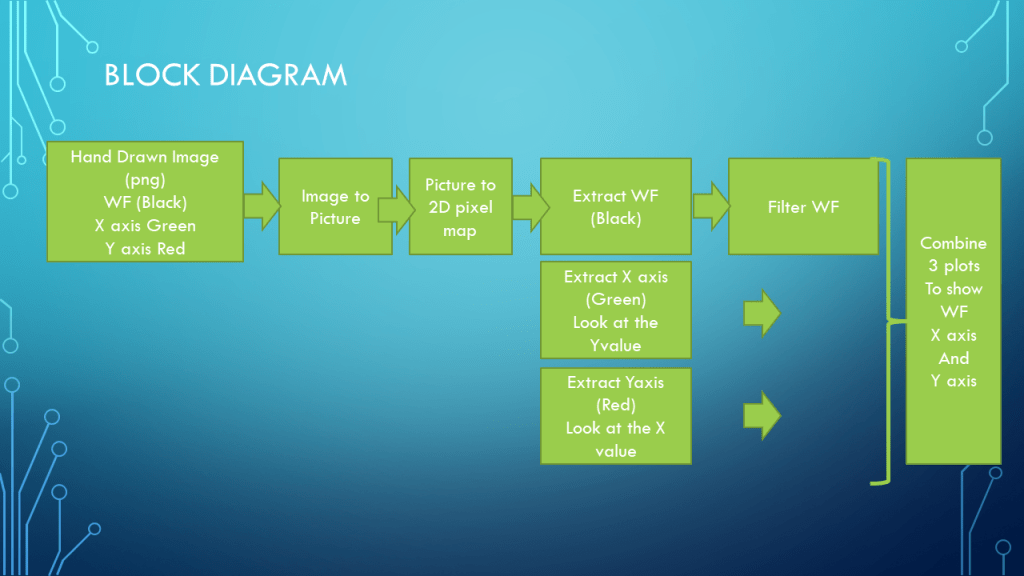
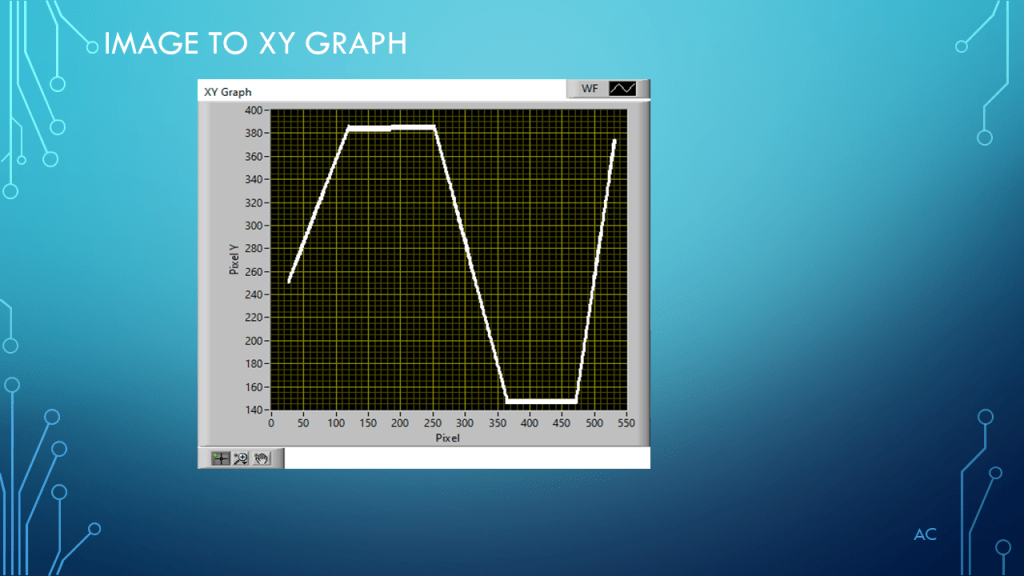
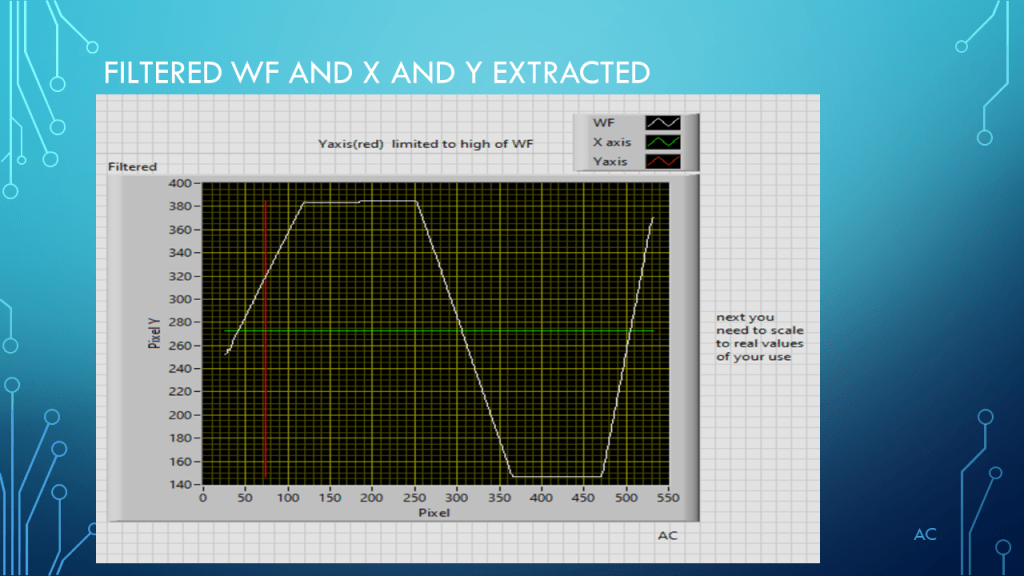
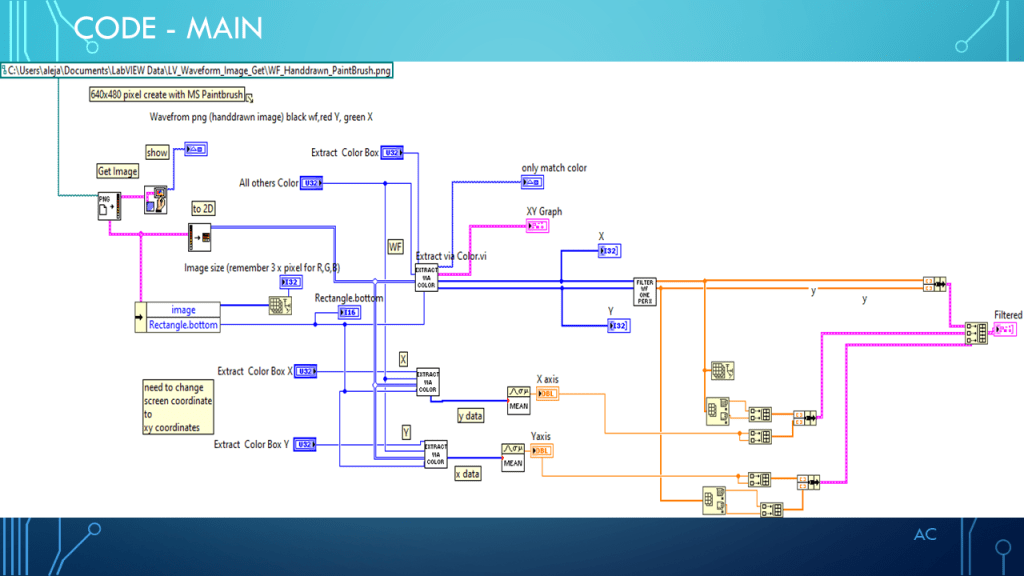
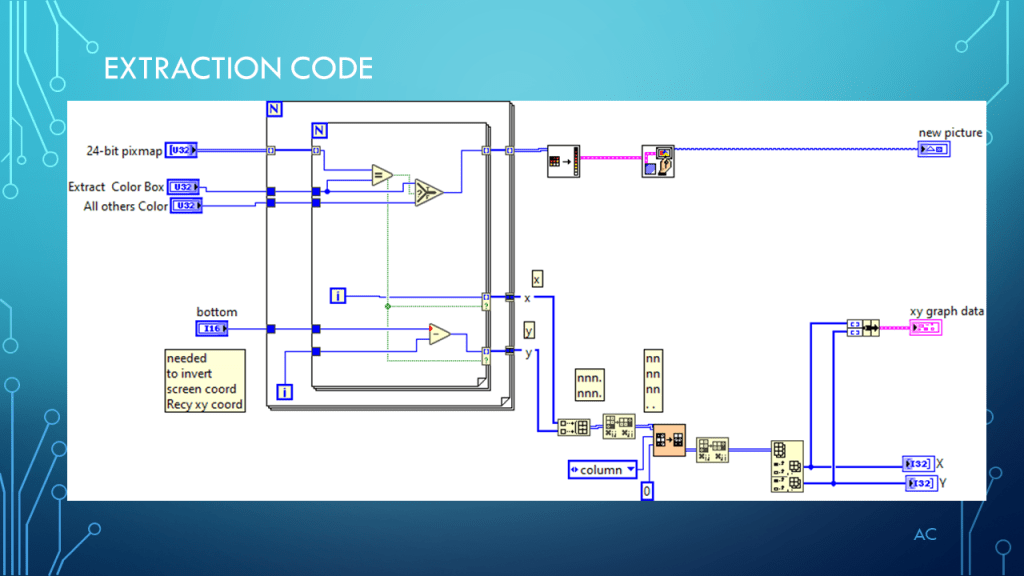
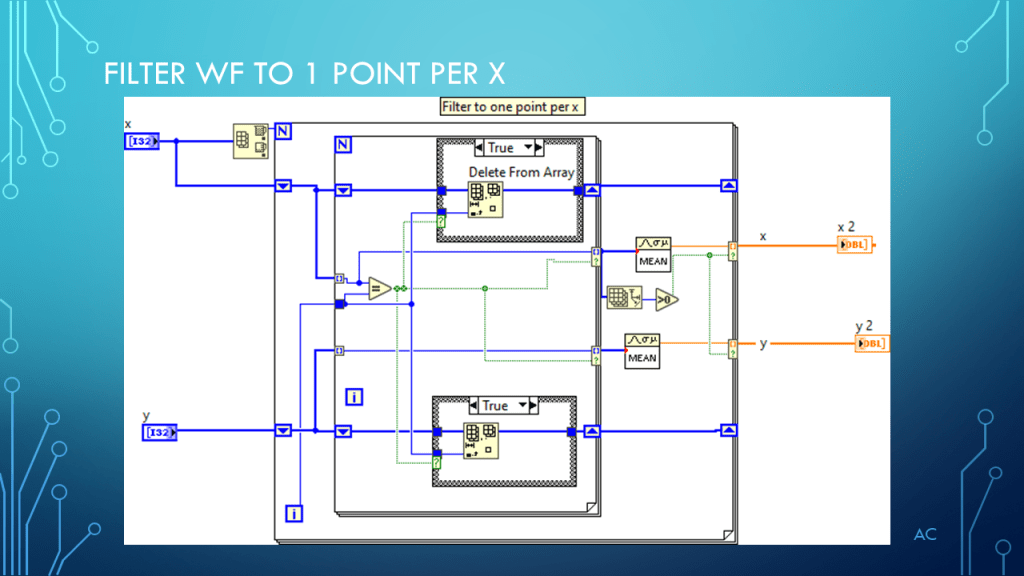
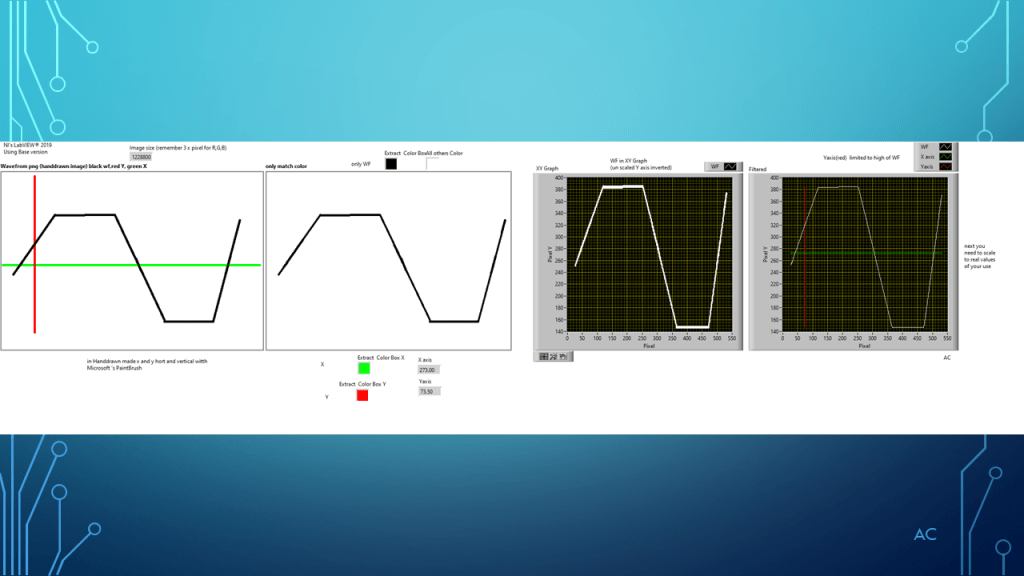
LV Waveform Image Hand drawn to XY Graph

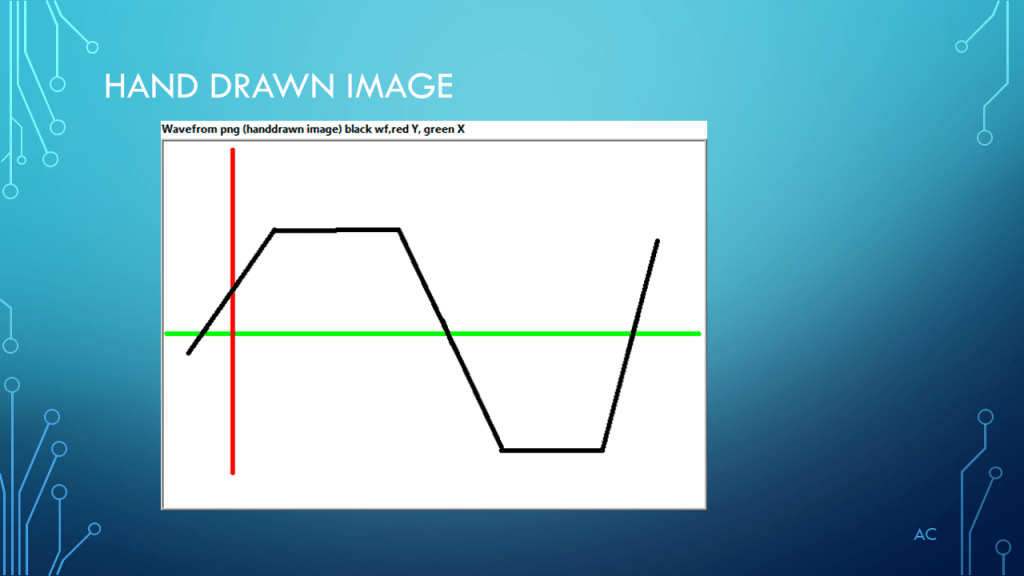
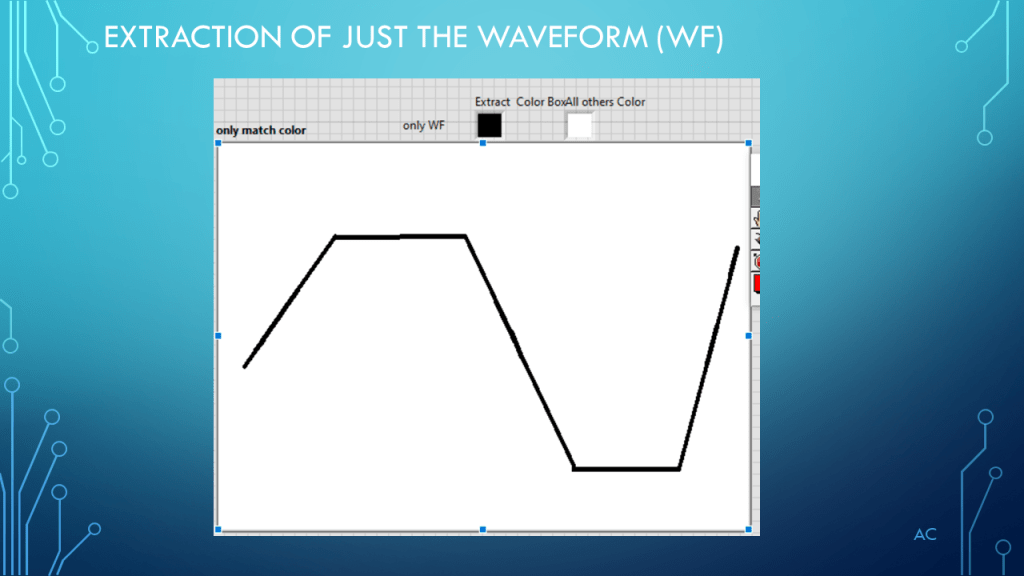
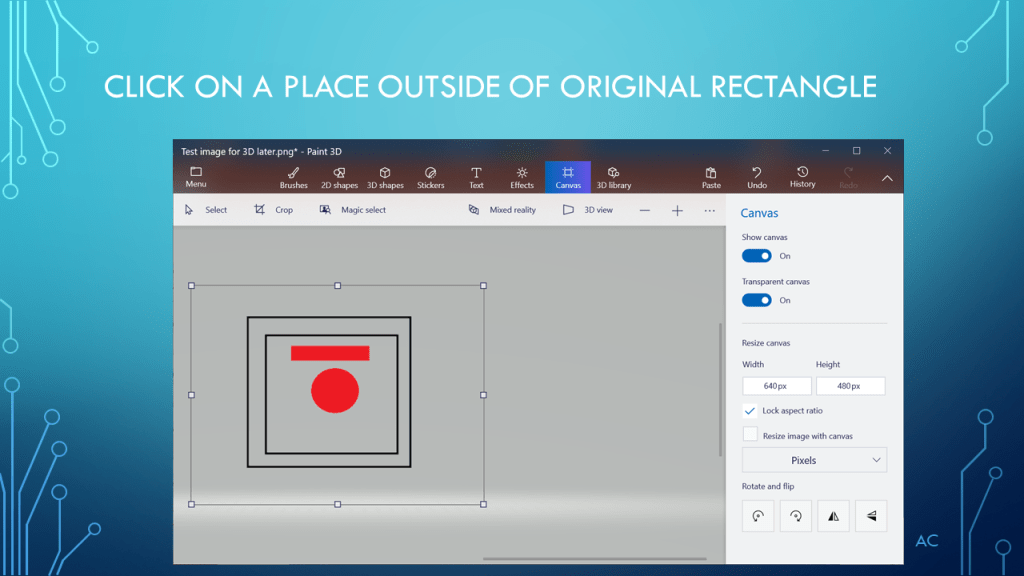
Using a hand drawn image with specific color for each element ( Wavefrom Black, X axis -Green, and Y axis-Red convert it to XY Graph.

Below is the presentation for this post using MS PowerPoint (r)

Notes

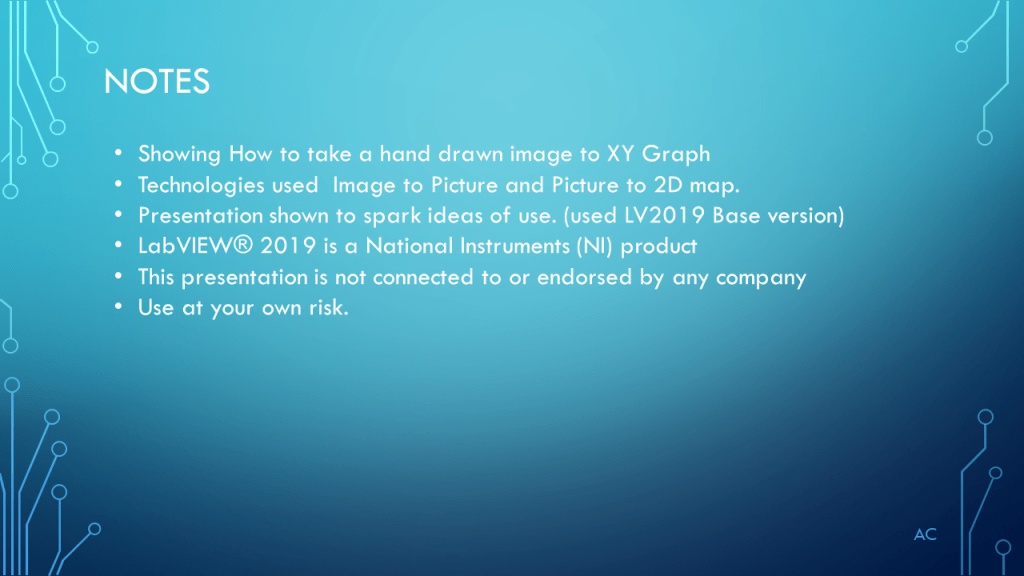
• Showing how to take a hand drawn image to XY Graph

• Technologies used  Image file to Picture (PNG) and Picture to 2D map.

• Presentation shown to spark ideas of use.

• (used LV2019 Base version-most fitting function are not in base so had to use mean for x and y axis)

• LabVIEW® 2019 is a National Instruments (NI) product

• This presentation is not connected to or endorsed by any company

• Use at your own risk.
Posted in LabVIEW(r), Test Sector, XY Grpah | Tagged , , | Leave a comment

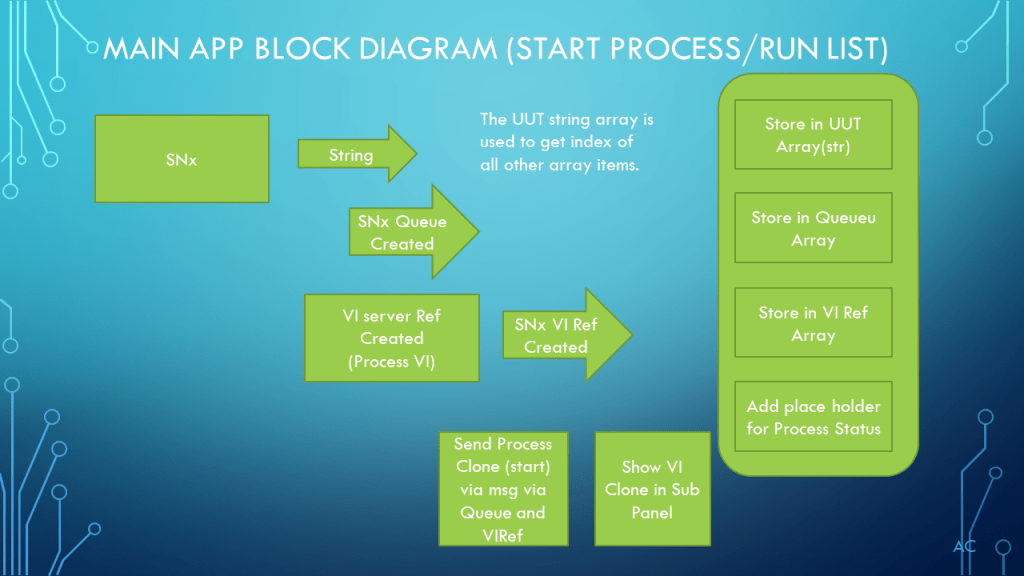
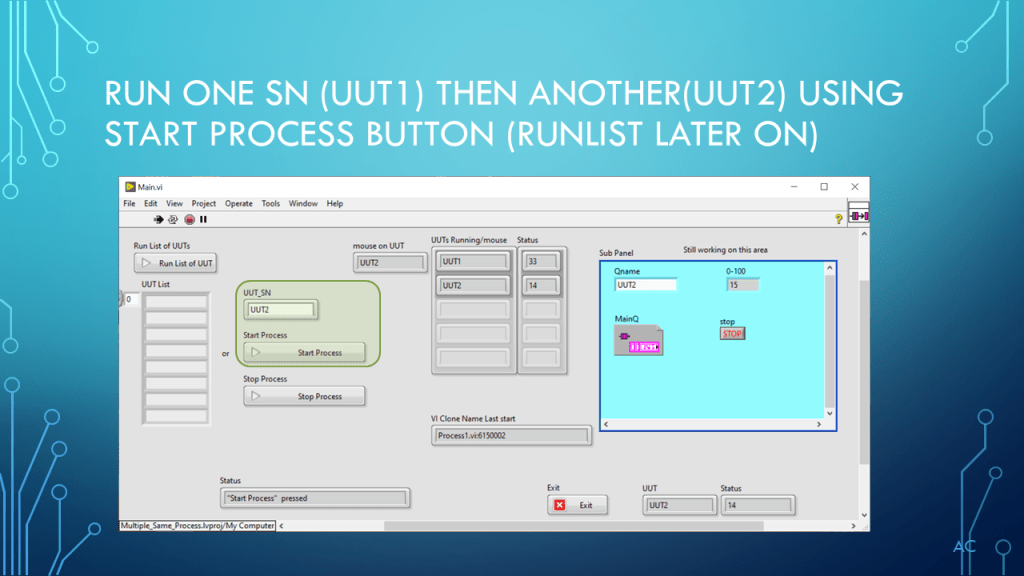
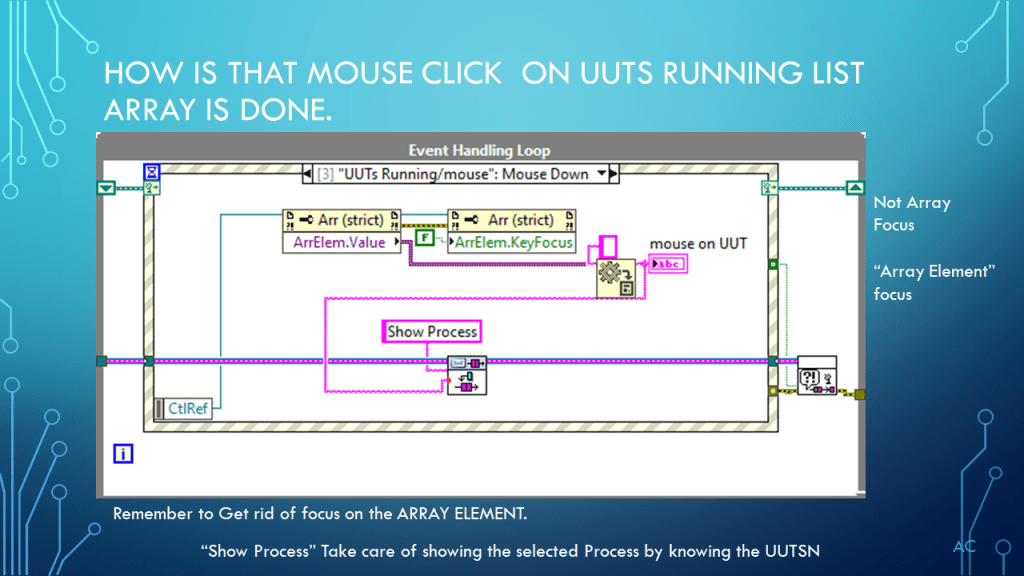
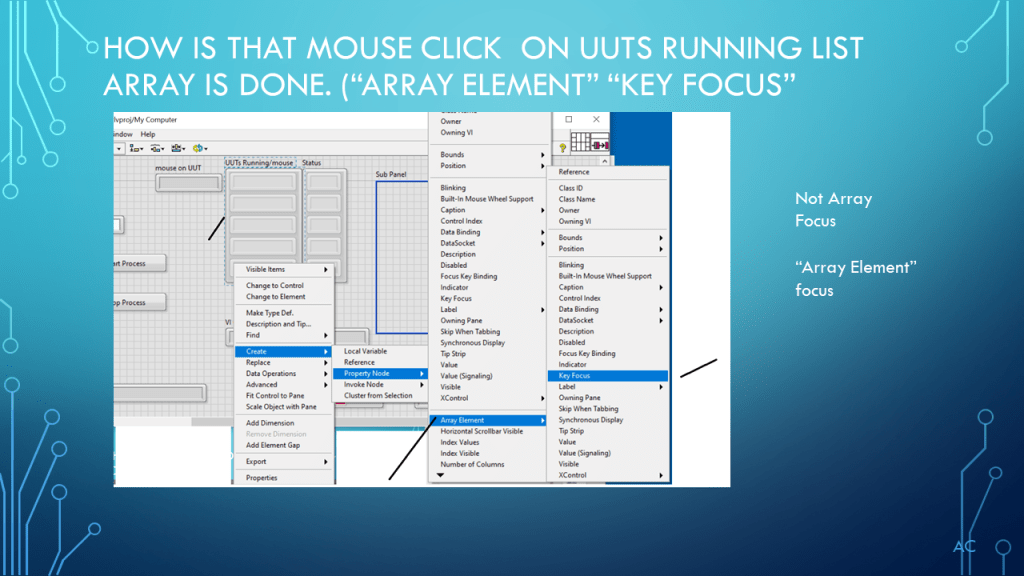
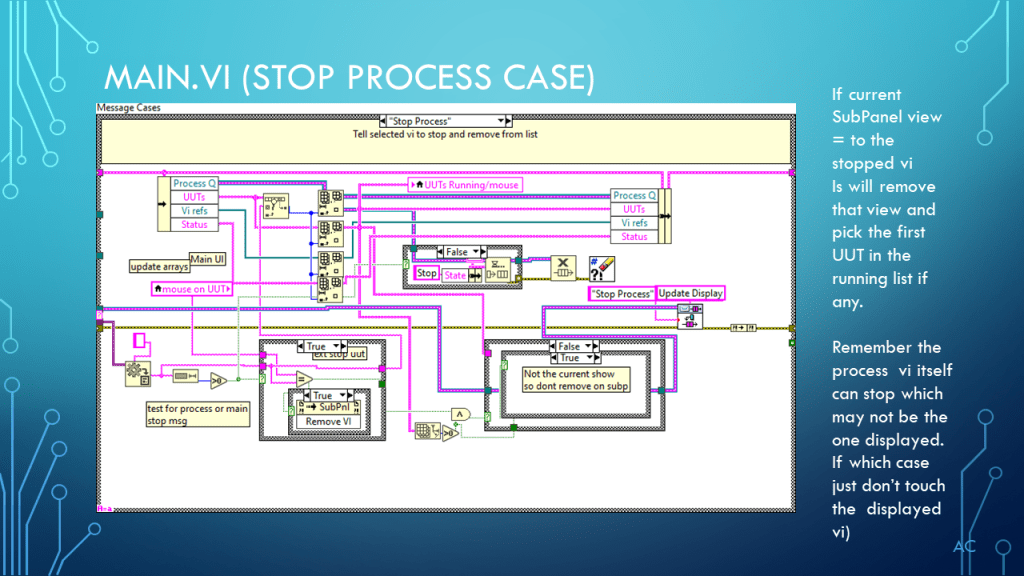
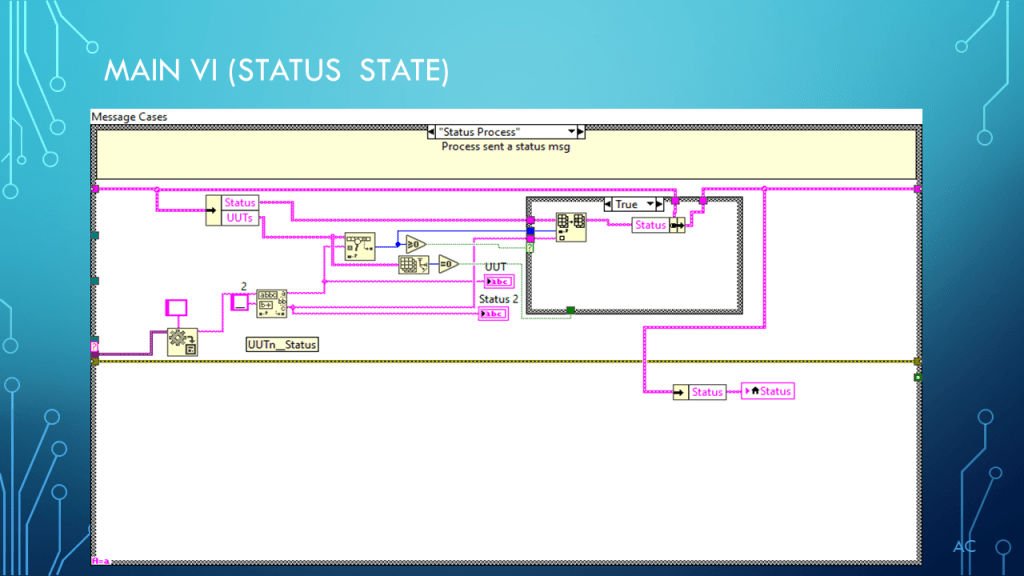
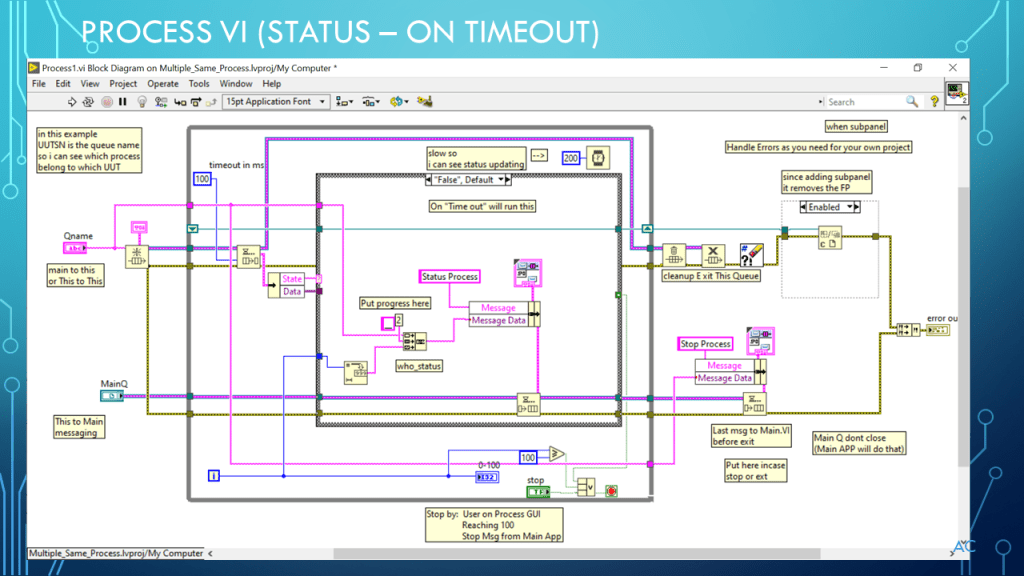
LV Multiple Process Vi with SubPanel

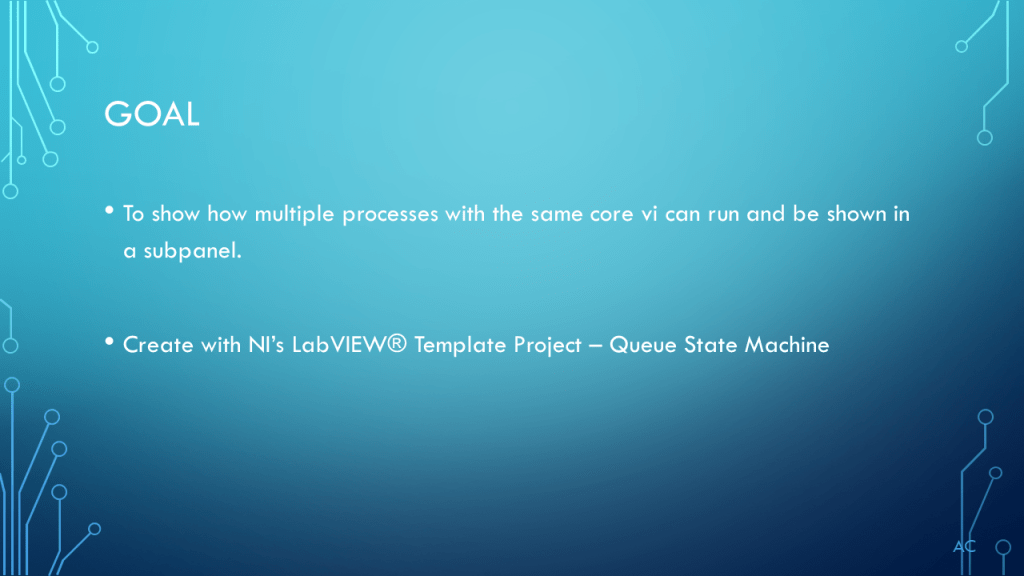
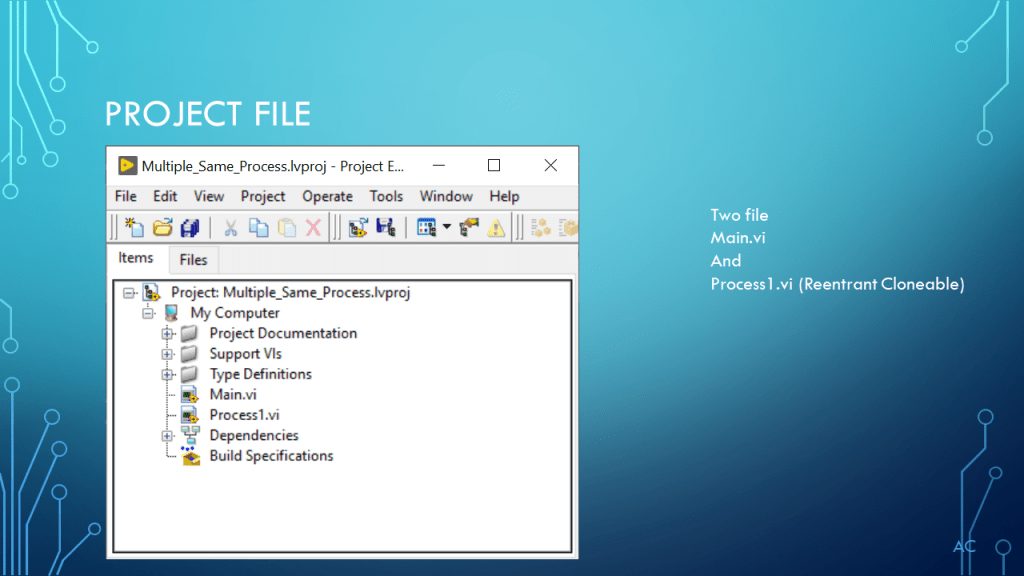
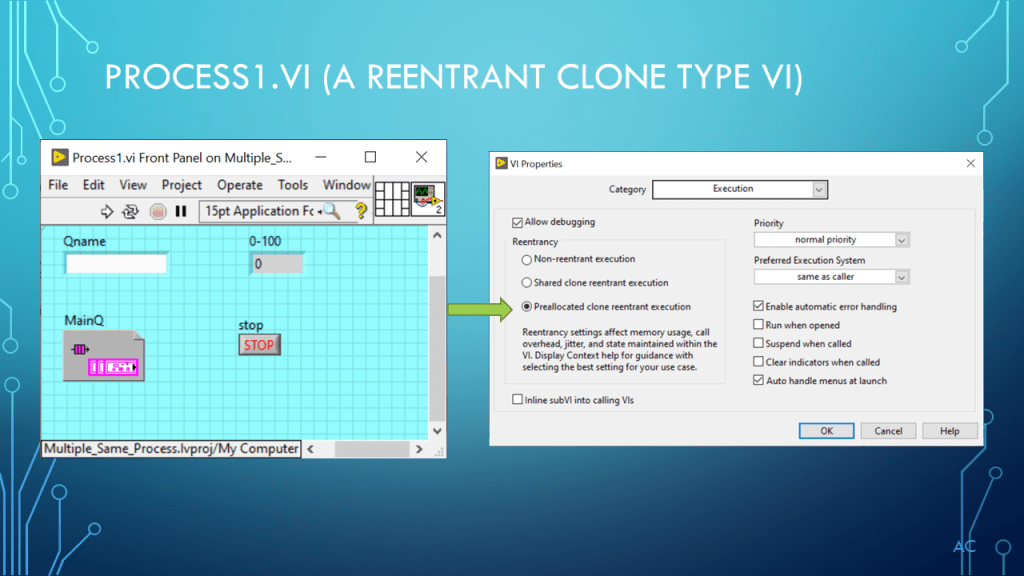
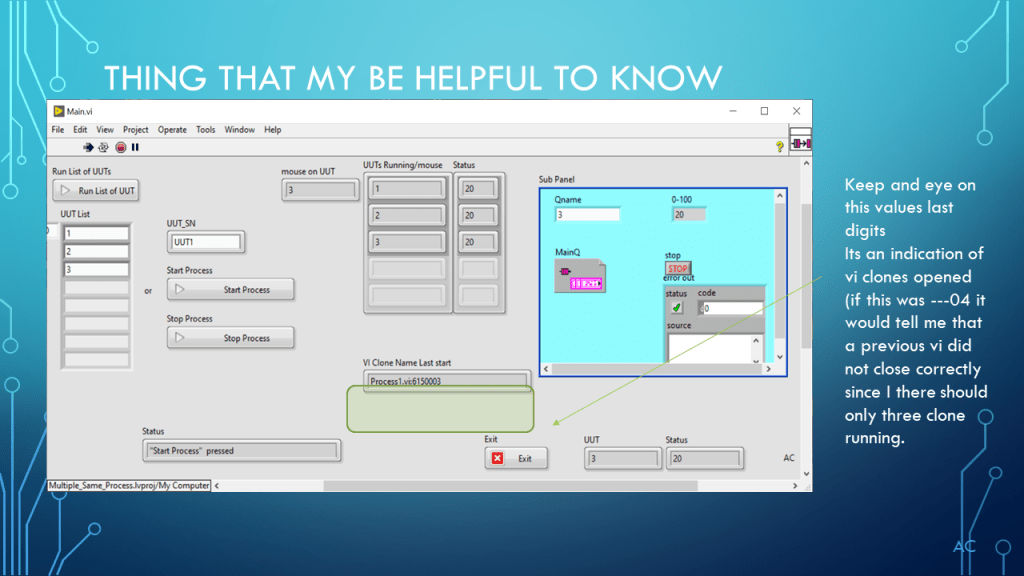
Open multiple instants of a Process VI and showing it in a SubPanel.

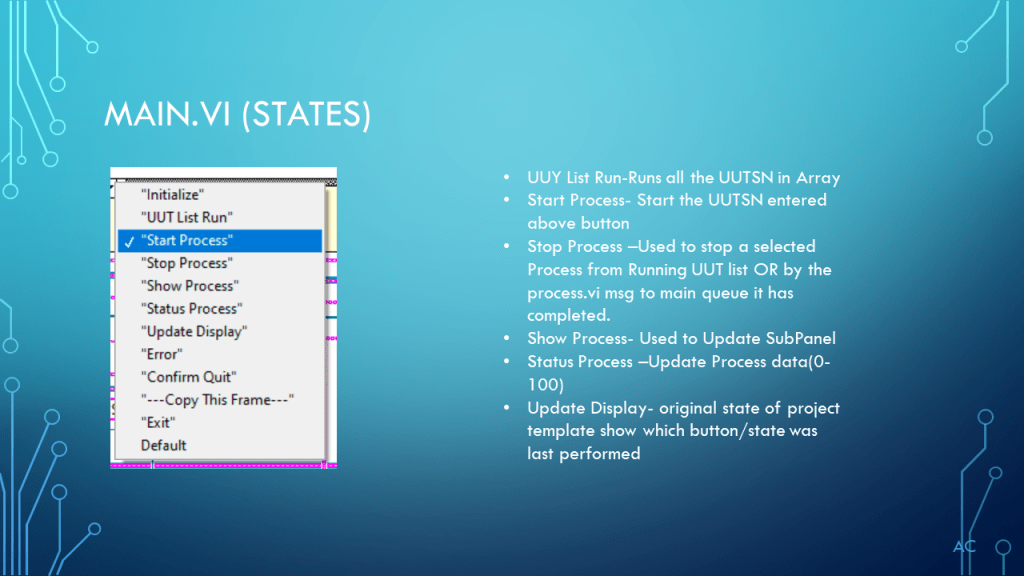
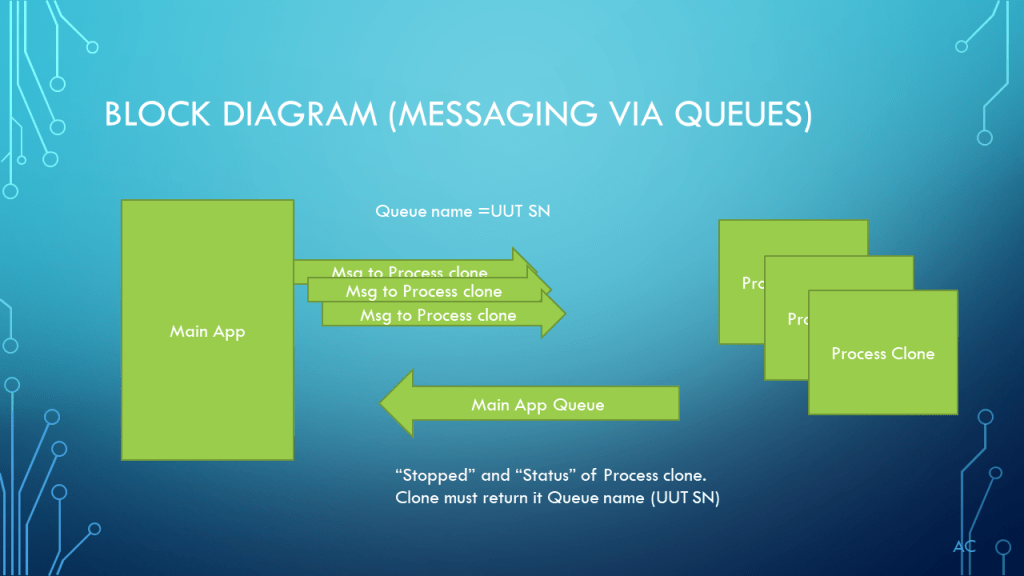
Messaging via the unique queue of the Process and the Main queue.

Notes

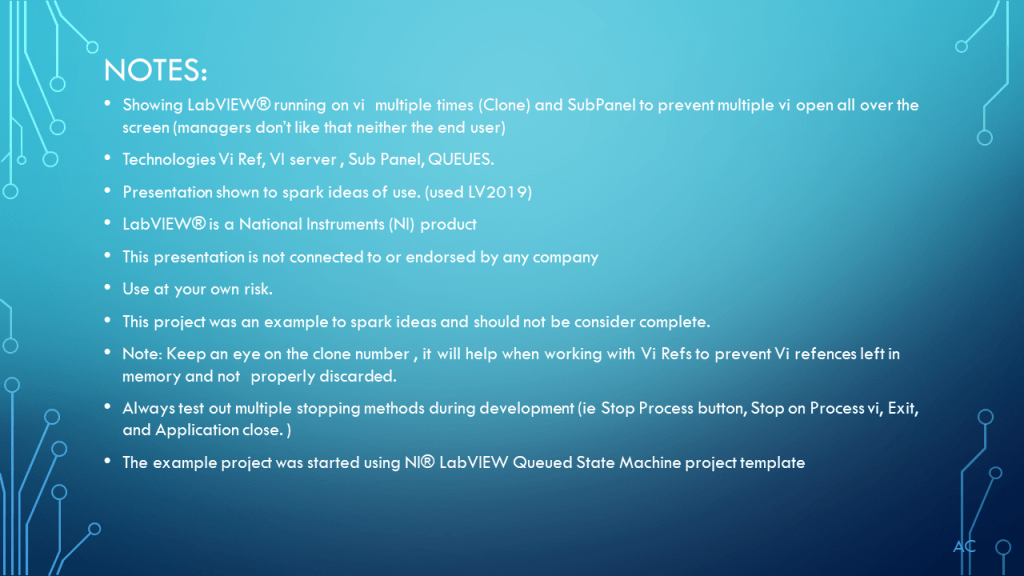
•Showing LabVIEW® running on vi  multiple times (Clone) and SubPanel to prevent multiple vi open all over the screen (managers don’t like that neither the end user)

•Technologies Vi Ref, VI server , Sub Panel, QUEUES.

•Presentation shown to spark ideas of use. (used LV2019)

•LabVIEW® is a National Instruments (NI) product

•This presentation is not connected to or endorsed by any company

•Use at your own risk.

•This project was an example to spark ideas and should not be consider complete.

•Note: Keep an eye on the clone number , it will help when working with Vi Refs to prevent Vi refences left in memory and not  properly discarded.

•Always test out multiple stopping methods during development (ie Stop Process button, Stop on Process vi, Exit, and Application close. )

•The example project was started using NI® LabVIEW Queued State Machine project template

Posted in Uncategorized | Tagged , , , , , , | Leave a comment

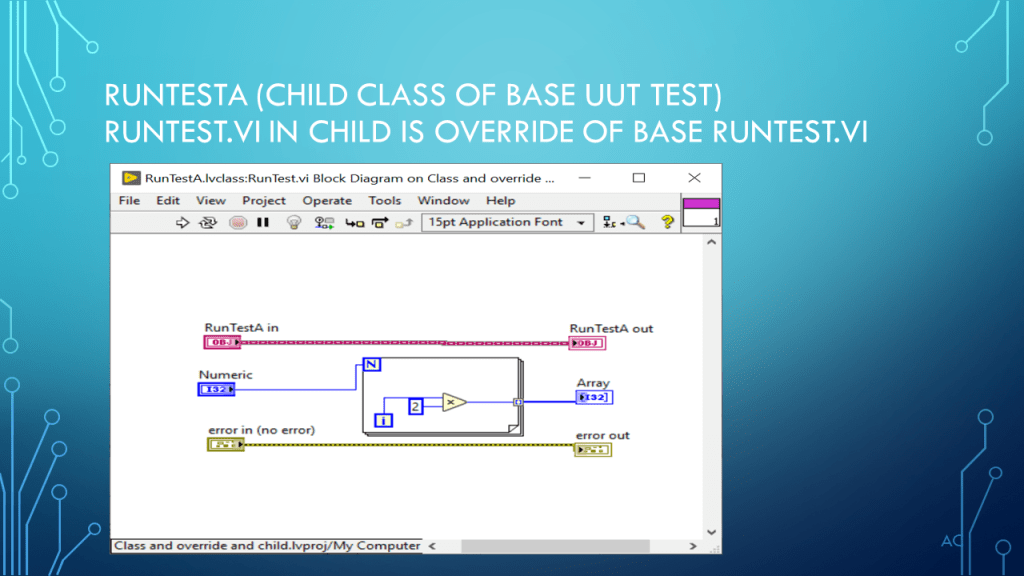
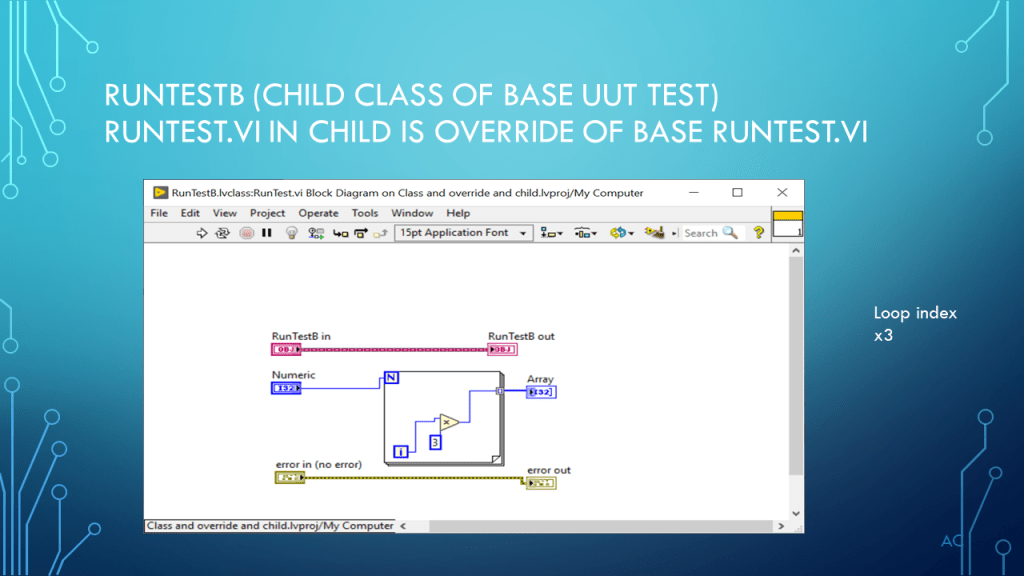
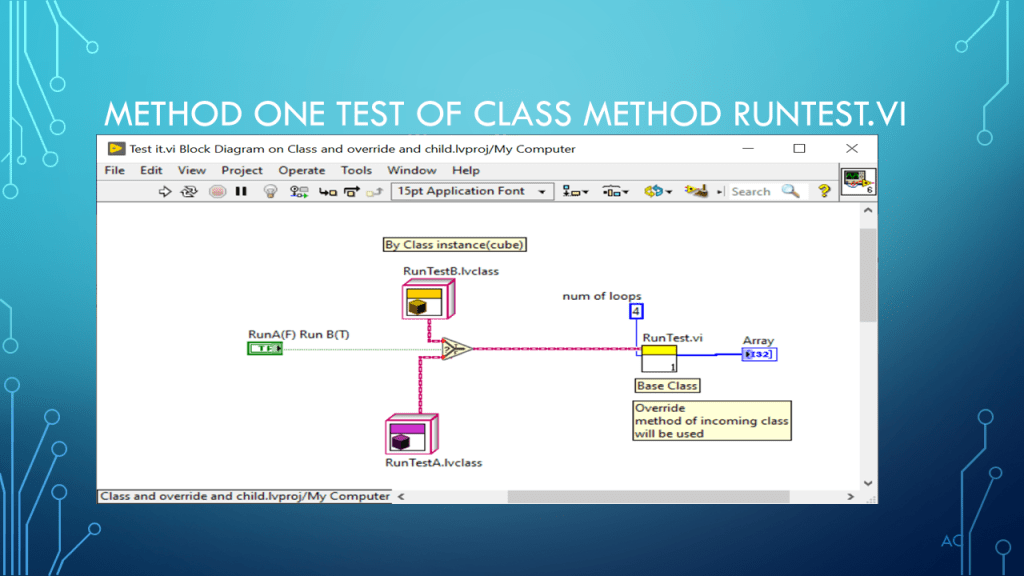
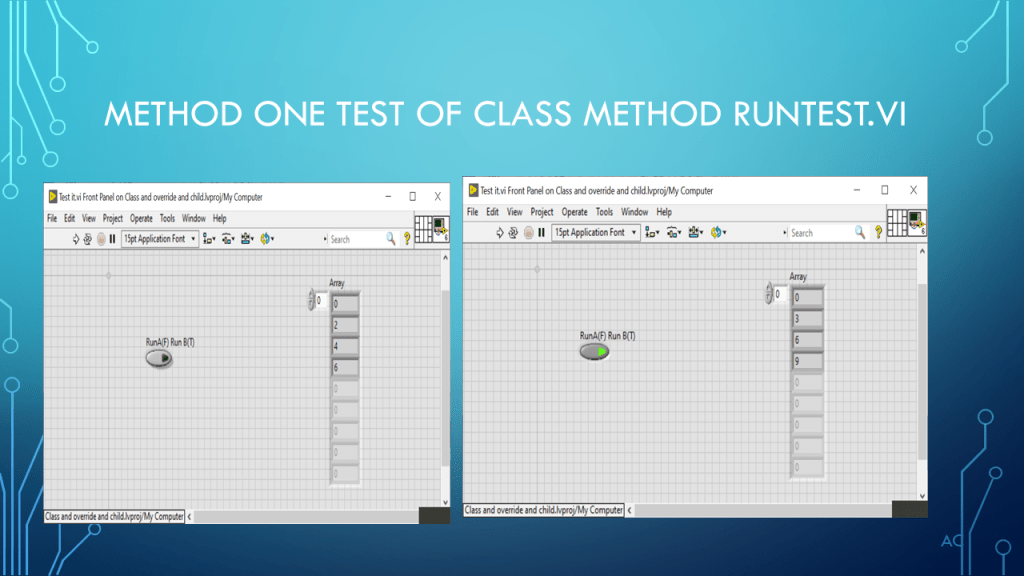
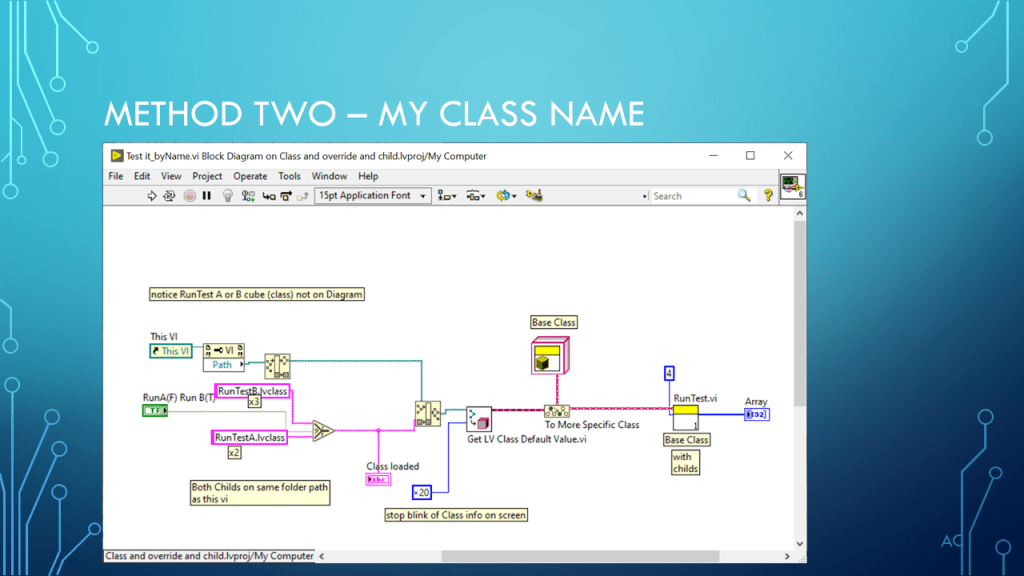
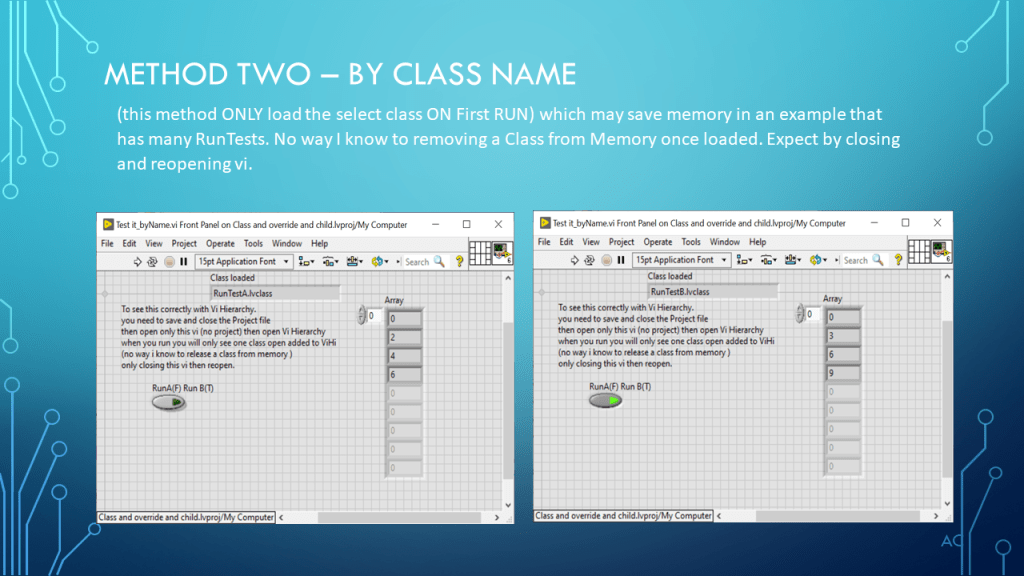
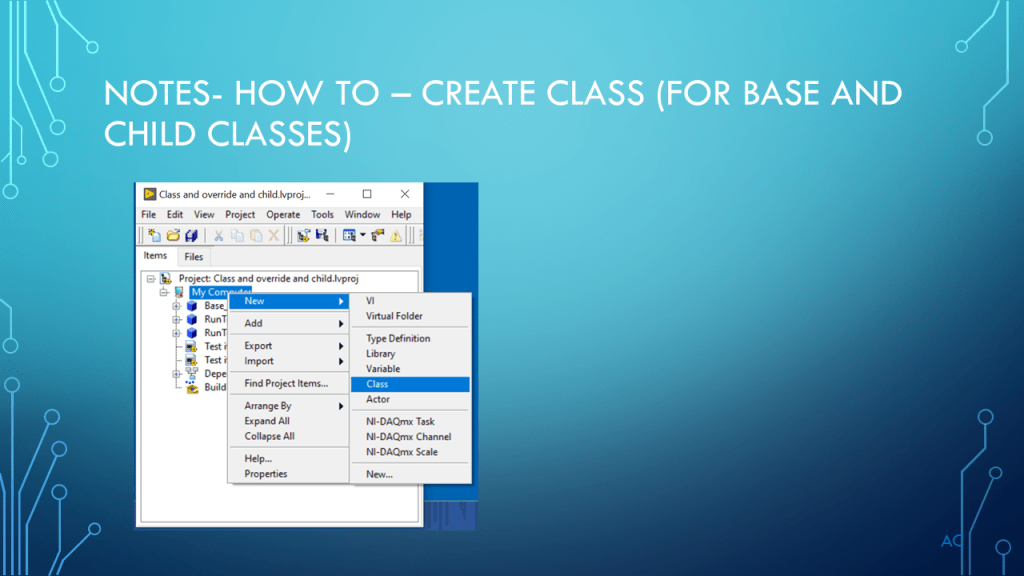
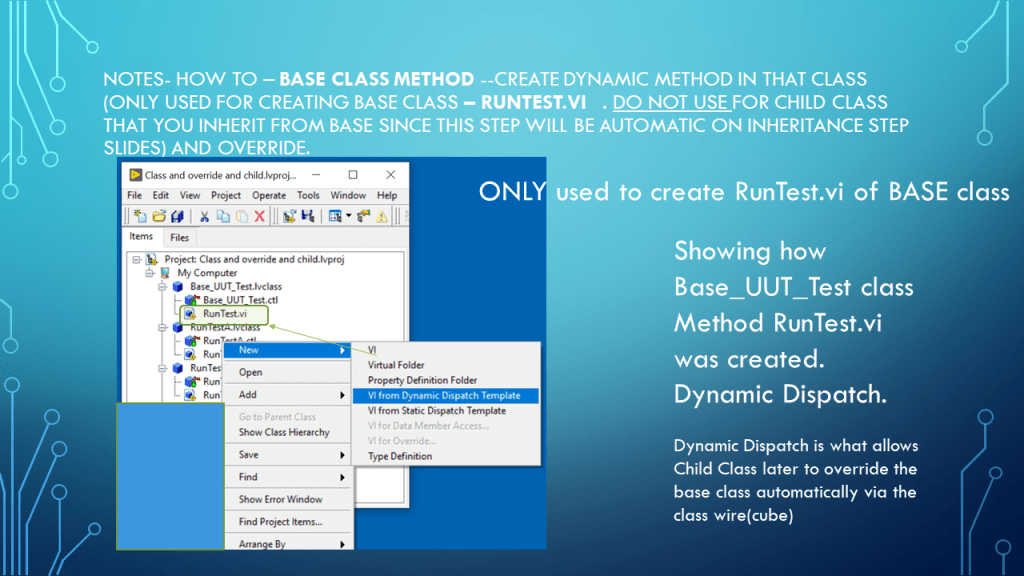
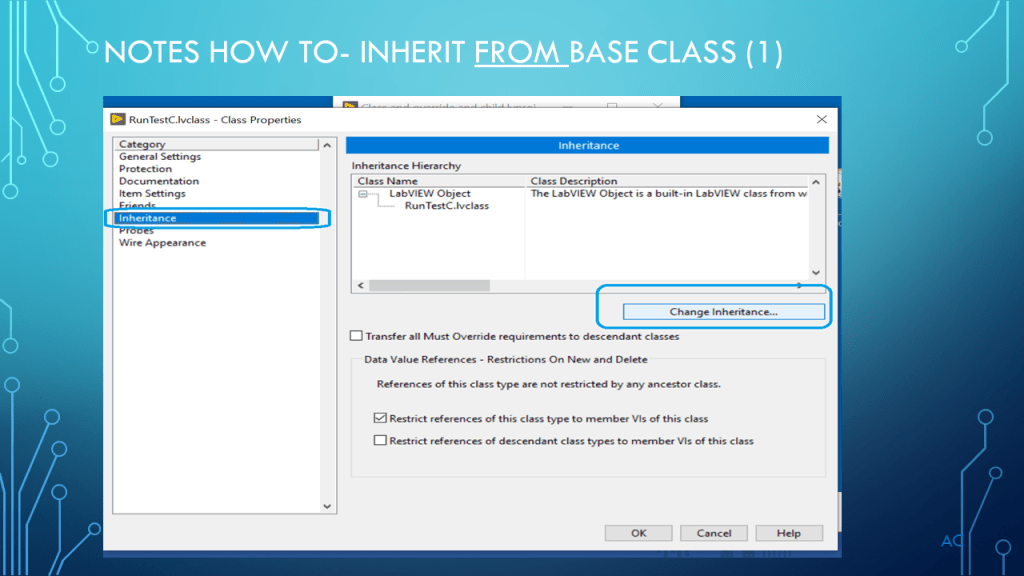
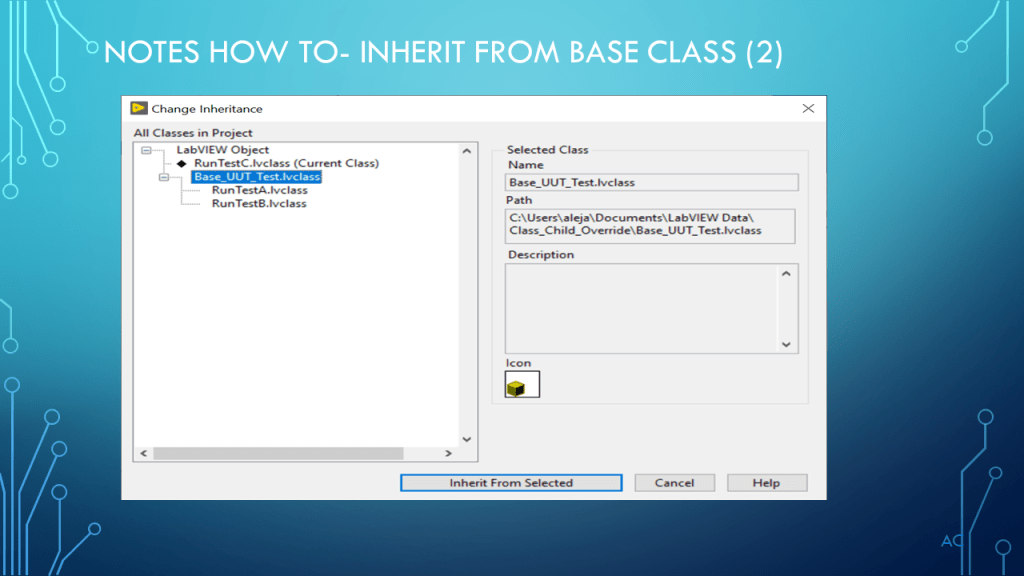
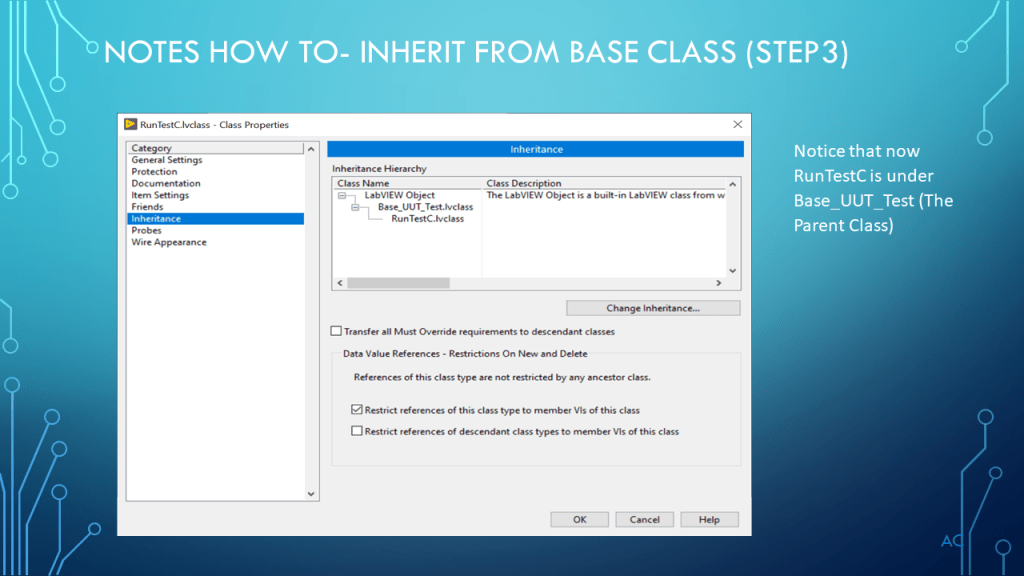
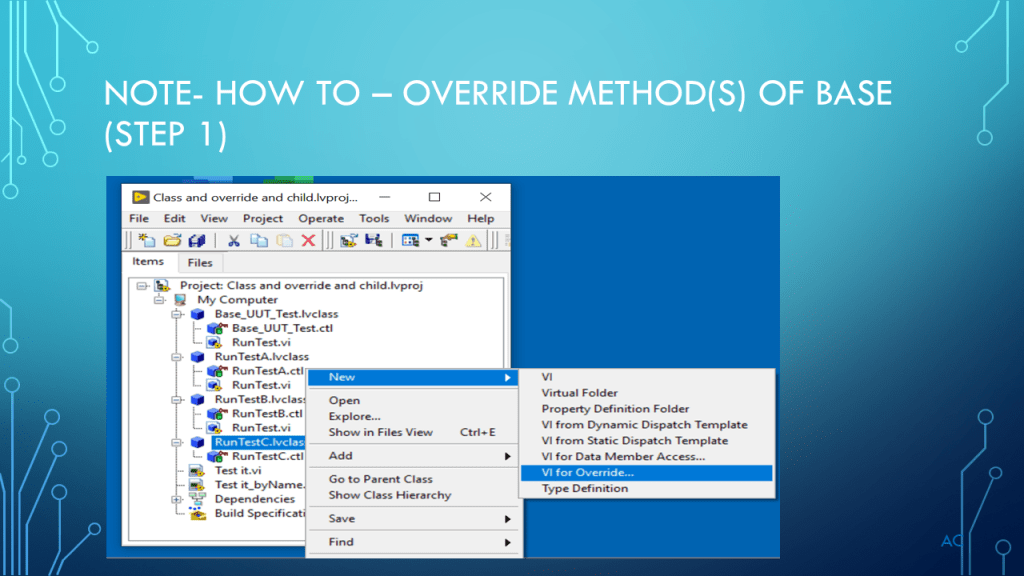
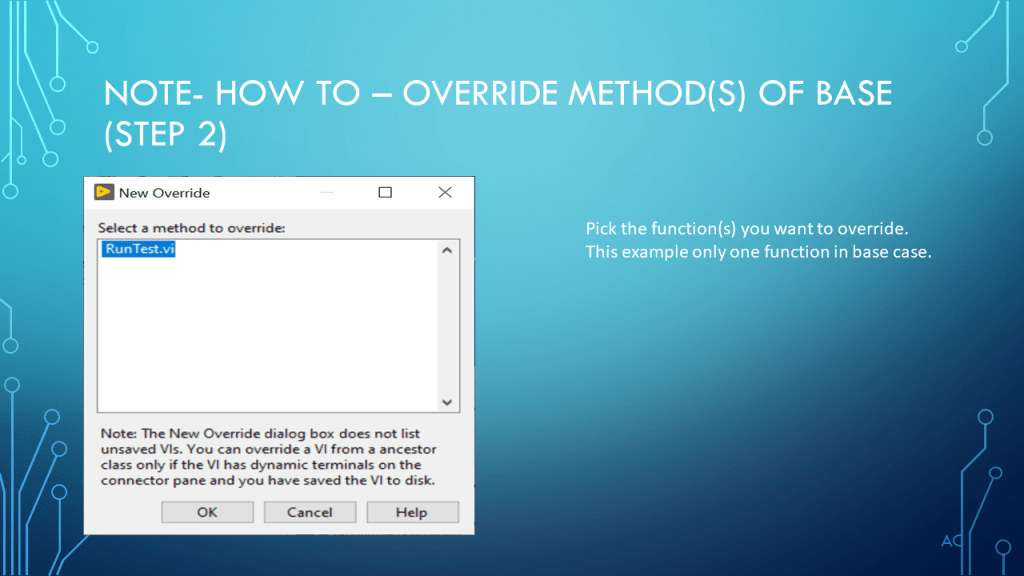
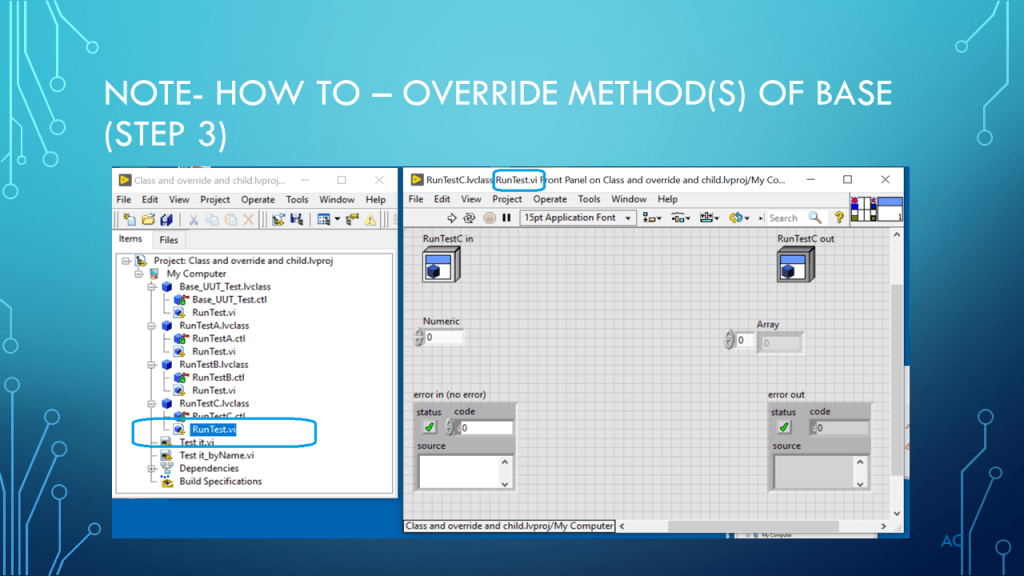
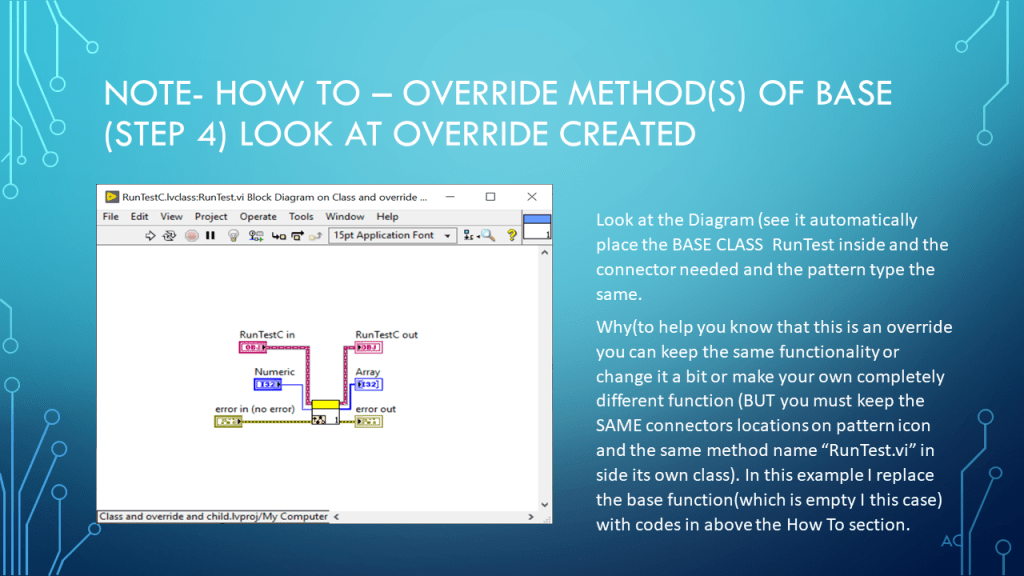
LV Classes Intro (Base Template class and two Child Class)

Show a parent base class and two child class created in LabVIEW®

Notes

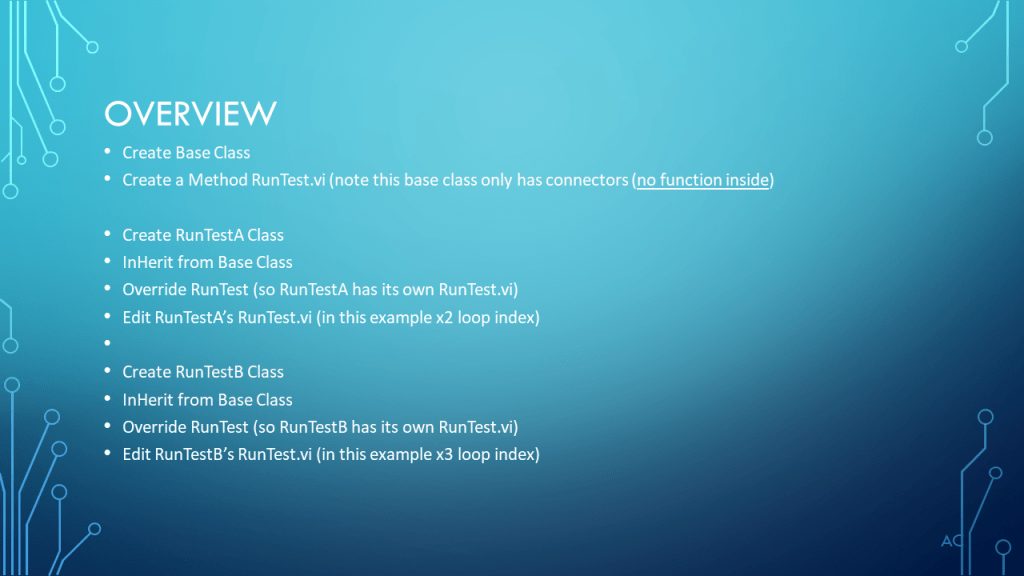
•Showing LabVIEW® classes in this presentation 1Base Class and two Child with overrides.

•Technologies used Classes, Object Orientated Programming(OOP), Encapsulation, Inheritance, Override, Dynamic Dispatch.

•Presentation shown to spark ideas of use. (used LV2019)

•LabVIEW® is a National Instruments (NI) product

•This presentation is not connected to or endorsed by any company

•Use at your own risk.

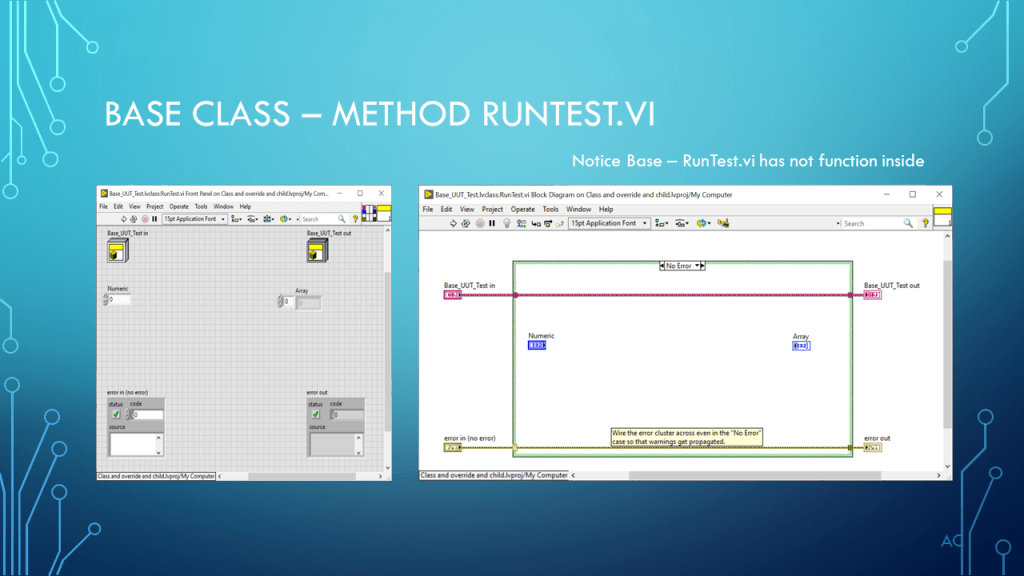
•In this presentation the Base Class method RunTest.vi was used as a template but it can have its own function that may also be needed by  overrides.

Posted in Uncategorized | Tagged , , , , | Leave a comment

LabVIEW(R) Actor Framework – Example Use.

LabVIEW(R) Actor Framework Example Use.

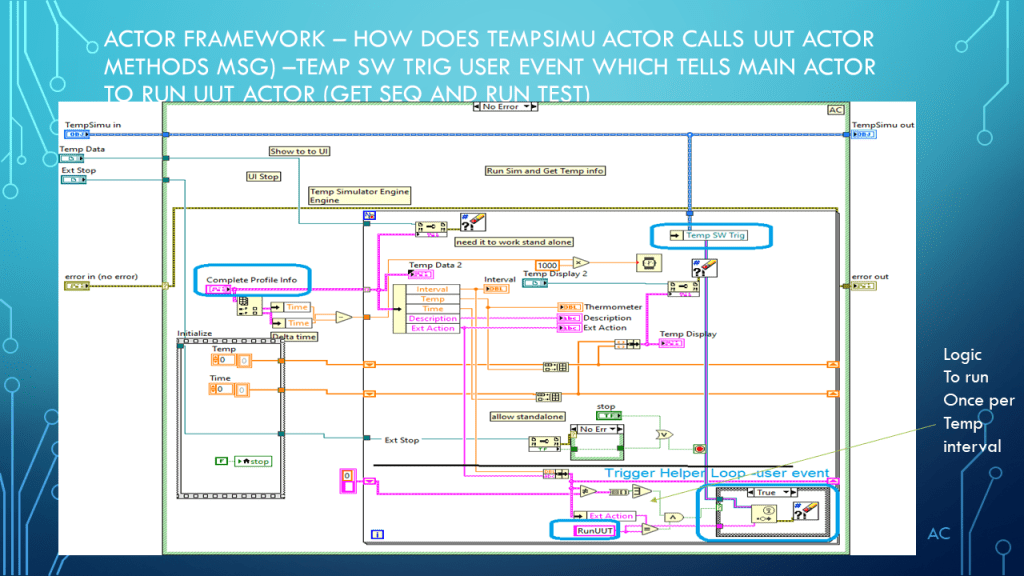
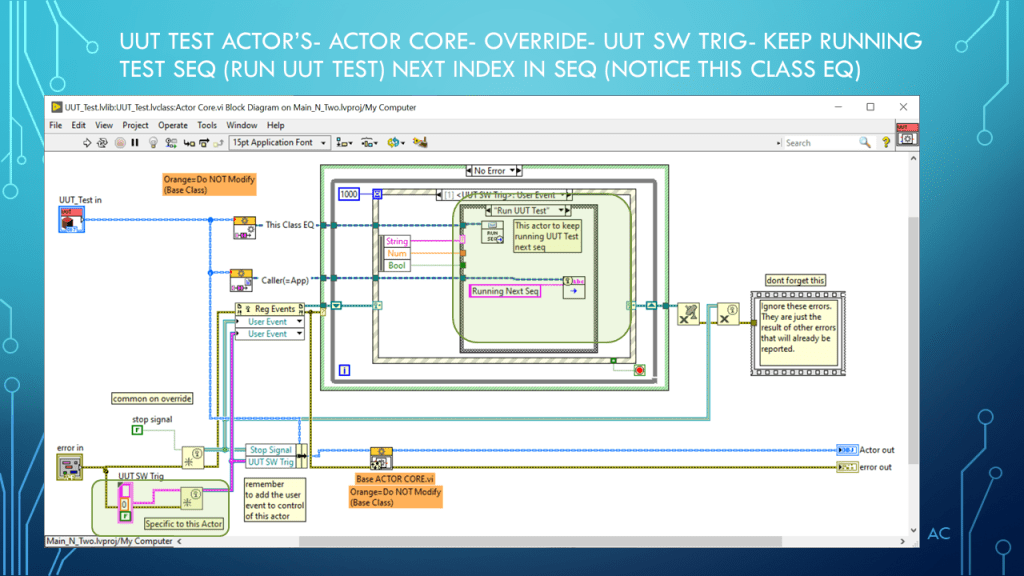
Showing and example use of LabVIEW(R) Actor Framework using simulators

Presentation

LabVIEW(R) Actor Framework - Actors
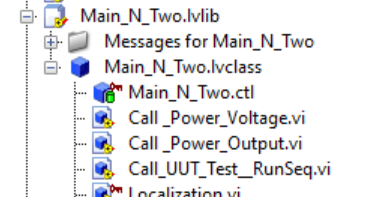
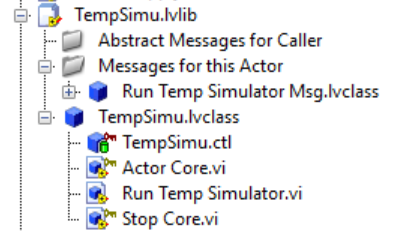
Diagram of Actors in LabVIEW (r) Actor Framework Example

Project Sections

Main Actor

Power Supply Class and Message

Temperature Class and Messages

UUT Class and Messages

Classes of LabVIEW(r) Actor Framework Example

Short Video (about 31 seconds)

Notes

Notes

•Showing parts of an example Temp cycle sim, UUT test sim ,Power supply sim using the LabVIEW® Actor Framework Project template as a starting point.

•Technologies used Classes, Object Orientated Programming(OOP), Encapsulation, Inheritance, Override, Dynamic Dispatch Actors, User Events.

•Presentation shown to spark ideas of use. (used LV2019)

•LabVIEW® is a National Instruments (NI) product

•This presentation is not connected or endorsed by any company

•Use at your own risk.

•One more note, which others have stated and applies to me also , Don’t spend your projects budget trying to look into every BASE Method of Actor Framework to figure how it works. Think top level (Actors, Methods, Messaging, User Events and Helper (Event Loop) , If new with AFW start with the NI Actor Framework Project template (2019) as I did.

Download

Posted in Actor Framework, LabVIEW(r), Test Sector | Tagged , , , | 2 Comments

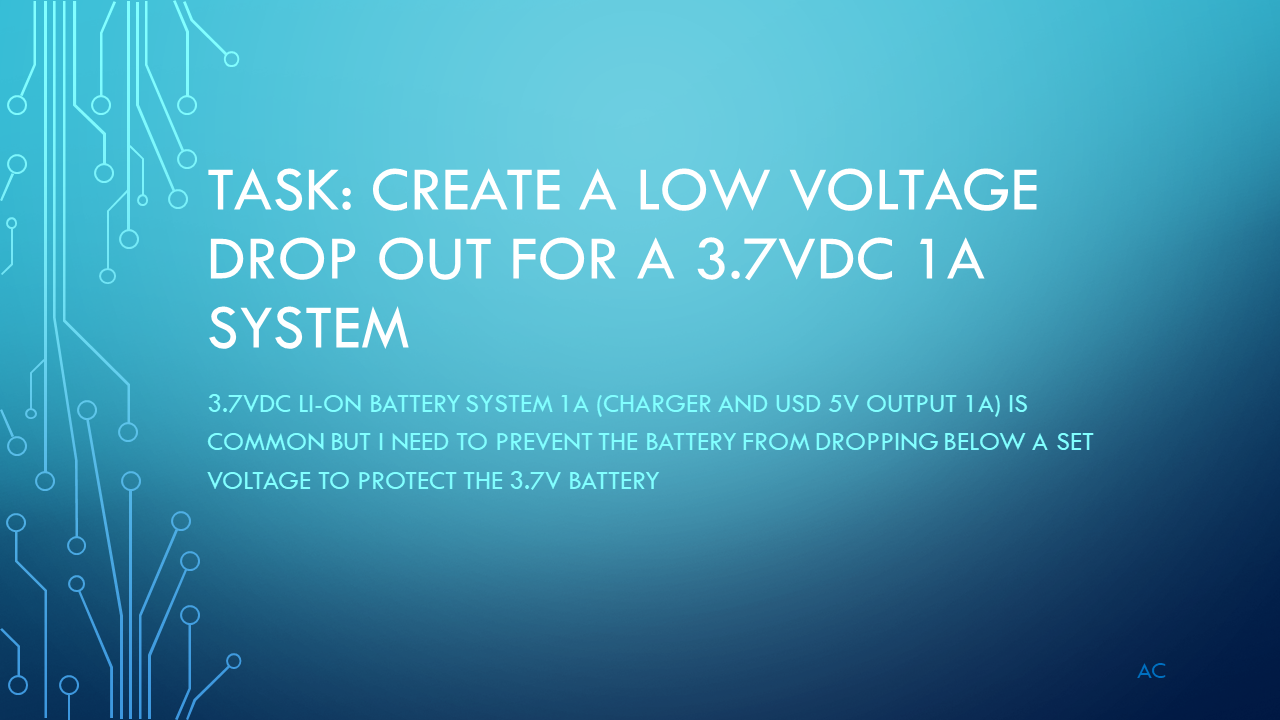
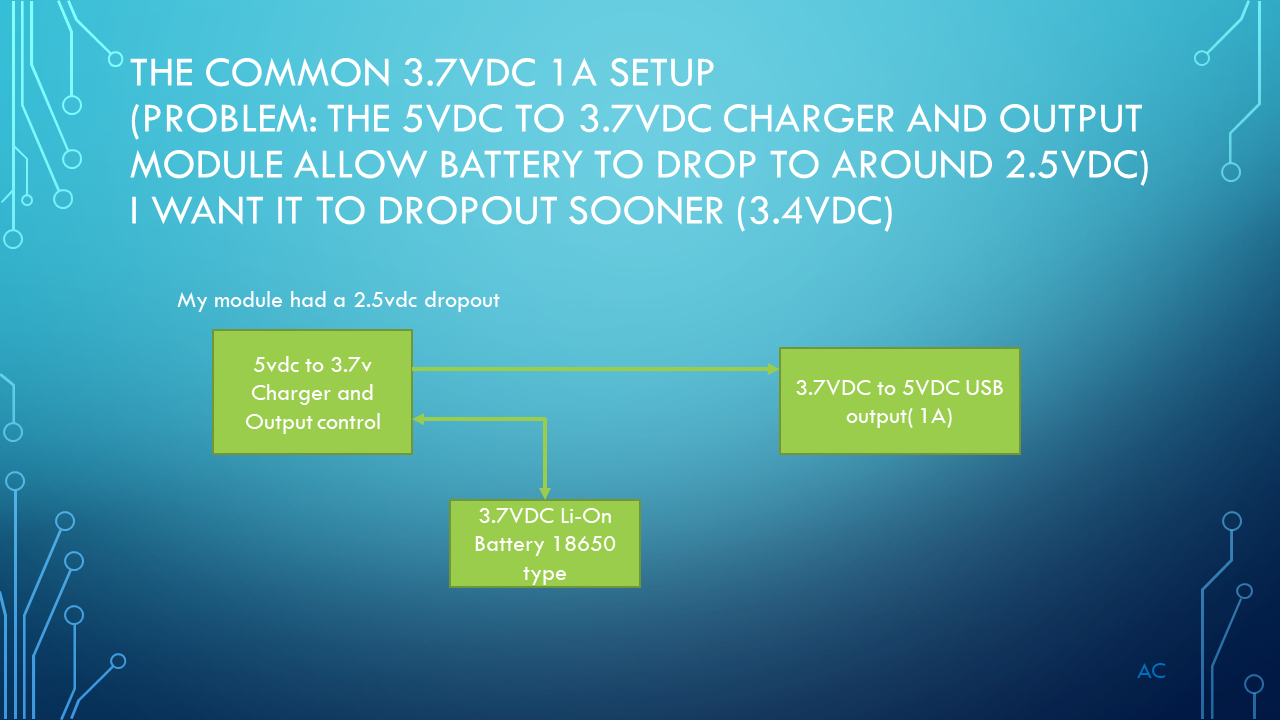
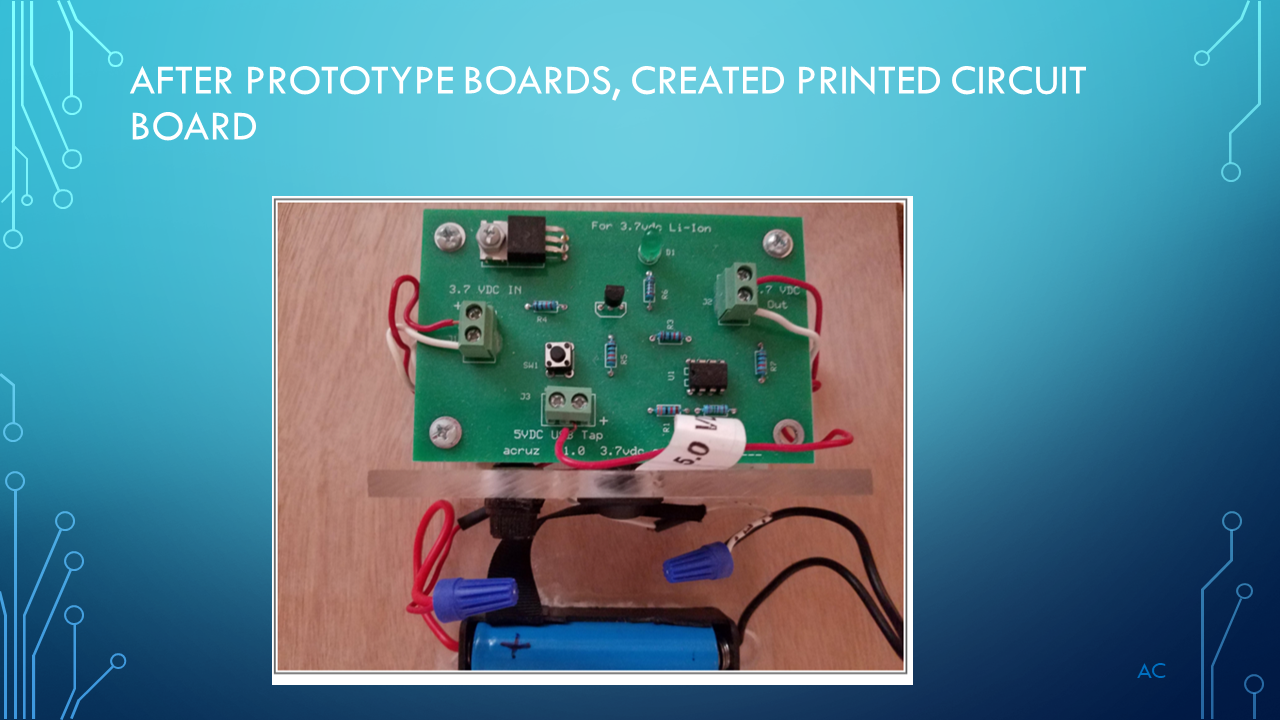
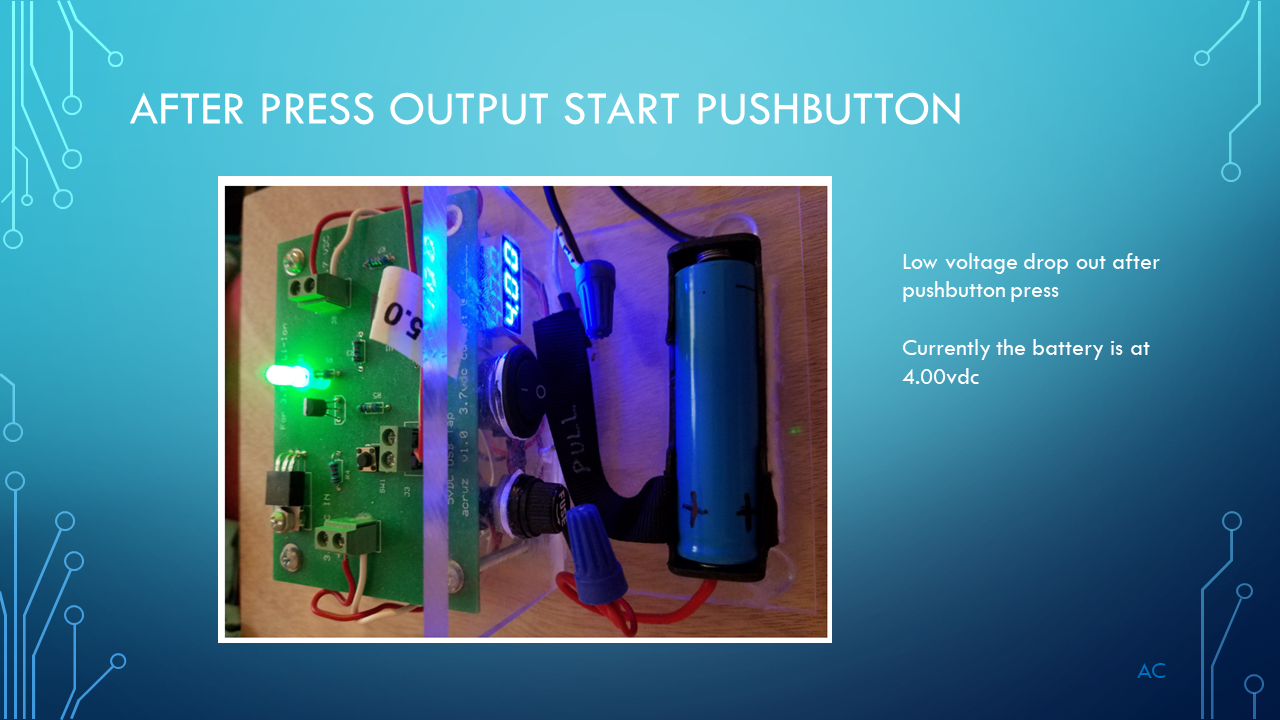
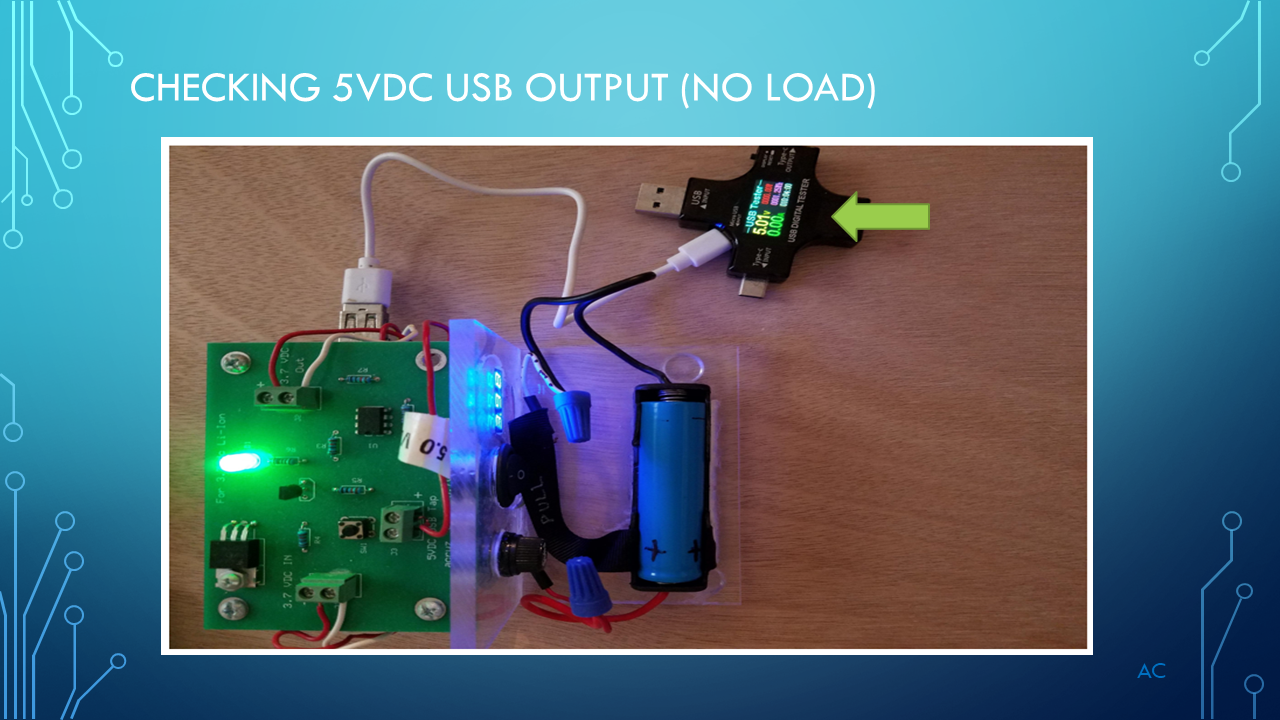
3.7vdc 18650 type Low Voltage dropout module

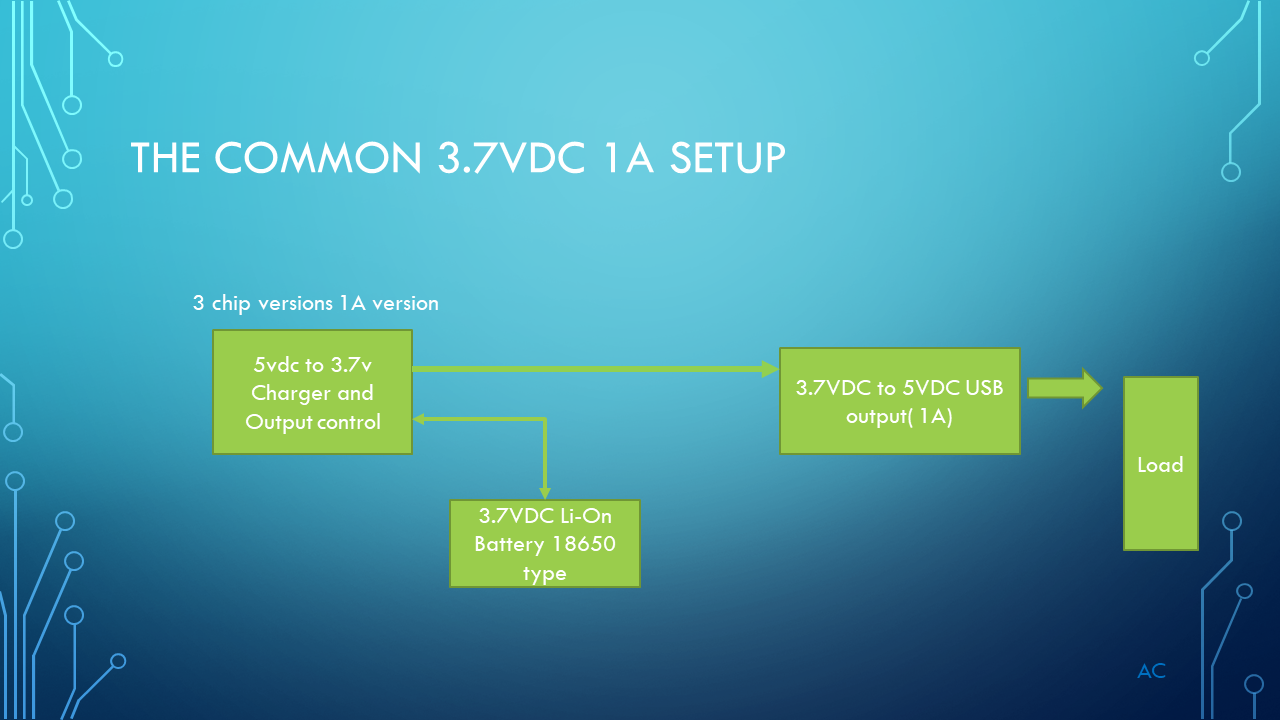
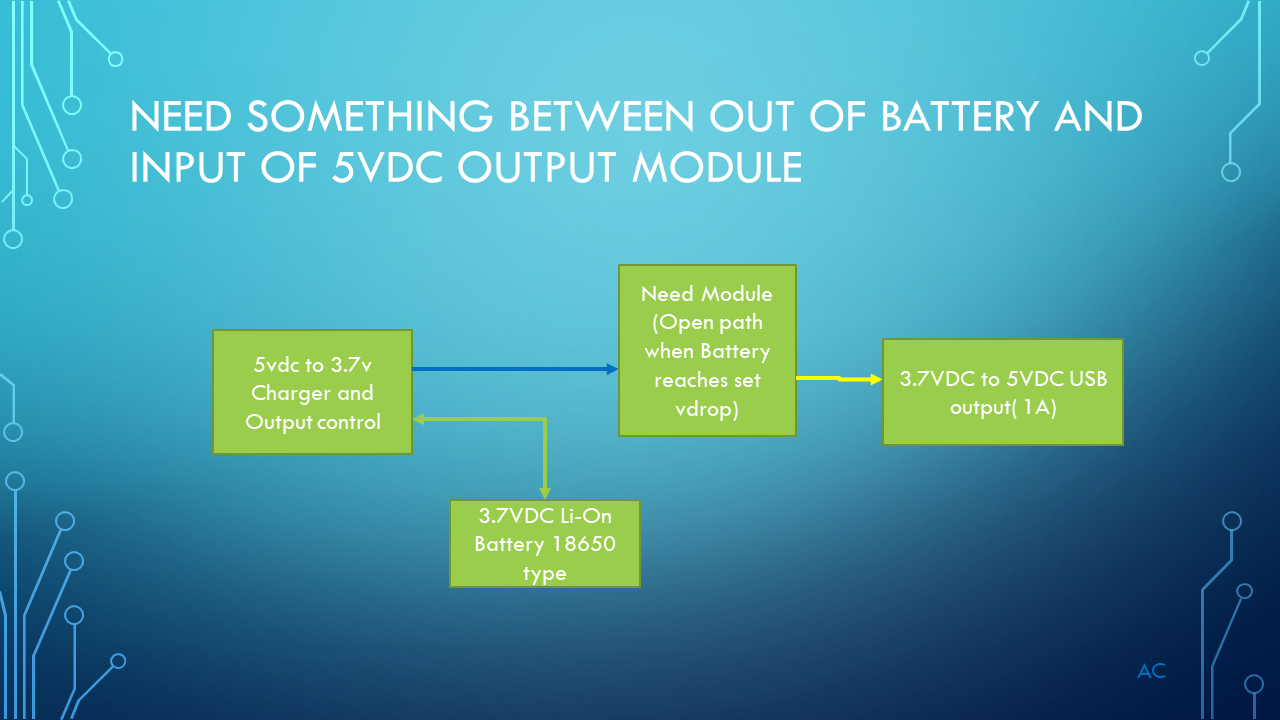
Need to make a low voltage dropout module to protect the battery from going to low when driving a load.

The charging module was allowing the voltage to go to low (about 2.5vdc) which i did not want.

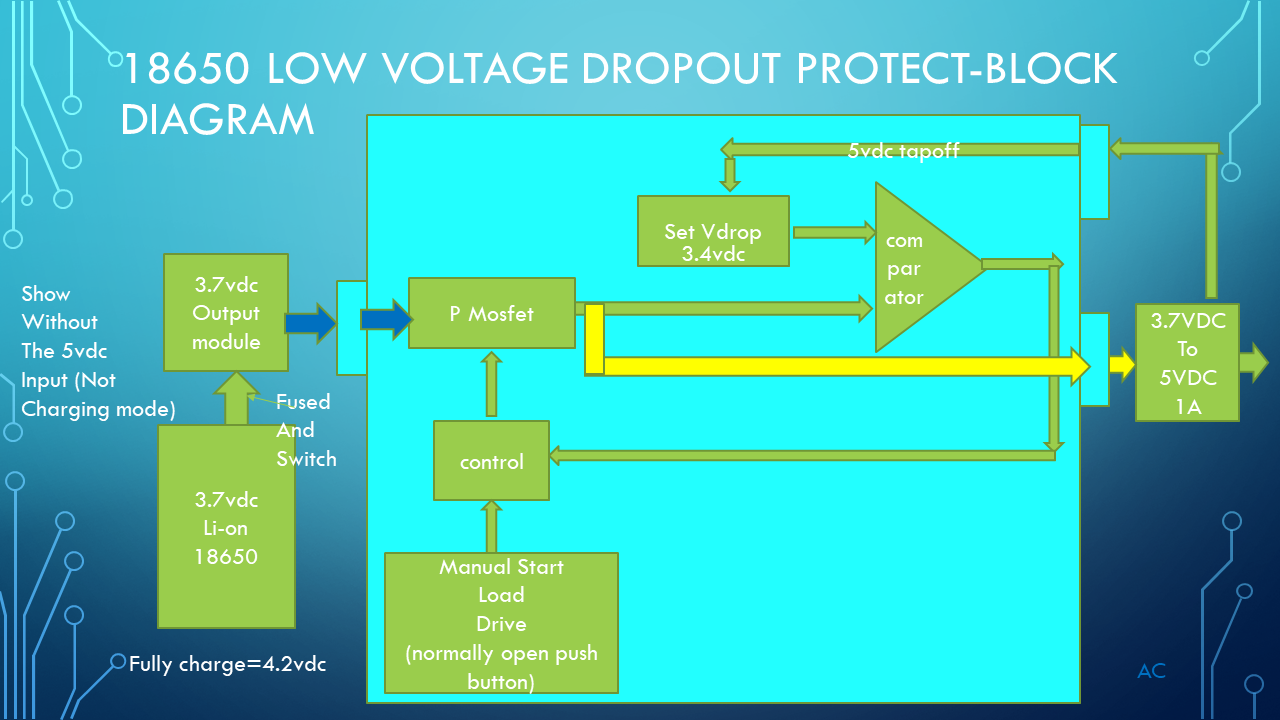
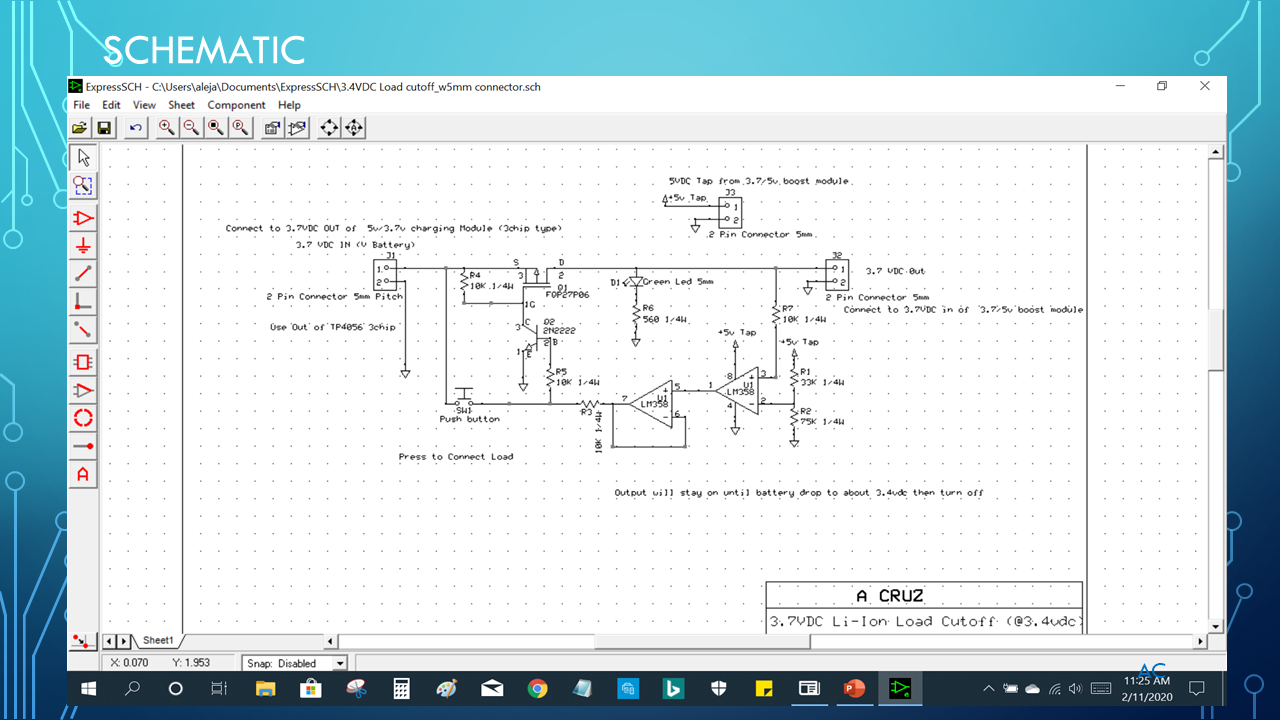
A pushbutton start the voltage to the 3.7 to 5v module.

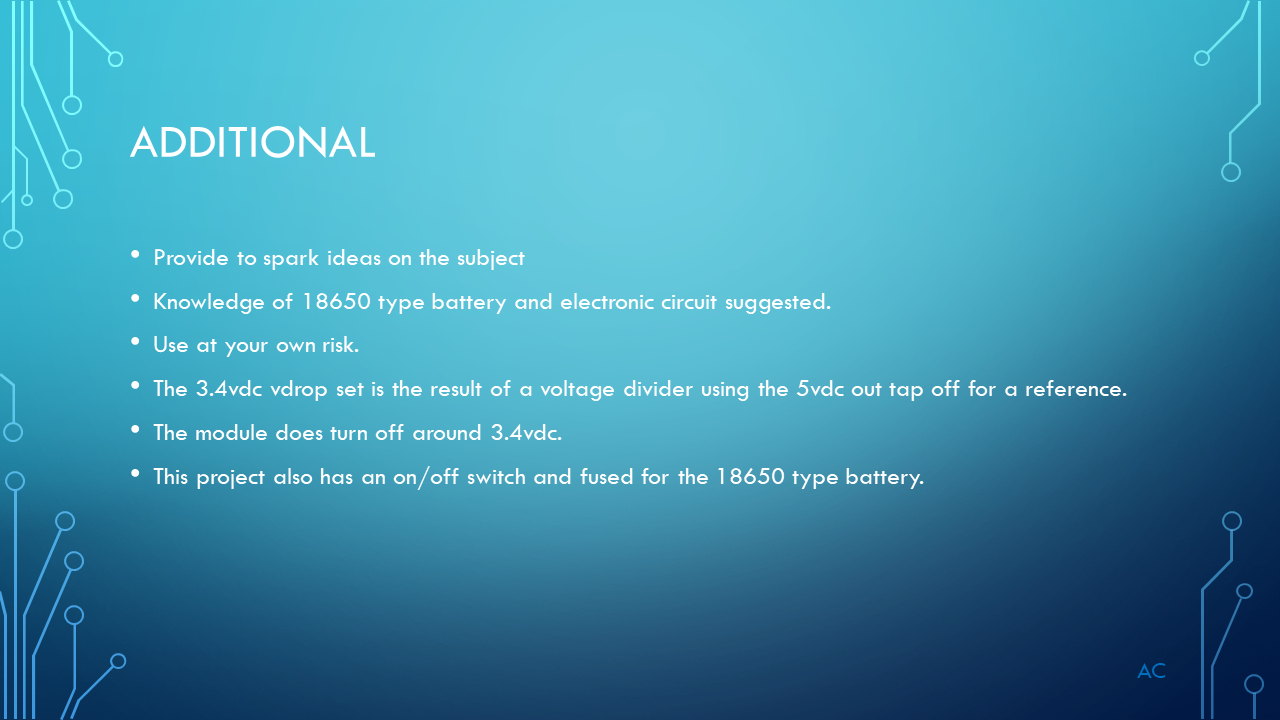
The P mosfet turns off when the battery voltage drop below the vdrop set voltage(3.4vdc) which in this case is set by voltage divider using the 5v out tap as a reference.

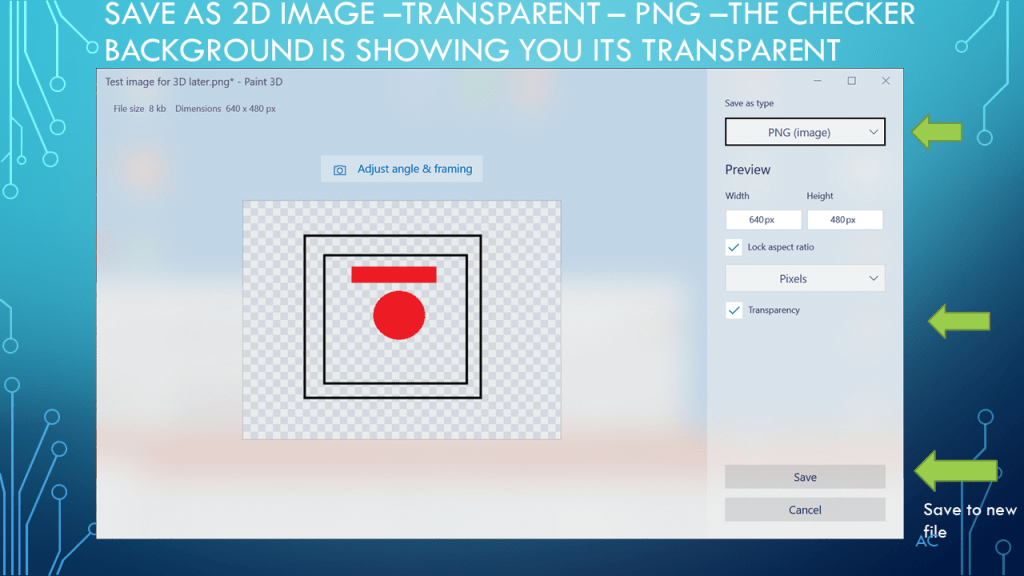
Low Voltage DropOut_Slide1Low Voltage DropOut_Slide2Low Voltage DropOut_Slide3Low Voltage DropOut_Slide4Low Voltage DropOut_Slide5Low Voltage DropOut_Slide6Low Voltage DropOut_Slide7Low Voltage DropOut_Slide8Low Voltage DropOut_Slide9Low Voltage DropOut_Slide10


PowerPoint used in this presentation is a Microsoft product
This post is not connected or endorsed by any company.
All company names are trademark of respective company.
Created to spark ideas on the subject.
Use at your own risk.
Posted in Test Sector | Tagged , , , , | Leave a comment

XOR Neural Network in Matrix form Forward Feed Part

Forward Feed part of XOR Neural Network using LabVIEW(r) Matrix


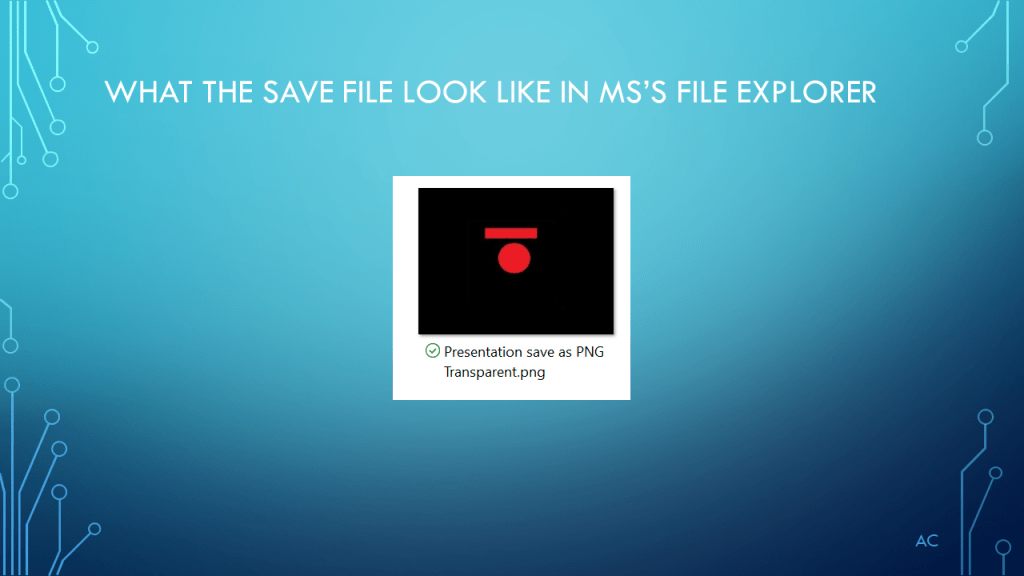
Forward Feed Part of Neural Network Matrix Front Panel

Forward Feed Matrix

Forward Feed Part of Neural Network Matrix Code

Code Forward Feed Matrix

Previous Post with 0p005 cost stopping for validation

Weight used to test matrix form

ac


Paint used in this presentation is a Microsoft product
LabVIEW® is a National Instruments product
This post is not connected or endorsed by any company.
All company names are trademark of respective company.
Created to spark ideas on the subject.
Use at your own risk.
Posted in Test Sector | Tagged , , , , | Leave a comment