
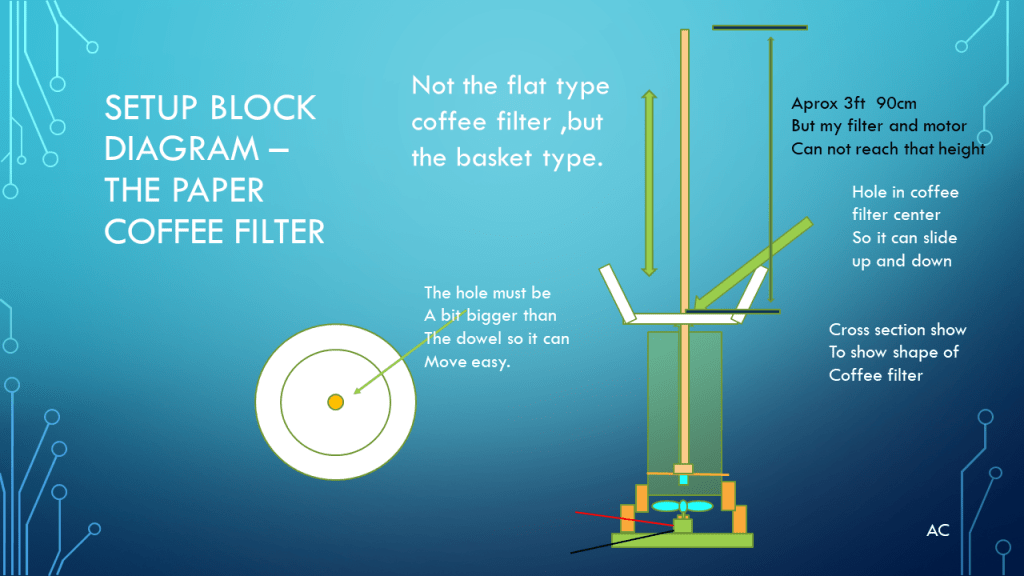
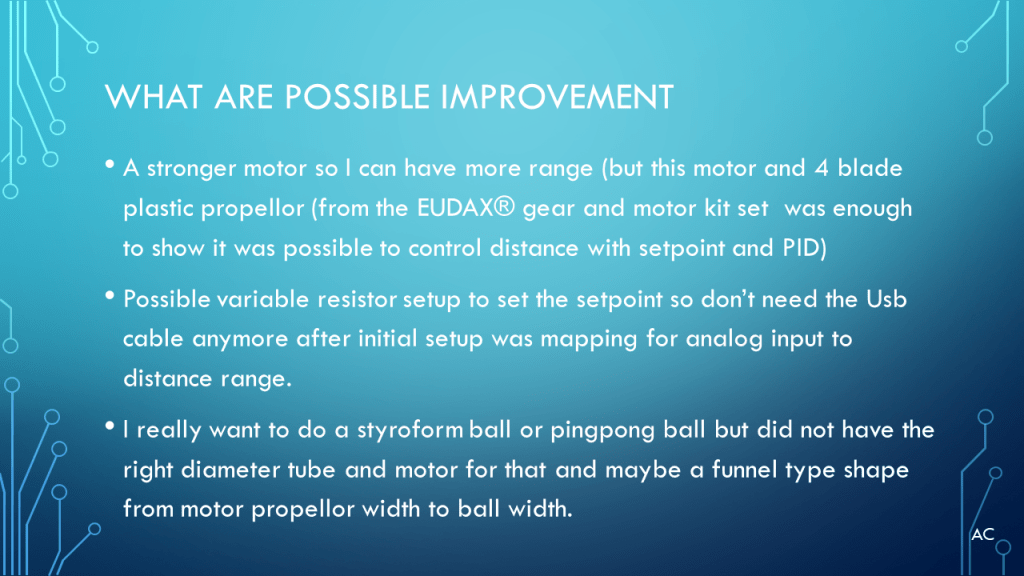
Using a PID to control a Motor via PWM using the Ultrasonic sensor HC-SR04 to control a coffee filter distance from the sensor.
Presentation






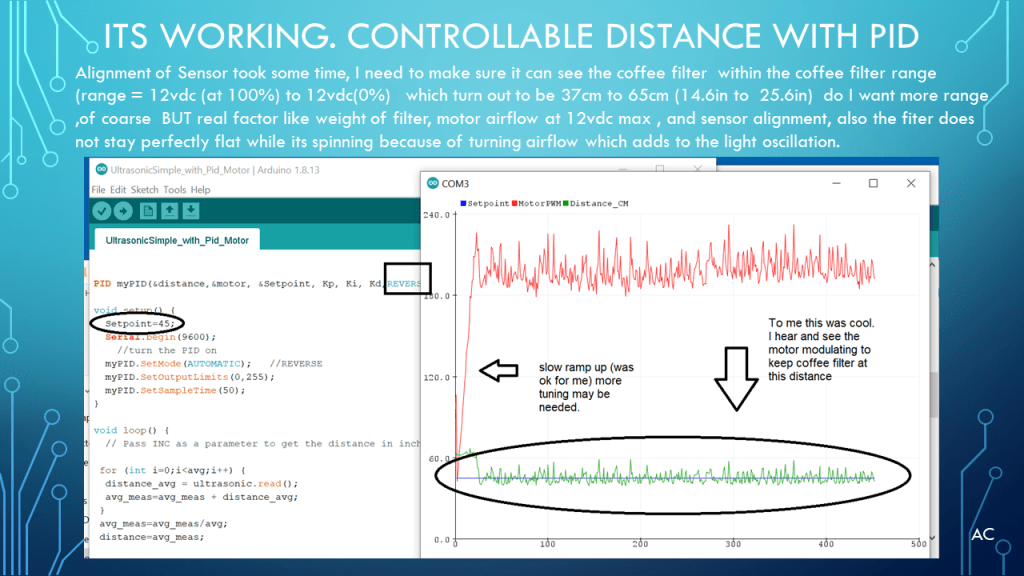
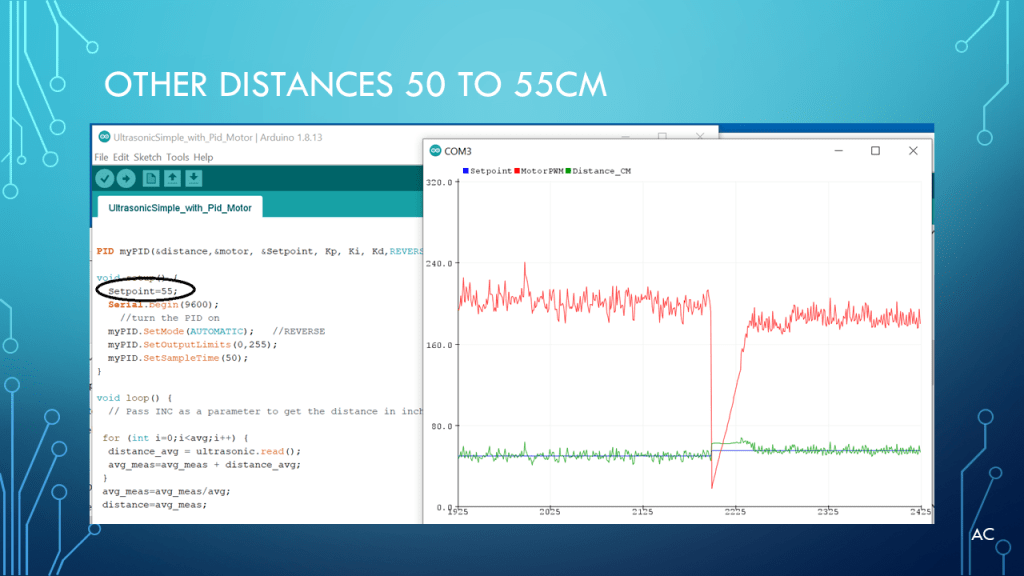
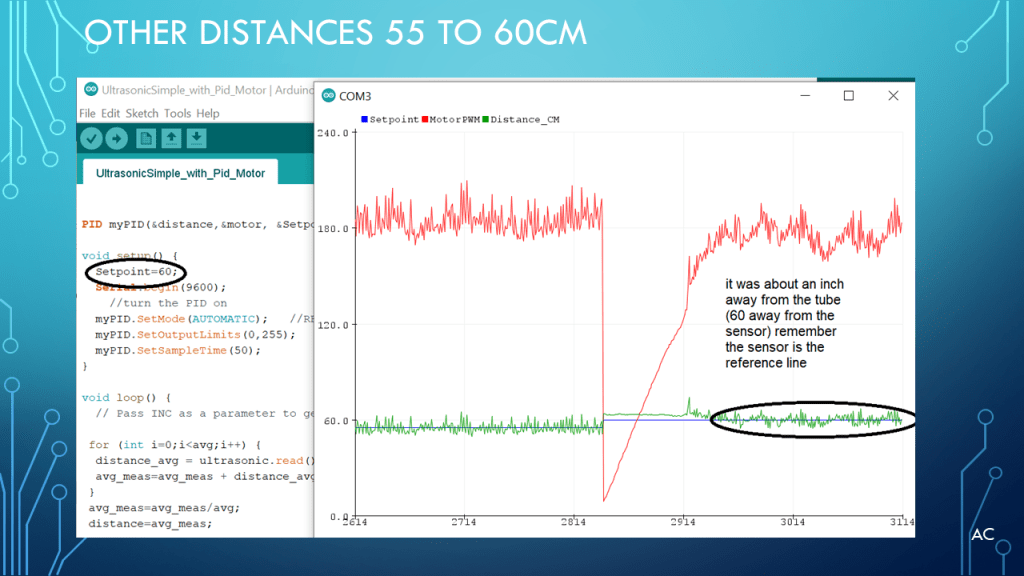


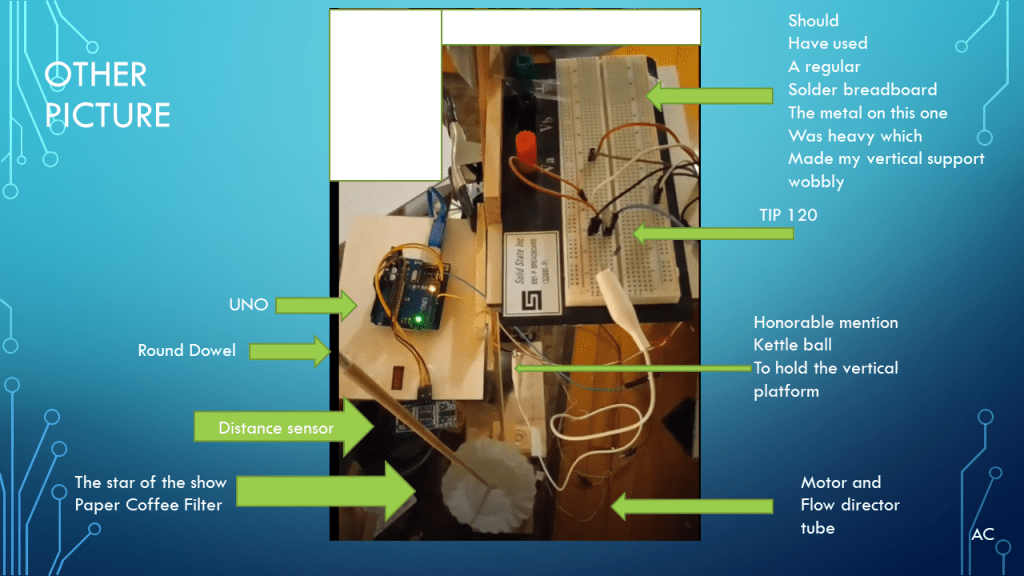


Zip Code (Arduino Uno PID Motor and HC-SR04 with coffee filter)
Text Arduino Uno Code for PID Motor and HC-SR04 with coffee filter
/*
 * Ultrasonic Simple
 * Prints the distance read by an ultrasonic sensor in
 * centimeters. They are supported to four pins ultrasound
 * sensors (like HC-SC04) and three pins (like PING)))
 * and Seeed Studio sensors).
 *
 * The circuit:
 * * Module HR-SC04 (four pins) or PING))) (and other with
 *   three pins), attached to digital pins as follows:
 * ---------------------    --------------------
 * | HC-SC04 | Arduino |    | 3 pins | Arduino |
 * ---------------------    --------------------
 * |   Vcc   |   5V    |    |   Vcc  |   5V    |
 * |   Trig  |   12    | OR |   SIG  |   13    |
 * |   Echo  |   13    |    |   Gnd  |   GND   |
 * |   Gnd   |   GND   |    --------------------
 * ---------------------
 * Note: You do not obligatorily need to use the pins defined above
 *
 * By default, the distance returned by the read()
 * method is in centimeters. To get the distance in inches,
 * pass INC as a parameter.
 * Example: ultrasonic.read(INC)
 *
 * created 3 Apr 2014
 * by Erick Simões (github: @ErickSimoes | twitter: @AloErickSimoes)
 * modified 23 Jan 2017
 * by Erick Simões (github: @ErickSimoes | twitter: @AloErickSimoes)
 * modified 03 Mar 2017
 * by Erick Simões (github: @ErickSimoes | twitter: @AloErickSimoes)
 * modified 11 Jun 2018
 * by Erick Simões (github: @ErickSimoes | twitter: @AloErickSimoes)
 *
 * This example code is released into the MIT License.
 */
//above is from orignal UltrsonicSimple example to give mentioning credit

//this code below is a modification from the example for the coffee filter motor and distance

#include <Ultrasonic.h> //ES's Ultrasonic library  ( I used the 4pin version of HC-SR04)
#include <PID_v1.h>   //BB's PID

#define MotorPWM 6  // motor control via the TIP120

/*
 * Pass as a parameter the trigger and echo pin, respectively,
 * or only the signal pin (for sensors 3 pins), like:
 * Ultrasonic ultrasonic(13);
 */
Ultrasonic ultrasonic(12, 13);
double distance,distance_avg;
double motor;
double Setpoint=60; // cm
double avg=100;
double avg_meas;
unsigned long Setpoint_change=0;

//Specify the links and initial tuning parameters
double Kp=1, Ki=10, Kd=0.0;


PID myPID(&distance,&motor, &Setpoint, Kp, Ki, Kd,REVERSE);  // reverse not direct

void setup() {
  Setpoint=42;
  Serial.begin(9600);
    //turn the PID on
  myPID.SetMode(AUTOMATIC);
  myPID.SetOutputLimits(0,255);
  myPID.SetSampleTime(50);
}

void loop() {
  // Pass INC as a parameter to get the distance in inches

 for (int i=0;i<avg;i++) {
  distance_avg = ultrasonic.read();
  avg_meas=avg_meas + distance_avg;
 }
 avg_meas=avg_meas/avg;
 distance=avg_meas;

  myPID.Compute();
  //motor=map(distance,0,90,0,255);
  Serial.print("Setpoint:");
  Serial.print(Setpoint);
  Serial.print(",");
  Serial.print("MotorPWM:");
  Serial.print(motor);   //motor is getting updated by the myPID.Compute
  //motor=255-motor;  // if closer to sensor less cm also less motor
  Serial.print(",");
  analogWrite(MotorPWM, motor);
  Serial.print(" Distance_CM:");
  Serial.println(distance);
  delay(2);
  avg_meas=0;
}
Notes
- Presentation: Arduino® Uno with BB’s PID with Motor , Distance Sensor with ES’s Ultrasonic library, and Coffee filter
- Programming Language used: Arduino® IDE
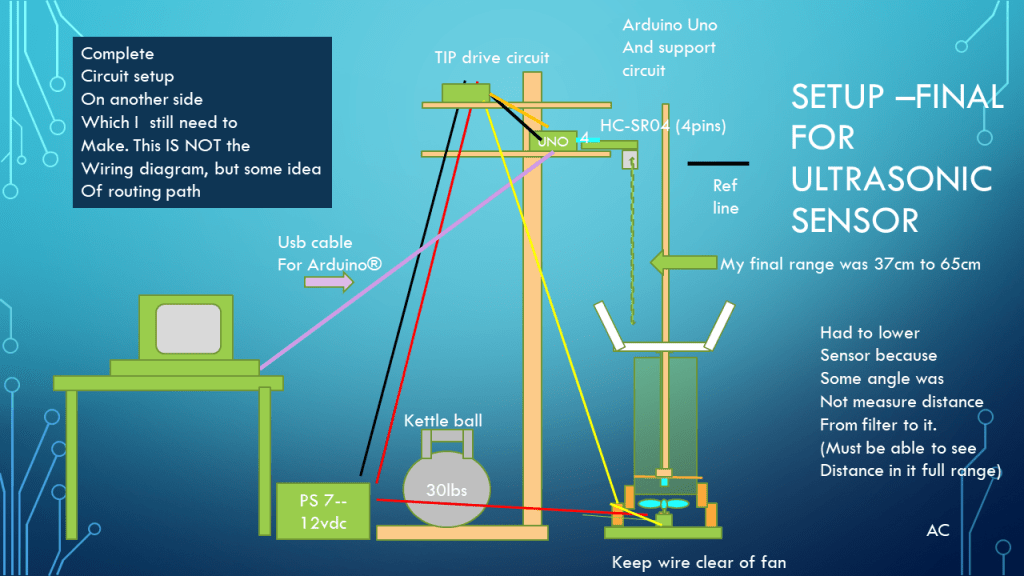
- Hardware Use: Motor, HHC-SR04 distance Sensor, TIP120 transistor ,Arduino® Uno ,Solderless Breadboard. Various jumper type wire.
- Helpful resource: Arduino communities and Arduino’s IDE library manager.
- Arduino® products of respective companies
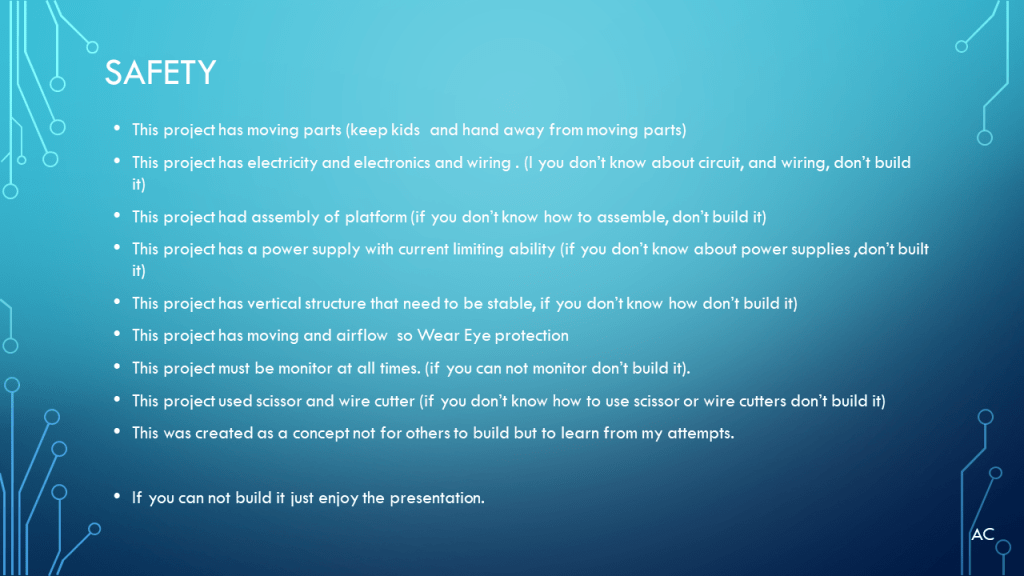
- Presentation shown to spark ideas of use.
- This presentation is not connected to or endorsed by any company.
- Use at your own risk.
- Tags: PID, Kp, Ki, kd, derivative , integral, Serial plotter
- Title Tag: Arduino® Uno and BB’s PID, Motor, Distance Sensor, HC-SR04, TIP120, PID, coffee filter
- Presentation is part of Blog content: https://testengineerresource.com/

 Test Engineers Resource