
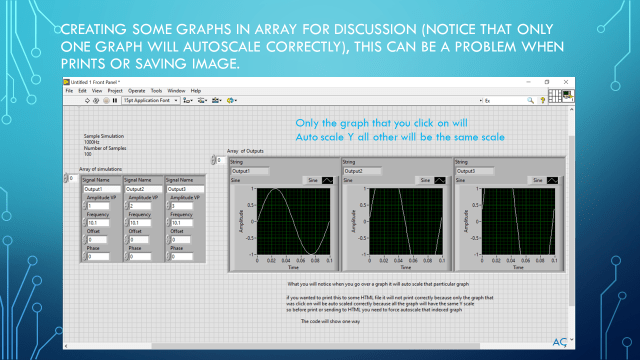
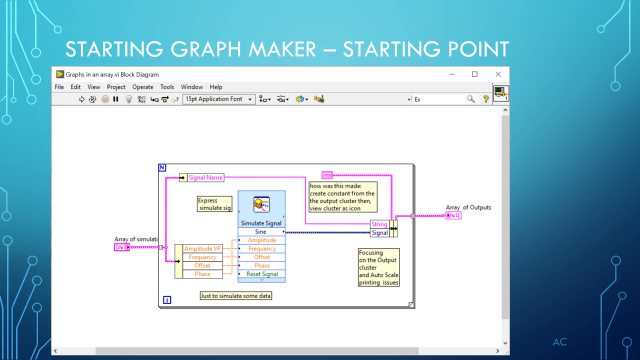
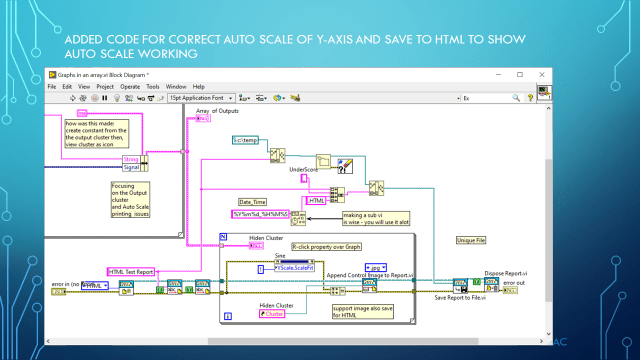
Discussion on working with Graph inside an array of cluster.
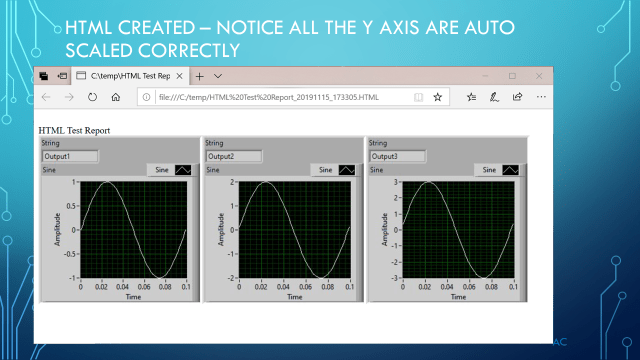
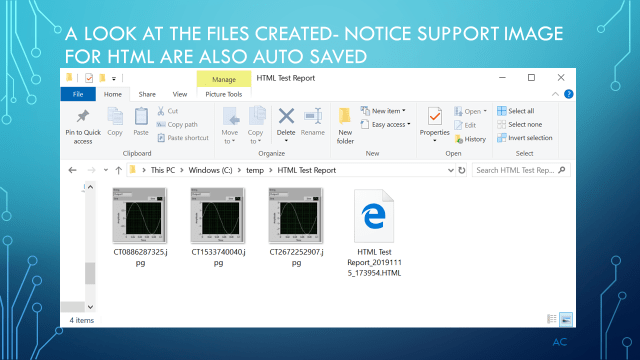
Discussion on working with Graph inside an array of cluster.
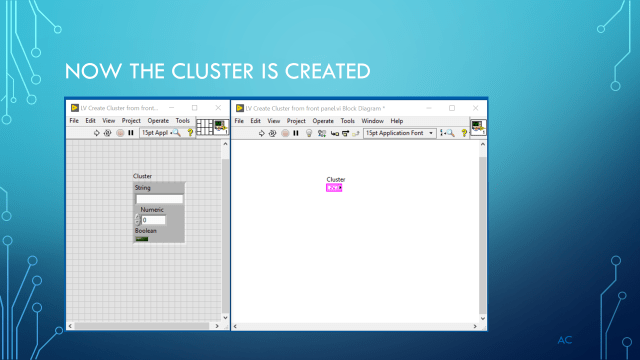
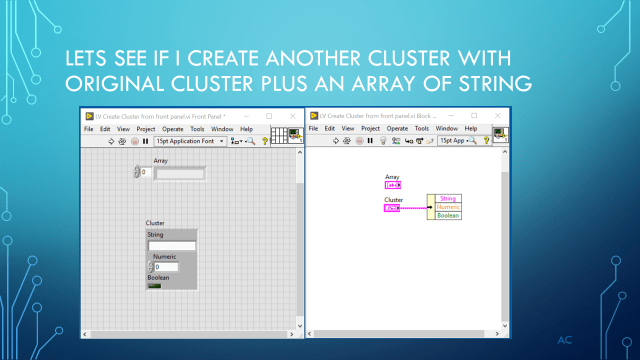
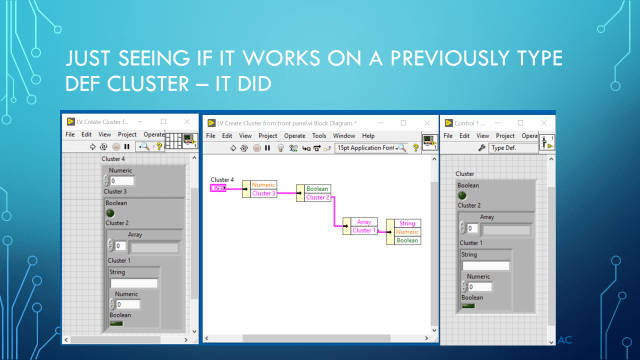
Create cluster from control in Front Panel of vi via Create-Cluster from Selection
IDE used: LabVIEW(®) 2019






LabVIEW® is a National Instrument product
This post is not connected or endorsed by any company.
Created to spark ideas on the subject.
Use at your own risk.
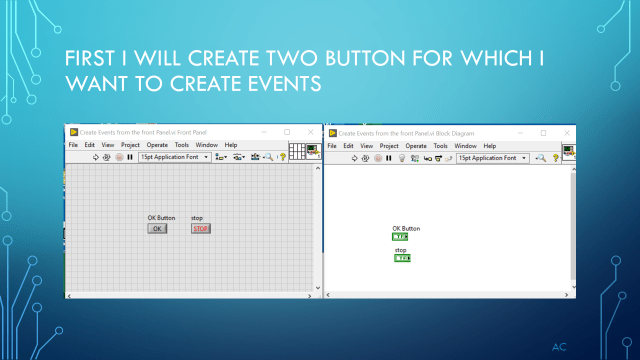
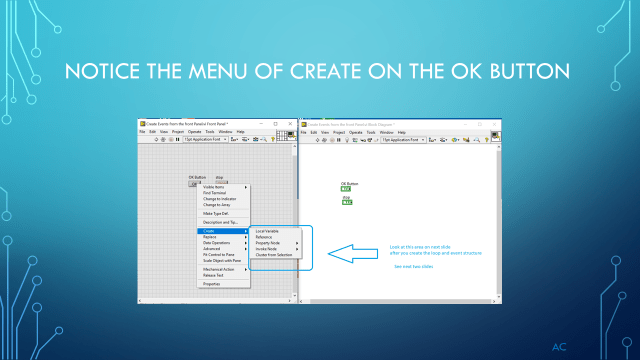
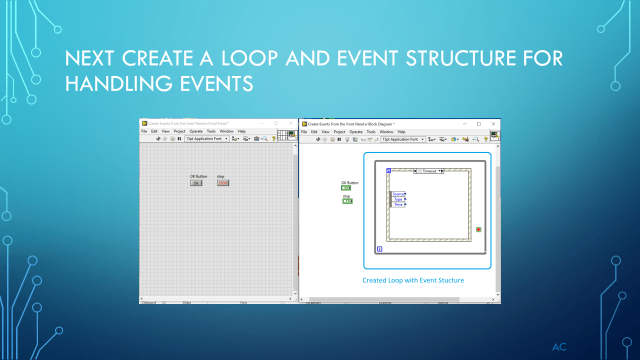
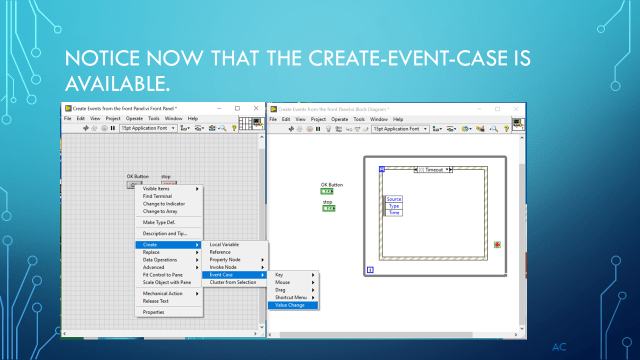
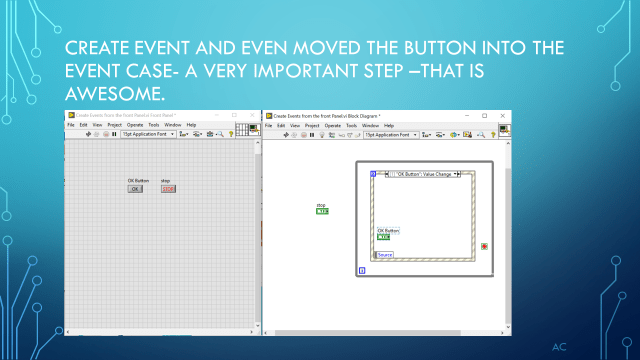
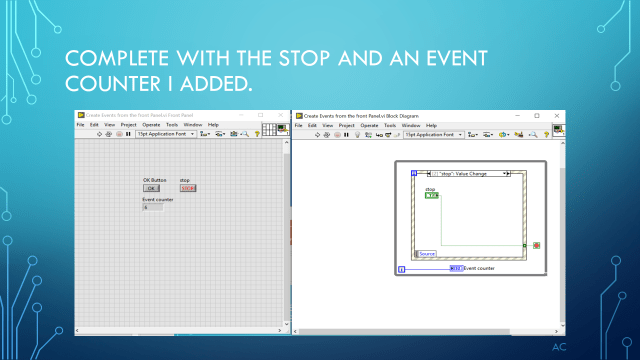
I did not see this the the previous LV that i was using 2015, but in LV2019 their is a way to create event case for object (ex buttons) from the “front panel” and it even put the button inside the event case which is important for proper function of buttons.

LabVIEW® is a National Instrument product
This post is not connected or endorsed by any company.
Created to spark ideas on the subject.
Use at your own risk.
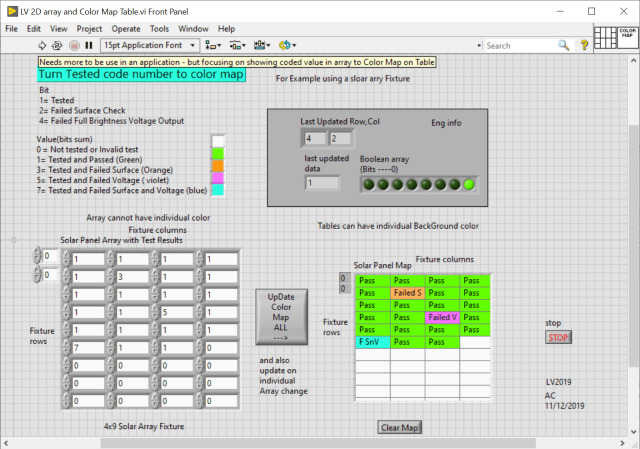
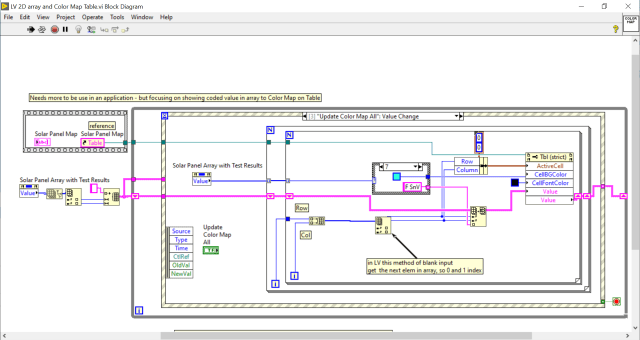
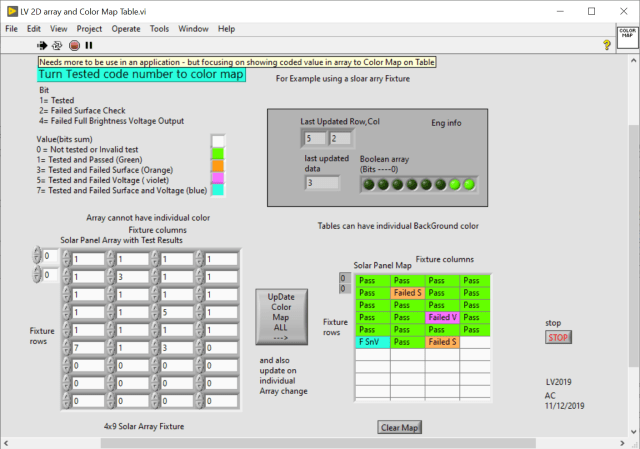
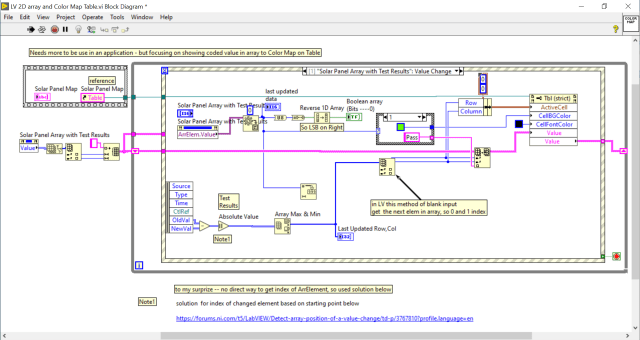
Showing a way to convert 2D array to a color map
Array cannot have individual colors but Table allow individual Back Ground Color
I interesting item is when the Array is changed I can get the Array.Element(its value) but I could not find the updated Element indexs info . However the NI Forum had a solution which is what i need with some changes.
Here is the NI help topic used:
Update All Button
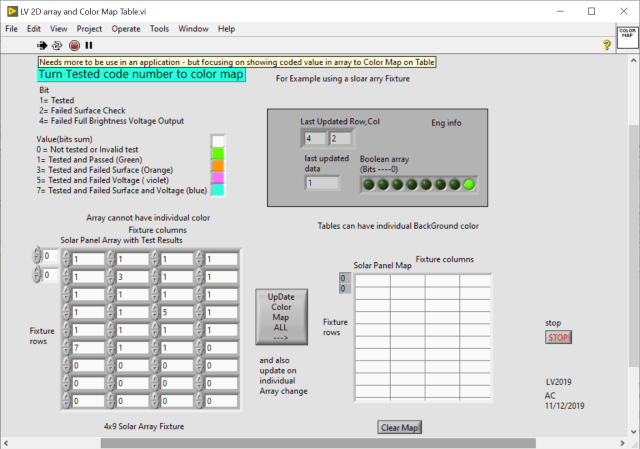
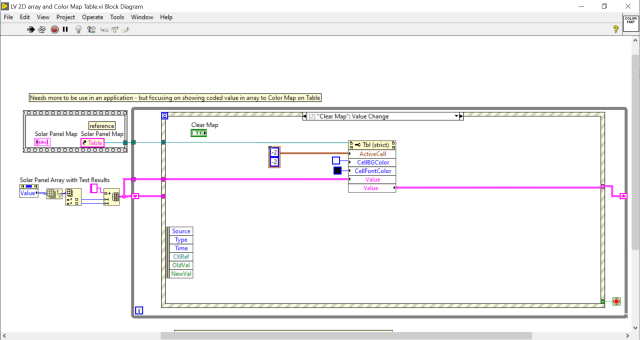
Clear Map button
Change to the number (change value)
LabVIEW® is a National Instrument product
This post is not connected or endorsed by any company.
Created to spark ideas on the subject.
Use at your own risk.
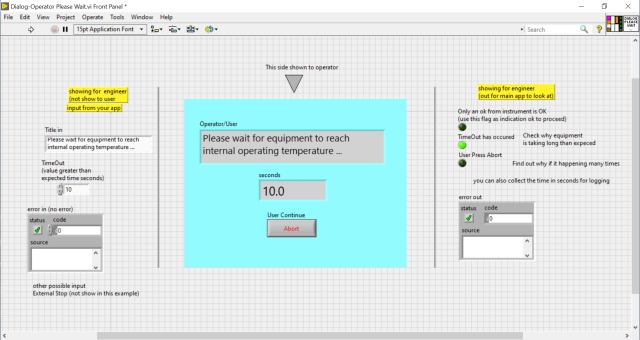
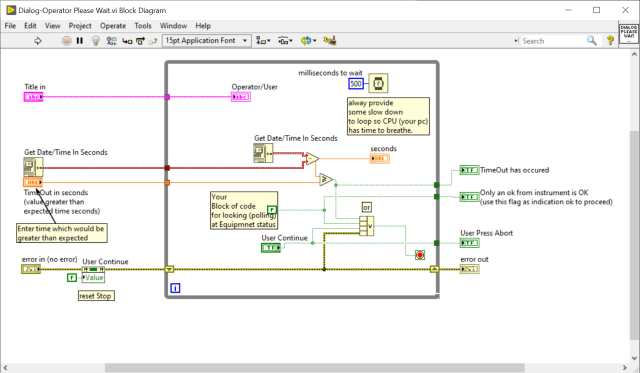
Sometime a process take time to complete. Its would be a good idea to provide the operator with a dialog and show a time in seconds so they know the application did not have an issue.
Development system used: LabVIEW(r)

Front Panel (also showing input and output which are not normally shown to operator
but show for completeness.
Code
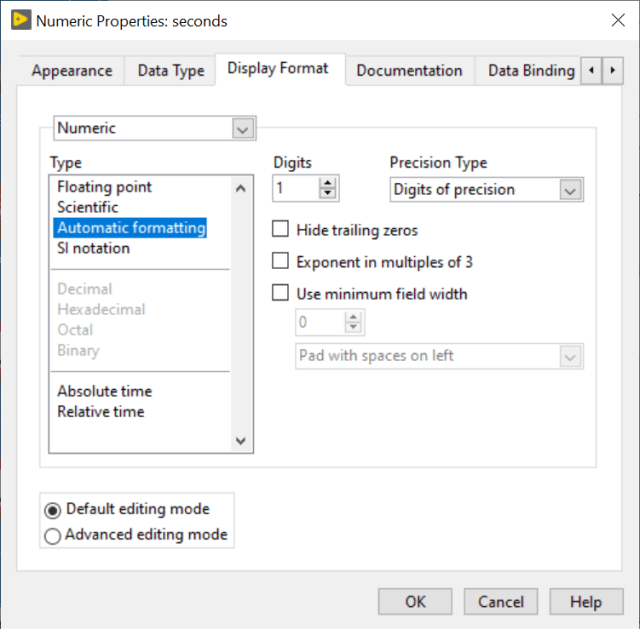
Changing the Seconds for n.n format
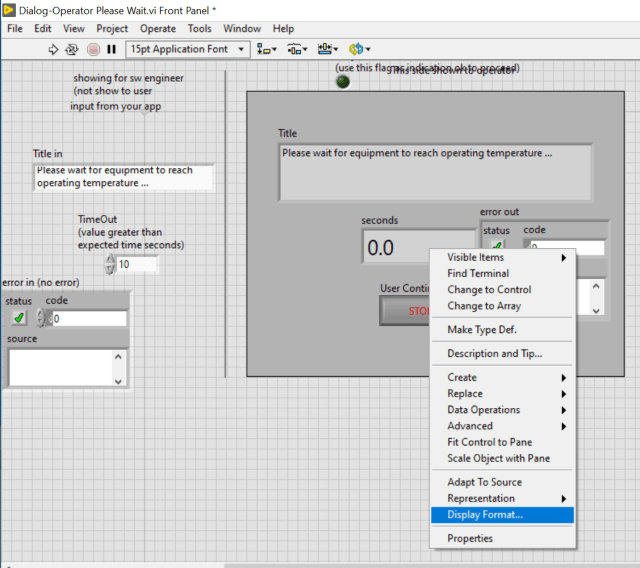
One Decimal point
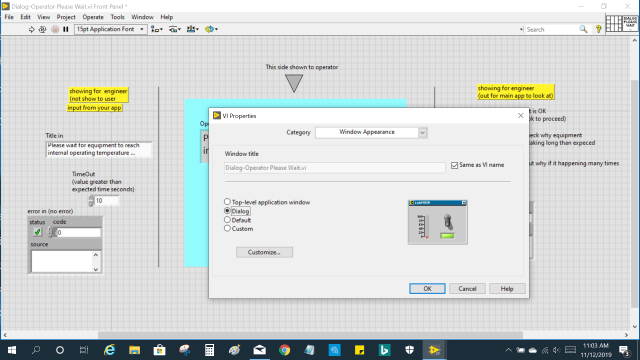
Setting module to appear as a dialog.
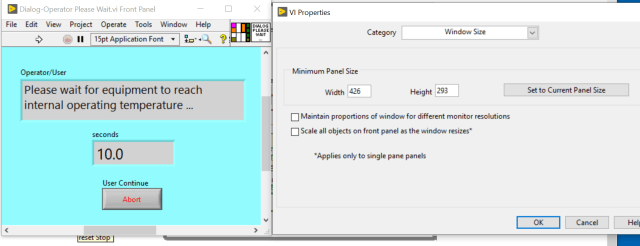
Testing of Dialog
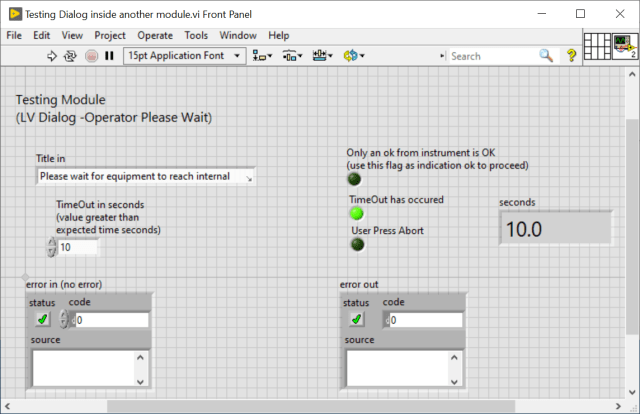
Screen Capture before timeout (above was final) below shown with control as constant
so its easier to see matching info.
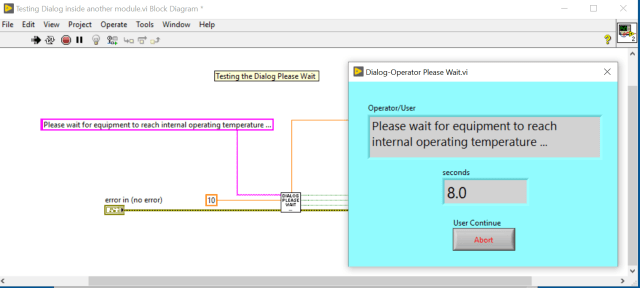
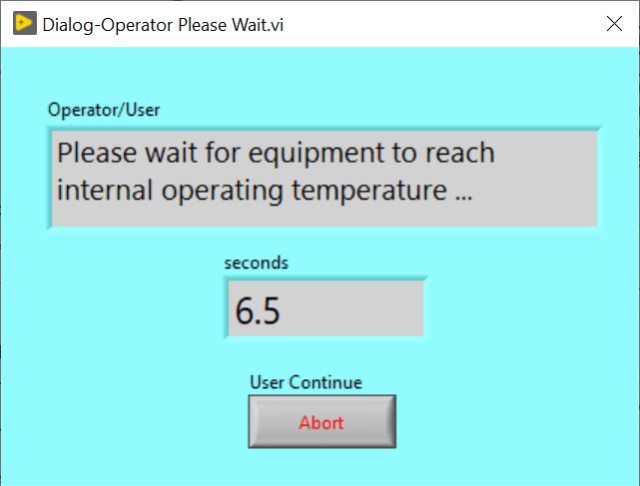
Dialog appearance as a LV Dialog
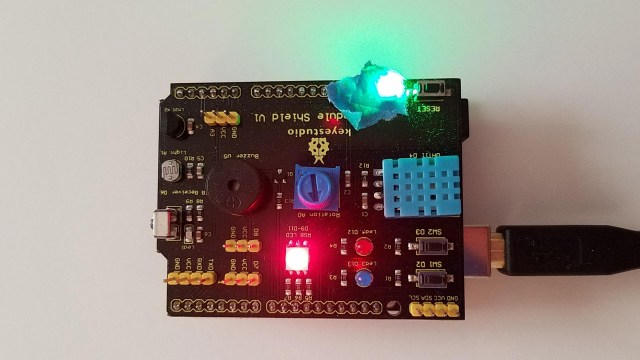
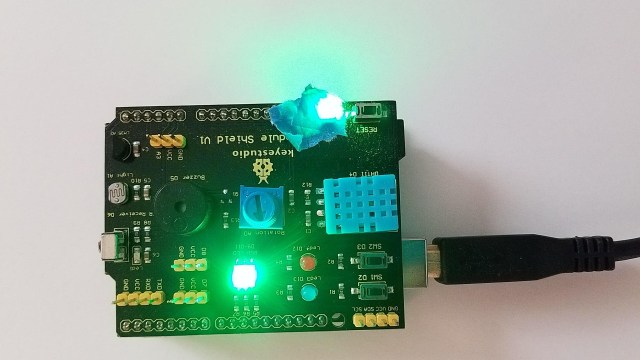
Communicating to Arduino with a K0183 Keyestudio shield , both serial read and serial write. In this example using the RGB leds on pin 9,10,11. The shield had an RGB Led and is used just to show control of it’s LED . You can use this kind of serial comm for controlling other shields or connected devices with some modification.
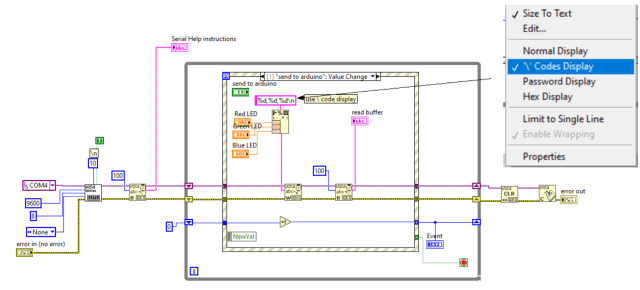
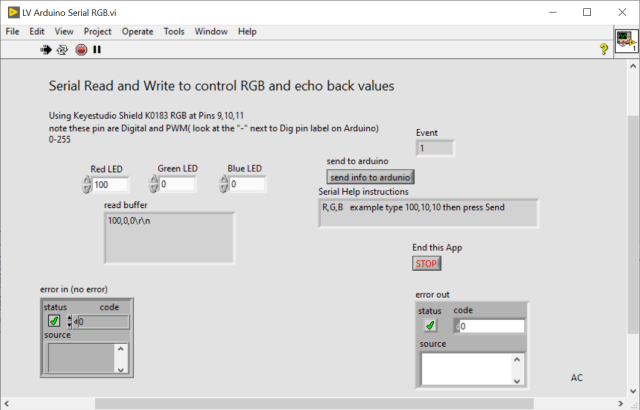
100,0,0 Red
0,100,0 Green
the blue light did not look good on my camera so i did not add it.
below is the modified code used with above LV and K0183 Keyestudio shield.
=
<span id="mce_SELREST_start" style="overflow:hidden;line-height:0;"></span>
/*
Reading a serial ASCII-encoded string.
This sketch demonstrates the Serial parseInt() function.
It looks for an ASCII string of comma-separated values.
It parses them into ints, and uses those to fade an RGB LED.
Circuit: Common-Anode RGB LED wired like so:
* Red Cathode: digital pin 9
* Green Cathode: digital pin 10
* Blue Cathode: digital pin 11
* Anode : GND
*
Used example- communication - ReadASCIIstring code as starting point (changed for Common Anode)
created 13 Apr 2012
by Tom Igoe
modified 14 Mar 2016
by Arturo Guadalupi
modified from original example for K0183 Keyestudio shield
by AC 2019
This example code is public domain.
*/
// pins for the LEDs:
const int redPin = 9;
const int greenPin = 10;
const int bluePin = 11;
void setup() {
// initialize serial:
Serial.begin(9600);
// make the pins outputs:
pinMode(redPin, OUTPUT);
pinMode(greenPin, OUTPUT);
pinMode(bluePin, OUTPUT);
Serial.write("R,G,B example type 100,10,10 then press Send\n"); // help line
}
void loop() {
// if there's any serial available, read it:
// Serial.write("R,G,B example 100,10,10");
// if there's any serial available, read it:
while (Serial.available() > 0) {
// look for the next valid integer in the incoming serial stream: n,n,n
int red = Serial.parseInt();
// do it again:
int green = Serial.parseInt();
// do it again:
int blue = Serial.parseInt();
// look for the newline. That's the end of your
// sentence:
if (Serial.read() == '\n') {
// constrain the values to 0 - 255 and invert
// if you're using a common-cathode LED, just use "constrain(color, 0, 255);"
red = constrain(red, 0, 255);
green = constrain(green, 0, 255);
blue = constrain(blue, 0, 255);
// fade the red, green, and blue legs of the LED:
analogWrite(redPin, red);
analogWrite(greenPin, green);
analogWrite(bluePin, blue);
// print the three numbers in one string as hexadecimal:
Serial.print(red, DEC);
Serial.print(",");
Serial.print(green, DEC);
Serial.print(",");
Serial.println(blue, DEC);
} //cr
}//serial data to read
}//loop
=
being able to control the arduino actions via comm port with labVIEW saved me on a couple of projects with last minute changes.
Showing a way to extract the section from a comma separated value (csv) file.
Using LabVIEW 2019
and a example created CSV
One interesting thing was found to find the first [ of the section needed to use \[ or [[.
but the “]” did not need it.


A method to turn a Cluster(s) into a Section – Key – Value.
Created to spark ideas on turning LV cluster to 2D String using only LV’s Data Parsing and properties.
In the DataType case structure the following was decode String,Numeric,double,path which is a small subset of Data Types available in LabVIEW
What was used
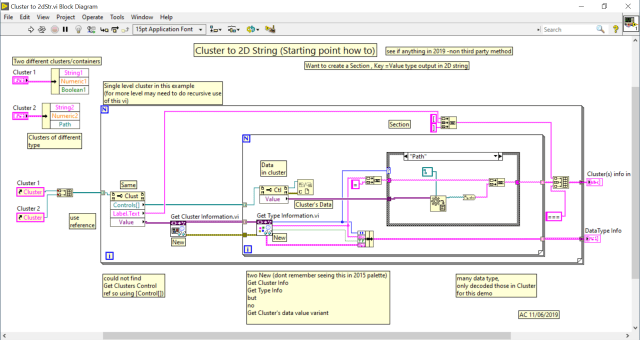
Front Panel Input Left Output Right
LabVIEW® is a National Instrument product
This post is not connected or endorsed by any company.
Created to spark ideas on turning LV cluster to 2D String.
Use at your own risk.
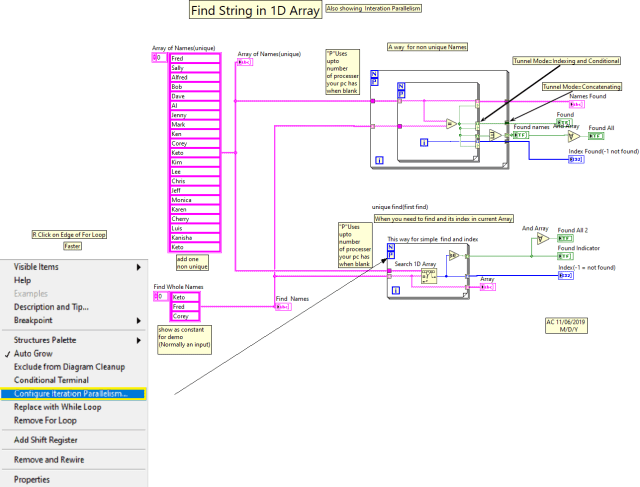
Show two search for string in array where you need to also get the index in the array.



Showing some methods of building array conditionally in LabVIEW®
Code (4 methods shown)

Data Out from the above code

Starting point help for text base method:
NI Forums
https://forums.ni.com/t5/LabVIEW/Array-Handling-in-Formula-Node/td-p/2198532?profile.language=en
 Test Engineers Resource