LV Sequence Editor Creator Example

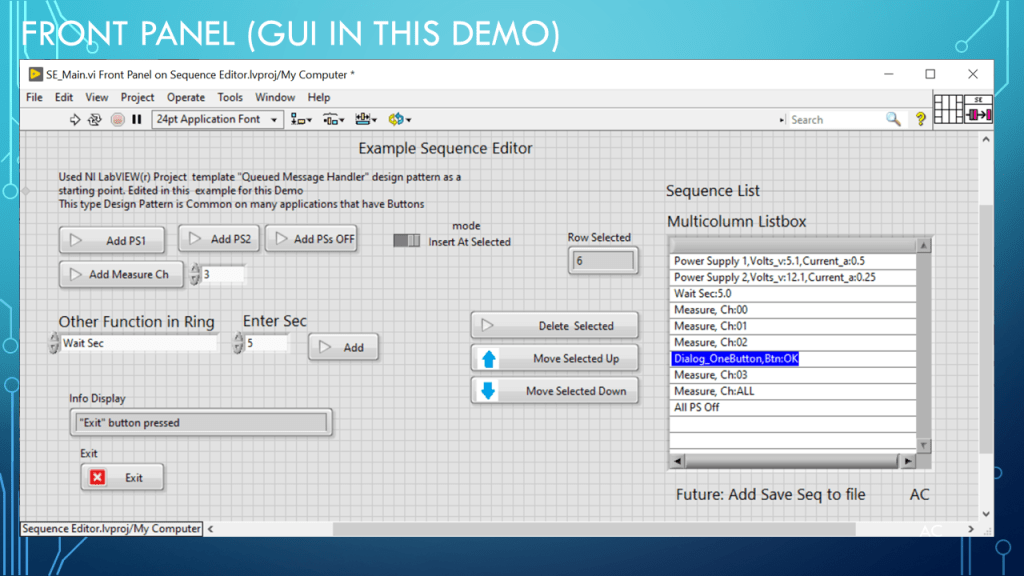
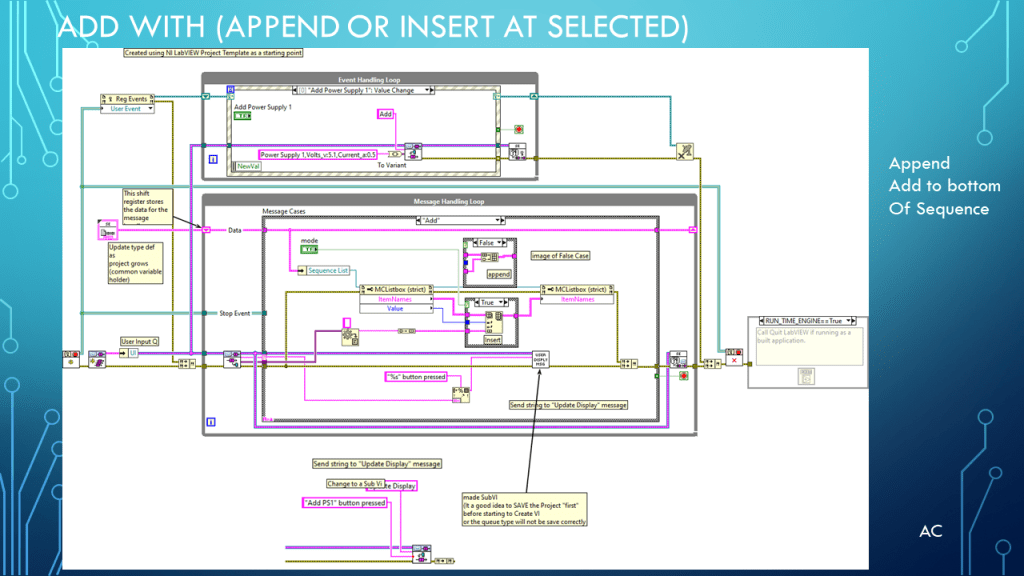
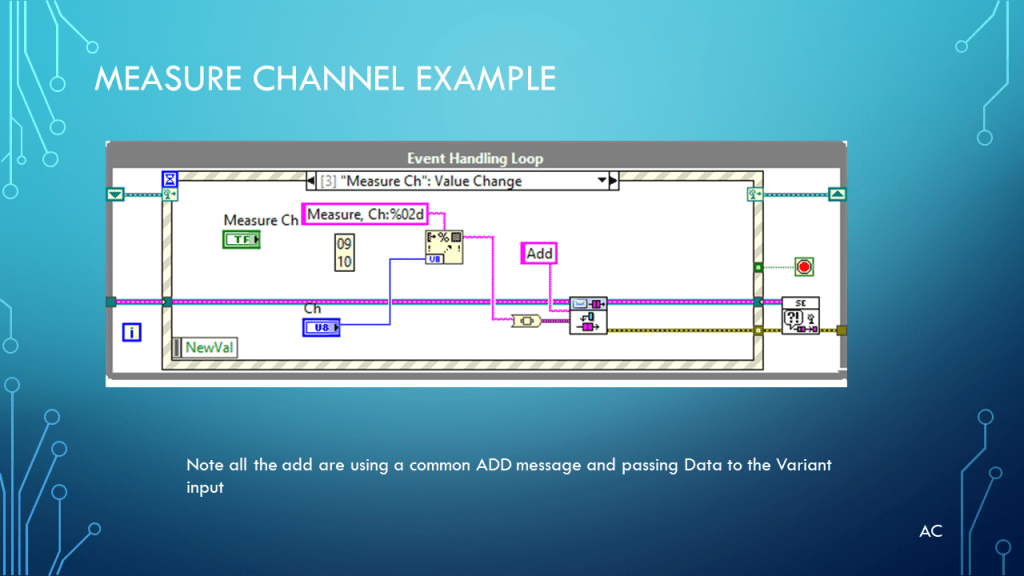
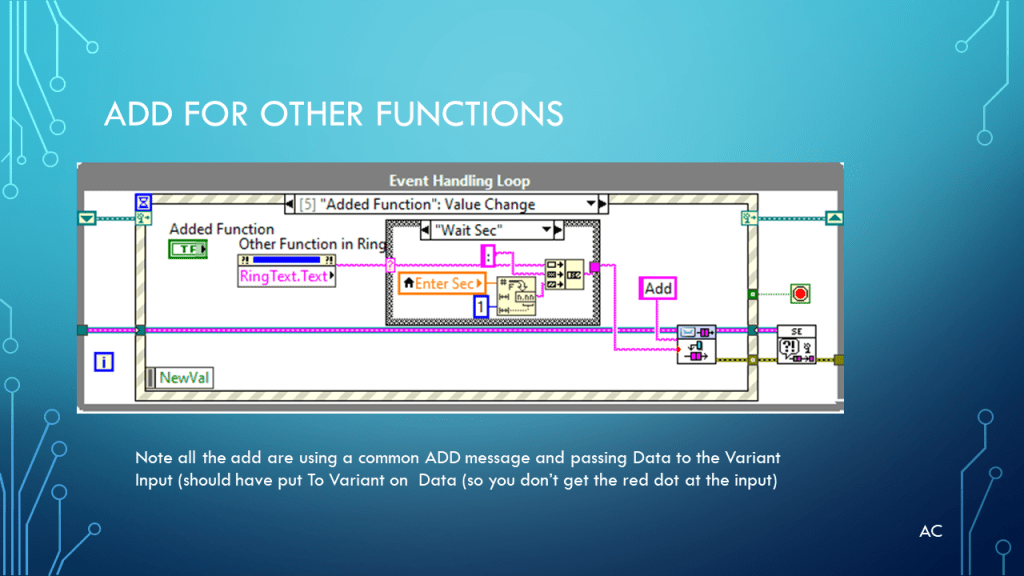
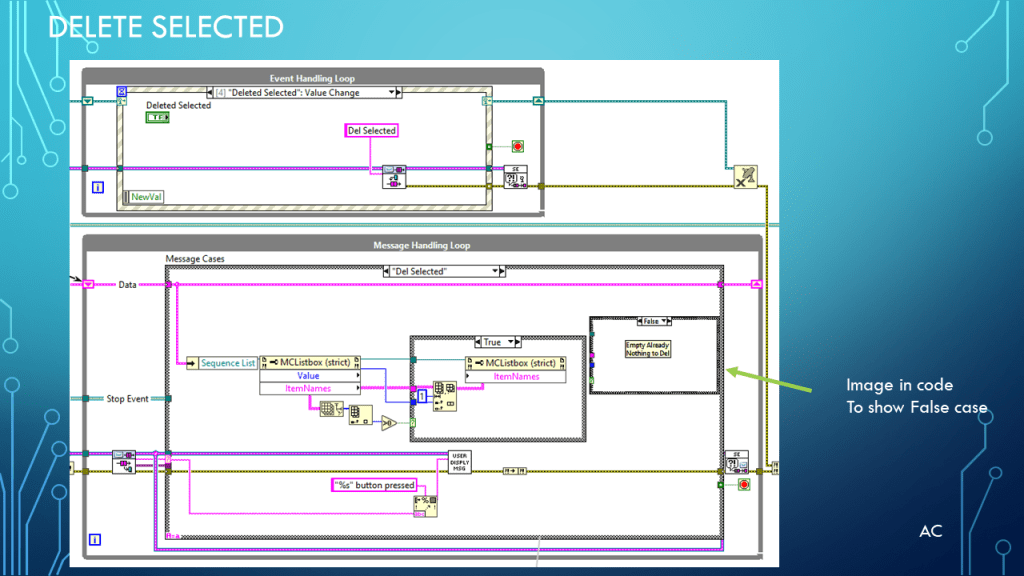
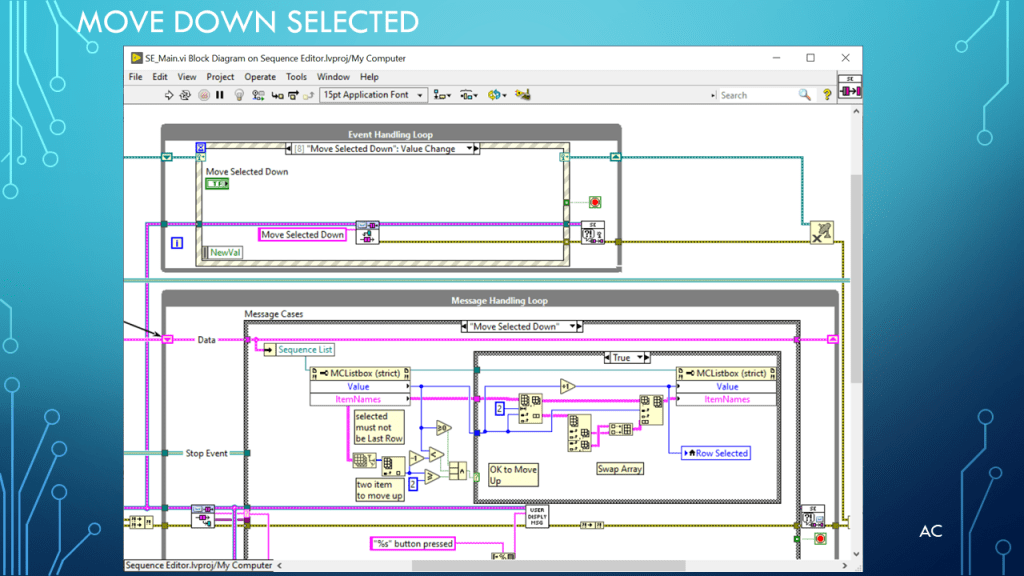
Presentation on a simple example of Sequence Editor /Creator using an NI LabVIEW project template as a starting point.

Originally Published Mar 7,2023

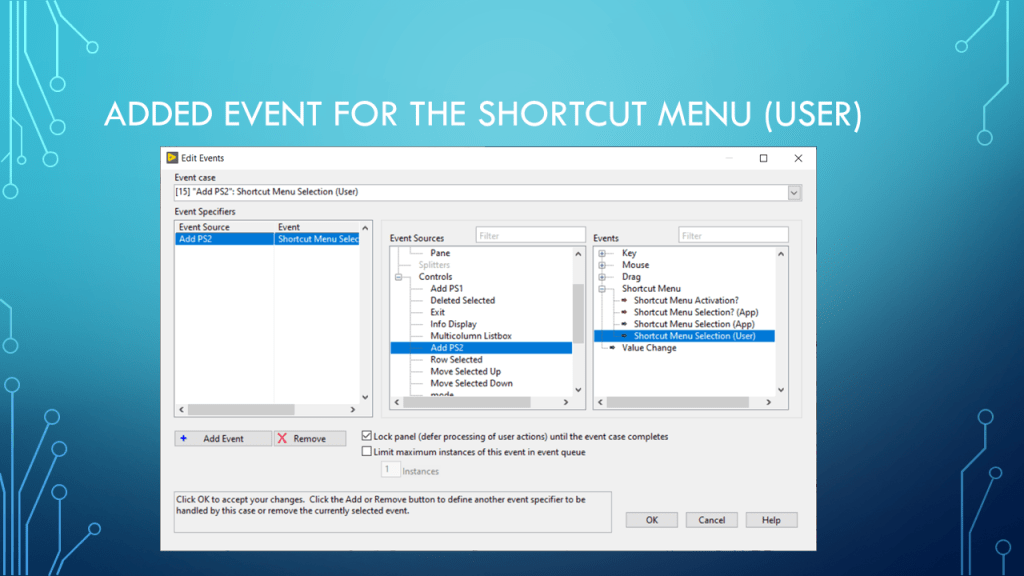
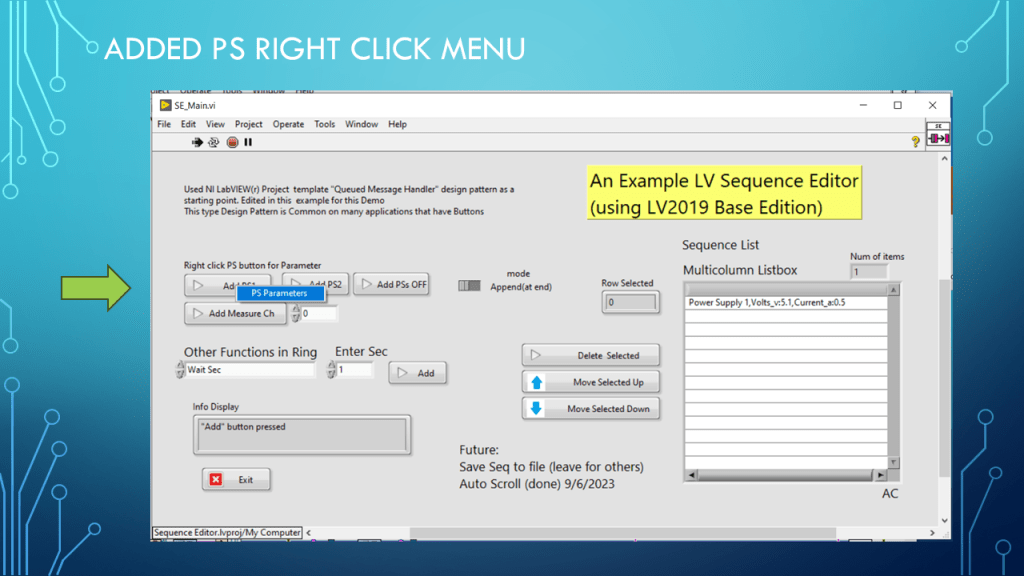
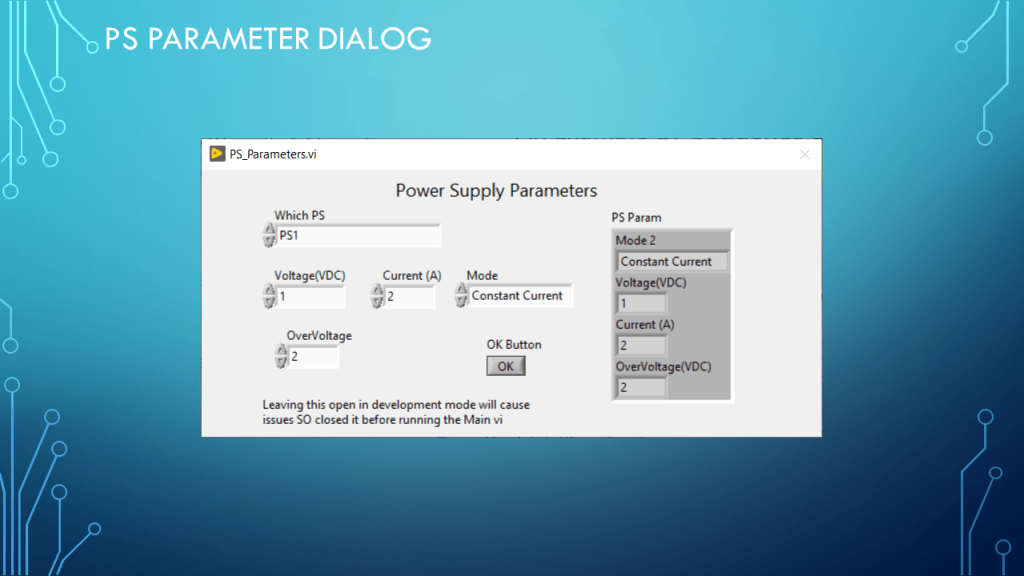
updated 9/6/2023 Added Right click on Add PS1,2 for parameter, AutoScroll when Sequence list is longer then visual, added clear Sequence list. Adding short about 1min video

updated 9/6/2023 Added LV code.

Presentation

New Images

New Images (9/6/2023)

Short Video (about 1min: 19sec)

LV code Zip

Notes

Notes

  • Presentation: Example of a Sequence Editor/Creator using NI LabVIEW project template as a starting point. Simple just to spark some possible ideas.
  • Programming Language used: LabVIEW® 2019 Base version
  • LabVIEW® is a NI (formally National Instruments) products
  • Presentation app: Microsoft’s PowerPoint
  • Blue arrows created using: Microsoft’s Paint and placed in button with NI LabVIEW advance customize… control import from clipboard same size
  • Presentation shown to spark ideas of use.
  • This presentation is not connected to or endorsed by any company.
  • Use at your own risk.
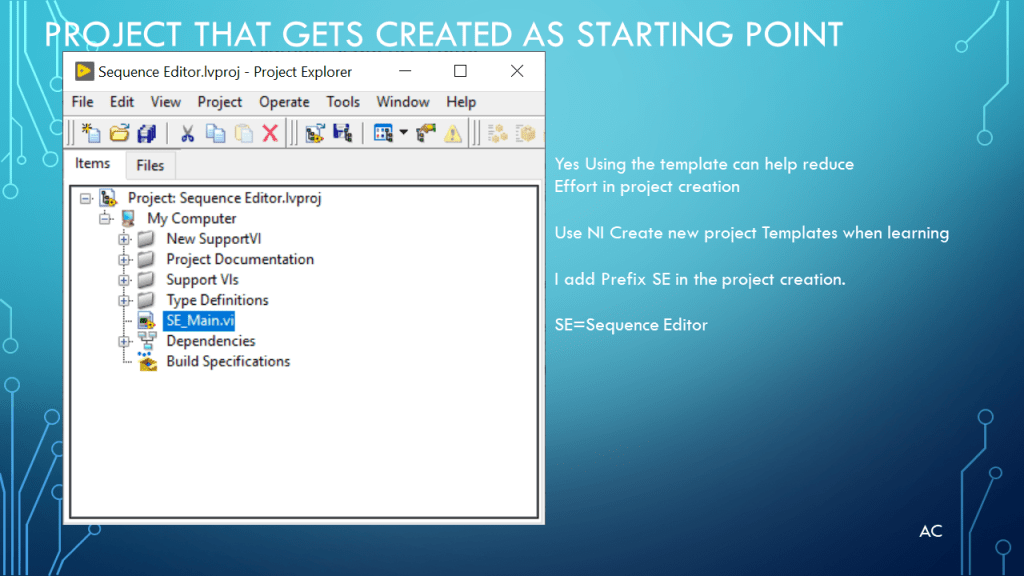
  • Use NI LabVIEW® 2019 project template Queue Message Handler as starting point in Examples (also good way to learn different patterns if beginner.)
  • Tags: LabVIEW® , Project Template, LV2019,Queue Message handler, Events, Sequence Editor, Array functions, Ring data type, List box.
Posted in LabVIEW(r), multicolumn ListBox, Test Sector | Tagged , , , , , , , | Leave a comment

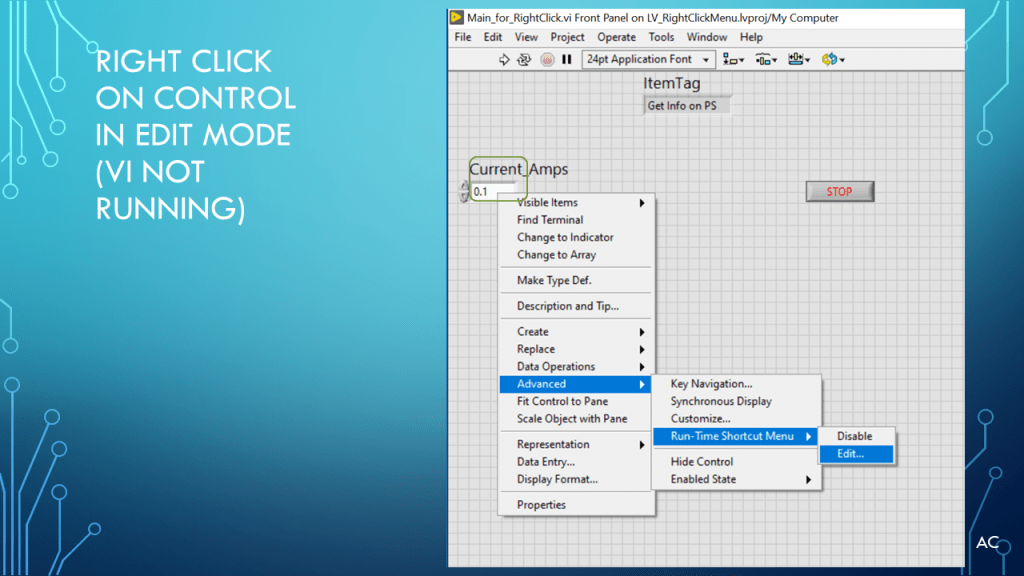
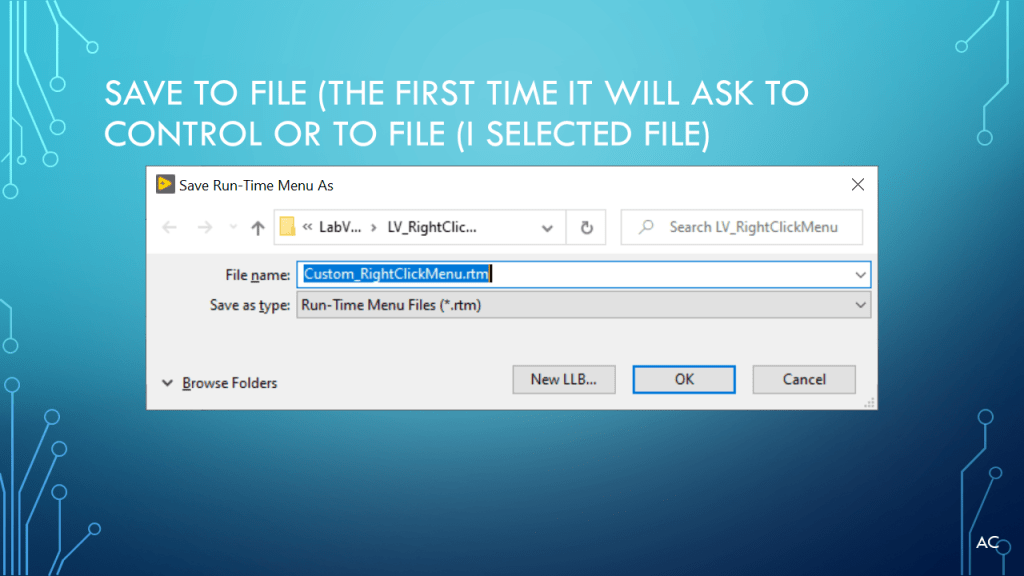
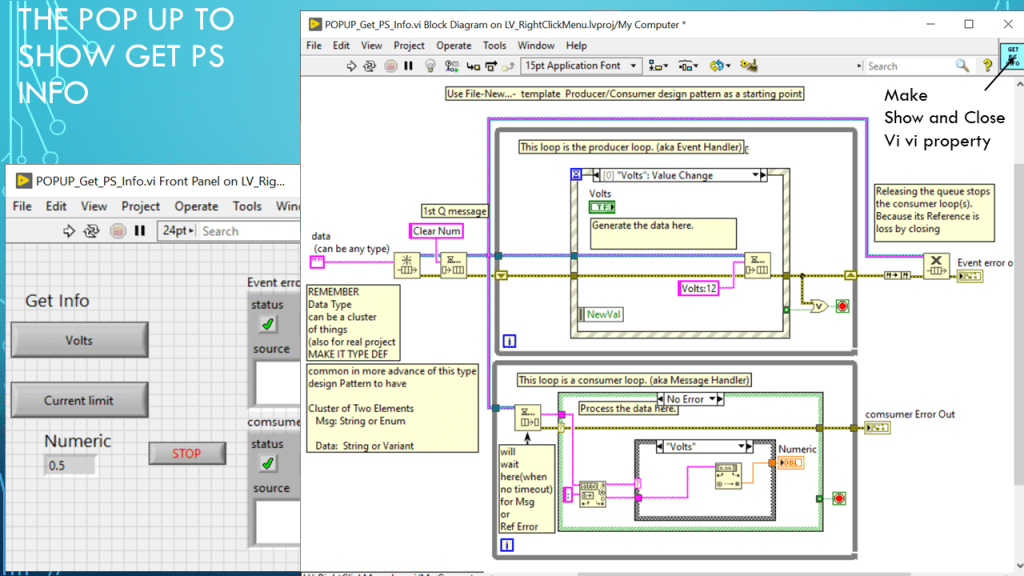
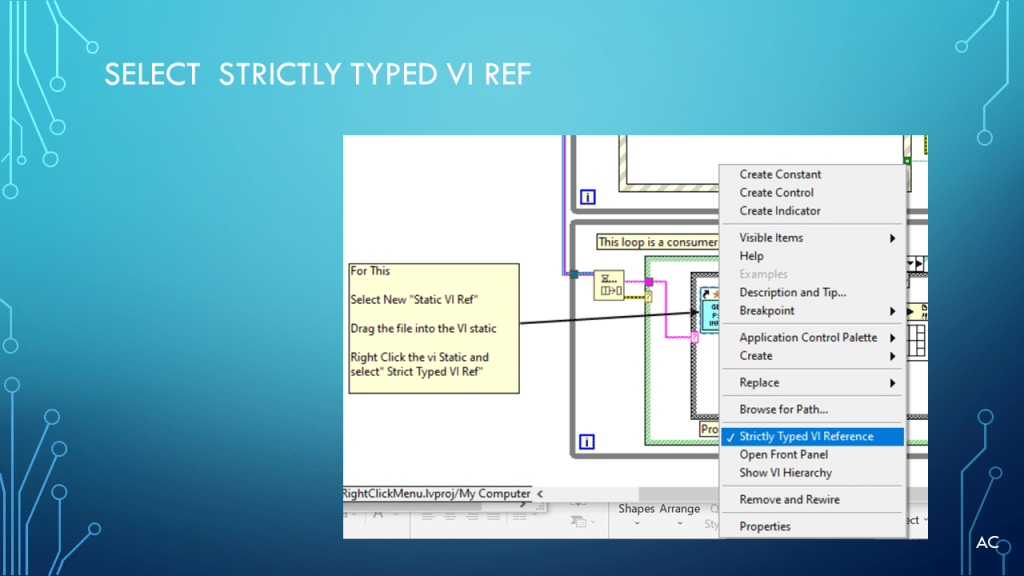
LV Custom Right Click menu for Control

Presentation on how to create a Custom right click menu for a control

Notes

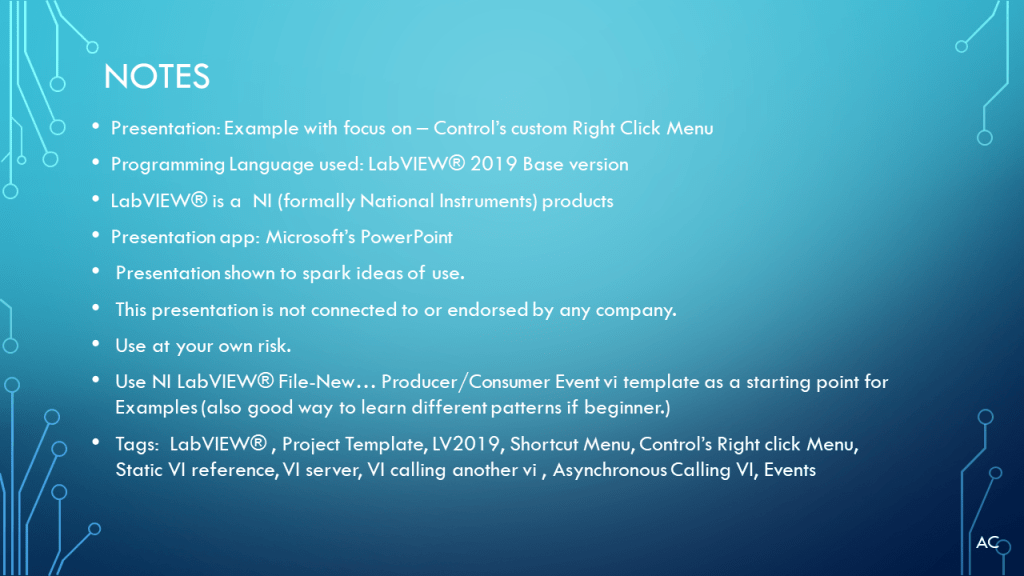
  • Presentation: Example with focus on – Control’s custom Right Click Menu
  • Programming Language used: LabVIEW® 2019 Base version
  • LabVIEW® is a NI (formally National Instruments) products
  • Presentation app: Microsoft’s PowerPoint
  • Presentation shown to spark ideas of use.
  • This presentation is not connected to or endorsed by any company.
  • Use at your own risk.
  • Use NI LabVIEW® File-New… Producer/Consumer Event vi template as a starting point for Examples (also good way to learn different patterns if beginner.)
  • Tags: LabVIEW® , Project Template, LV2019, Shortcut Menu, Control’s Right click Menu, Static VI reference, VI server, VI calling another vi , Asynchronous Calling VI, Events
Posted in Test Sector | Tagged , , , , | Leave a comment

LV Create Simulated USB6008 to try out a Project Template for Measuring and Logging

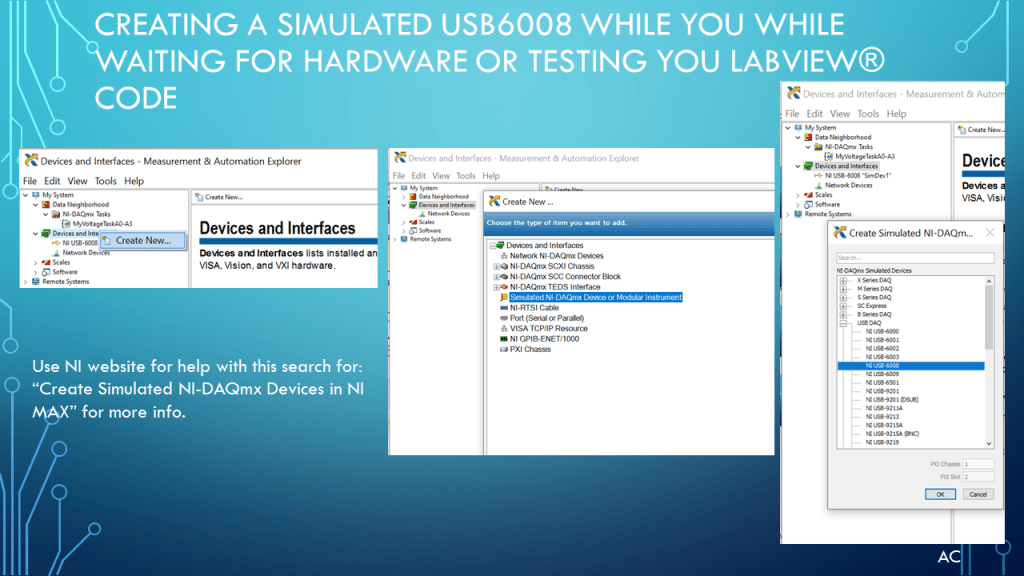
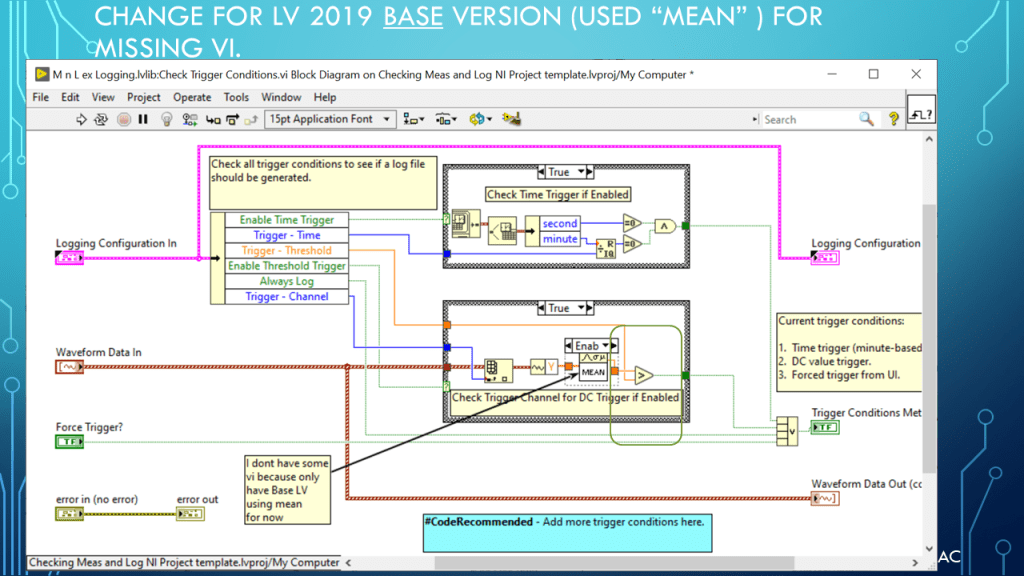
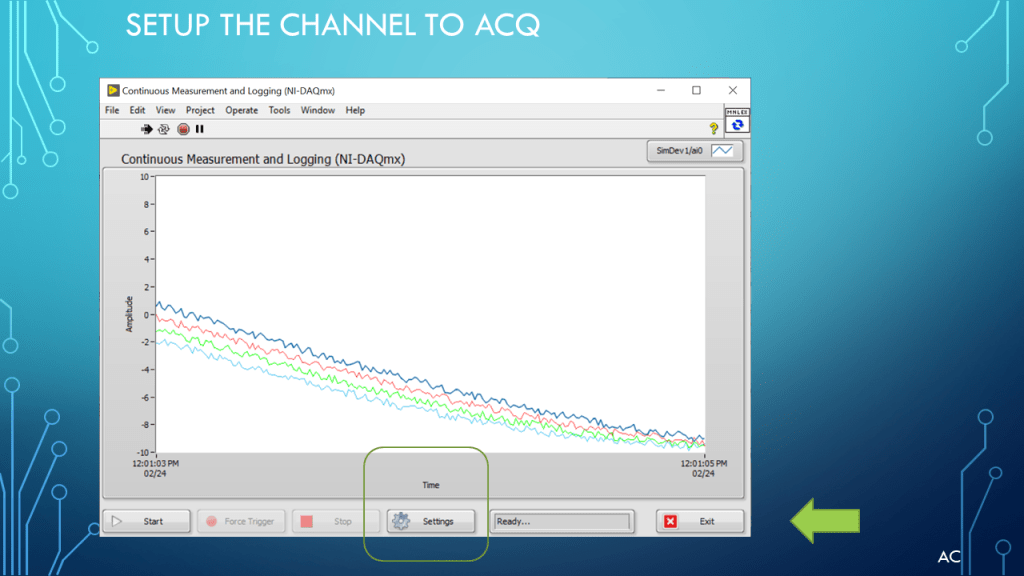
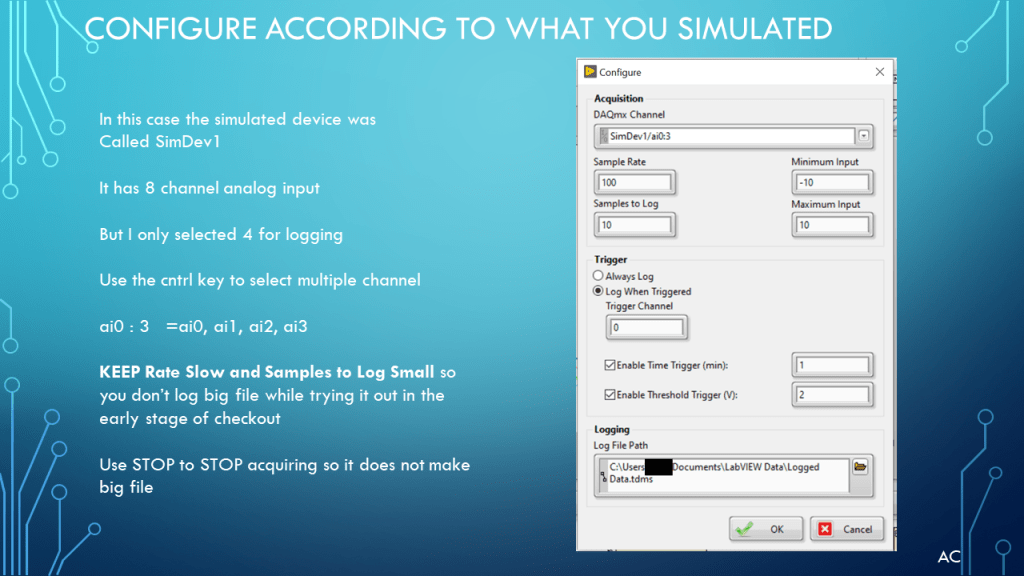
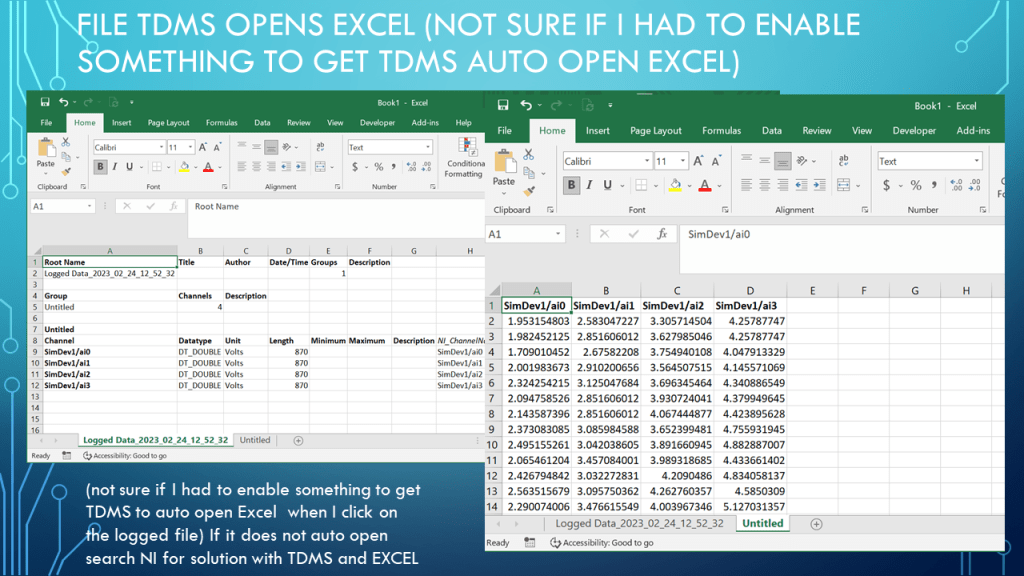
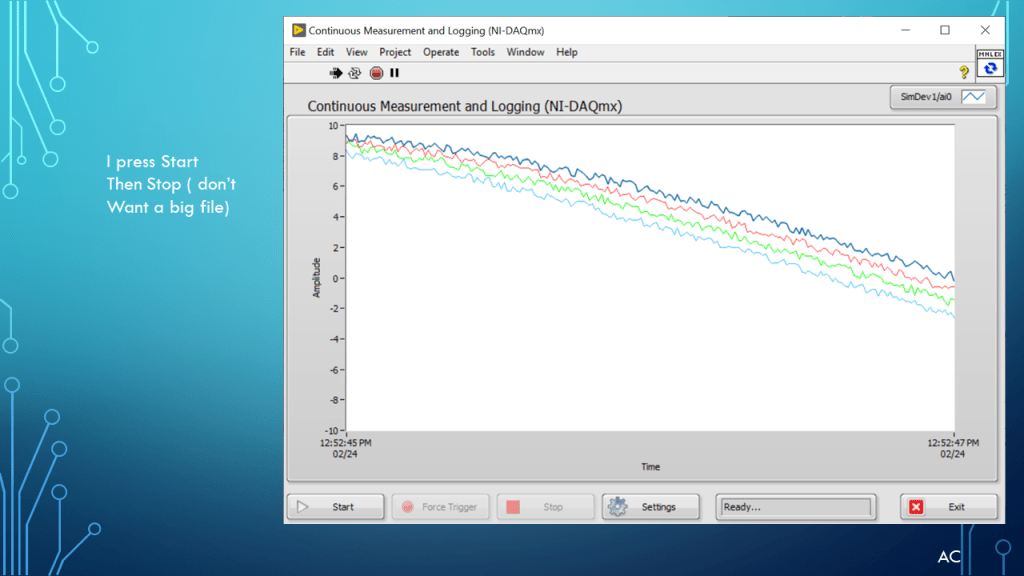
Used a LabVIEW(r) New Project using a Template for Measure and logging which need a device. Create a simulated device using NI NI_MAX . Some Modification for LV2019 Base version.
Notes

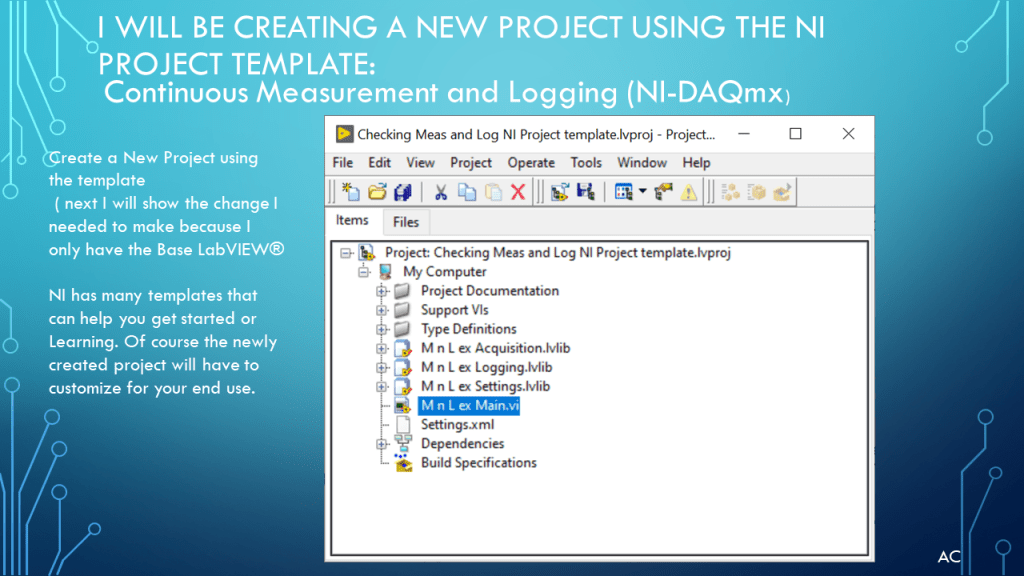
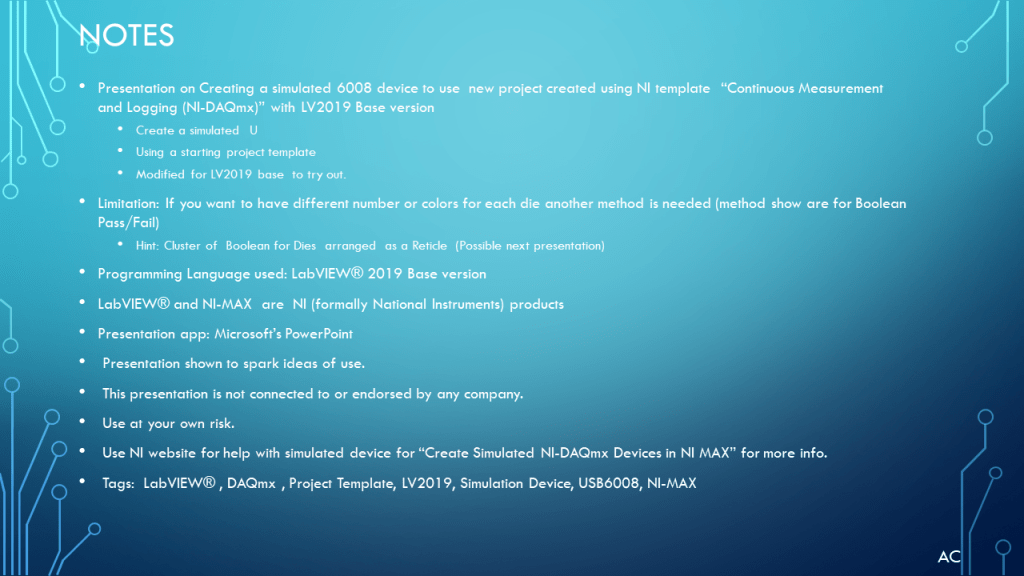
  • Presentation on Creating a simulated 6008 device to use new project created using NI project template “Continuous Measurement and Logging (NI-DAQmx)” with LV2019 Base version
  • Create a simulated USB6008
  • Using a starting project template
  • Modified for LV2019 base to try out.
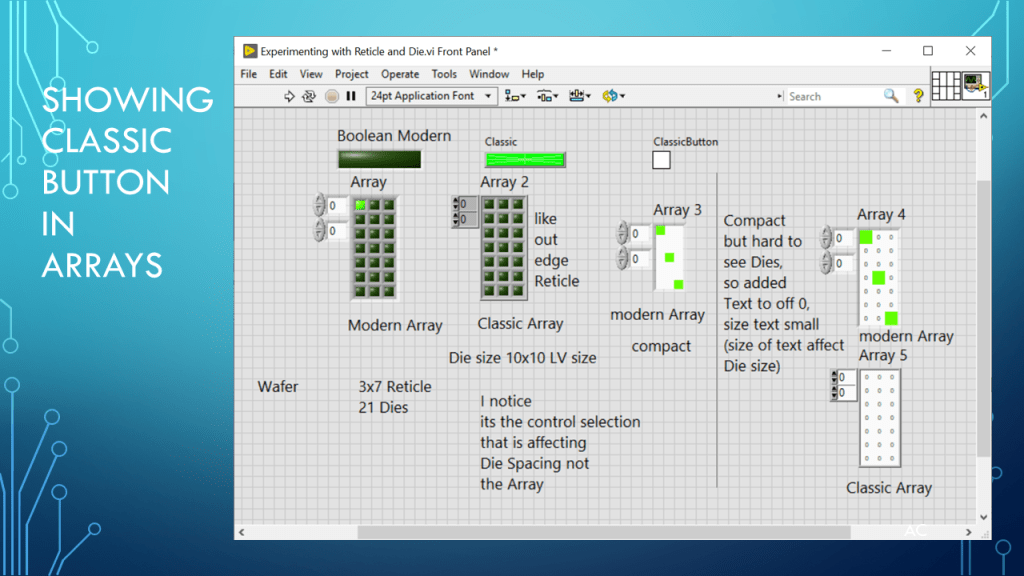
  • Limitation: If you want to have different number or colors for each die another method is needed (method show are for Boolean Pass/Fail)
  • Hint: Cluster of Boolean for Dies arranged as a Reticle (Possible next presentation)
  • Programming Language used: LabVIEW® 2019 Base version
  • LabVIEW® and NI-MAX are NI (formally National Instruments) products
  • Presentation app: Microsoft’s PowerPoint
  • Presentation shown to spark ideas of use.
  • This presentation is not connected to or endorsed by any company.
  • Use at your own risk.
  • Use NI website for help with simulated device for “Create Simulated NI-DAQmx Devices in NI MAX” for more info.
  • Tags: LabVIEW® , DAQmx , Project Template, LV2019, Simulation Device, USB6008, NI-MAX
Posted in Test Sector | Tagged , , , , , , | Leave a comment

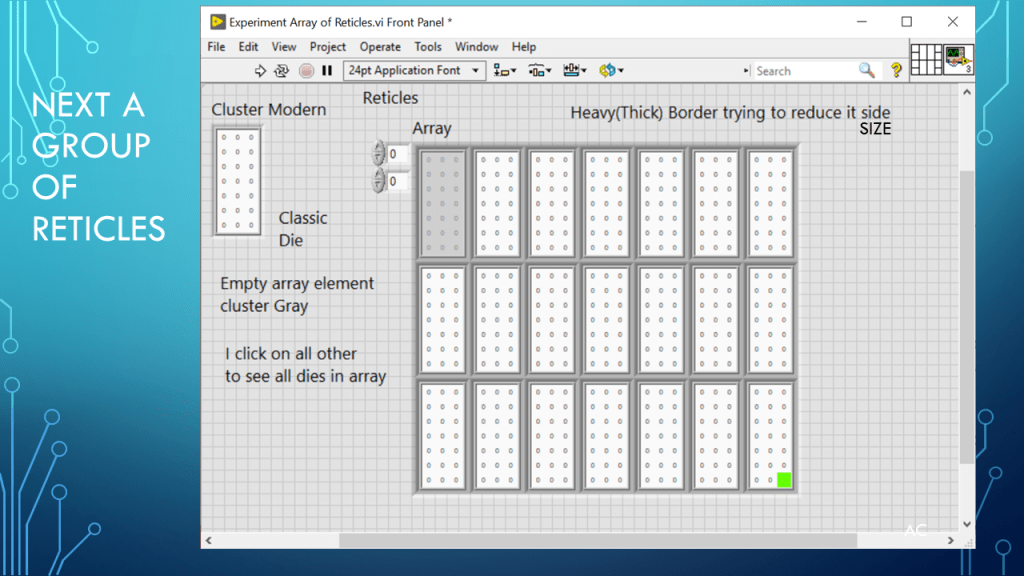
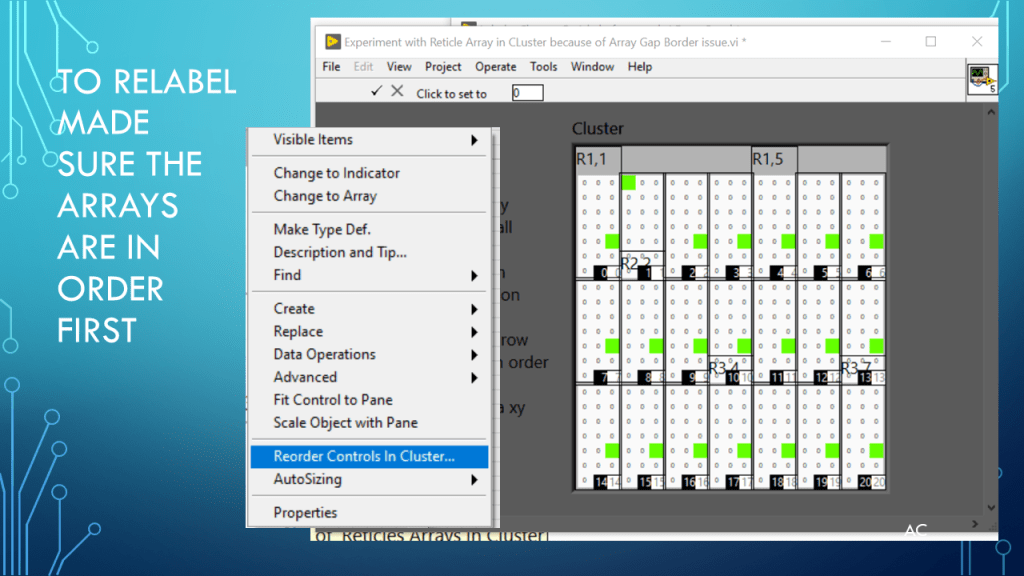
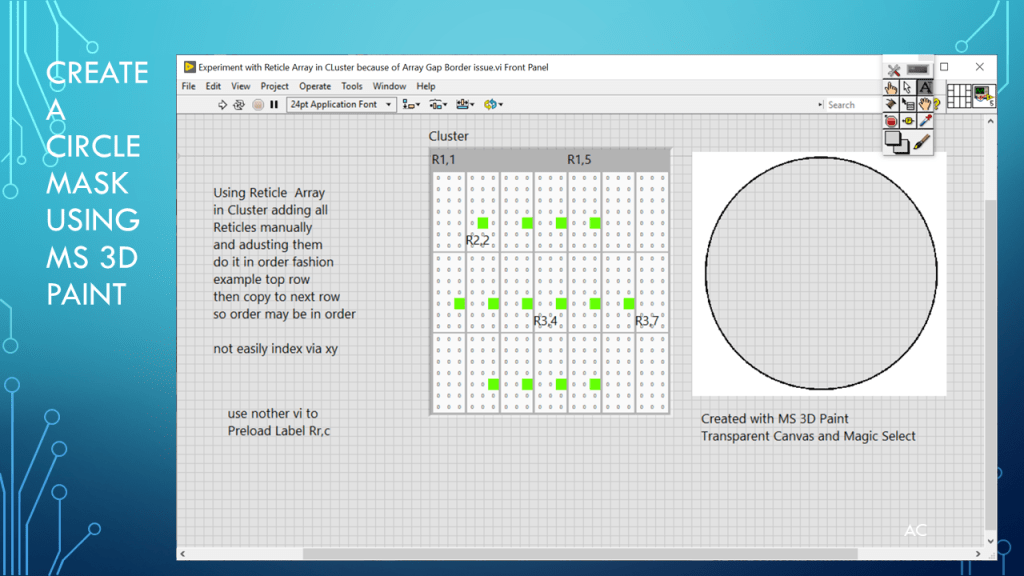
LV Wafer Display (Reticle and Die)

Presentation on possible way to display Wafer (Reticle and Die)

Posted in Test Sector | Tagged , , , , | Leave a comment

LV Some Basic 8bit (boolean) array opeartions

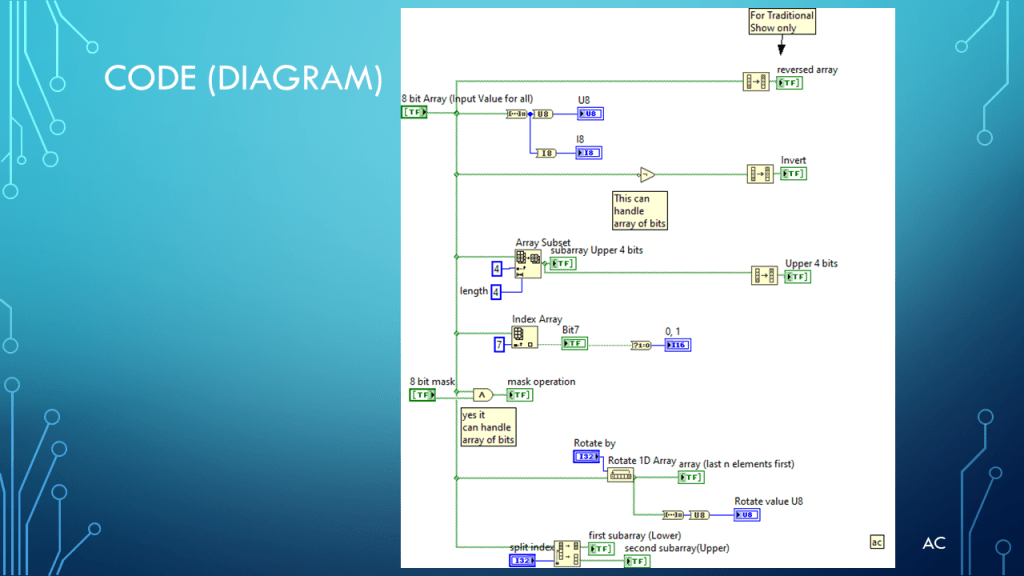
Showing some basic operation on 8bit Boolean array using LabVIEW(r)

Note

  • Presentation on Some basic operation on 8bit (Boolean) Array.
  • Programming Language used: LabVIEW® 2019 Base version
  • LabVIEW is a NI (formally National Instruments) product
  • Presentation app: Microsoft’s PowerPoint
  • Presentation shown to spark ideas of use.
  • This presentation is not connected to or endorsed by any company.
  • Use at your own risk.
  • Tags: LabVIEW® , Array, Reverse, Rotate, Split, Boolean to Num
Posted in Test Sector | Tagged , , , , , | Leave a comment

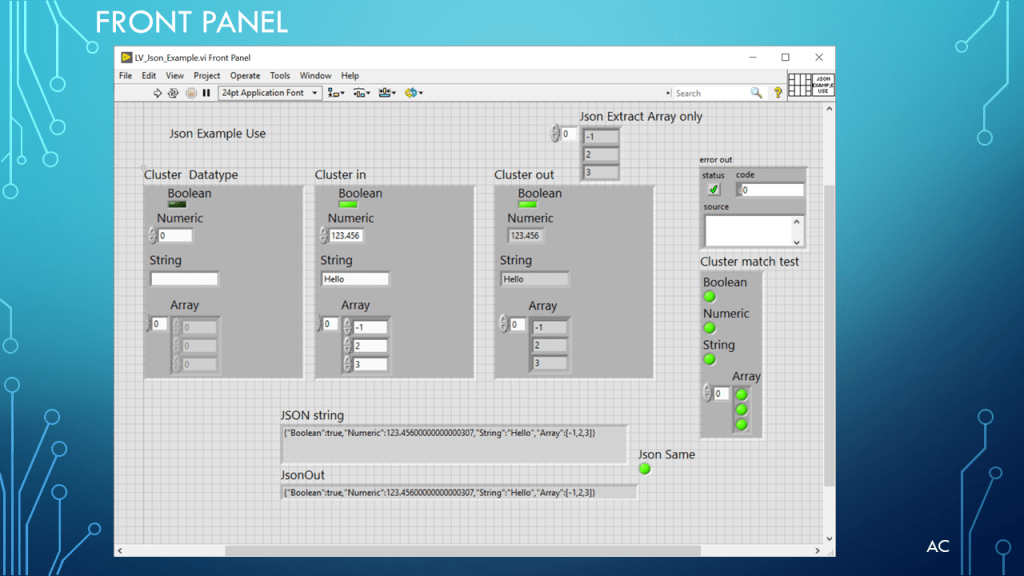
LV Json Example Use

Create Json of LabVIEW(r) control and Save to file.

Notes

  • Presentation on Json Example use.
  • Programming Language used: LabVIEW® 2019 Base version.
  • LabVIEW® is a NI (formally National Instruments) product.
  • Presentation app: Microsoft’s PowerPoint
  • Presentation shown to spark ideas of use.
  • This presentation is not connected to or endorsed by any company.
  • Use at your own risk.
  • Tags: LabVIEW® , Json, Flatten to Json, From Json, Json Example
Posted in Test Sector | Tagged , , , | Leave a comment

LabVIEW(r) Preload an Enum with a String Array

Sometime you need to have an enum a many items and you already have a string array of what you want in the enum

You cannot use the string[] directly in the same vi the new enum is located because Write String[] only works in NON Running mode (Edit mode) so you need another vi that does the String[]

See the presentation below to see how to do it.

LabVIEW(r) is a software product of NI (formally National Instruments)

Notes

  • Presentation on Pre loading and Enum before use.
  • Programming Language used: LabVIEW® 2019 Base version
  • LabVIEW is a NI (formally National Instruments) product
  • Presentation app: Microsoft’s PowerPoint
  • Presentation shown to spark ideas of use.
  • This presentation is not connected to or endorsed by any company.
  • Use at your own risk.
  • Tags: LabVIEW® , Enum, String[] and Loading Enum via String[]
Posted in Test Sector | Tagged , , , | Leave a comment

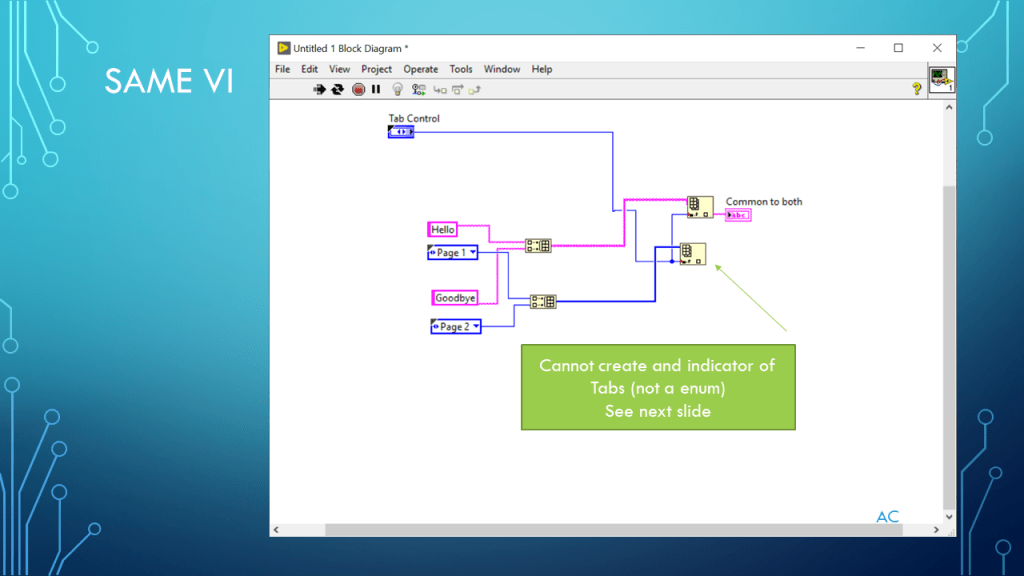
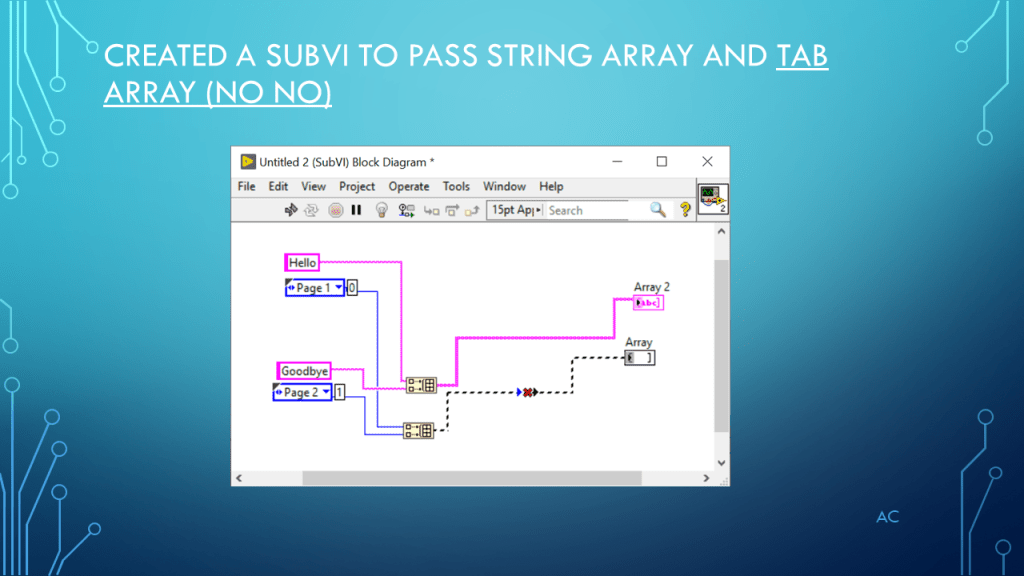
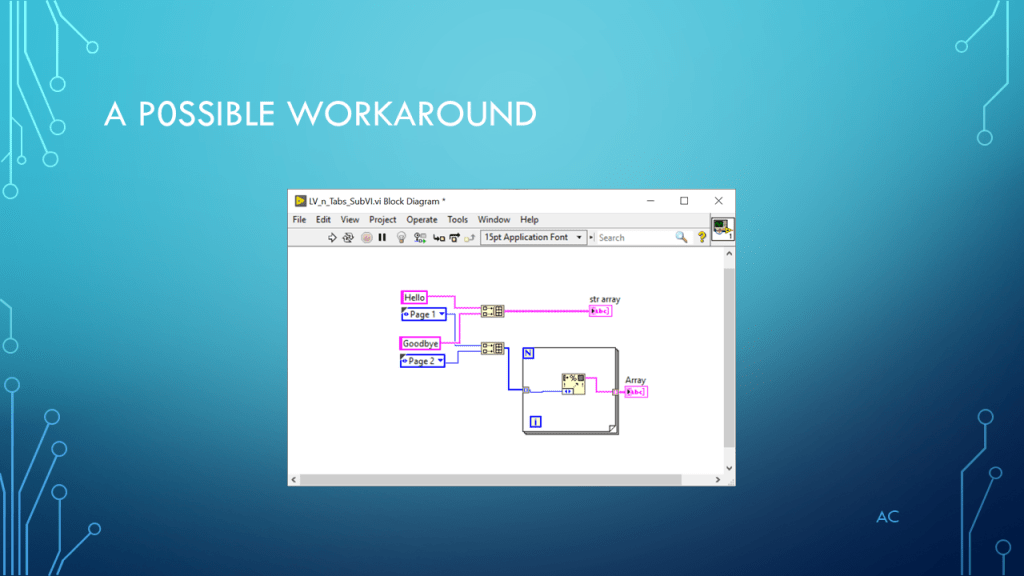
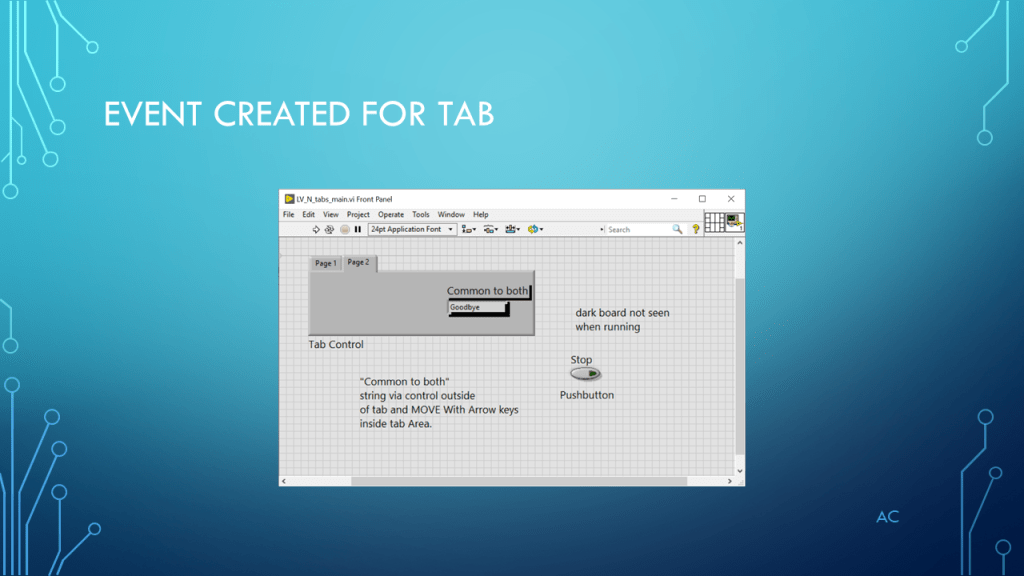
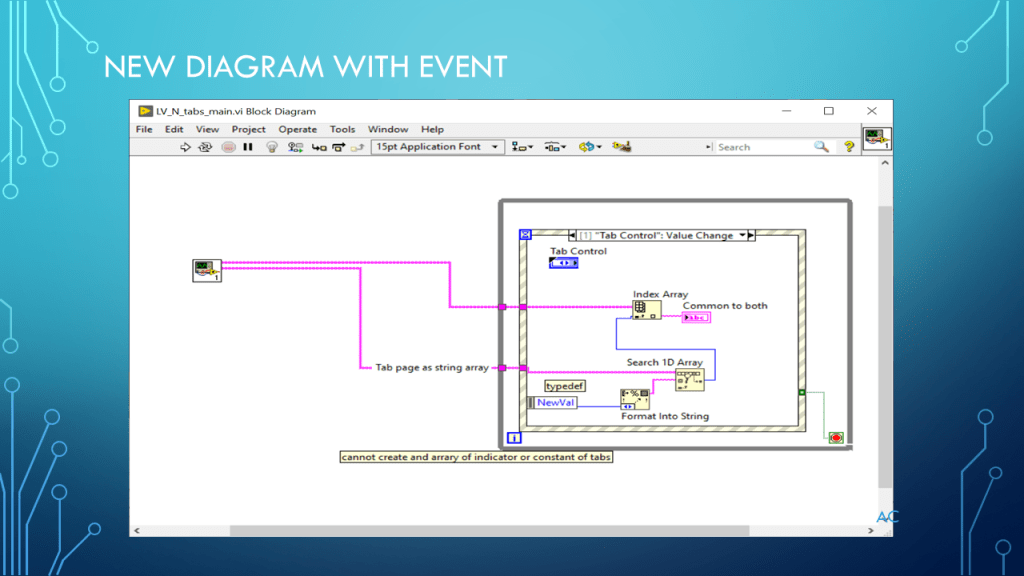
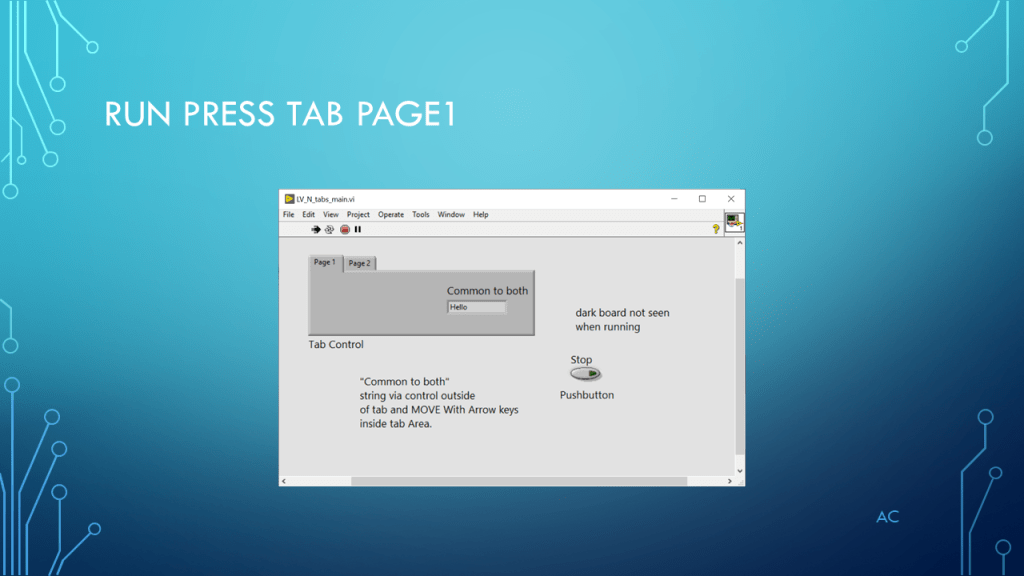
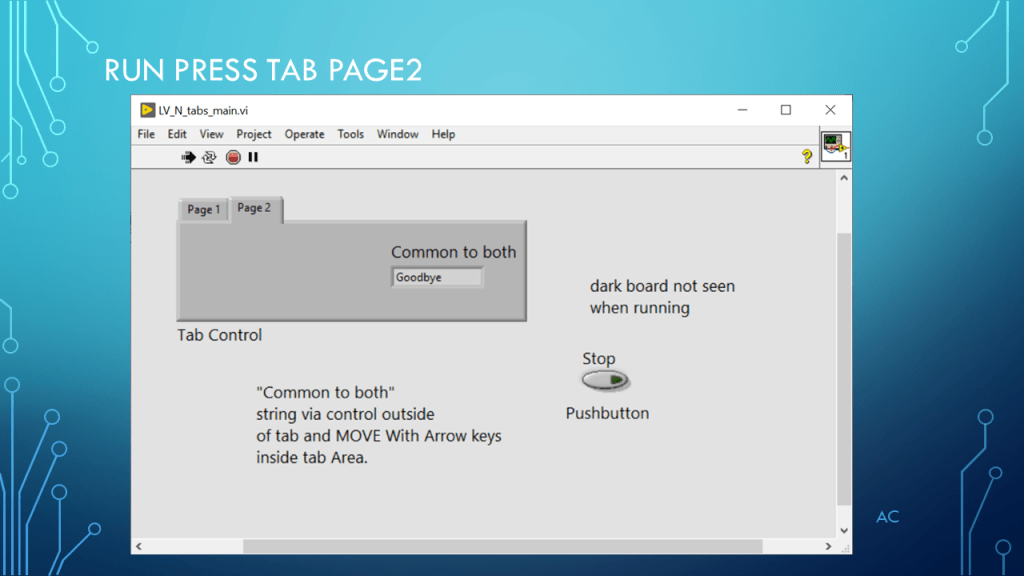
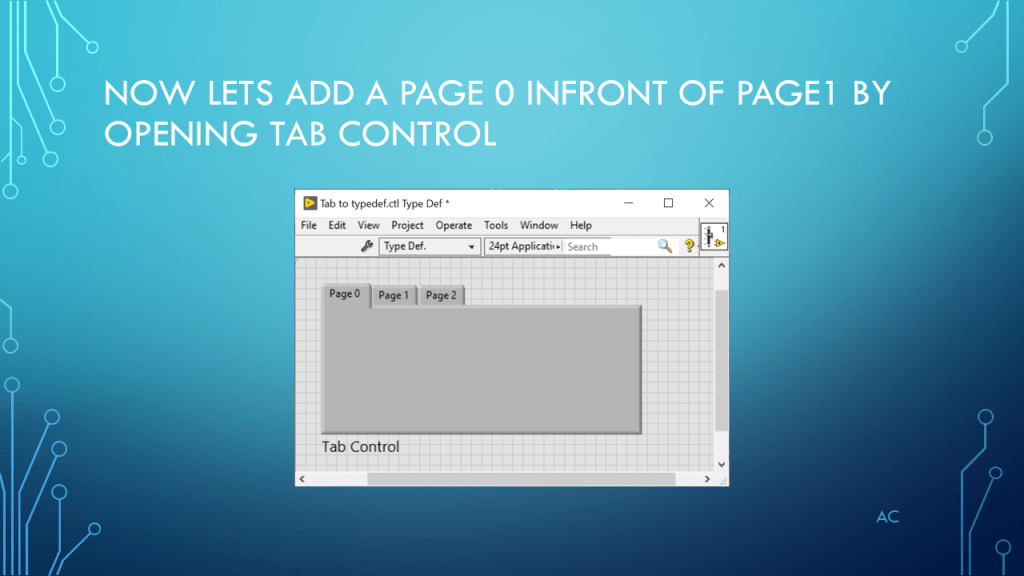
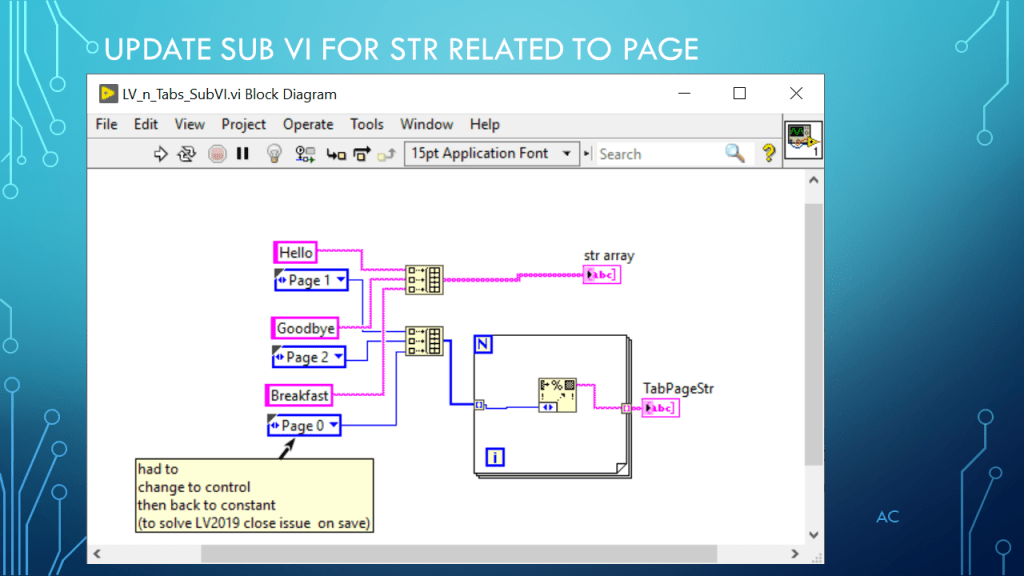
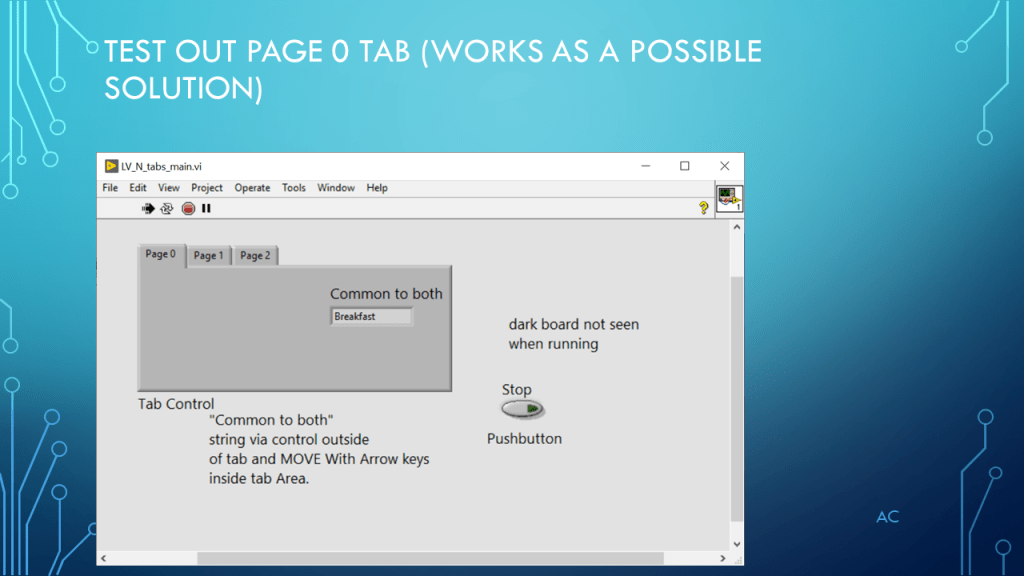
LV Tabs is not an enum

Presentation on Tab pages (not the same as enum)

Notes

•Presentation on Tabs and Array of Tabs constants

•Programming Language used: LabVIEW® 2019 Base version

•LabVIEW is a NI (formally National Instruments) product

•Presentation app: Microsoft’s PowerPoint

•Presentation shown to spark ideas of use.

•This presentation is not connected to or endorsed by any company.

•Use at your own risk.

Tags:  LabVIEW® , Search 1D array, Index Array, Tabs, Typedef, Build Array

•A Possible solution provided.

•Yes you can combine the Tab Name string and the Tab Page string  into cluster array

Posted in LabVIEW(r), Tabs, Test Sector | Tagged , | Leave a comment

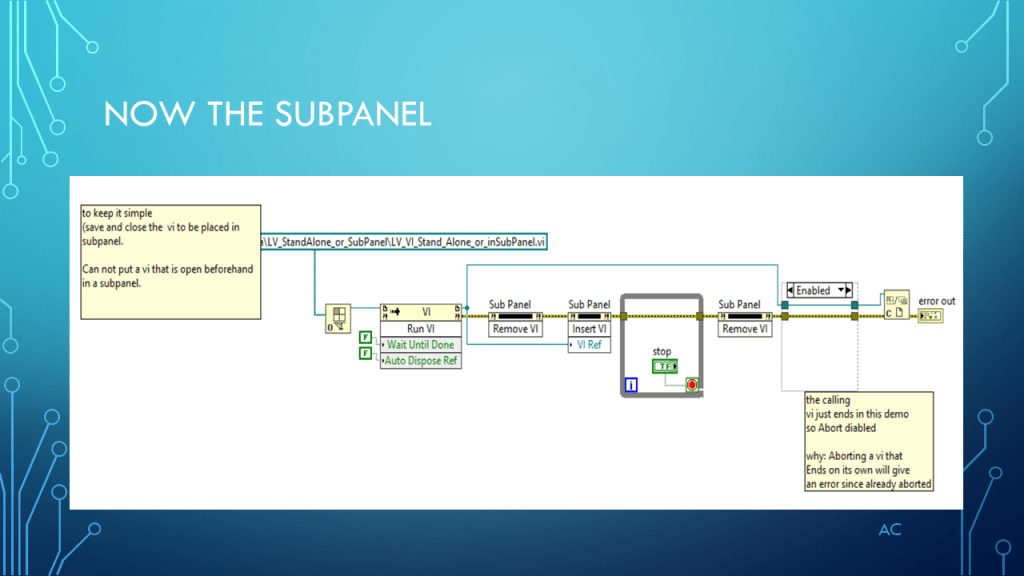
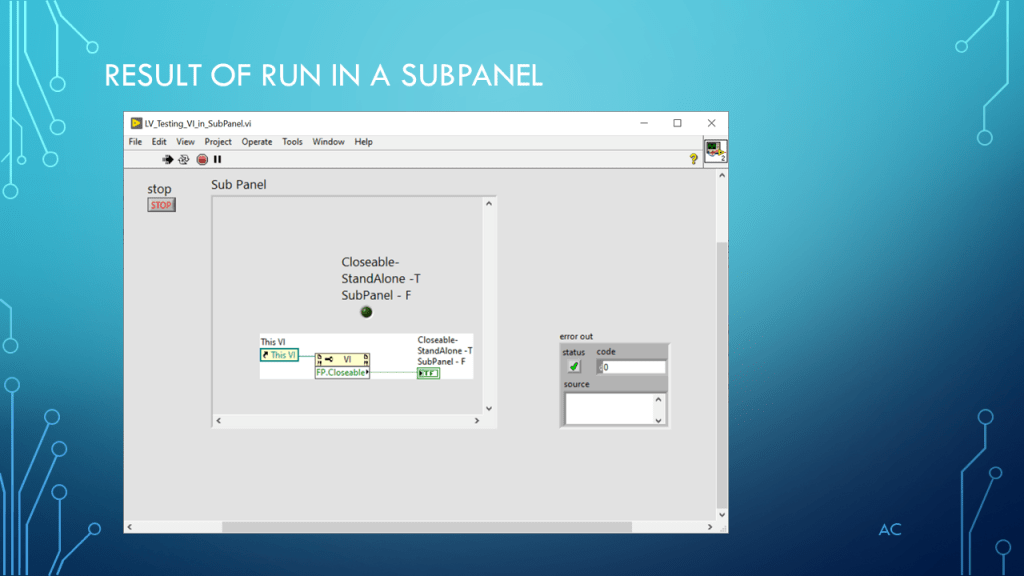
LV StandAlone or in SubPanel

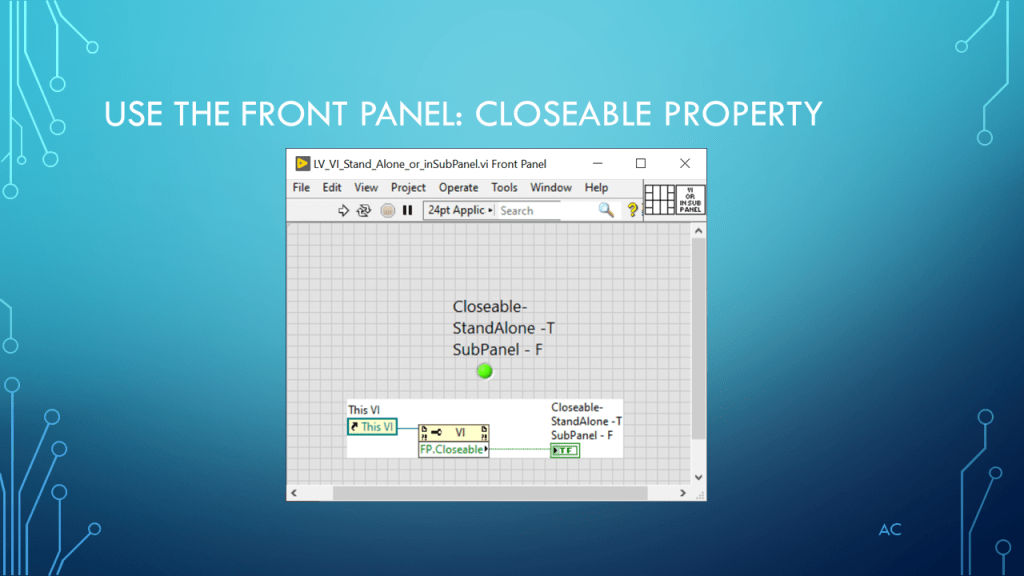
Presentation on determining if running VI as standalone or in a SubPanel

Update

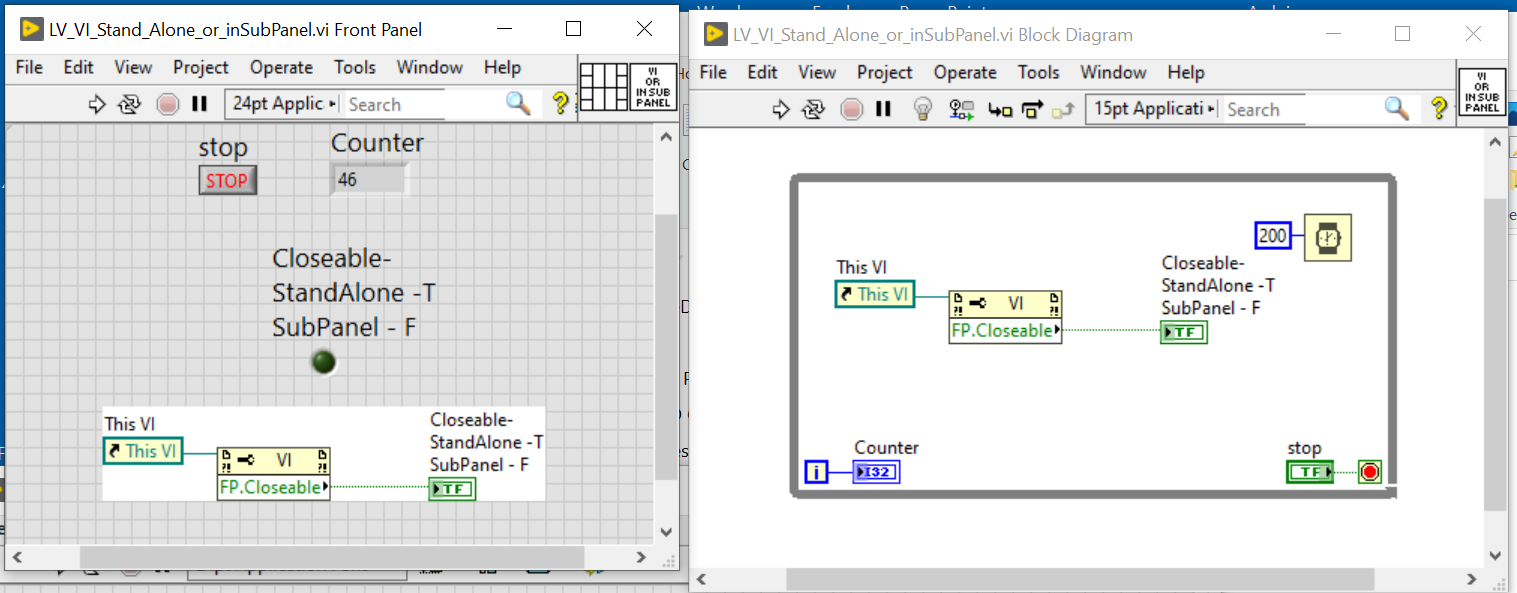
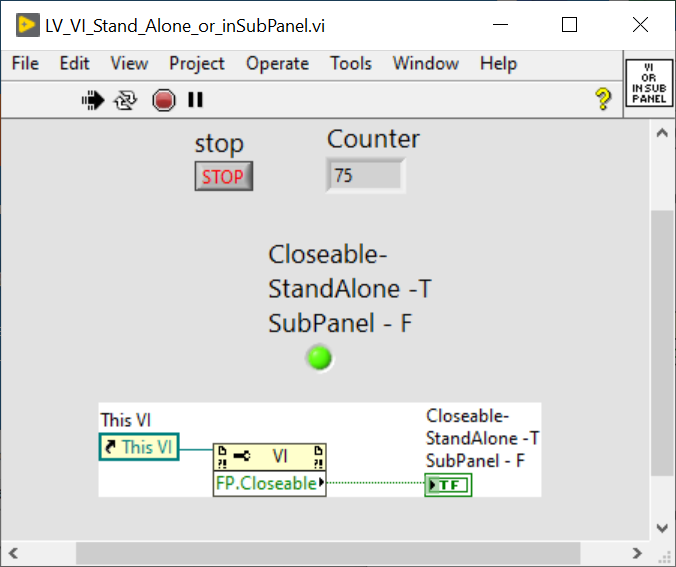
Updated vi to verify when running. Closeable still works when developer selects Allow user to Open Diagram

First check as Stand Alone

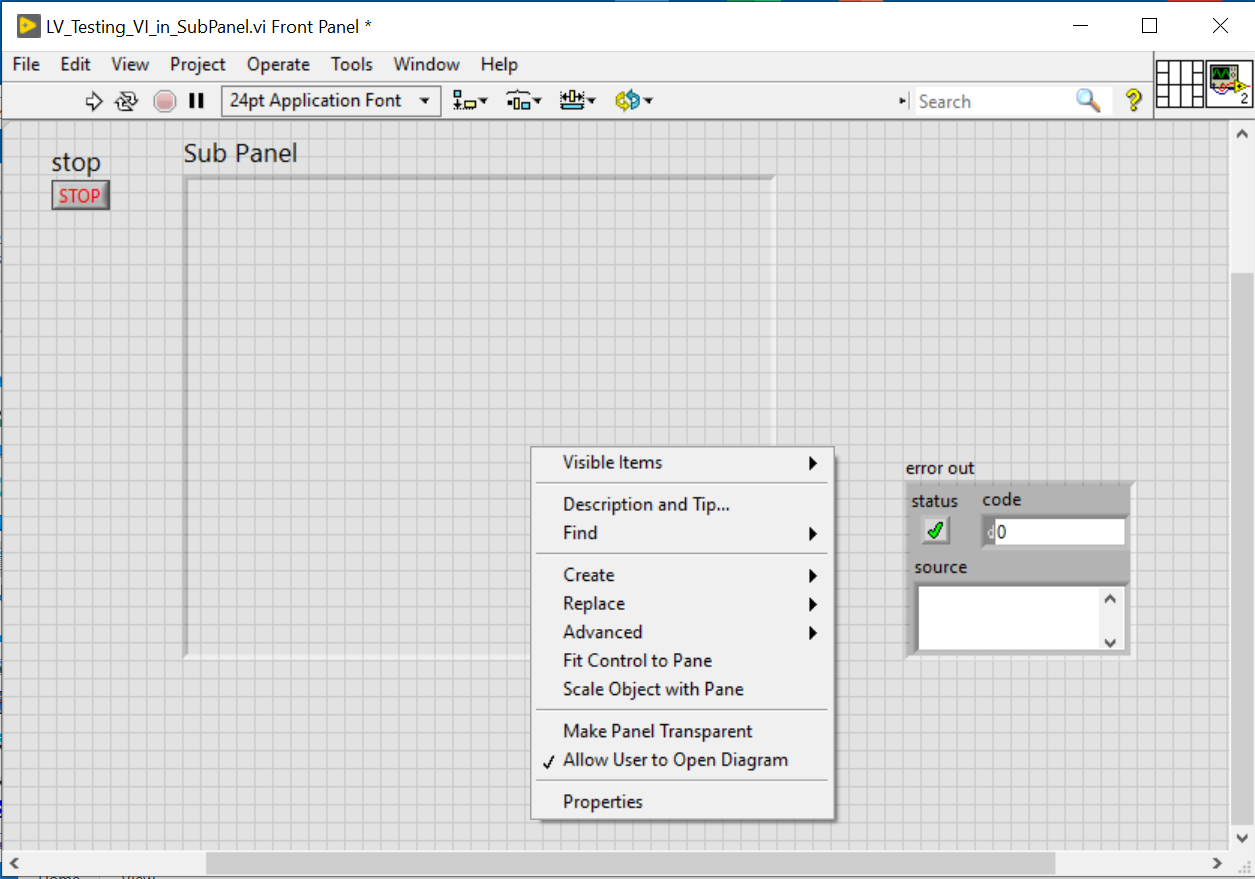
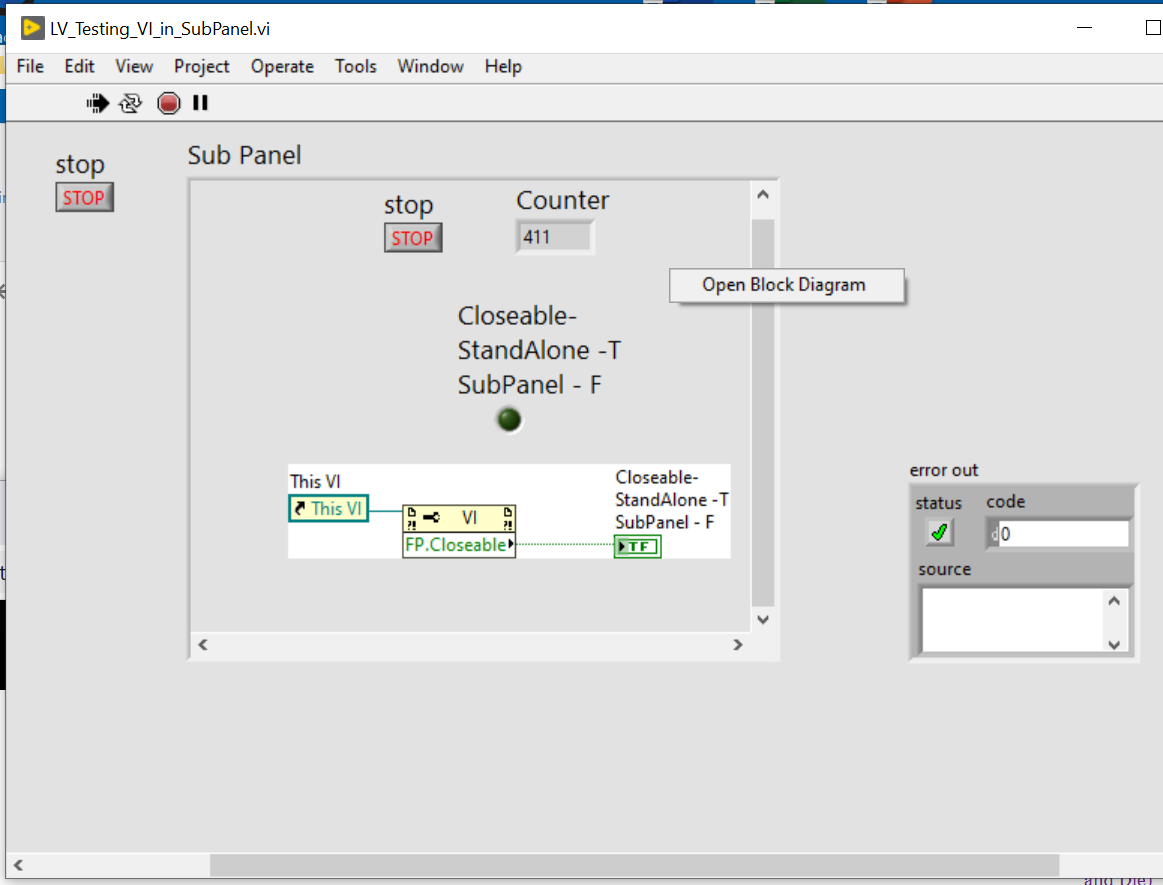
Next test if developer enable “Allow user to Open Diagram”

Yes, still works even if user selected Allow Open Diagram (odd, I think it did not work for me in LV2015 some time ago, LV2019 its ok)

Notes

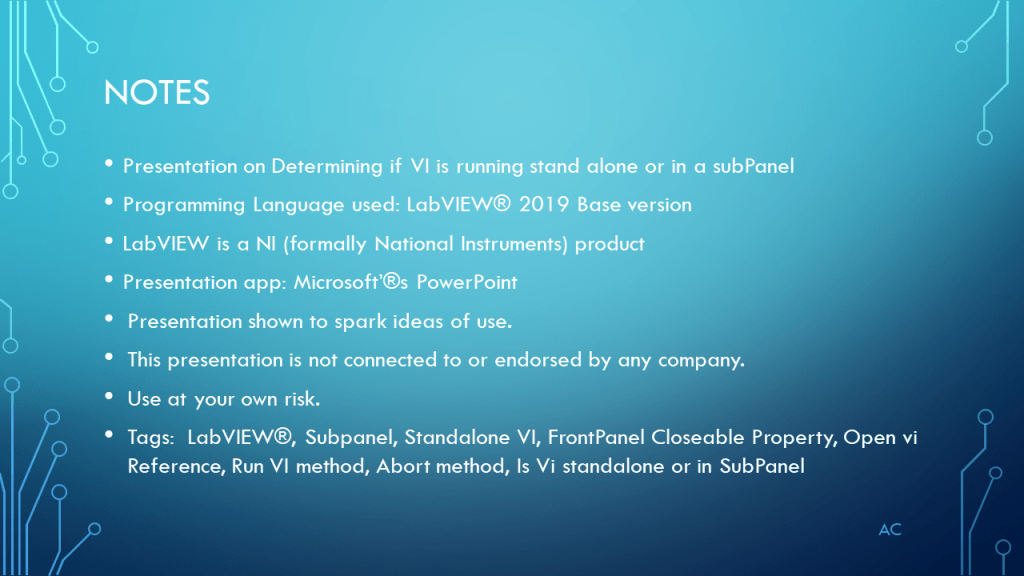
•Presentation on Determining if VI is running stand alone or in a subPanel

•Programming Language used: LabVIEW® 2019 Base version

•LabVIEW is a NI (formally National Instruments) product

•Presentation app: Microsoft’®s PowerPoint

•Presentation shown to spark ideas of use.

•This presentation is not connected to or endorsed by any company.

•Use at your own risk.

Tags:  LabVIEW®, Subpanel, Standalone VI, FrontPanel Closeable Property, Open vi Reference, Run VI method, Abort method, Is Vi standalone or in SubPanel, Allow user to Open Diagram

Posted in Test Sector | Tagged , , | Leave a comment

LV MultiColumn List Box (MCLB)

Presentation on Multicolumn List Box (select 1 and Scalar Datatype

Note

•Presentation on LV MultiColumn List Box 

•Programming Language used: LabVIEW® 2019 Base version

•LabVIEW is a NI (formally National Instruments) product

•Presentation app: Microsoft’s PowerPoint

•Presentation shown to spark ideas of use.

•This presentation is not connected to or endorsed by any company.

•Use at your own risk.

Tags:  LabVIEW® , MultiColumn List Box , MCLB, Item Symbols, Custom Item Symbols, Top Left Cell, Item Names String Array

Posted in LabVIEW(r), multicolumn ListBox, Test Sector | Tagged , , , | Leave a comment