Gaussian and LV 3D surface and intensity Graph

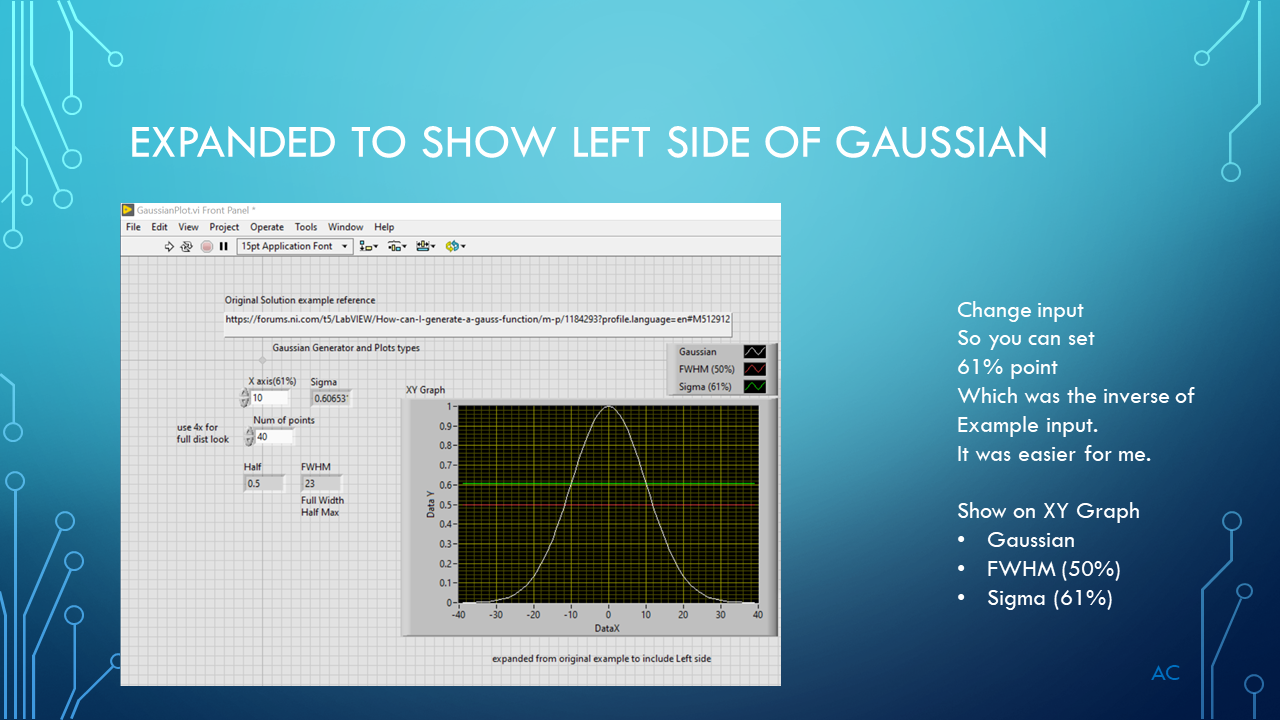
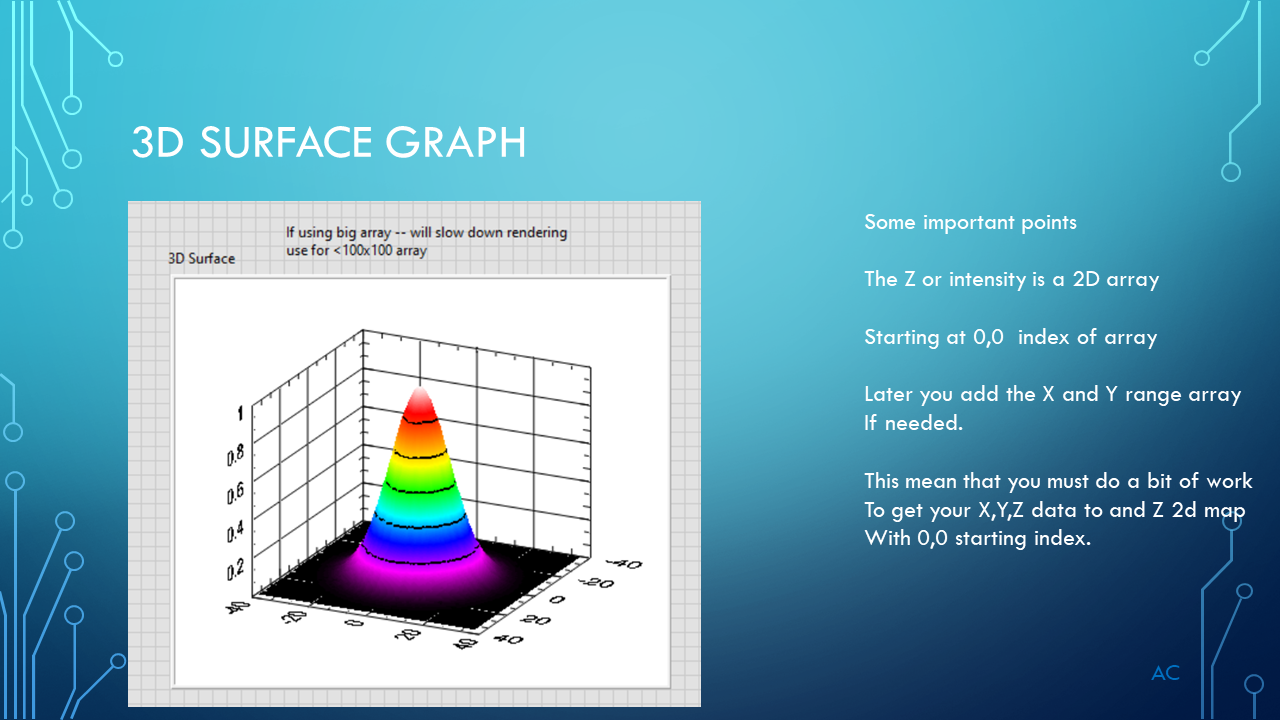
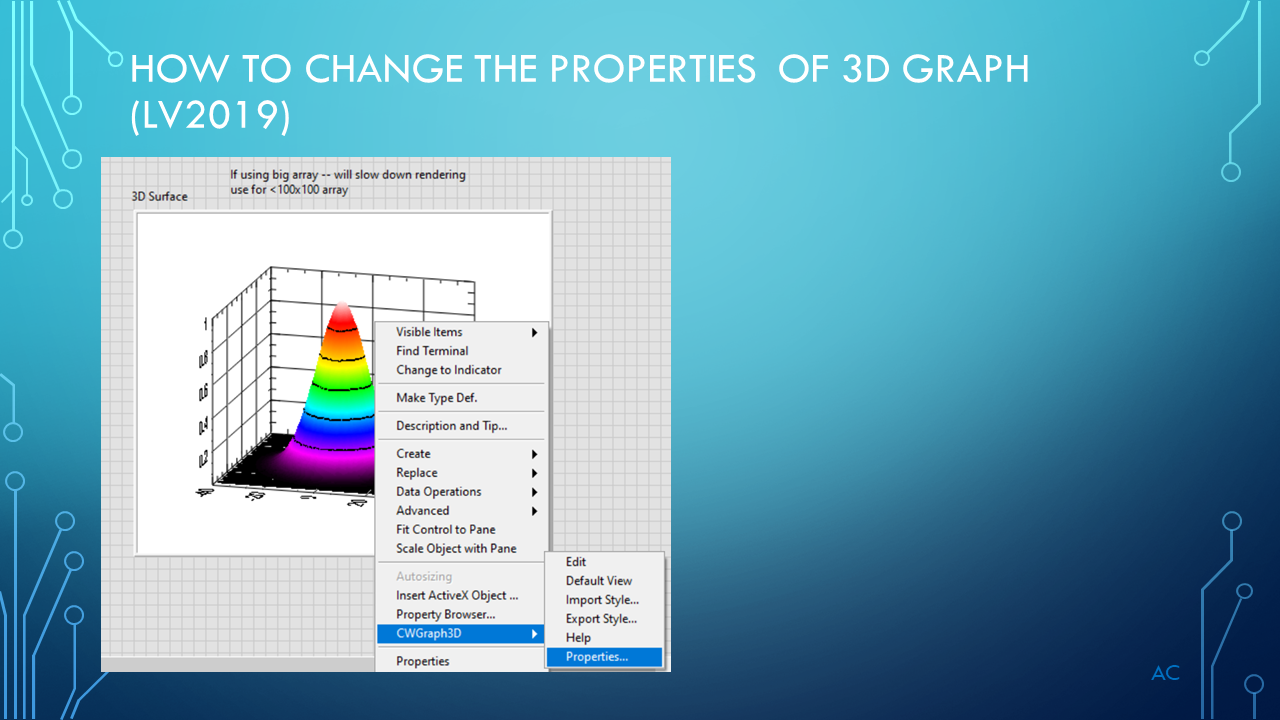
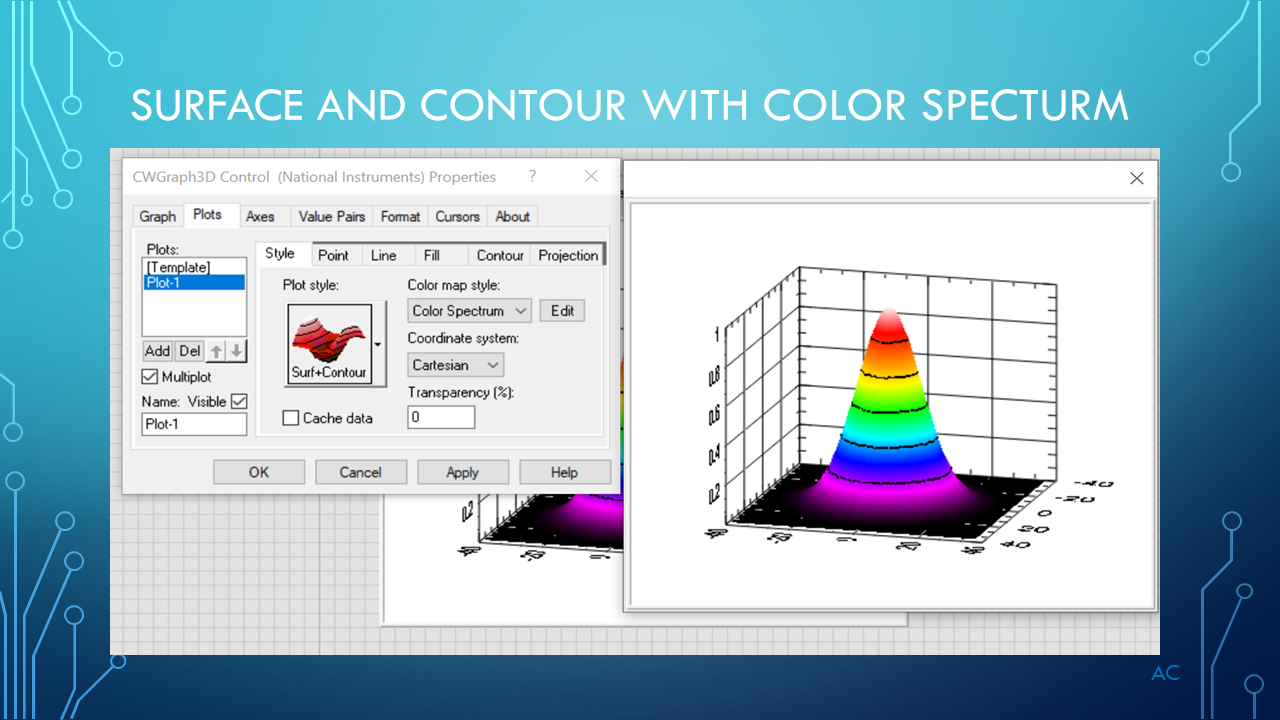
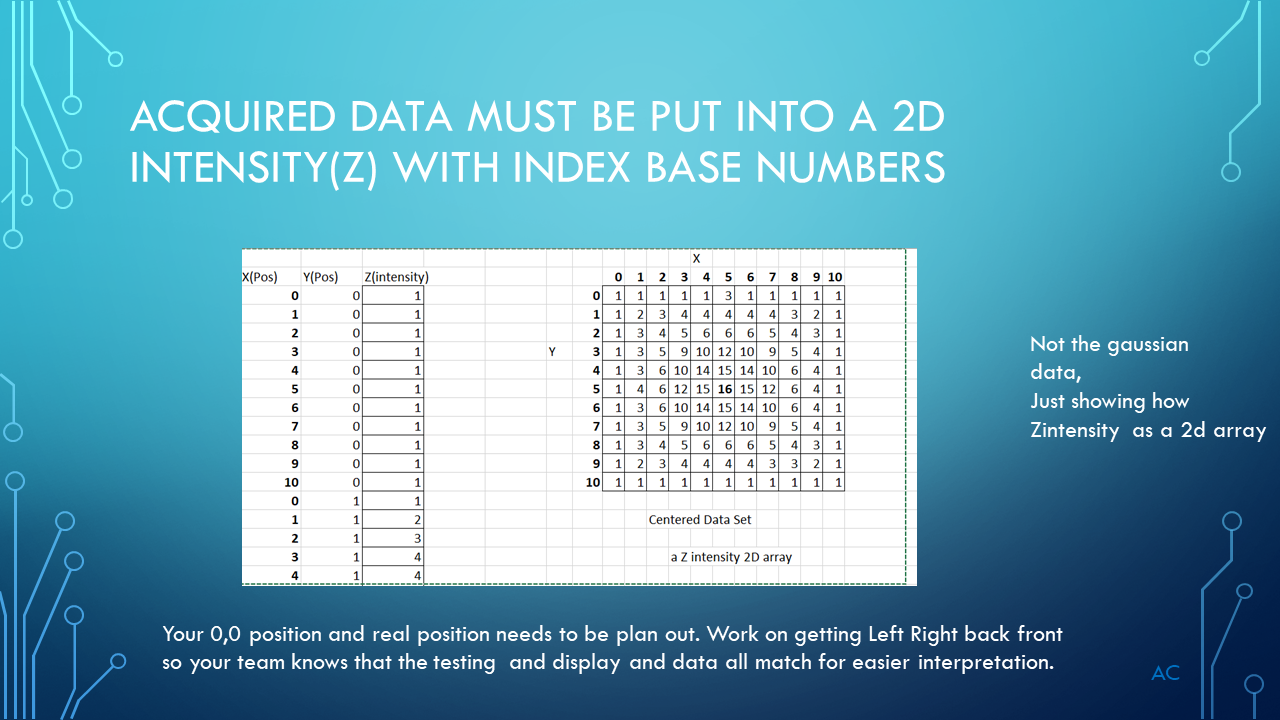
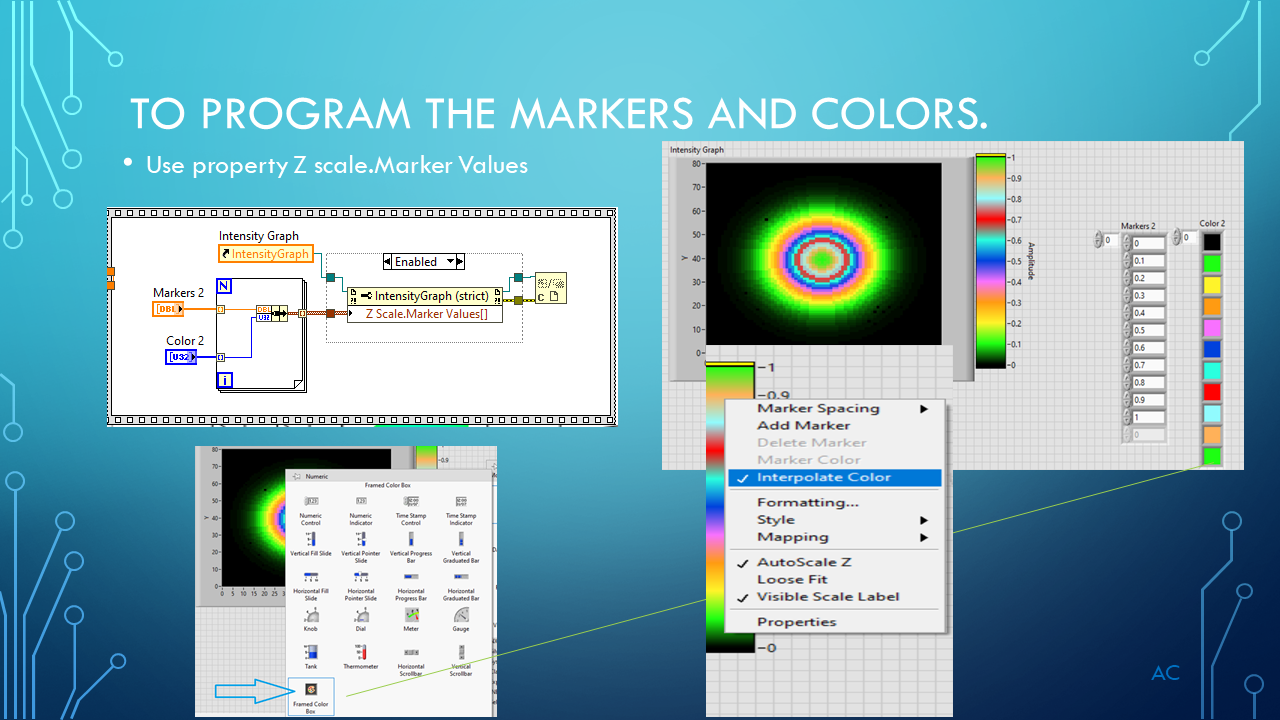
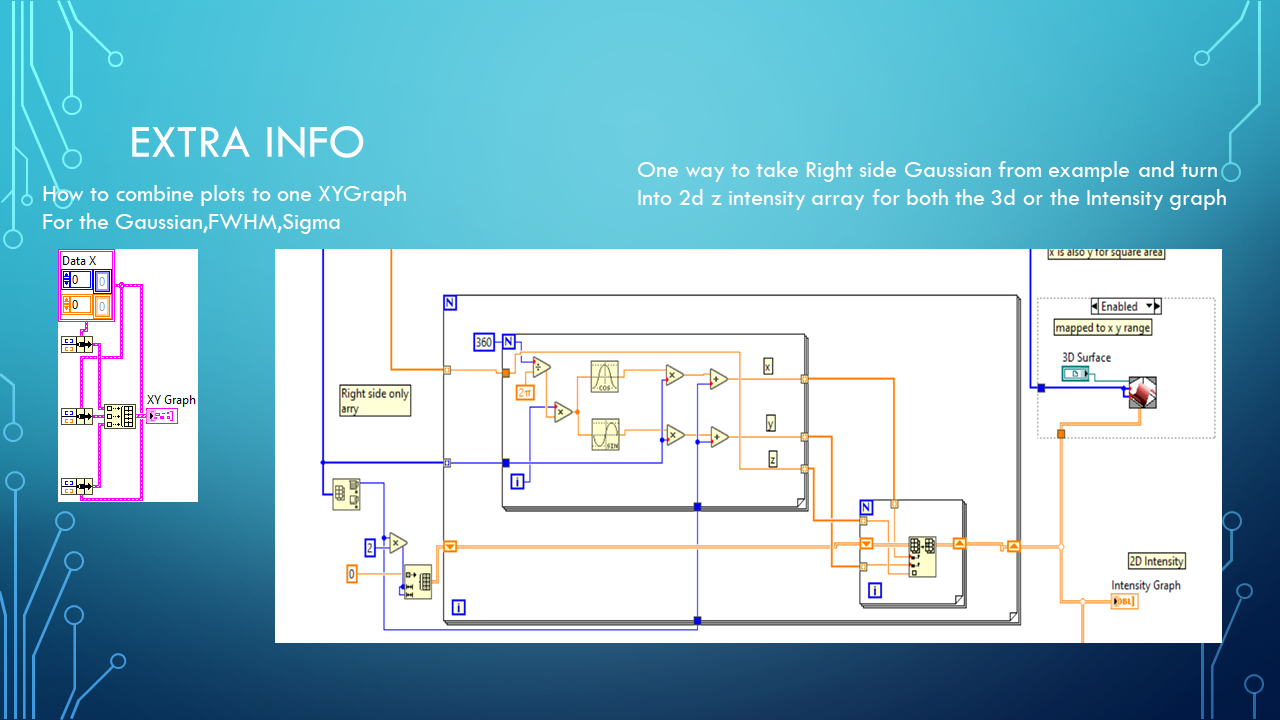
Presentation on Gaussian and LabVIEW® 3D Surface graph and Intensity Graph

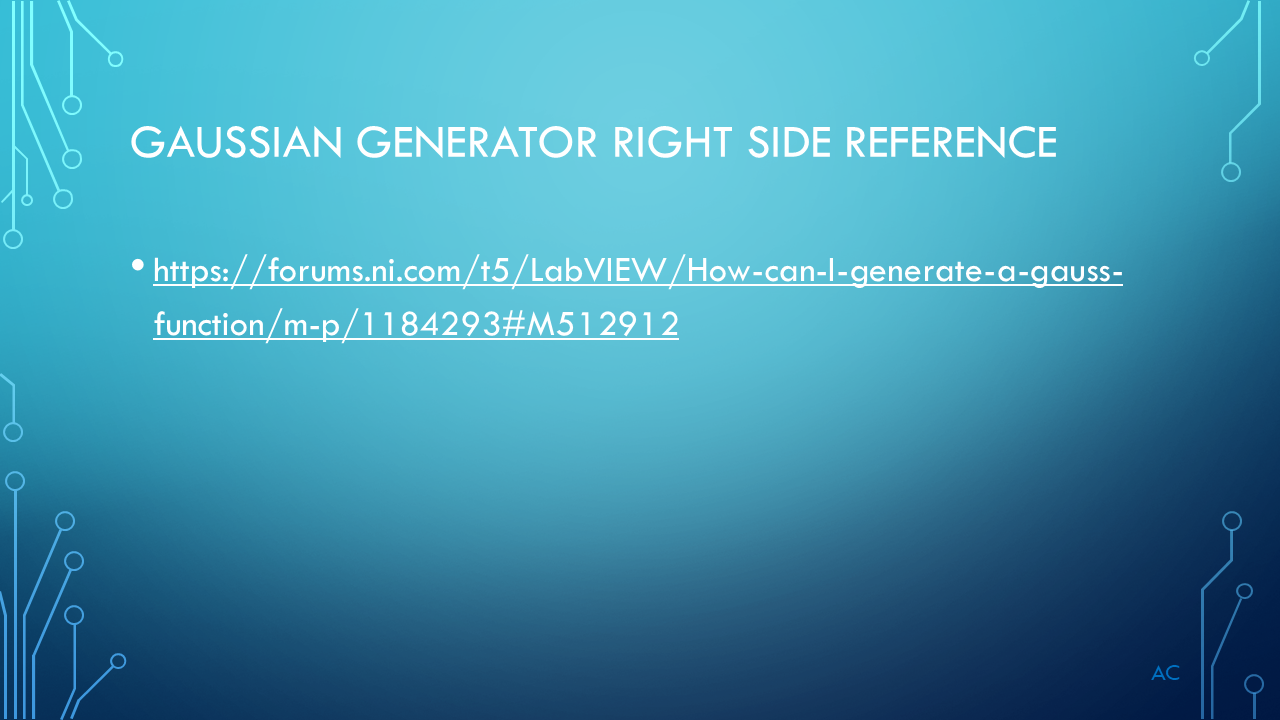
Starting example/reference   for the Gaussian function (Right side):

https://forums.ni.com/t5/LabVIEW/How-can-I-generate-a-gauss-function/m-p/1184293#M512912

GAU3DPLT_Slide1
GAU3DPLT_Slide2
GAU3DPLT_Slide3
GAU3DPLT_Slide4
GAU3DPLT_Slide5
GAU3DPLT_Slide6
GAU3DPLT_Slide7
GAU3DPLT_Slide8
GAU3DPLT_Slide9
GAU3DPLT_Slide10
GAU3DPLT_Slide11


Added jan/28/2026

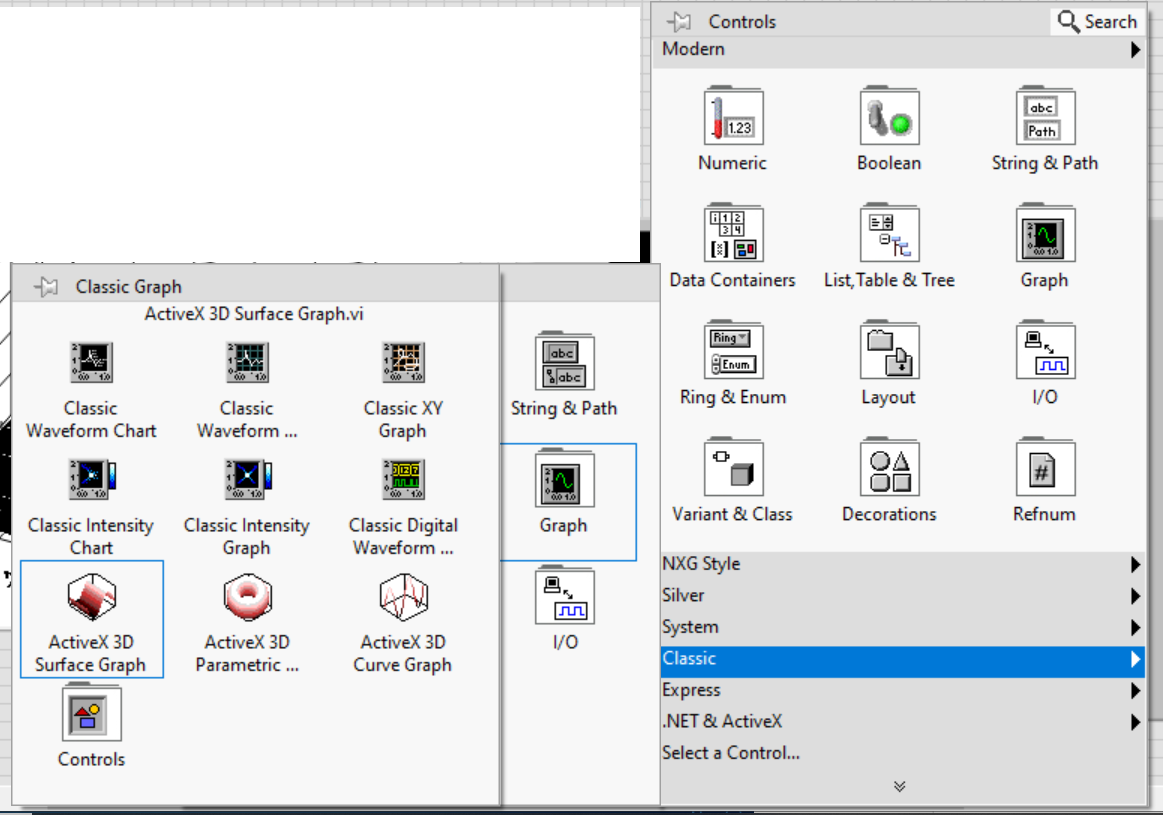
Where is 3D Surface vi in the controls

Classic- Graph-ActiveX_3D surface Graph


GAU3DPLT_Slide12
Posted in Graph, LabVIEW(r), Test Sector | Tagged , , , , | 1 Comment

LabVIEW array of Cluster and Python List of Dictionary

A presentation on my search for a Python equivalent to Cluster and Array of Cluster.

What was used

  • LabVIEW® 2019 a National Instrument product
  • Python 3.7
  • Anaconda, Spyder IDE
  • PowerPoint a Microsoft product

I was focusing on finding a why to use dot notation for the element in dictionary while in the Spyder IDE  so when i type “.” i can see the elements that can be used.

I tried two method  to show some possibility  and by no means the only solutions.

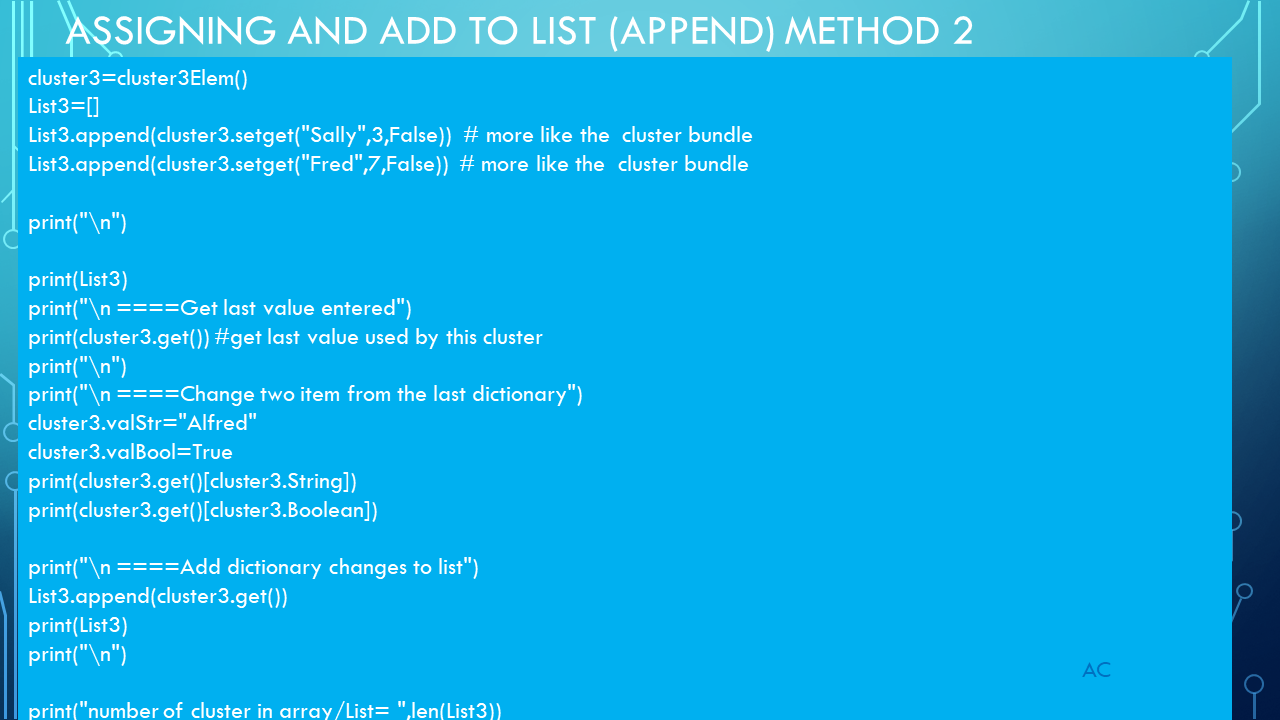
Method one get me the .dot notation     (Classes uses dot notation that will show drop-down for selection inside the IDE).

Method two just a expansion into classes for easier dictionary construction.

After the presentation i will add the python code and console output

LCAnPLD_Slide1LCAnPLD_Slide2LCAnPLD_Slide3LCAnPLD_Slide4LCAnPLD_Slide5LCAnPLD_Slide6LCAnPLD_Slide7LCAnPLD_Slide8LCAnPLD_Slide9LCAnPLD_Slide10LCAnPLD_Slide11LCAnPLD_Slide12LCAnPLD_Slide13LCAnPLD_Slide14

#

# -*- coding: utf-8 -*-
"""
Created on Mon Oct 28 18:15:47 2019

@author: aleja
"""
print("regular dictionary with defaults\n")
cluster= {"String":"Null","Number":0,"Boolean":False}
print (cluster)
print (cluster["Boolean"])
print (cluster["String"])
print (cluster["Number"])

#want something like in Lv cluster.Boolean  so when i type. a list of element appear for selection
print("\n Method1 using class just for the . notation")
#class uses the dot notation for elements forcing datatype  dot give me help from the editor for choices
class cluster2Elem():
    String="String"
    Number="Number"
    Boolean="Boolean"

c2elem=cluster2Elem()   #similar to creating a control from a control datatype in LV

def cluster2(cluster={c2elem.String:"Null",c2elem.Number:0,c2elem.Boolean:False}):
    return(cluster)

print(cluster2())  #return the default values
print(cluster2()["String"])

#array of clusters (labVIEW naming)
List2=[]
List2.append(cluster2({c2elem.String:"Alfred",c2elem.Number:10,c2elem.Boolean:True}))
print (List2)
print (List2[0][c2elem.String])

print (List2[0][c2elem.String])
print (List2[0][c2elem.Boolean])
print (List2[0][c2elem.Number])
print("\n")

List2[0][c2elem.Number]=11

print (List2[0][c2elem.String])
print (List2[0][c2elem.Boolean])
print (List2[0][c2elem.Number])
print (List2)
print("\n")

List2.append(cluster2({c2elem.String:"Fred",c2elem.Number:5,c2elem.Boolean:False}))
print (List2)
List2.append(cluster2({c2elem.Number:20,c2elem.String:"Sally",c2elem.Boolean:False})) #check if order will hurt
print (List2)
print("\n")

print("number of cluster in array/List= ",len(List2))
list=[]
for list in List2:
    print(list[c2elem.String])
#look ok because of key,value , this is close to what i want
#===========================================================================
#let look a class a bit more
print("\n ====Method2 using class just for the . notation and easier dict build setget s,n,b====")
print("\n ====first create the class and properties and methods==")

class cluster3Elem():
   def __init__(self):
        self.String="String"
        self.Number="Number"
        self.Boolean="Boolean"

   def setget(self,String="Null",Number=0,Boolean=False):
       self.valStr=String #need to do this so later get will have the -self- last values used
       self.valNum=Number
       self.valBool=Boolean
       return ({self.String:String,self.Number:Number,self.Boolean:Boolean})

   def get(self):
       return ({self.String:self.valStr,self.Number:self.valNum,self.Boolean:self.valBool})

print("\n==")

cluster3=cluster3Elem()
List3=[]
List3.append(cluster3.setget("Sally",3,False))  # more like the  cluster bundle
List3.append(cluster3.setget("Fred",7,False))  # more like the  cluster bundle

print("\n")

print(List3)
print("\n ====Get last value entered")
print(cluster3.get()) #get last value used by this cluster
print("\n")
print("\n ====Change two item from the last dictionary")
cluster3.valStr="Alfred"
cluster3.valBool=True
print(cluster3.get()[cluster3.String])
print(cluster3.get()[cluster3.Boolean])

print("\n ====Add dictionary changes to list")
List3.append(cluster3.get())
print(List3)
print("\n")

print("number of cluster in array/List= ",len(List3))
list=[]
for list in List3:
    print(list[cluster3.String])

#

Console Output in Spyder

#


regular d<span id="mce_SELREST_start" style="overflow:hidden;line-height:0;">&#65279;</span>ictionary with defaults

{'String': 'Null', 'Number': 0, 'Boolean': False}
False
Null
0

 Method1 using class just for the . notation
{'String': 'Null', 'Number': 0, 'Boolean': False}
Null
[{'String': 'Alfred', 'Number': 10, 'Boolean': True}]
Alfred
Alfred
True
10

Alfred
True
11
[{'String': 'Alfred', 'Number': 11, 'Boolean': True}]

[{'String': 'Alfred', 'Number': 11, 'Boolean': True}, {'String': 'Fred', 'Number': 5, 'Boolean': False}]
[{'String': 'Alfred', 'Number': 11, 'Boolean': True}, {'String': 'Fred', 'Number': 5, 'Boolean': False}, {'Number': 20, 'String': 'Sally', 'Boolean': False}]

number of cluster in array/List=  3
Alfred
Fred
Sally

 ====Method2 using class just for the . notation and easier dict build setget s,n,b====

 ====first create the class and properties and methods==

==

[{'String': 'Sally', 'Number': 3, 'Boolean': False}, {'String': 'Fred', 'Number': 7, 'Boolean': False}]

 ====Get last value entered
{'String': 'Fred', 'Number': 7, 'Boolean': False}

 ====Change two item from the last dictionary
Alfred
True

 ====Add dictionary changes to list
[{'String': 'Sally', 'Number': 3, 'Boolean': False}, {'String': 'Fred', 'Number': 7, 'Boolean': False}, {'String': 'Alfred', 'Number': 7, 'Boolean': True}]

number of cluster in array/List=  3
Sally
Fred
Alfred

#

Posted in Test Sector | Tagged , , , | Leave a comment

Python , Running functions in a list

Example only( was create under Python3.7  while inside Anaconda Spyder,

Showing a method for running functions from a list with arg from a parameter list (just a str  for example)

also sending parameters to function bases on a parameter list.

Task Run Test function as listed in a function list(test list).

#


# -*- coding: utf-8 -*-
"""
Created on Thu Oct 24 08:29:30 2019

@author: aleja
"""

def ComponentTest(strParameter=""):
    print("Loaded Param:",strParameter)
    print("Running Component Test")

def RFTest(strParameter):
    print("Loaded Param:",strParameter)
    print("Running RF Test")

def OpticalTest(strParameter):
    print("Loaded Param:",strParameter)
    print("Running Optical Test")

ParameterLists=[]
ComponentTestParam="Resistor,Cap,Diode"
RFTestParam="Start=1G,Stop=10G,Step100MHz"
OpticalTestParam="StartWL=1500,StopWL=1600,StepWL=10"
ParameterList=[ComponentTestParam,RFTestParam,OpticalTestParam] #same order as test

funcList=[ComponentTest,RFTest,OpticalTest]  #same order as parameters
print("\nStart testing per function list\n")
for runfunc in funcList:
    ParamIndex=(funcList.index(runfunc))
    runfunc(ParameterList[ParamIndex])  #notice running a function that was in the list, cool
     #print(eval(runfunc.__name__+"Param"))  # this is a way call a variable when given as a string
    print(runfunc.__name__," Done\n")


Output of console

Python functions in list

Posted in Python, Test Sector | Tagged , , , | Leave a comment

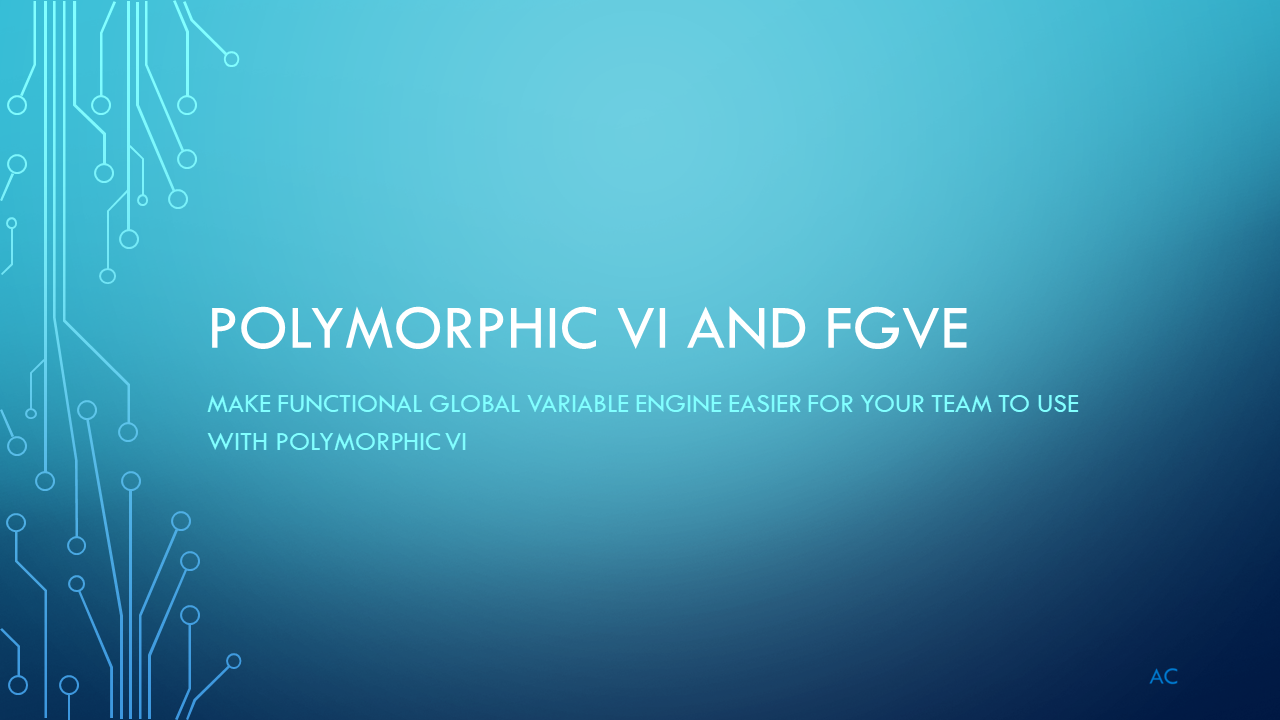
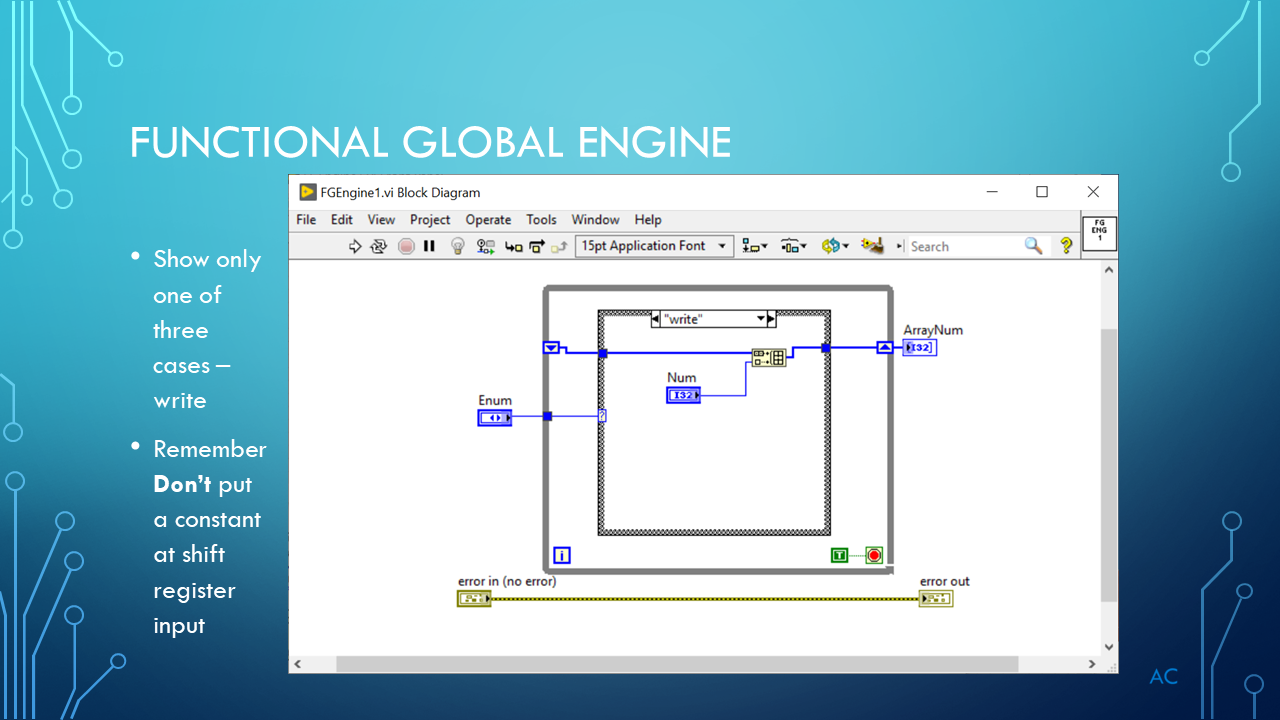
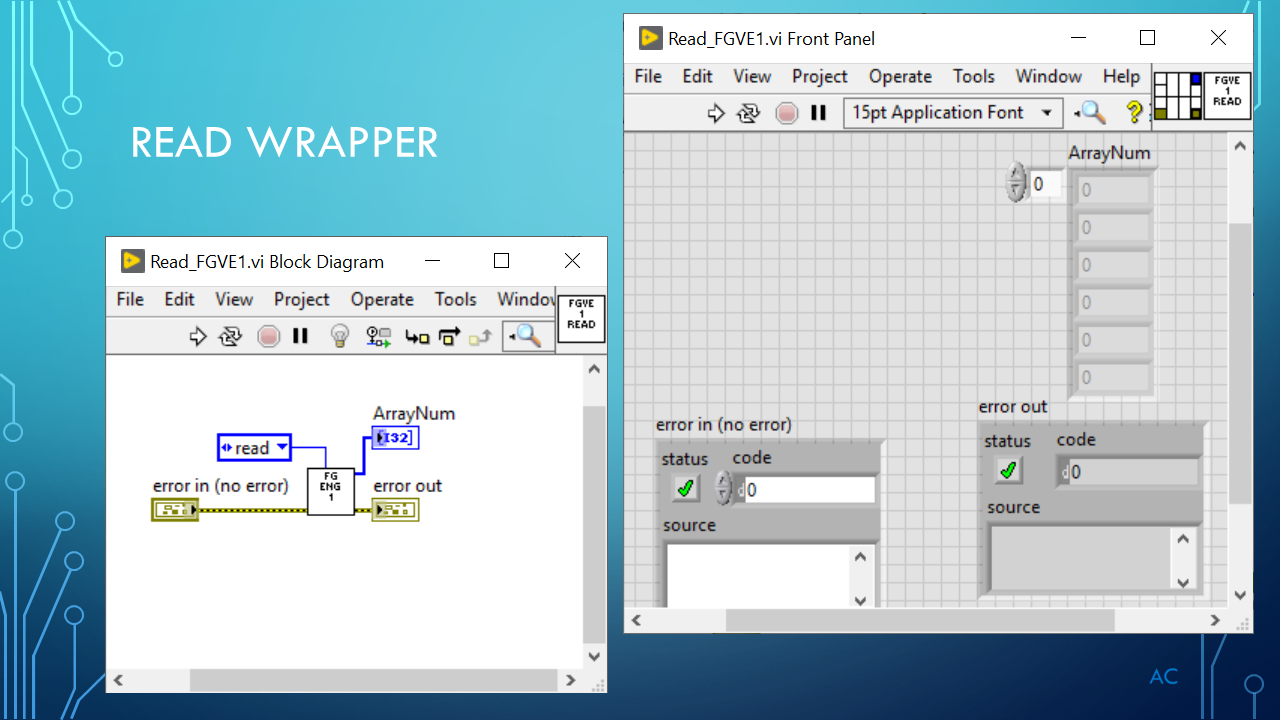
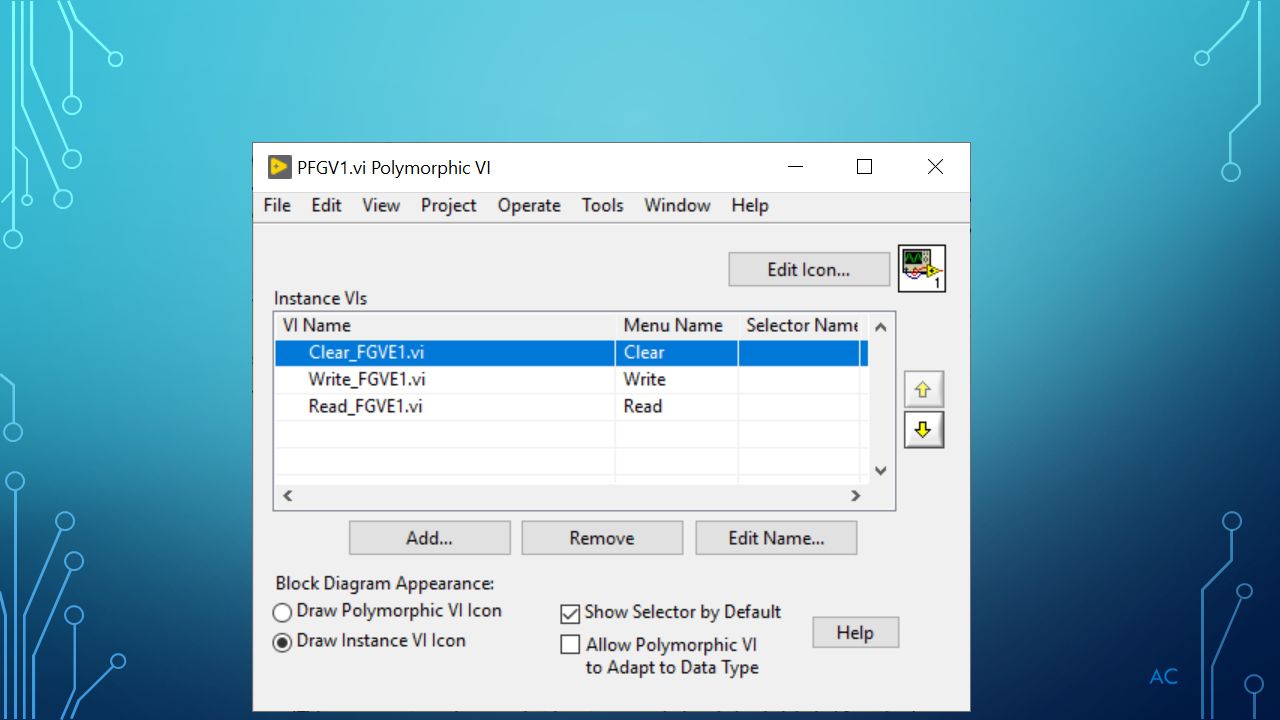
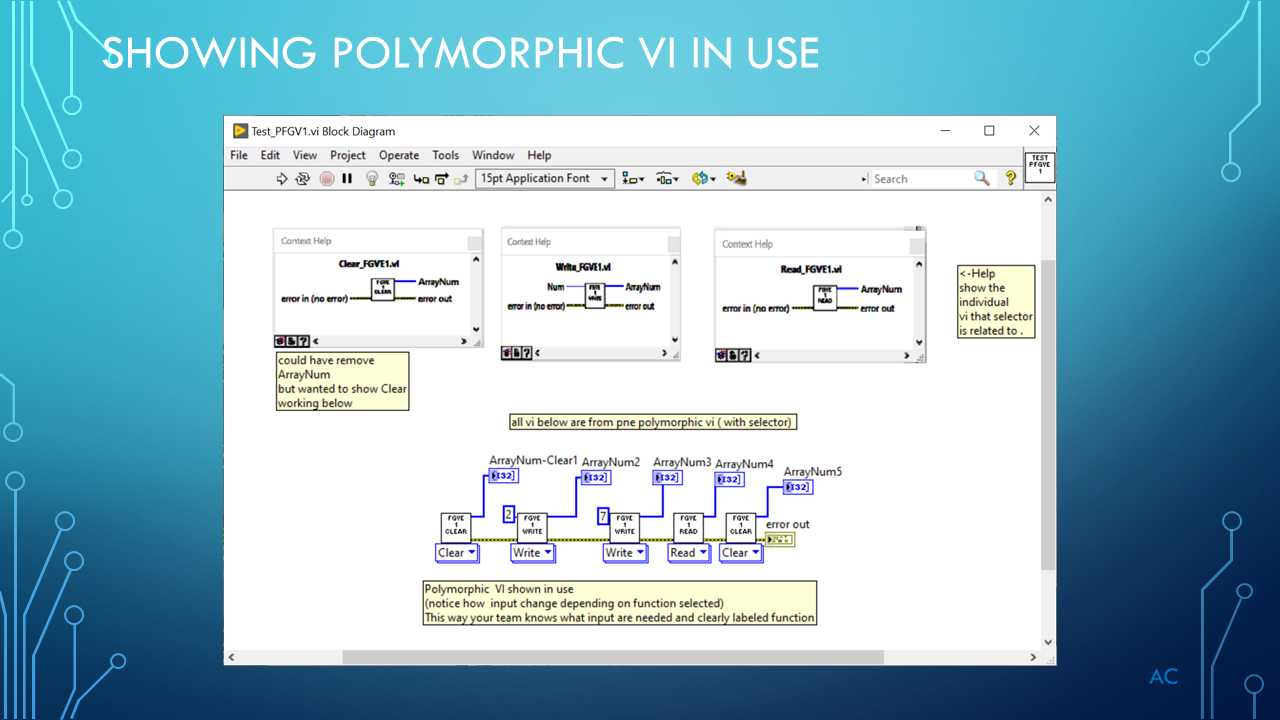
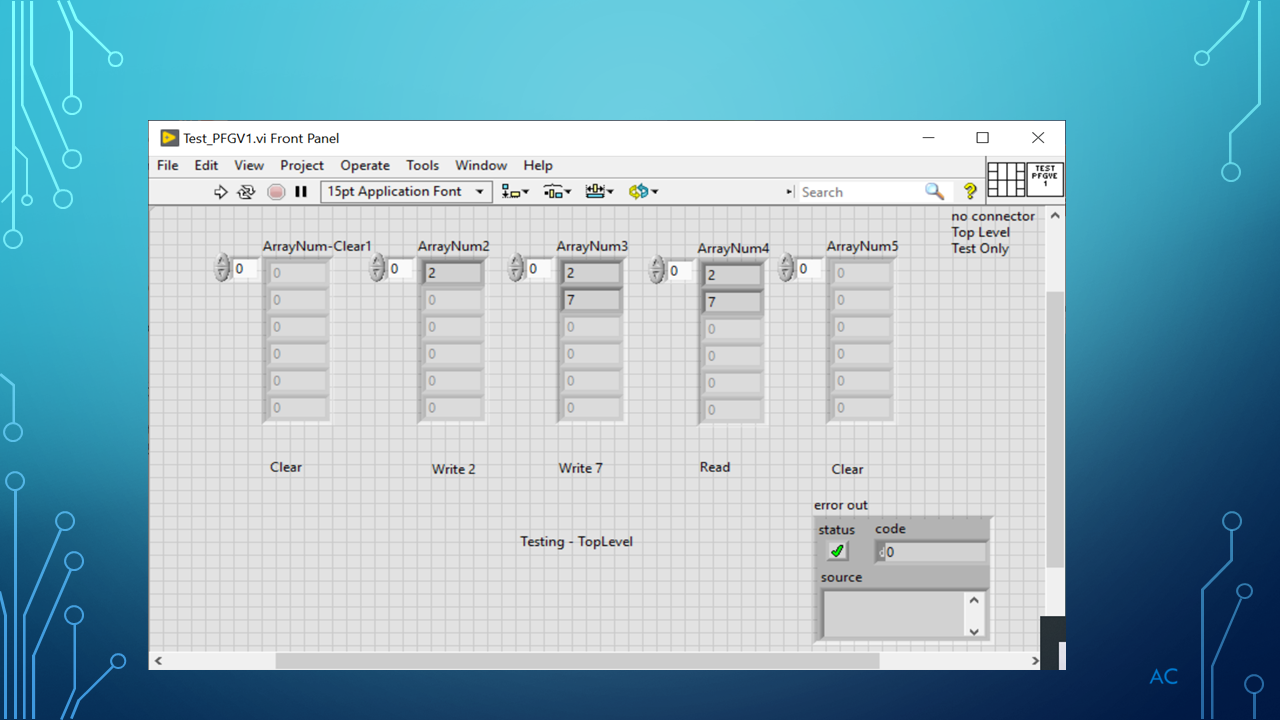
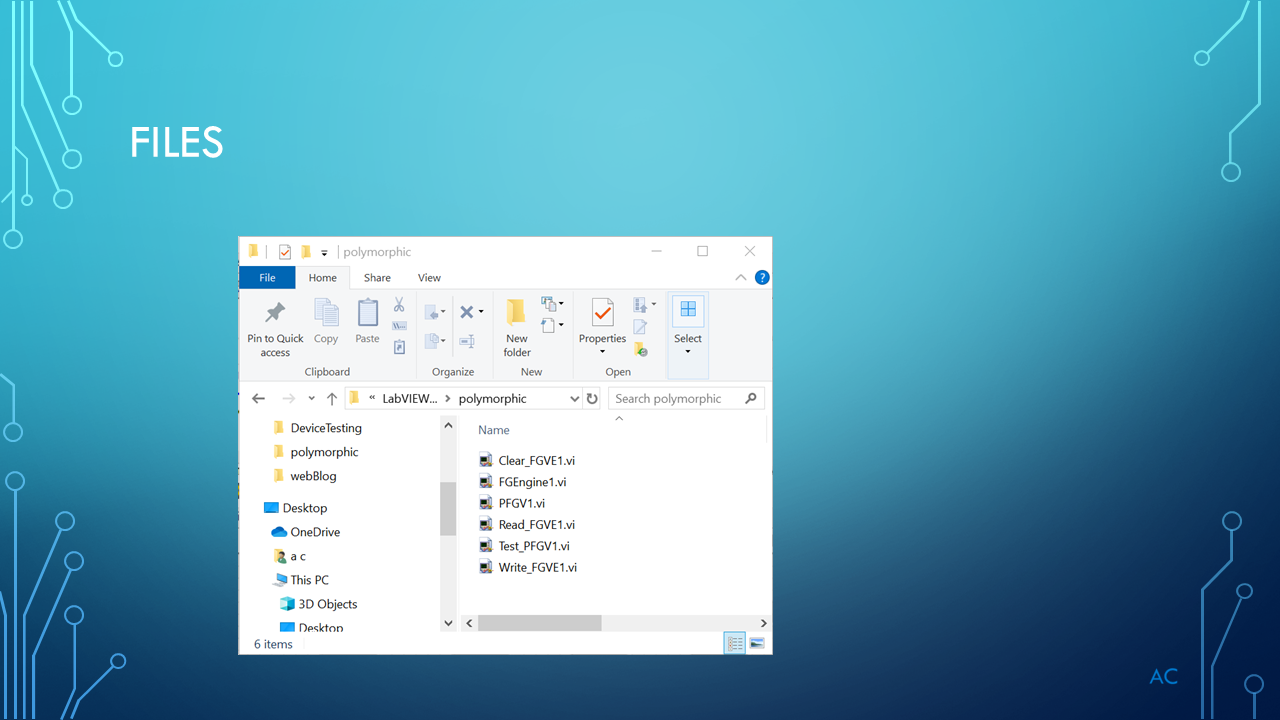
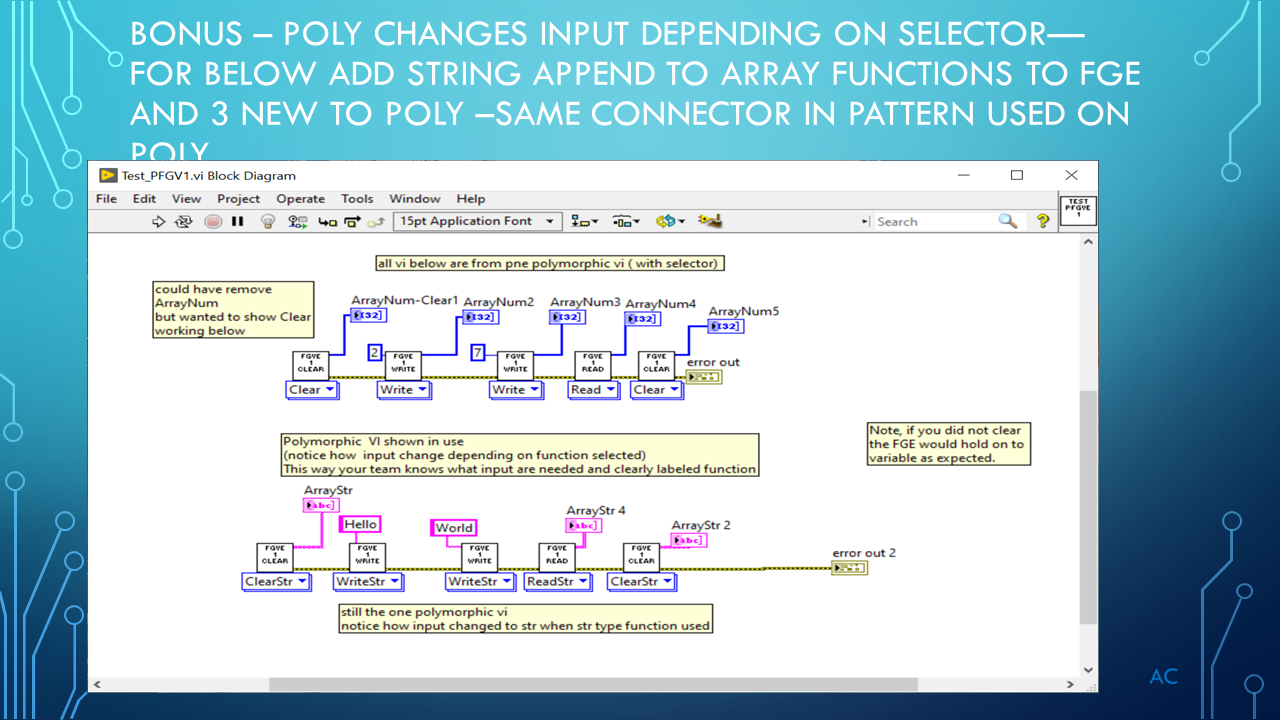
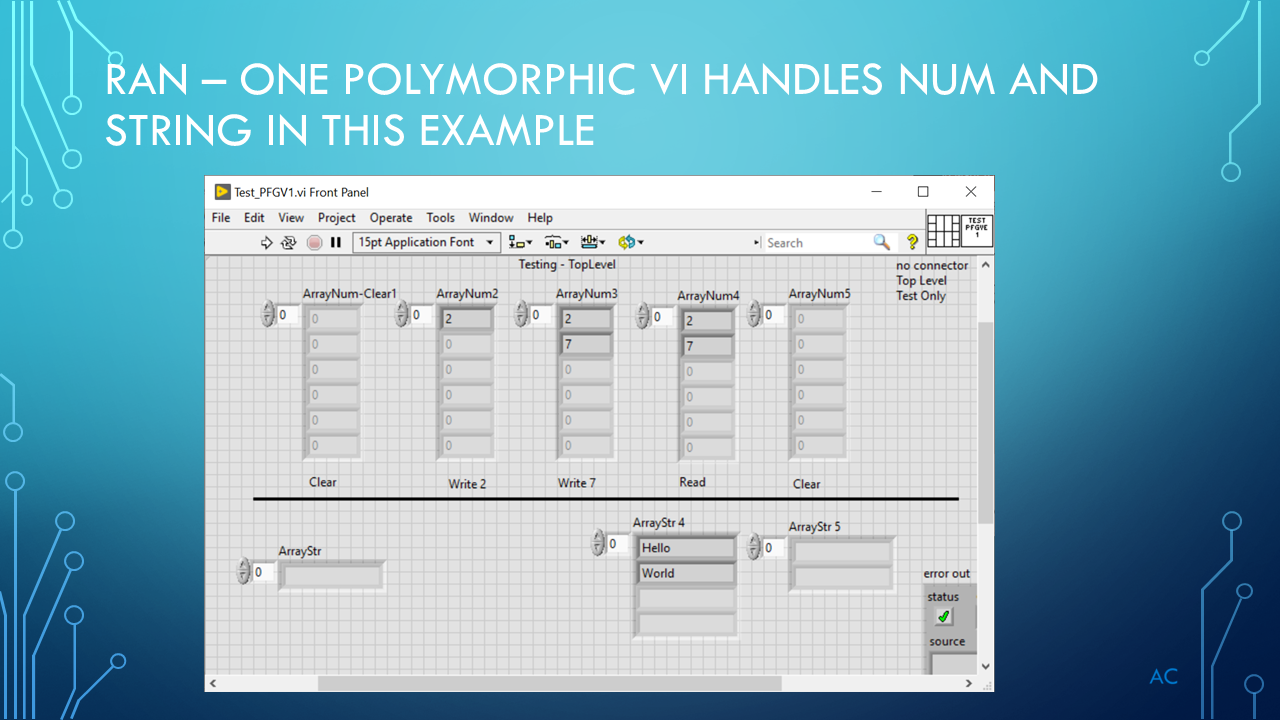
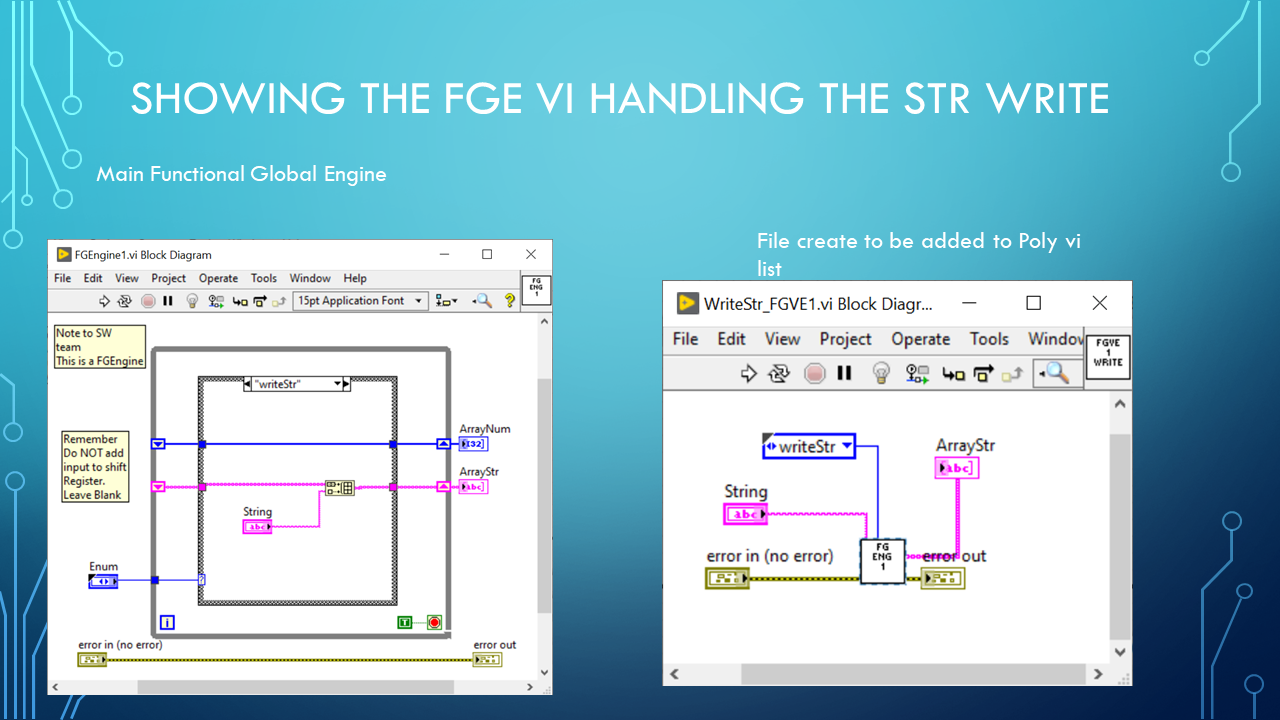
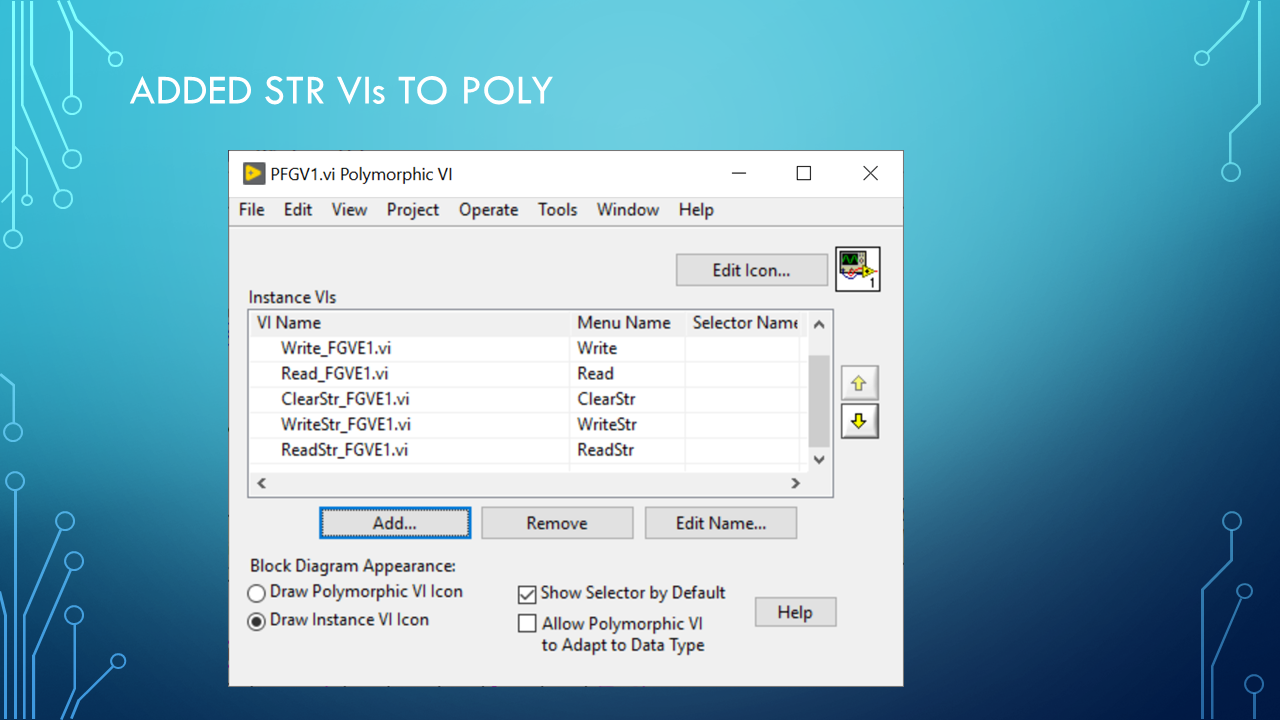
Polymorphic VI and Functional Global Engine

Using LabVIEW® a National Instrument product.

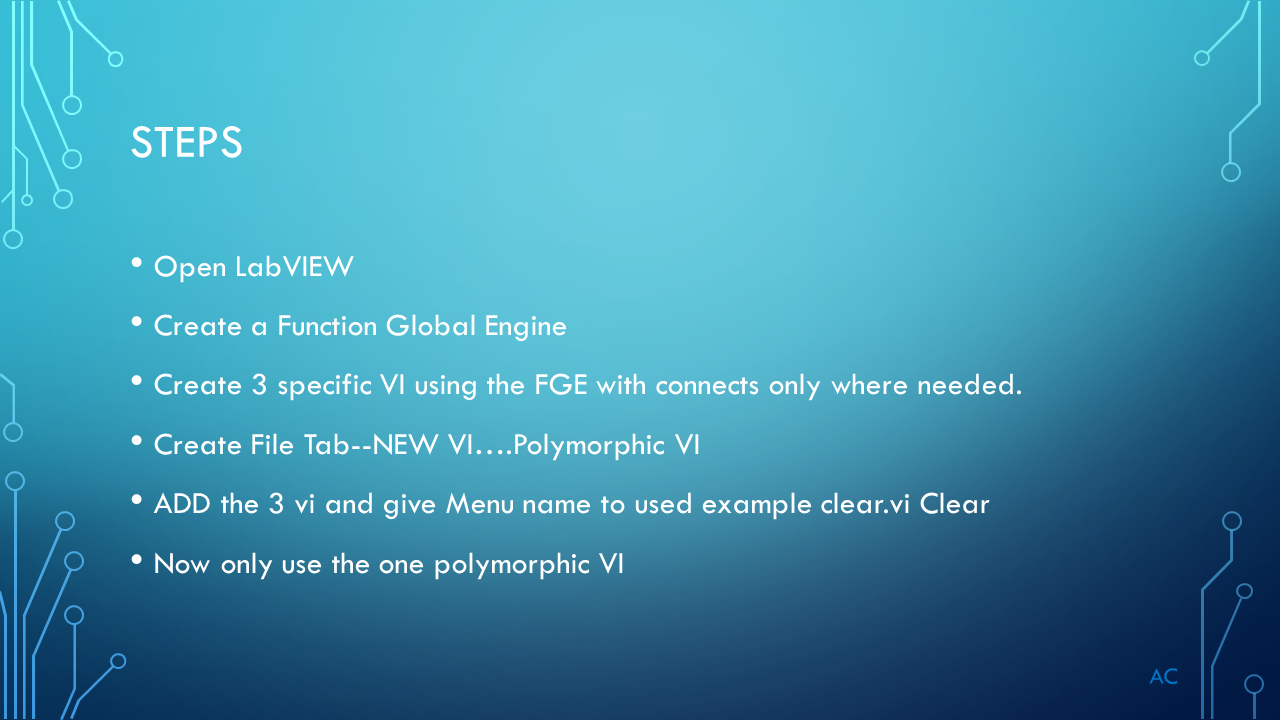
Presentation on Turning Functional Global Engine vi  to Polymorphic vi for Team use.

In this way the SW team will know what input and output are need by the selected pull down function on the Poly vi.


POLYVI_Slide1POLYVI_Slide2POLYVI_Slide3POLYVI_Slide4POLYVI_Slide5POLYVI_Slide6POLYVI_Slide7POLYVI_Slide8POLYVI_Slide9POLYVI_Slide10POLYVI_Slide11POLYVI_Slide12

Posted in Test Sector | Tagged , , , | Leave a comment

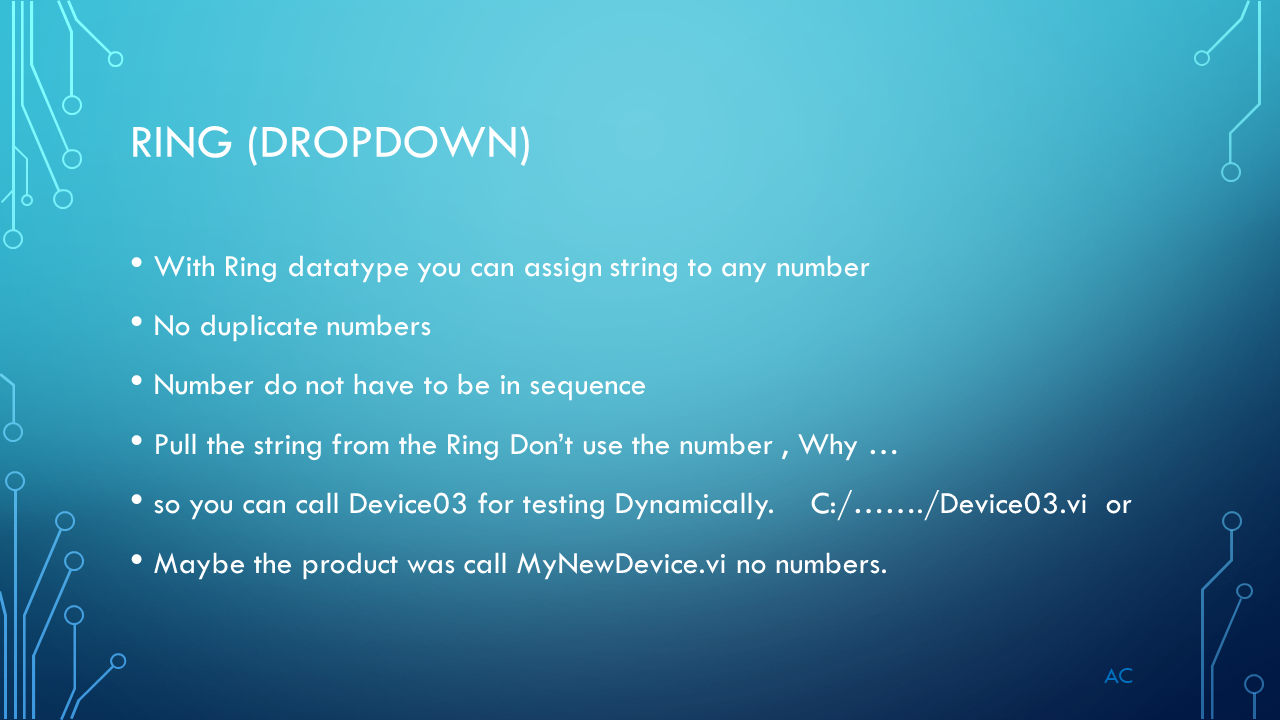
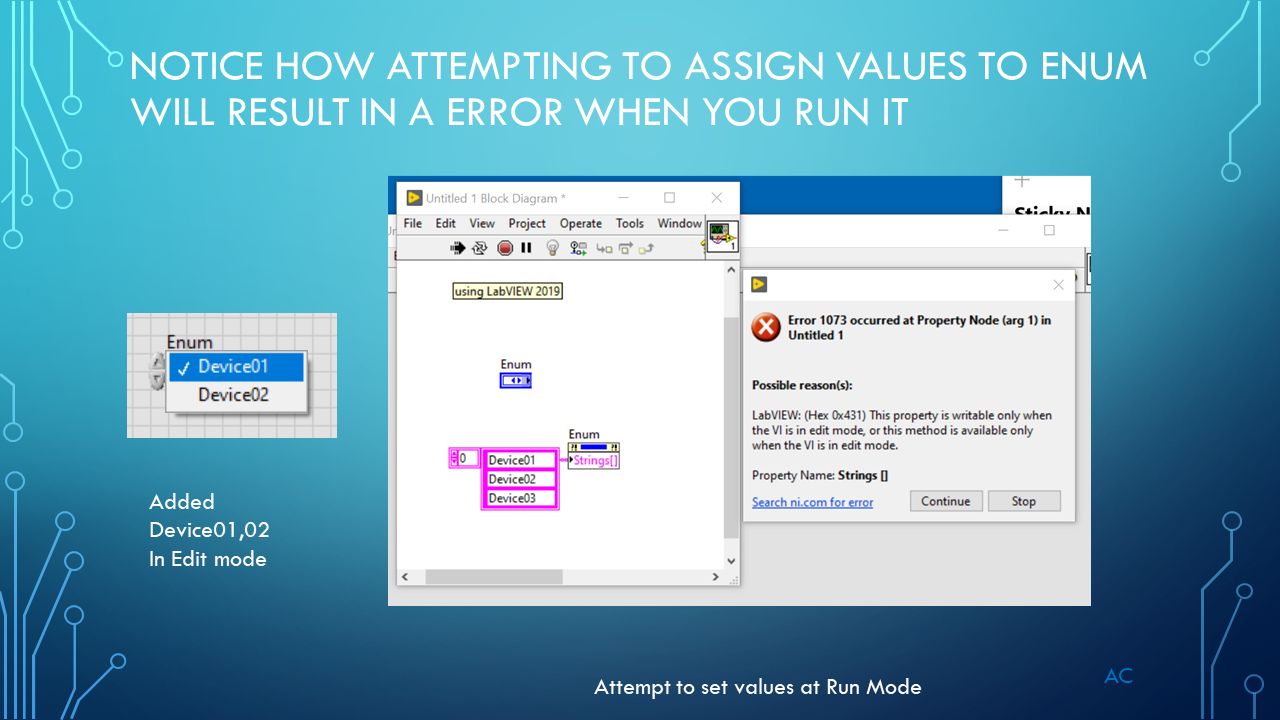
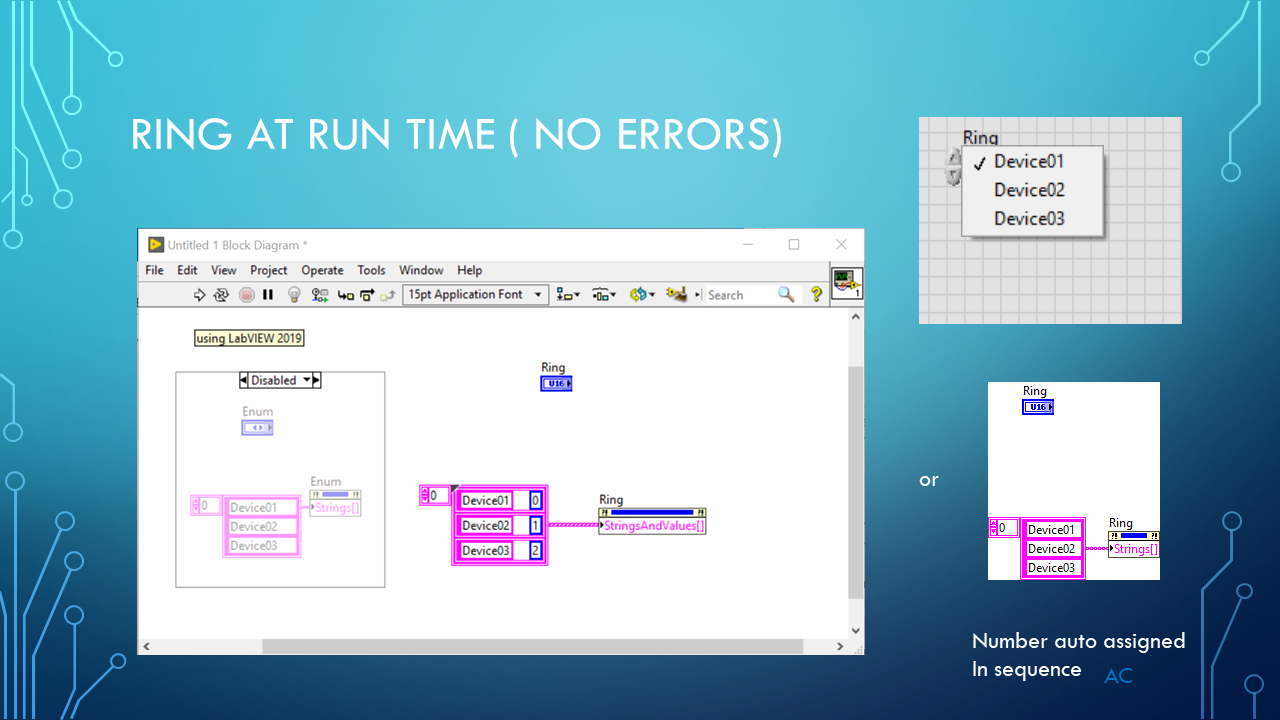
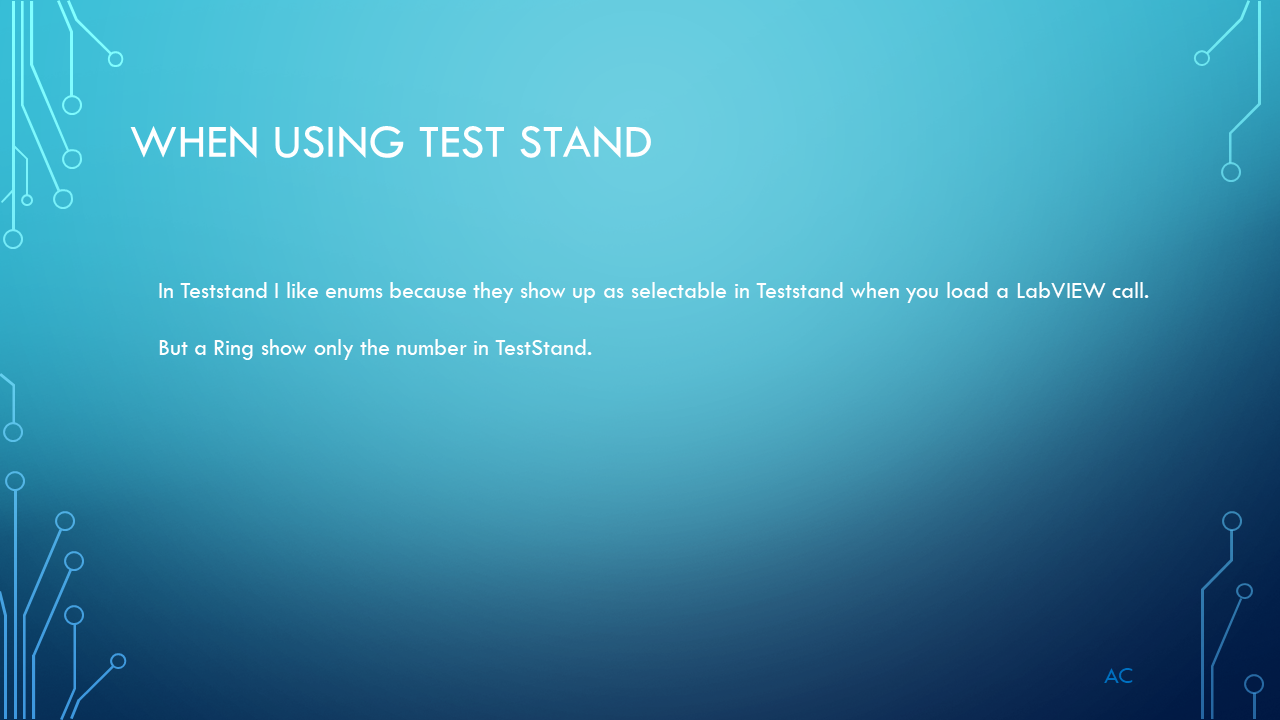
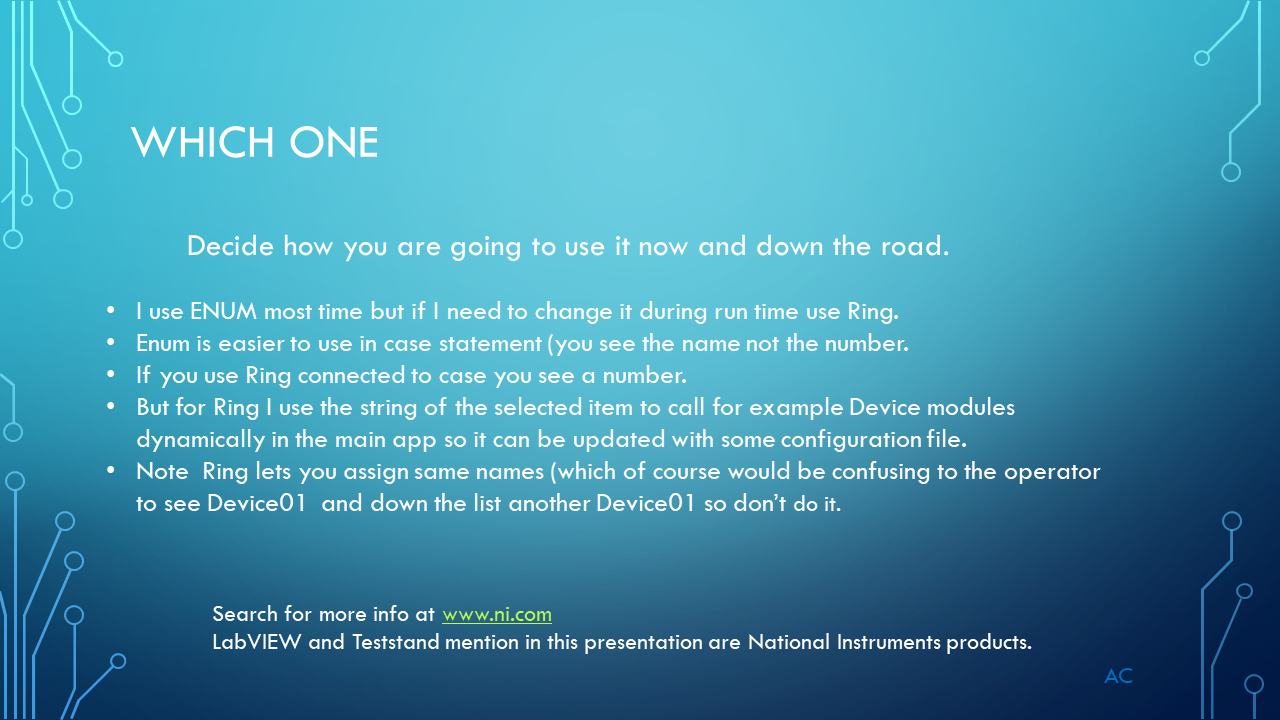
Enum and Ring Datatypes LV

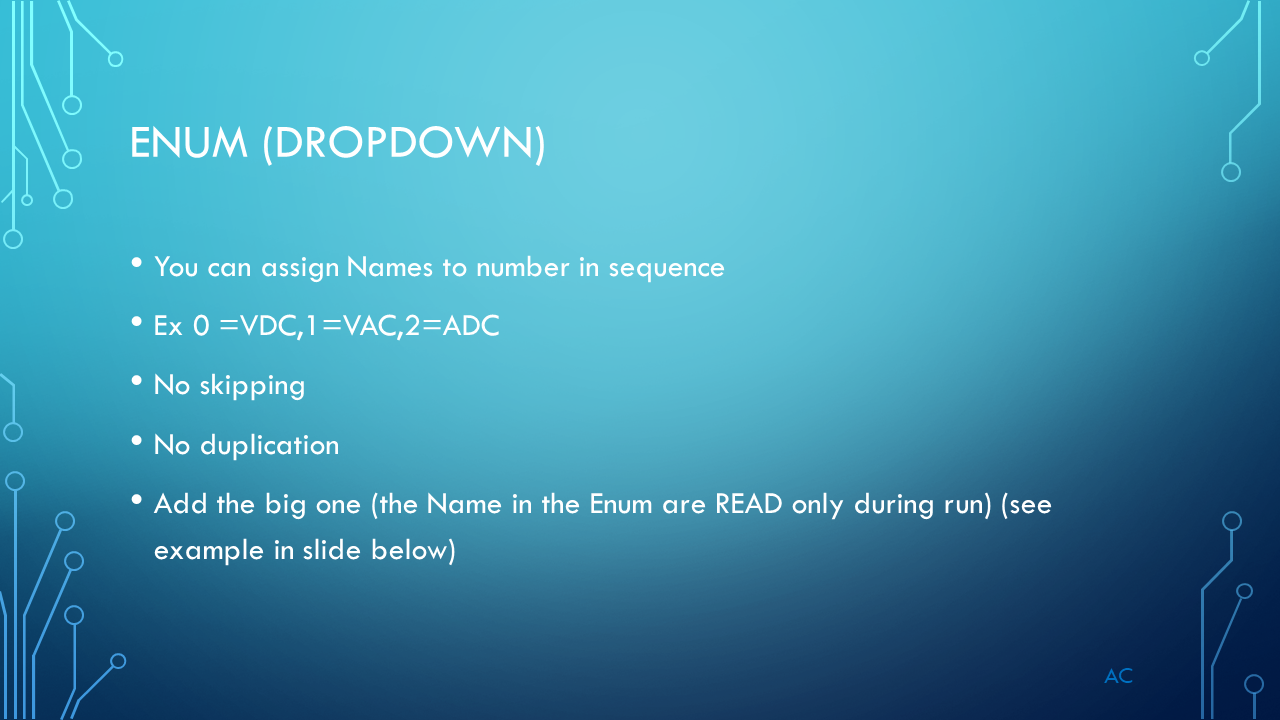
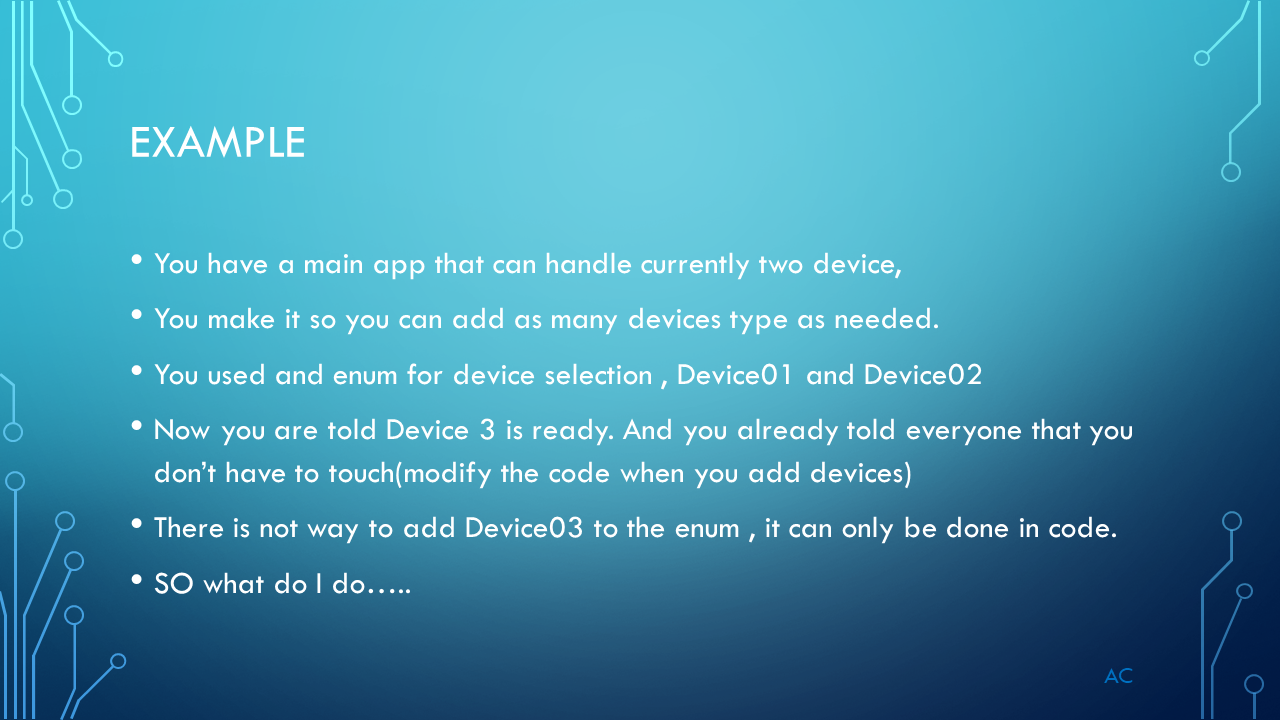
Discussions on  Enum and Ring Datatypes

ENR_Slide1ENR_Slide2ENR_Slide3ENR_Slide4ENR_Slide5ENR_Slide6ENR_Slide7ENR_Slide8

About

Posted in Uncategorized | Leave a comment

Software Project Task- New Device Testing

Information on starting a new Software Project and its task.

Its shows some common  task and items during a software project.

This slideshow requires JavaScript.

LabVIEW® is a National Instrument product.

Posted in Test Sector | Tagged , | Leave a comment

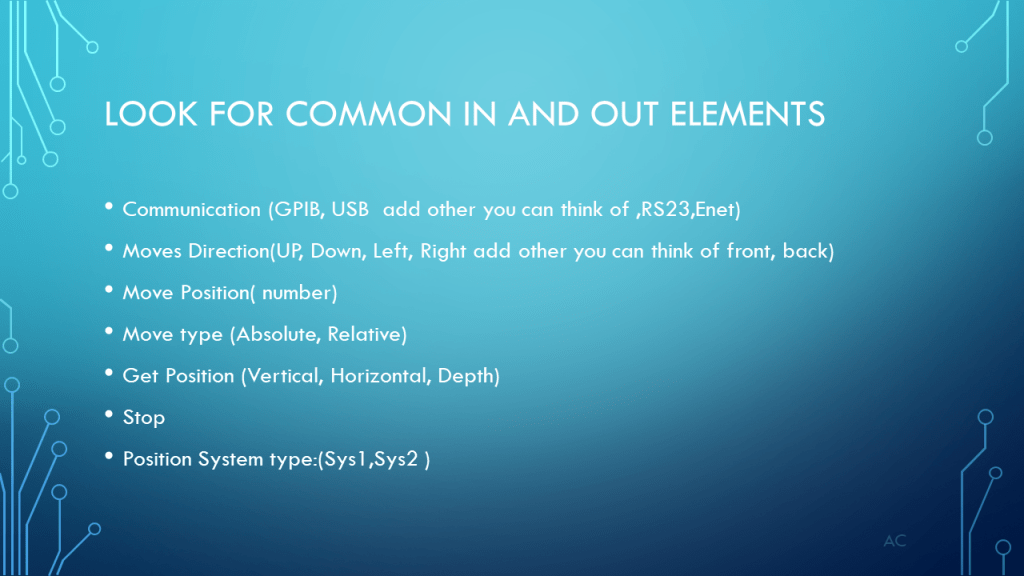
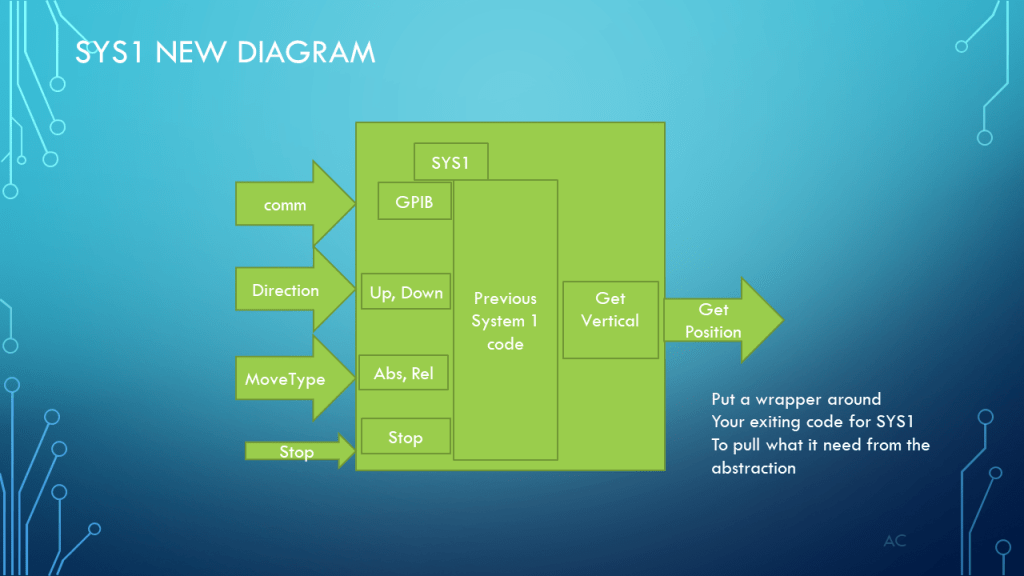
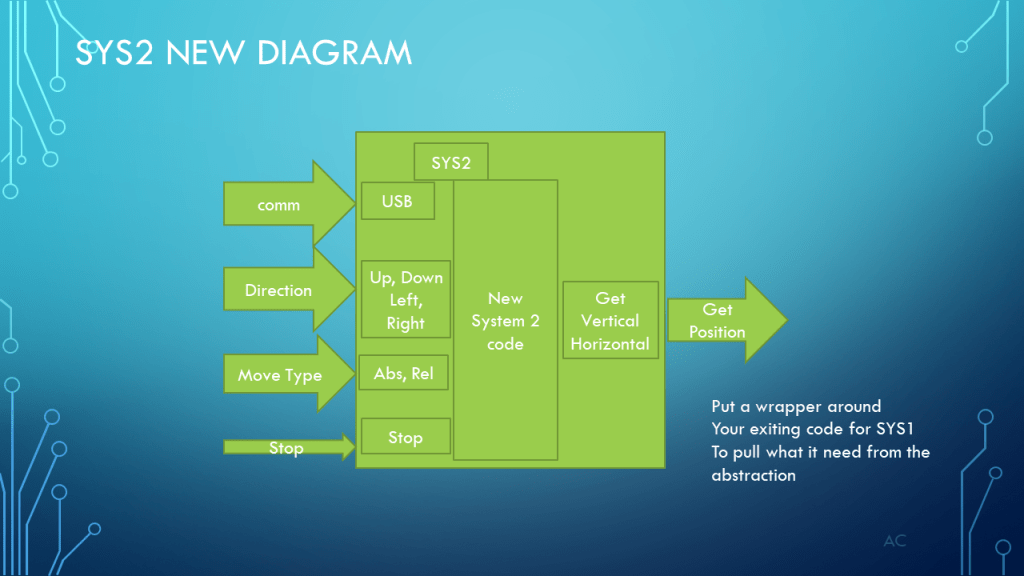
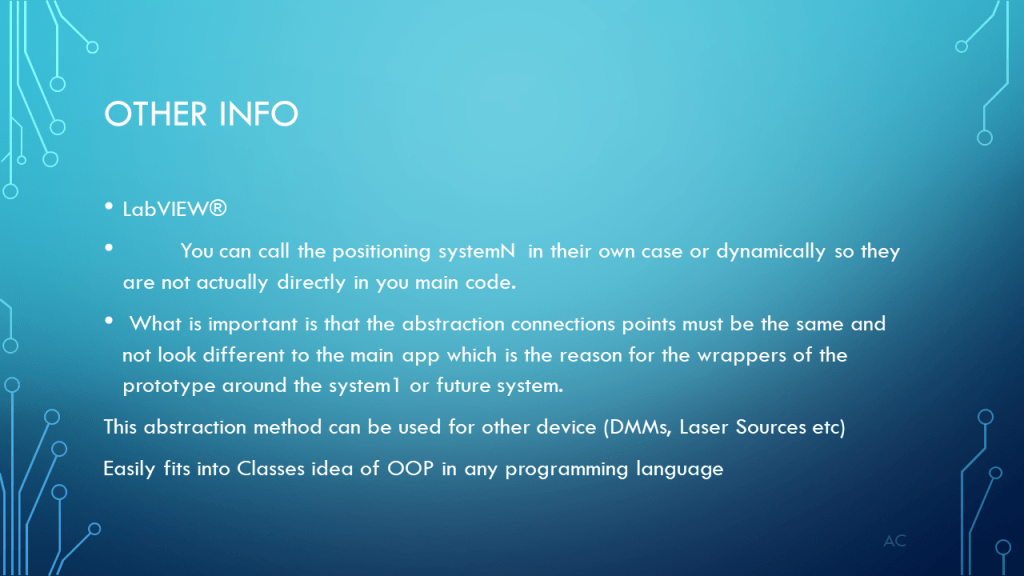
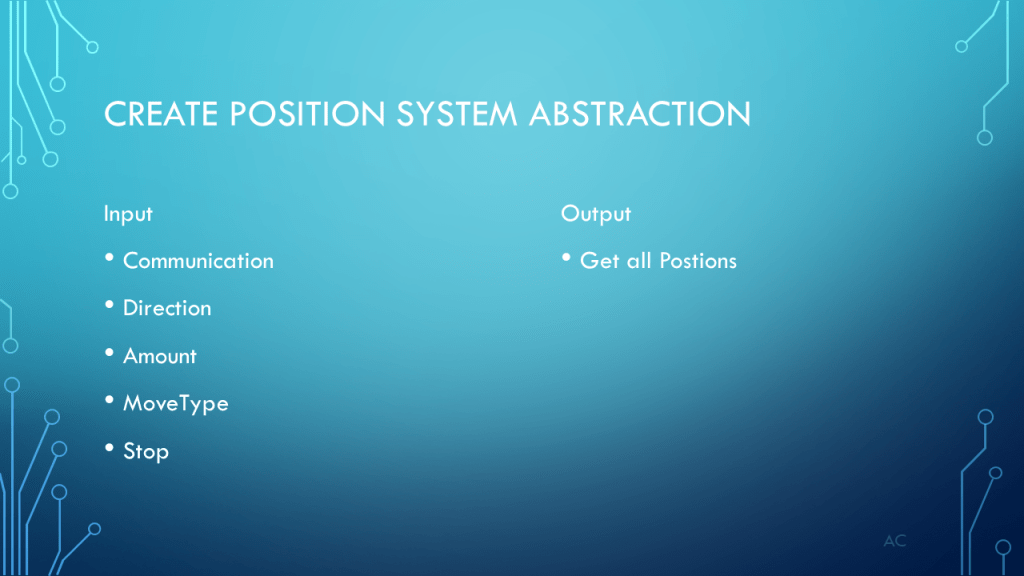
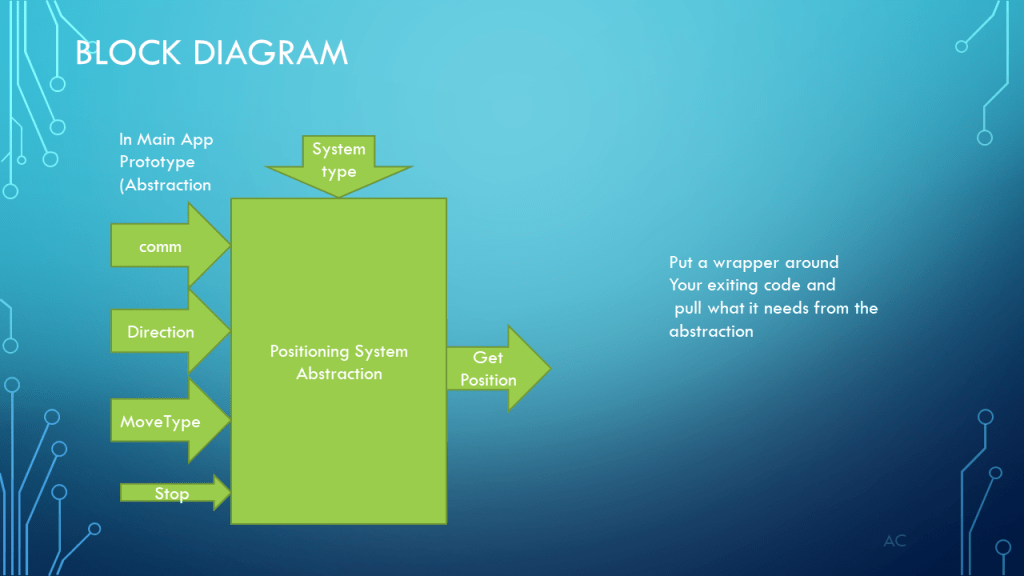
Abstraction – Positioning System

Some discussions on abstraction of Position system module to handle different vendor positioning systems.

LabVIEW® is a National Instrument product.

Posted in Test Sector | Tagged , , | Leave a comment

Adventure w Keyestudio’s K0183 shield v1

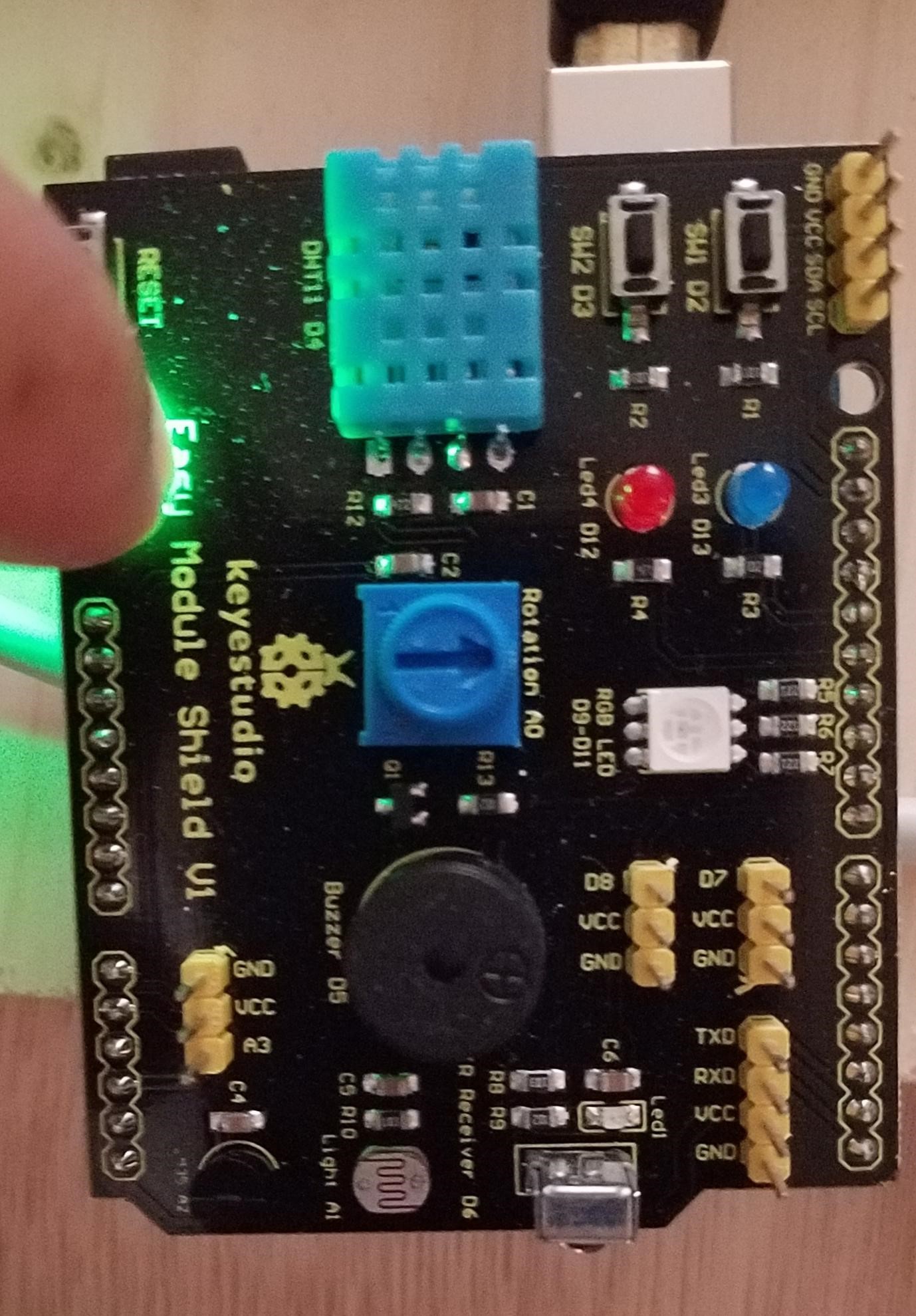
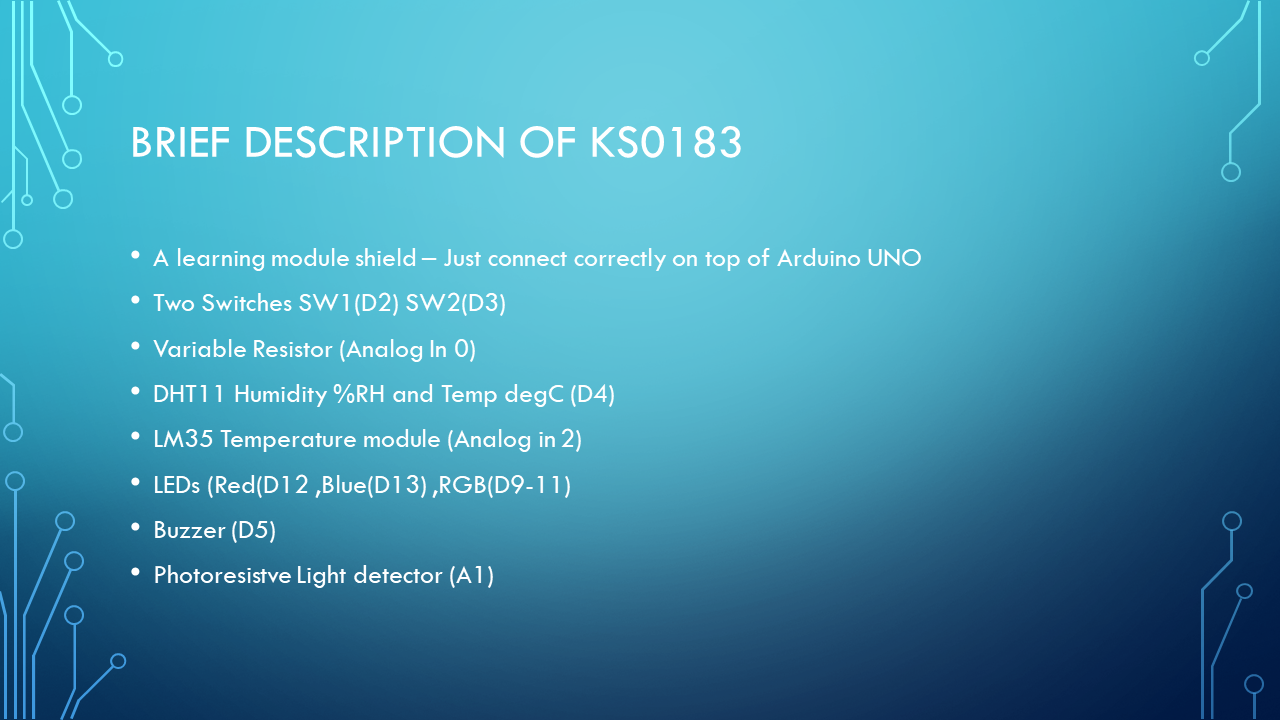
Working with Keyestudio’s Easy Module K0183 shield V1

https://wiki.keyestudio.com/Ks0183_keyestudio_Multi-purpose_Shield_V1

A learning Module which connects on top of the Arduino Uno module

Below discussion on adventure with modified from original code to make it work for me.

ASK0183_Slide1

Keyestudio K0183 mounted on Arduino Uno

Keyestudio K0183 v1 Pic

ASK0183_Slide2ASK0183_Slide3ASK0183_Slide4ASK0183_Slide5ASK0183_Slide6ASK0183_Slide7


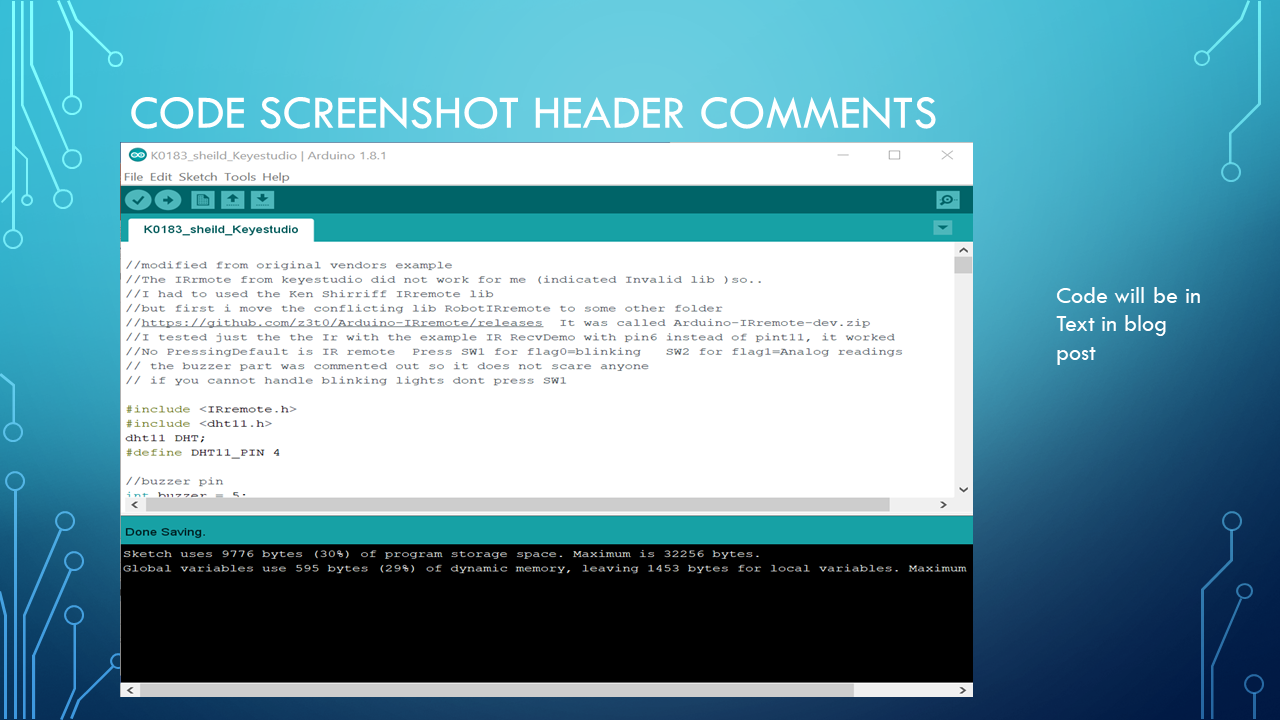
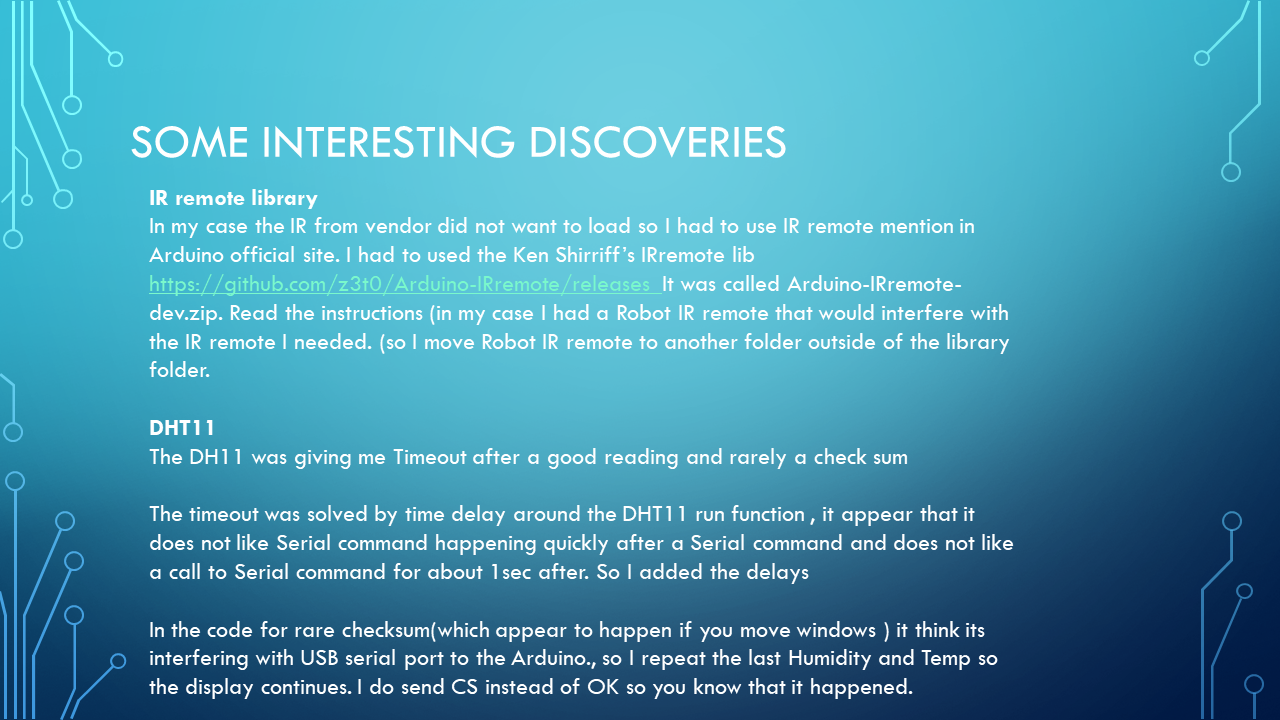
//The IRrmote from keyestudio did not work for me (indicated Invalid lib )so..
//I had to used the Ken Shirriff IRremote lib
//but first i move the conflicting lib RobotIRremote to some other folder
//https://github.com/z3t0/Arduino-IRremote/releases It was called Arduino-IRremote-dev.zip
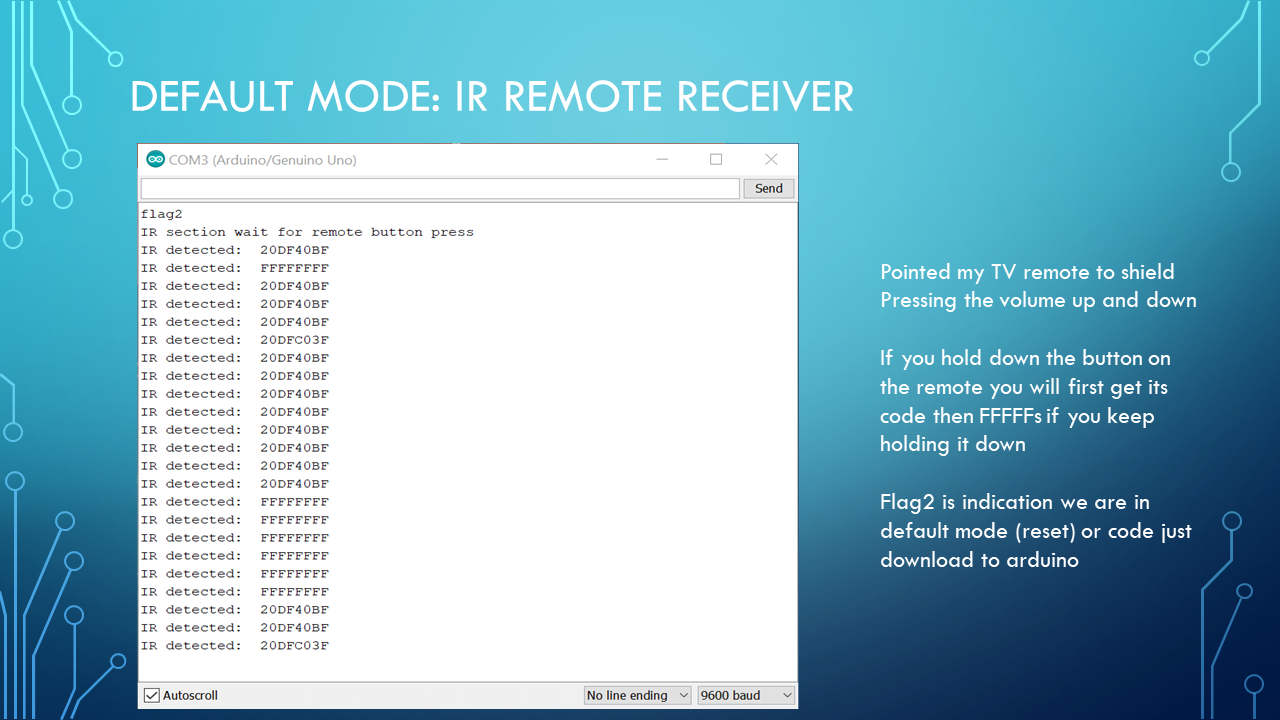
//I tested just the the Ir with the example IR RecvDemo with pin6 instead of pint11, it worked
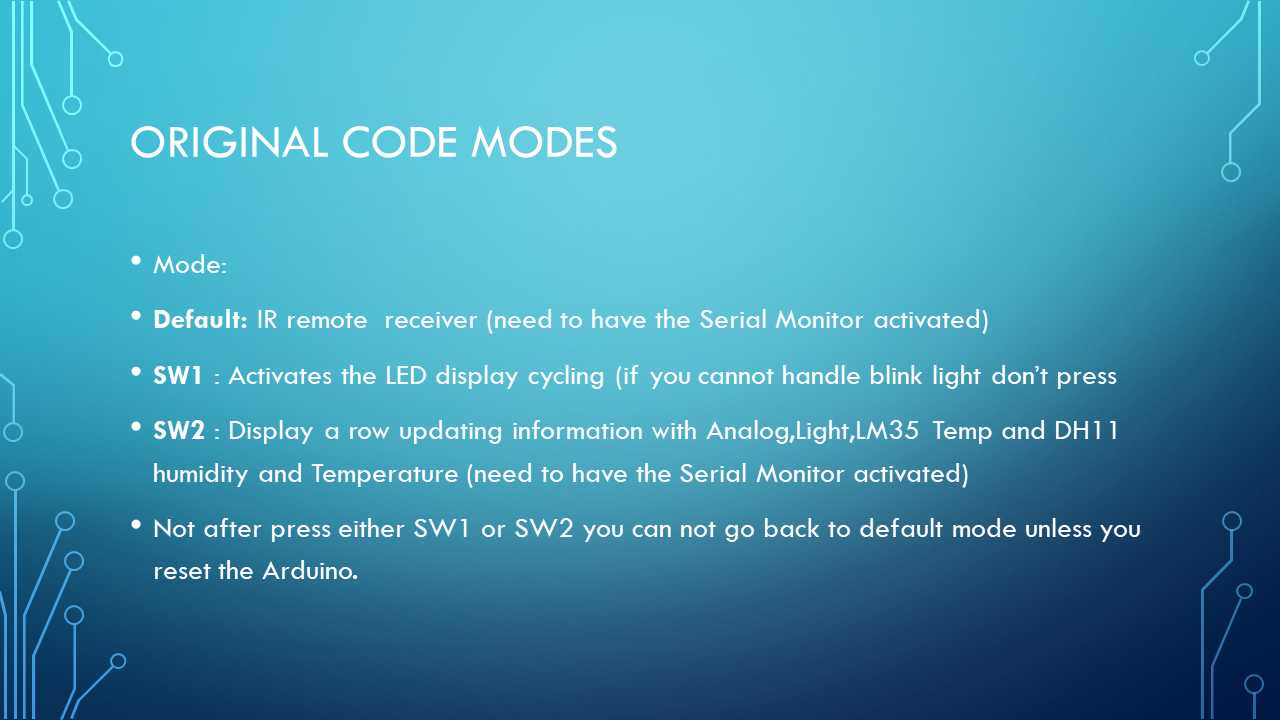
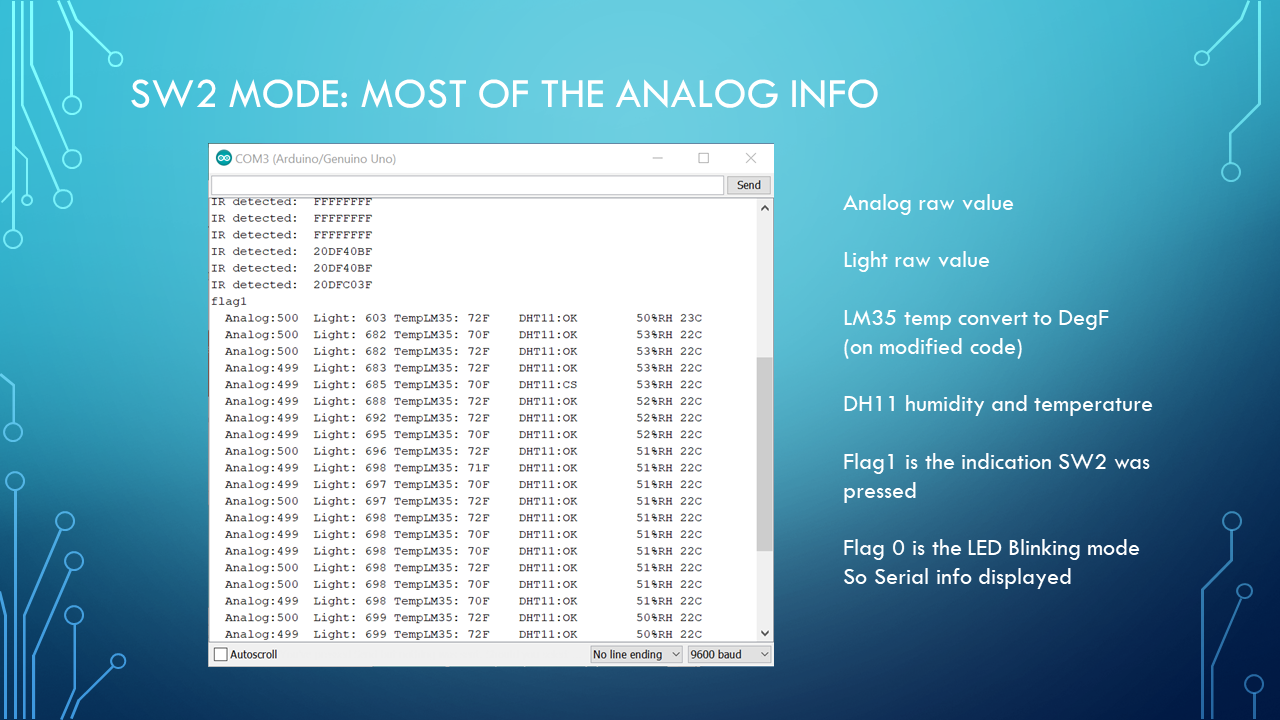
//No Pressing=Default/reset is IR remote receiver, Press SW1 for flag0=blinking , SW2 for flag1=Analog readings
// the buzzer part was commented out so it does not scare anyone
// if you cannot handle blinking lights don,t press SW1


Vendors information on the KS0183
https://wiki.keyestudio.com/Ks0183_keyestudio_Multi-purpose_Shield_V1


Location of where i got the IRremote that worked for me,
https://github.com/z3t0/Arduino-IRremote/releases
other helpful info


It help if you already have a temperature and humidity indicator so you can compare and correct with simple offsets.
You will have to offset for you own product and the simple offset my not be enough


Use any example at your own risk. Modify examples for your own purpose.


When mounting the shield on arduino slowly check that you have the correct orientation so you dont bend any pins.


zipped text  of  modified code for Arduino Uno sketch , open a new sketch and copy and paste code . Made to work with a Keyestudio K0183 Easy Module v1 shield.

Keyestudio Easy Module Shield V1 modified

Use any example at your own risk. Modify examples for your own purpose.

Posted in Test Sector | Tagged , | Leave a comment

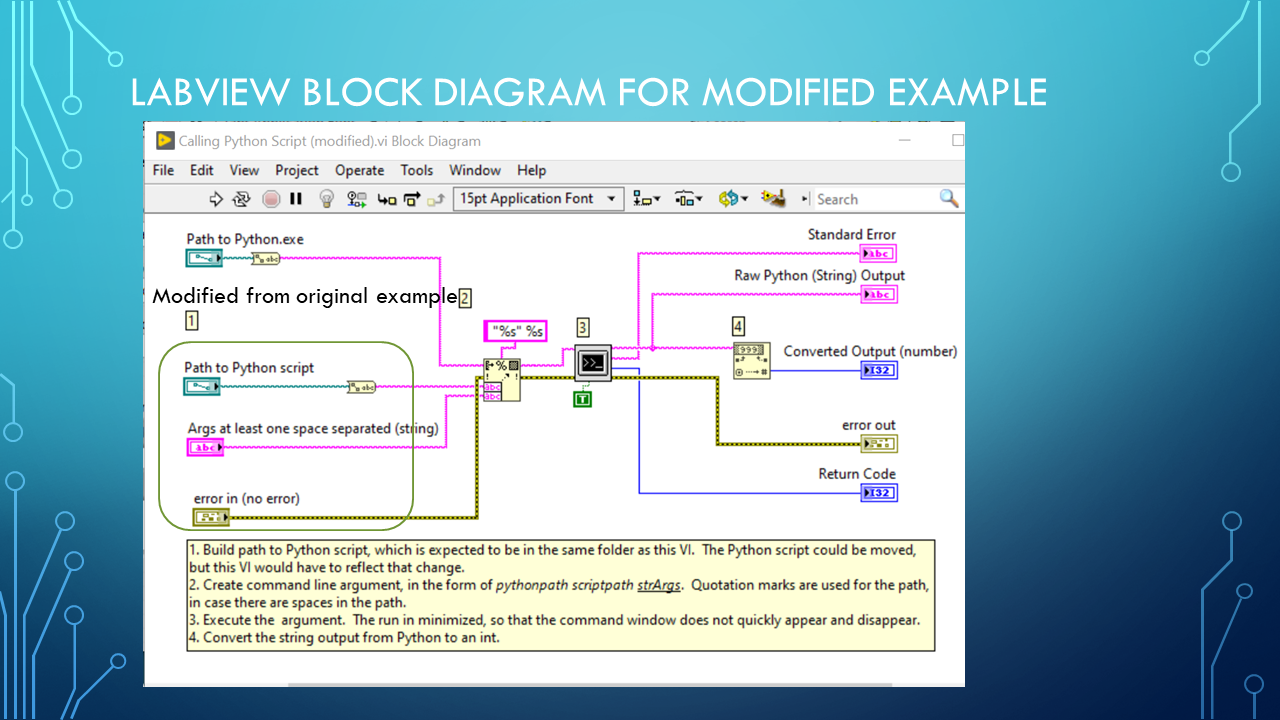
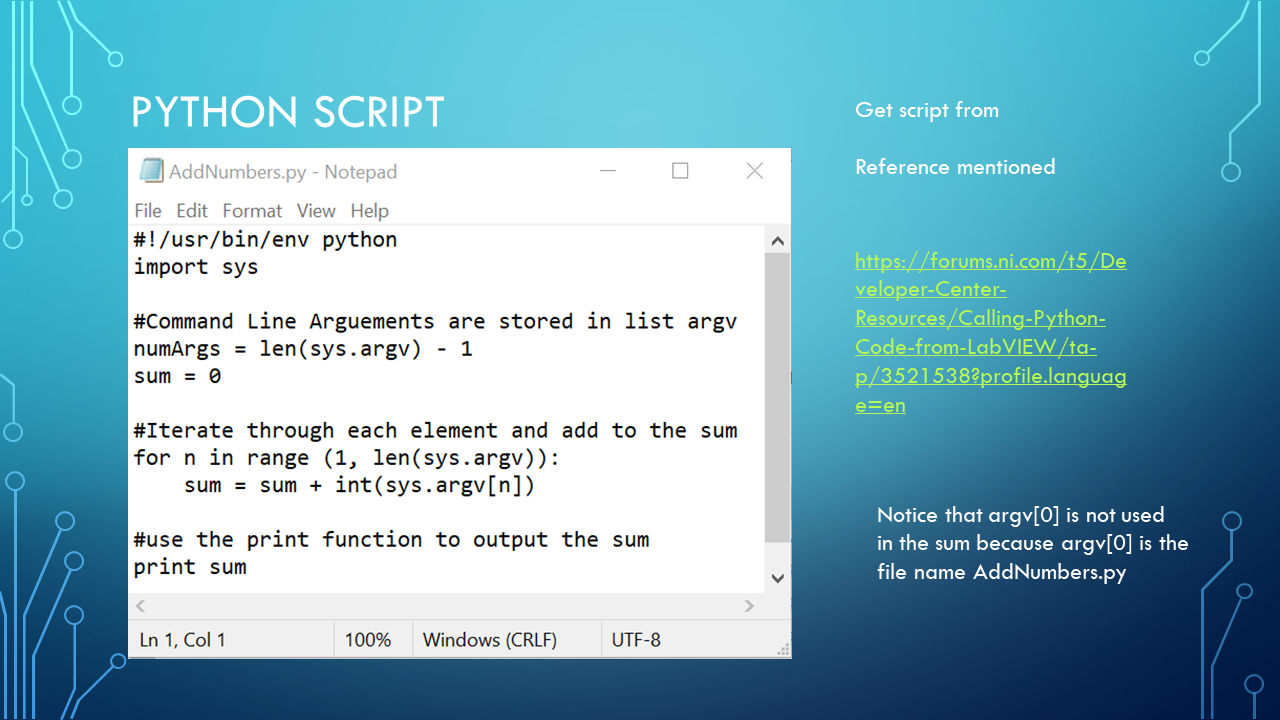
Someone give you a python script and your are using LabVIEW®

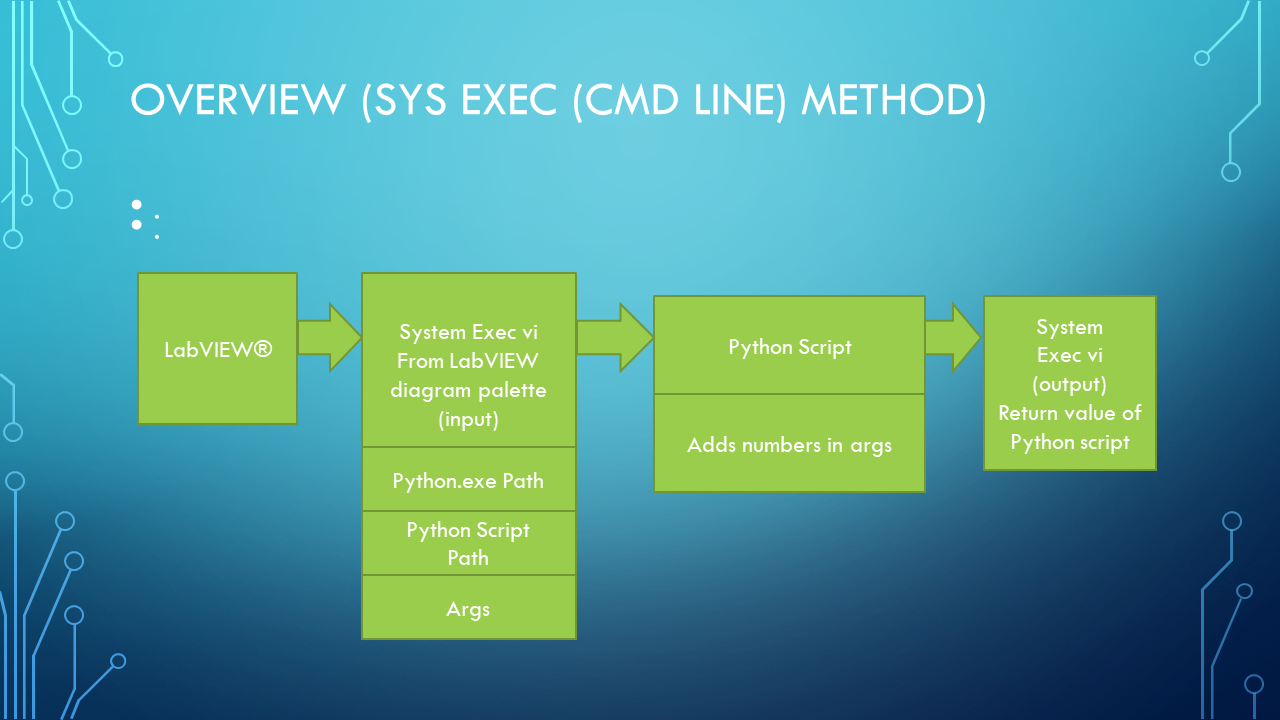
Your main code is in LabVIEW® and someone  need you to run a python script(program) and get its output.

Using an NI example modified for presentation

Original Example

https://forums.ni.com/t5/Developer-Center-Resources/Calling-Python-Code-from-LabVIEW/ta-p/3521538?profile.language=en

LabVIEW® is  a National Instruments product.

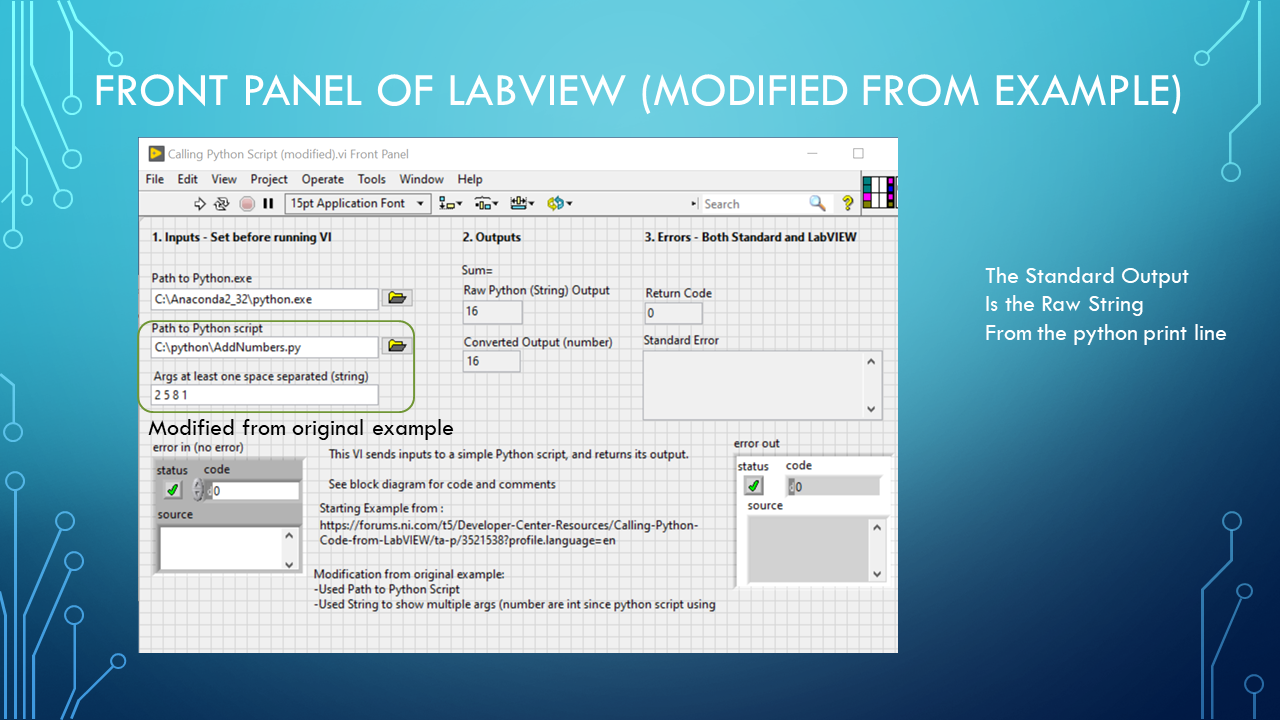
Below images on Modification of Original example to make full use of python sum as used in python script.  Multiple number can be entered as string , remember that their must be at least one space between arguments to recognized as a new arg.


LCP_Slide1LCP_Slide2LCP_Slide3LCP_Slide4LCP_Slide5LCP_Slide6LCP_Slide7


Original code: https://forums.ni.com/t5/Developer-Center-Resources/Calling-Python-Code-from-LabVIEW/ta-p/3521538?profile.language=en

National Instruments website: www.ni.com
For Python on sys : https://docs.python.org/2/library/sys.html


Posted in Test Sector | Tagged , , | Leave a comment

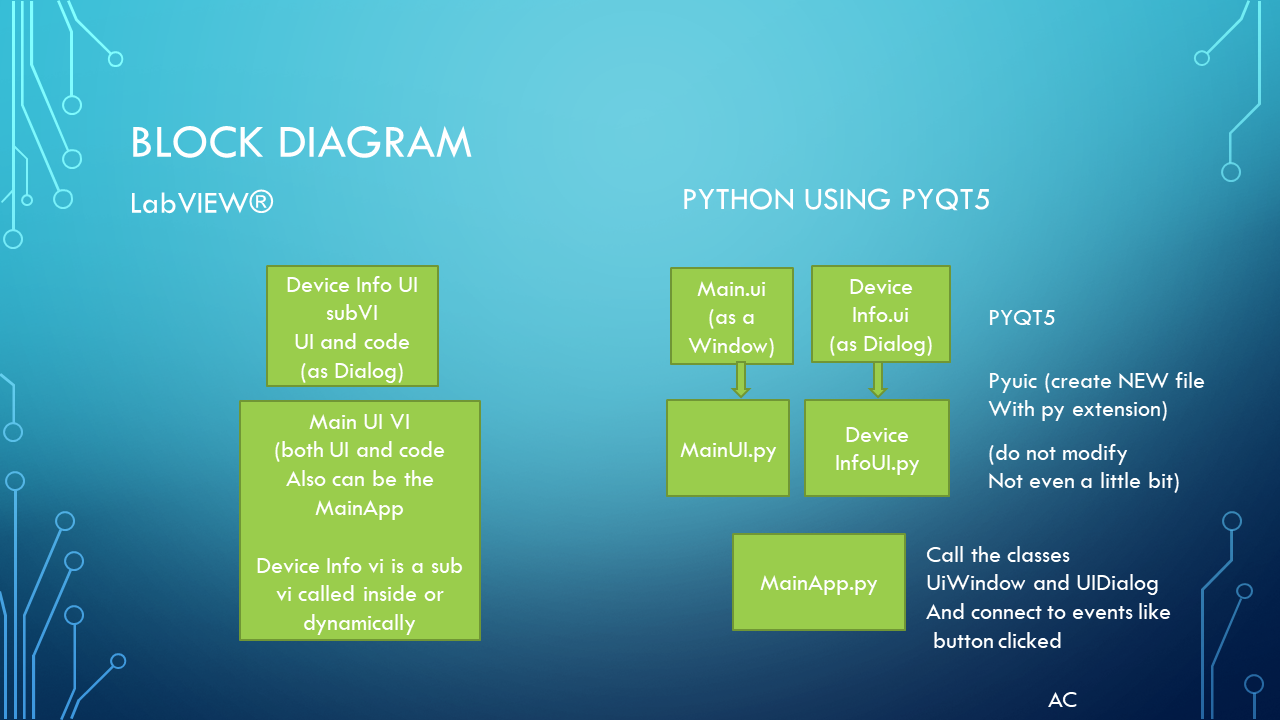
UI LabVIEW and Python via PYQT5


A short view of LabVIEW(r) and PYQT5 for python  (only showing the front panels in this post). Using a Device Testing Example I am working on.

UI_Slide1UI_Slide2UI_Slide3UI_Slide4UI_Slide5UI_Slide6UI_Slide7

Posted in Test Sector | Leave a comment