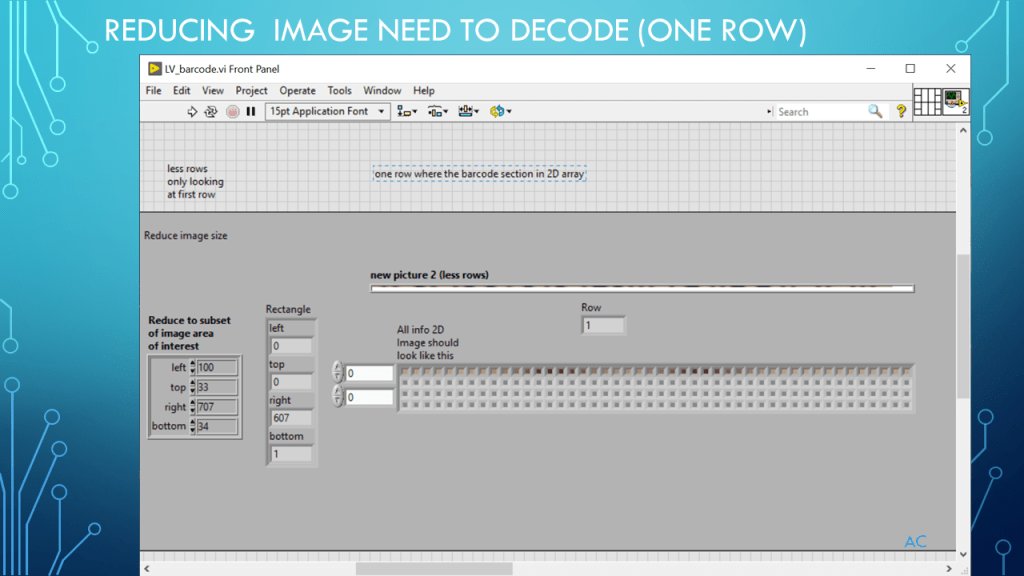
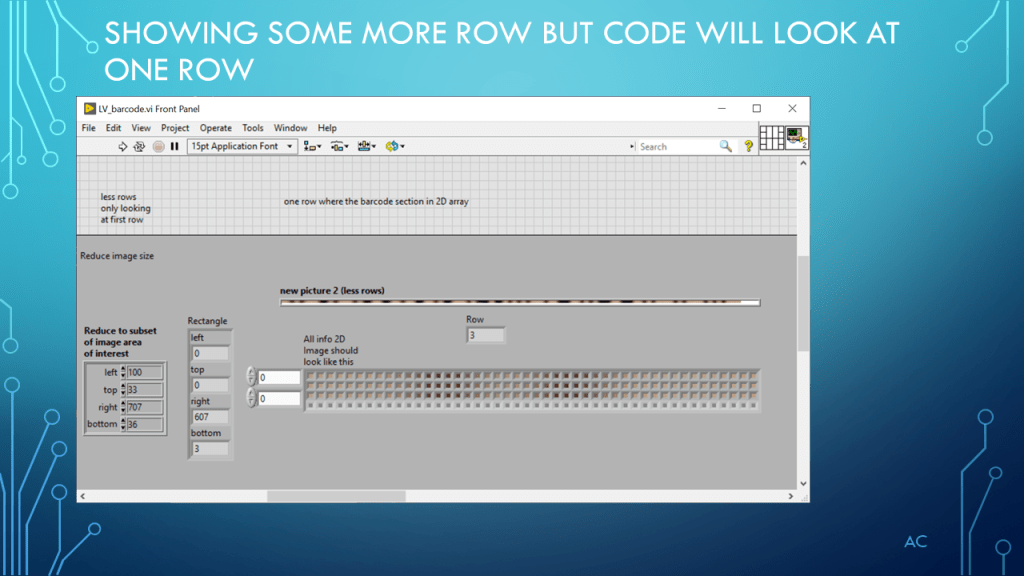
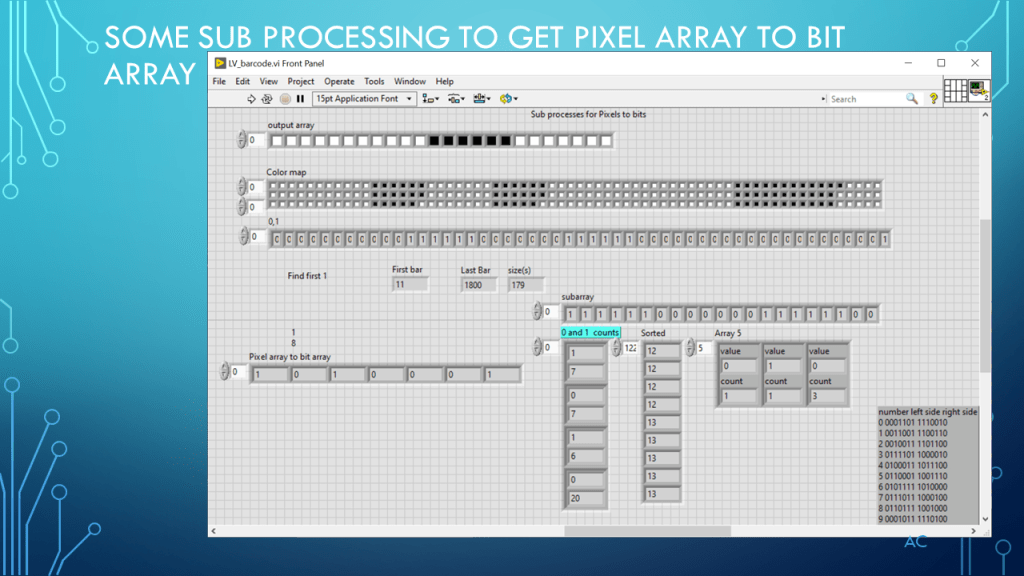
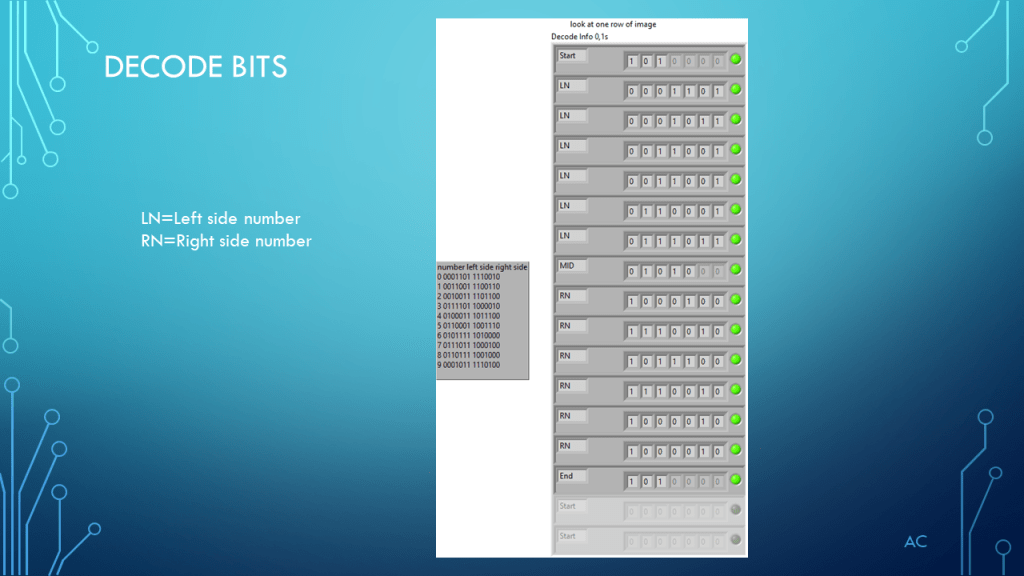
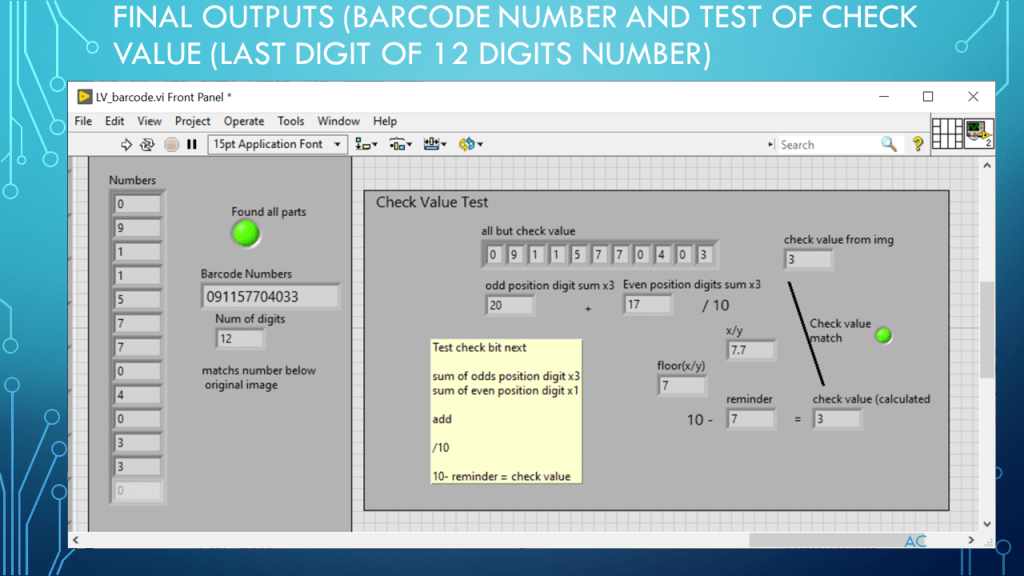
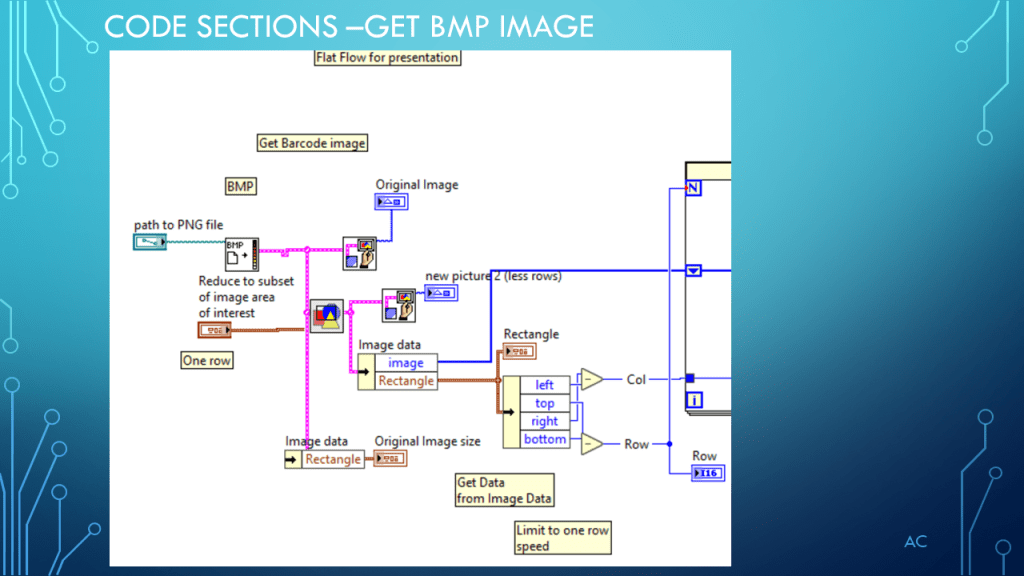
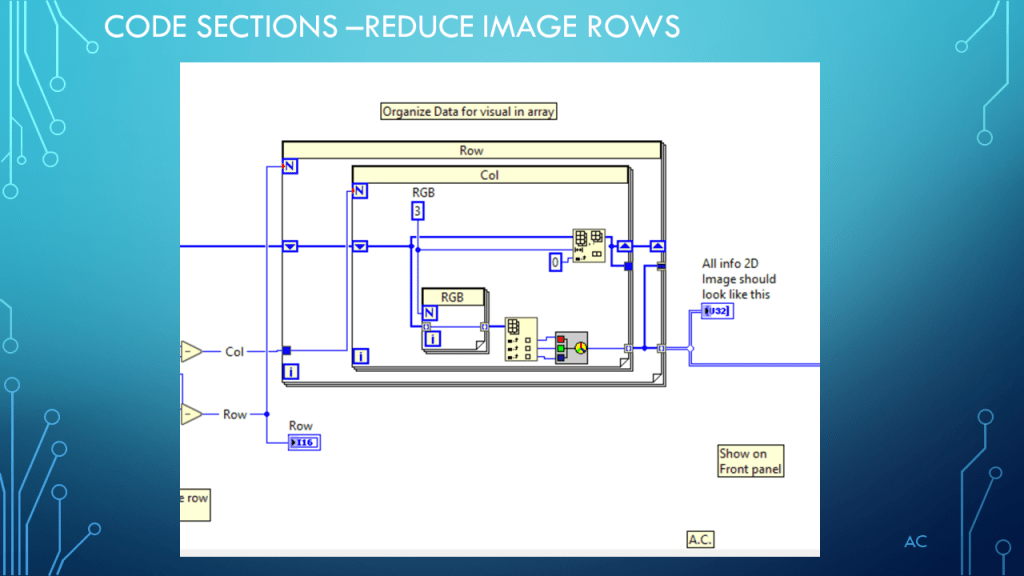
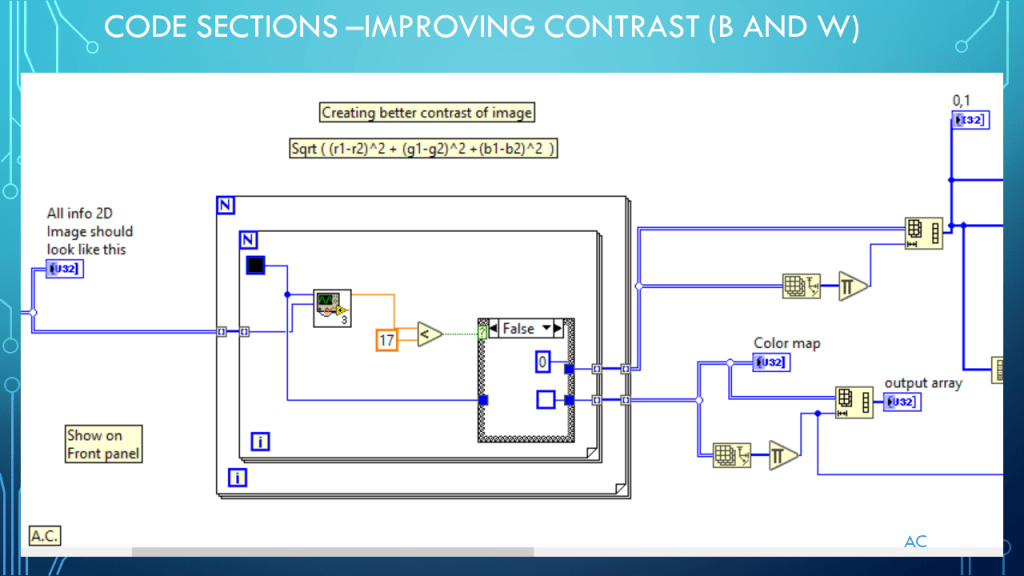
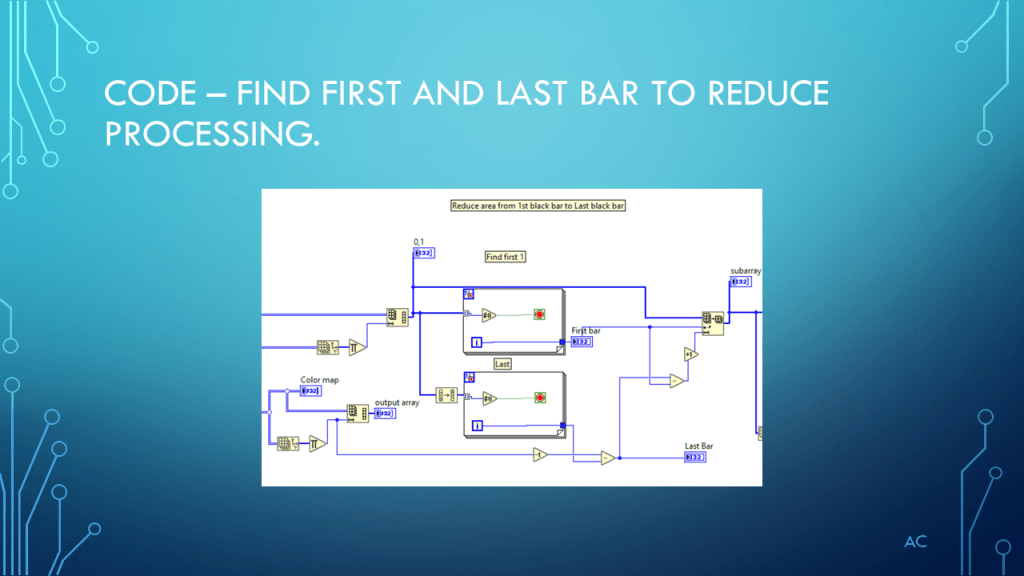
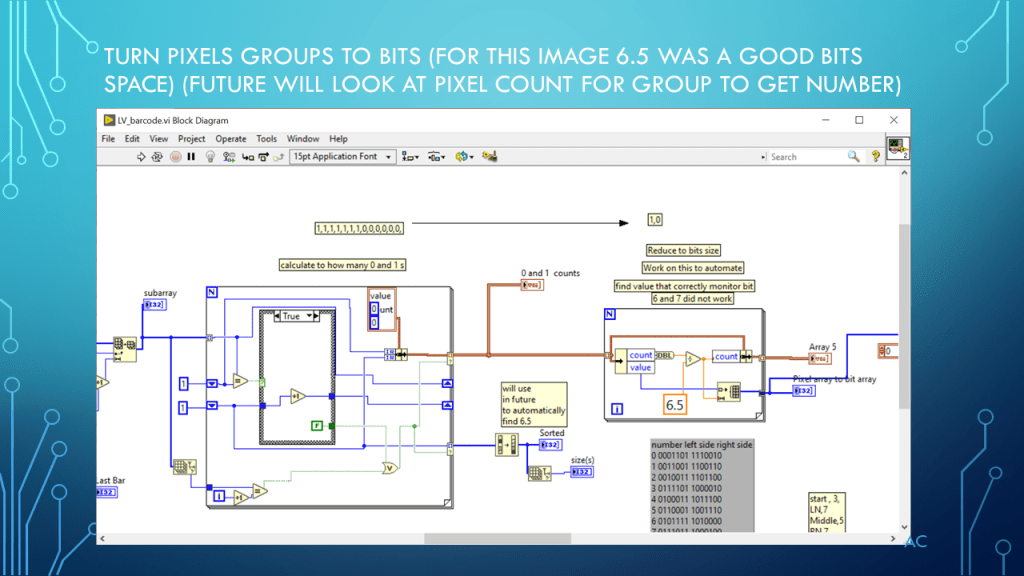
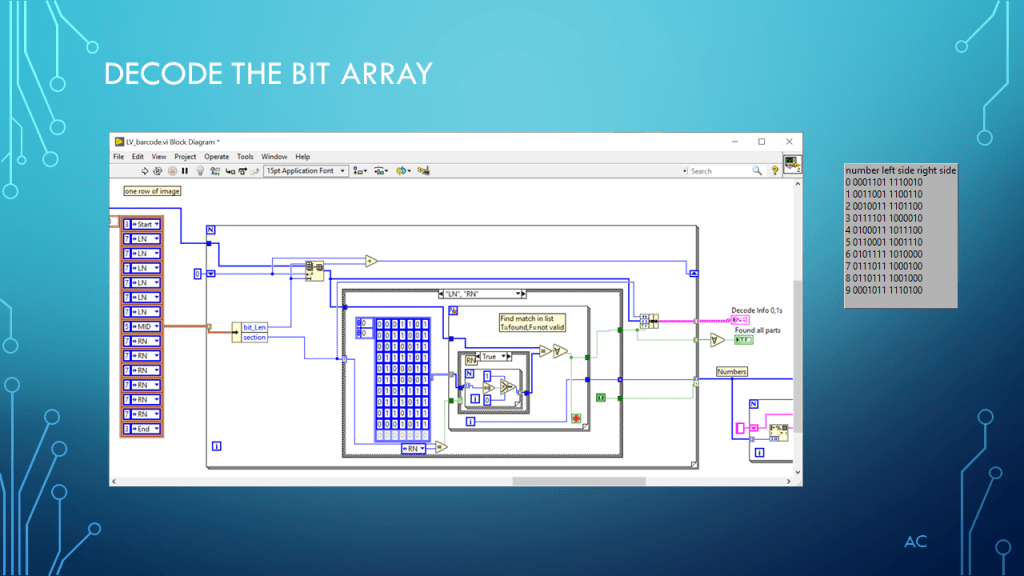
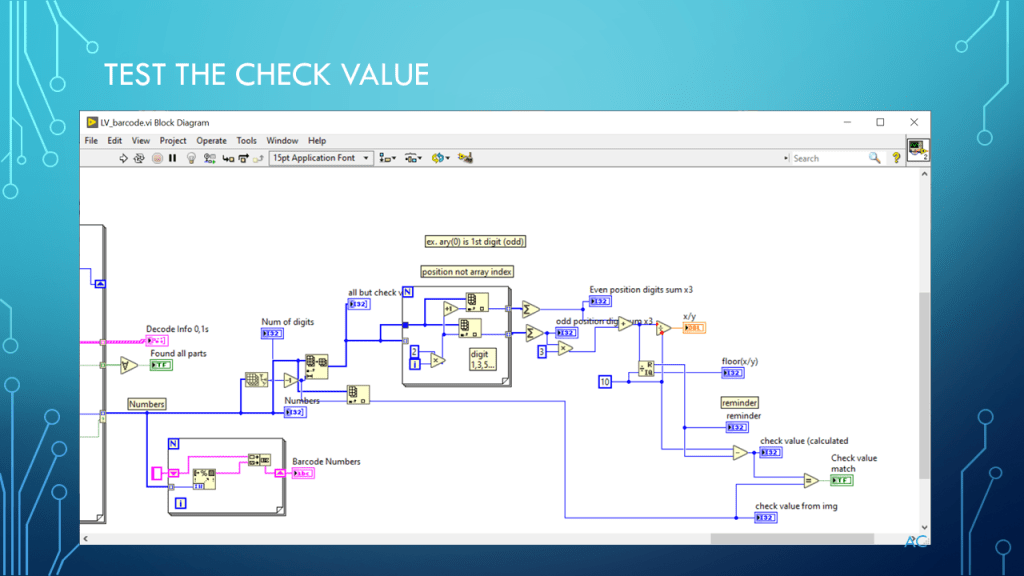
Barcode BMP image to Number

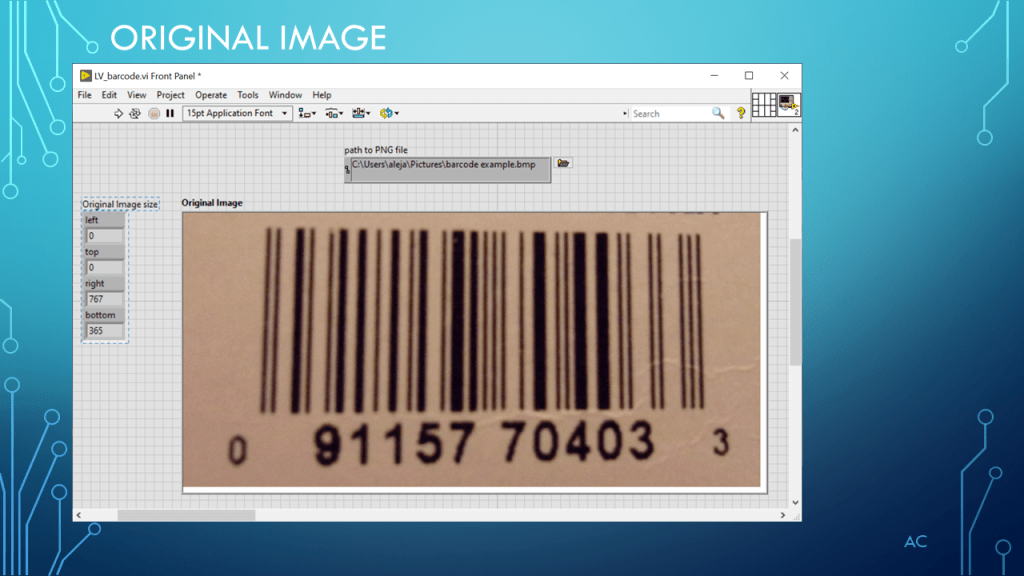
Taking a Barcode BMP image to convert to Numbers
Notes

•Presentation showing processing of Barcode BMP image to covert to Barcode numbers •Programming Language used: LabVIEW® 2019 Base version

•LabVIEW is a NI (formally National Instruments) product

•Presentation app: Microsoft’s PowerPoint •Presentation shown to spark ideas of use. •This presentation is not connected to or endorsed by any company.

•Use at your own risk.

•Tags:  LabVIEW® , BMP to Image, Color Threshold, Barcode, UPC, Pixels Group to Bits, Barcode check value

•Possible improvement needed : Find Pixel Grouping number automatically
Posted in Uncategorized | Tagged , , , , , | Leave a comment

LV Spiral

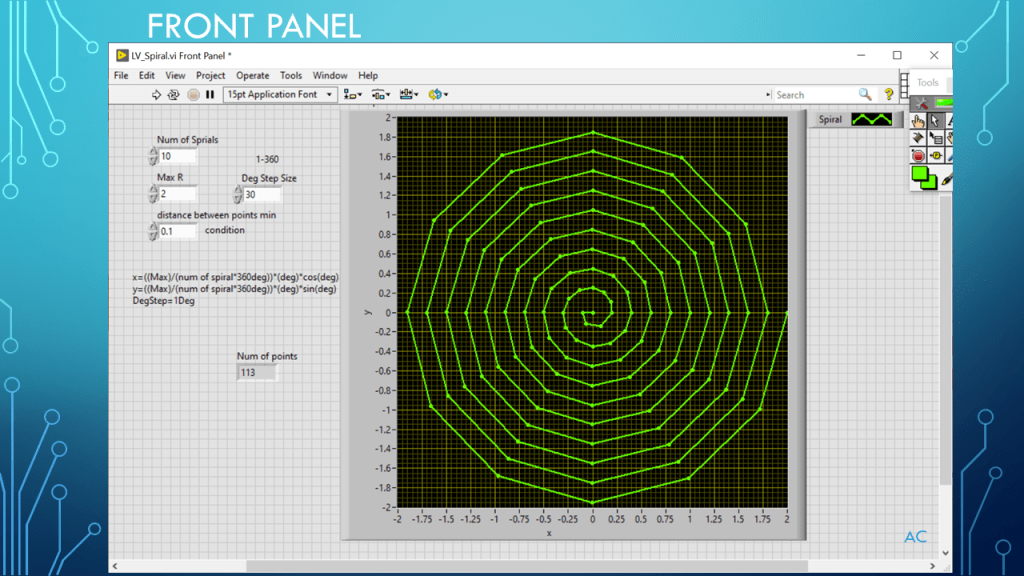
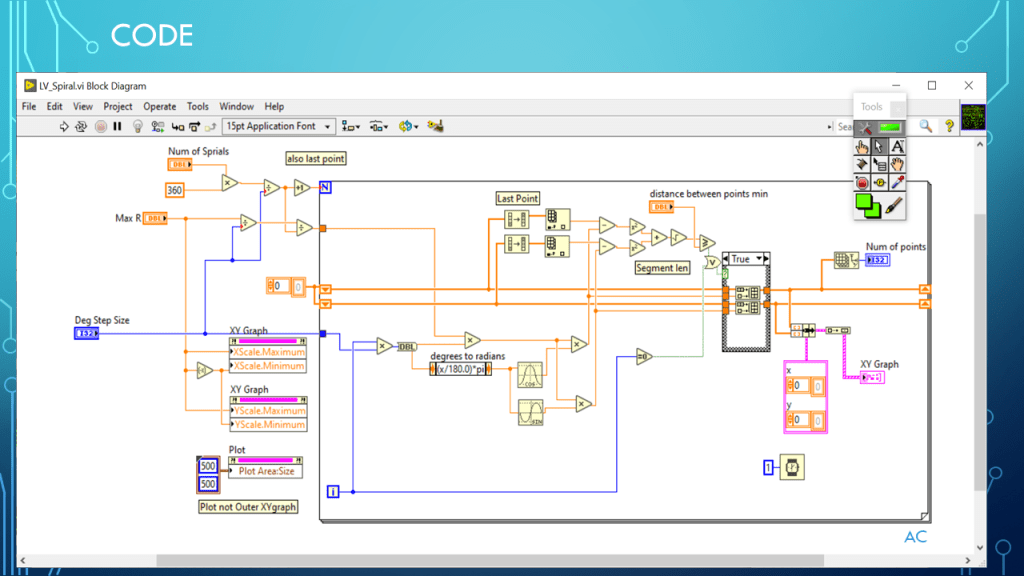
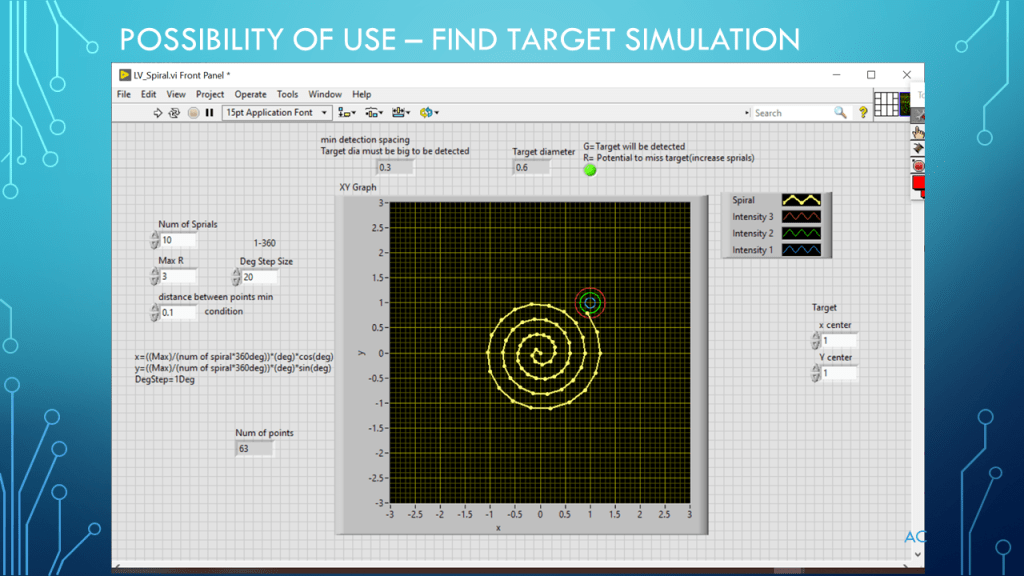
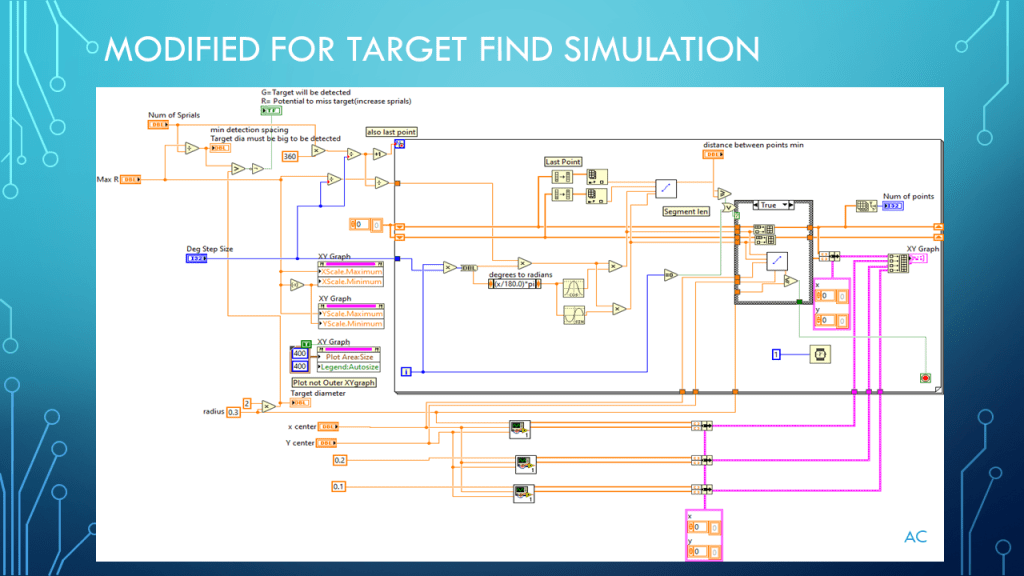
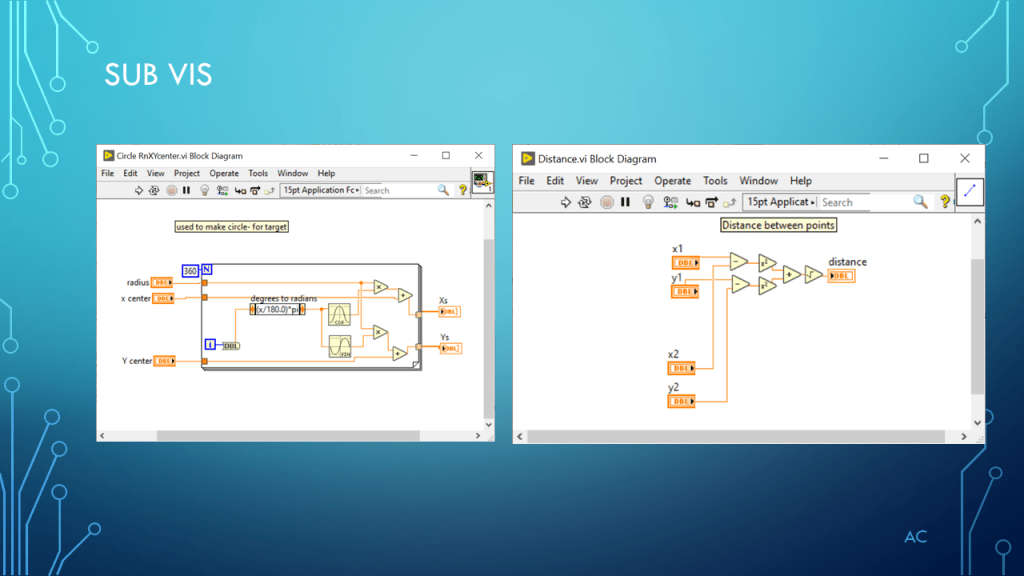
Presentation on using LabVIEW to create a Spiral pattern and example of target found.

Nov 28,2023 added zip file

Presentation

Code

Notes

Notes

•Presentation showing Spiral creation (demonstration only)

•Programming Language used: LabVIEW® 2019 Base version

•LabVIEW is a NI (formally National Instruments) product (part of Emerson company)

•Presentation app: Microsoft’s PowerPoint

•Presentation shown to spark ideas of use.

•This presentation is not connected to or endorsed by any company.

•Use at your own risk.

Tags: LabVIEW(r), Sprial, XYGraph

Posted in Test Sector | Tagged , , , , , | Leave a comment

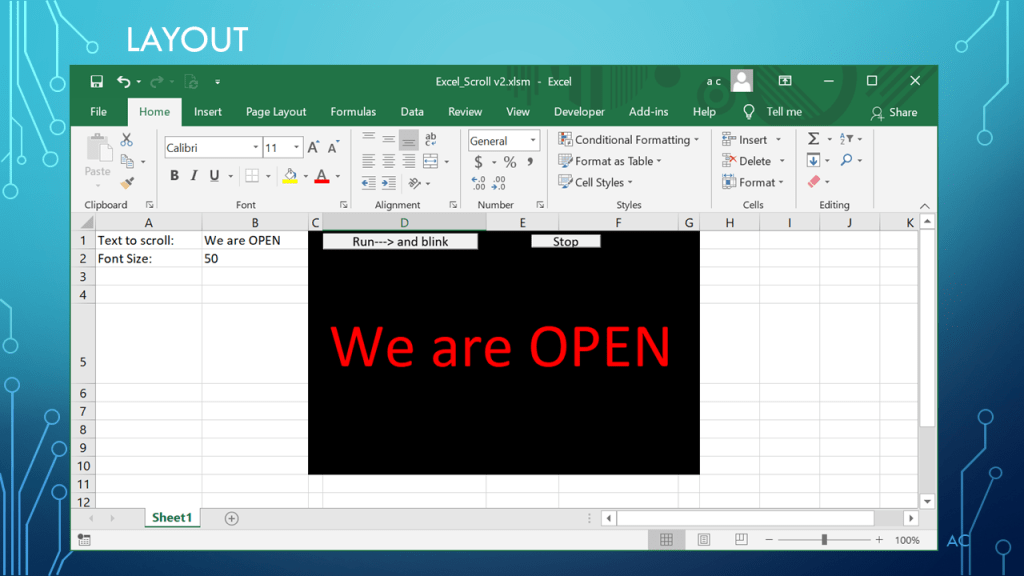
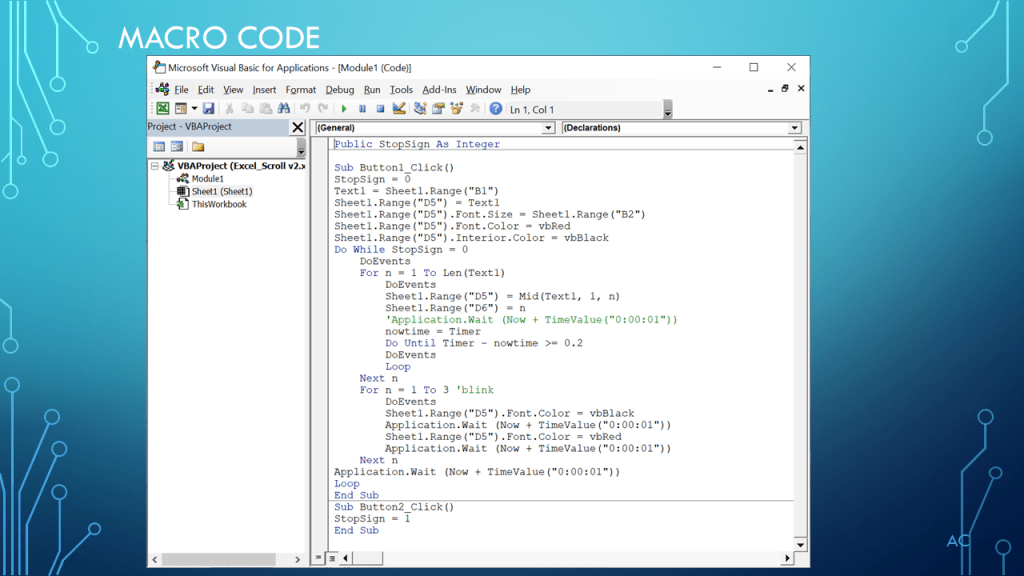
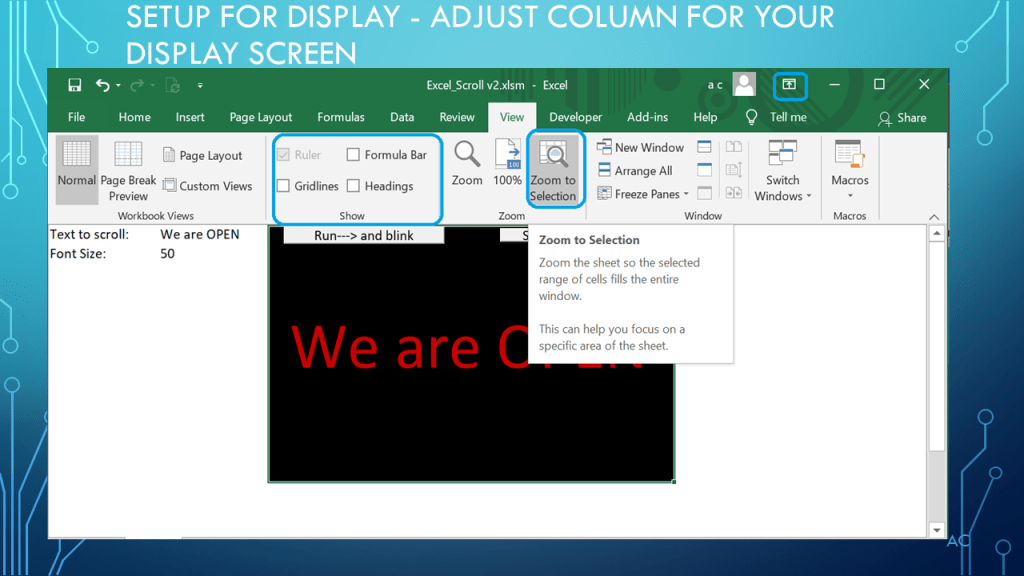
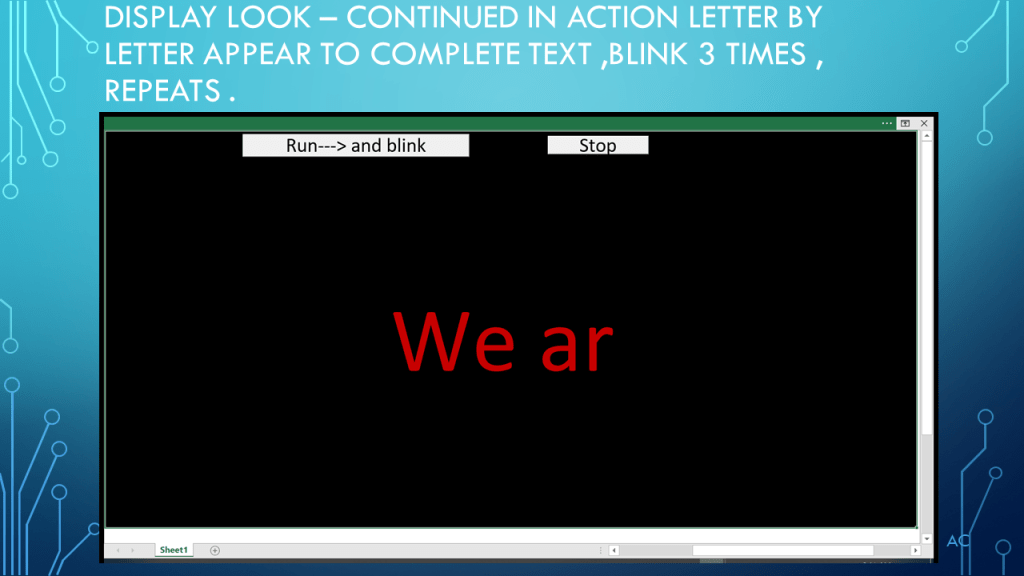
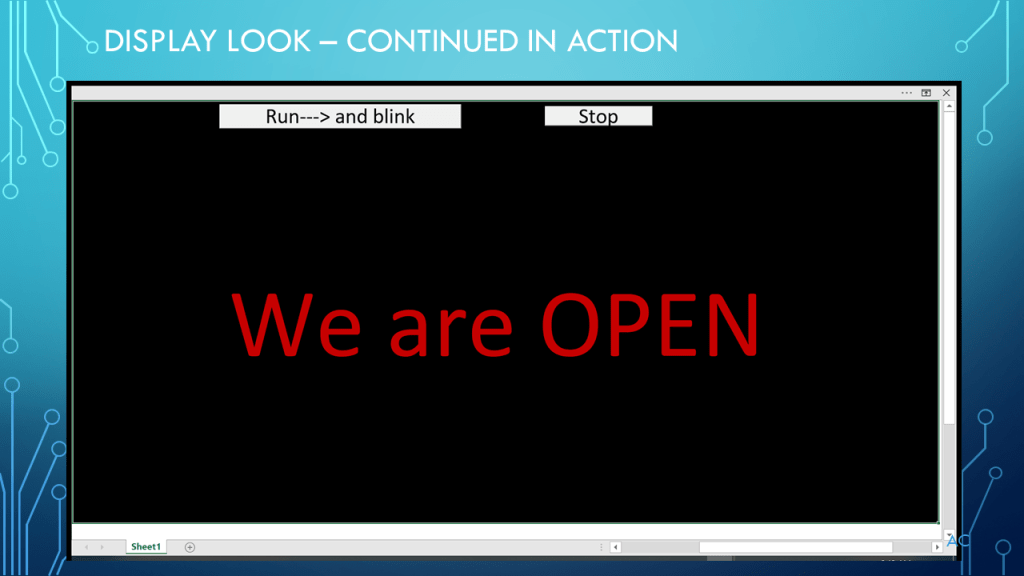
Simple Display Sign using Excel and Macros

Creating a simple Display Sign screen with Excel and Macros

Notes

•Presentation shows use of Macro in Example Display Sign

•Used  Microsoft’s Excel with Macro (.xlsm)

•Presentation app: Microsoft’s PowerPoint

•Presentation shown to spark ideas of use.

•This presentation is not connected to or endorsed by any company.

•Press and hold the Stop button to stop (DoEvent allowing this button to work)

•Use at your own risk.

Tags: DoEvent, Macro, TimeValue, Application wait, Microsoft’s Excel

Posted in Test Sector | Tagged , , , , , , , , | Leave a comment

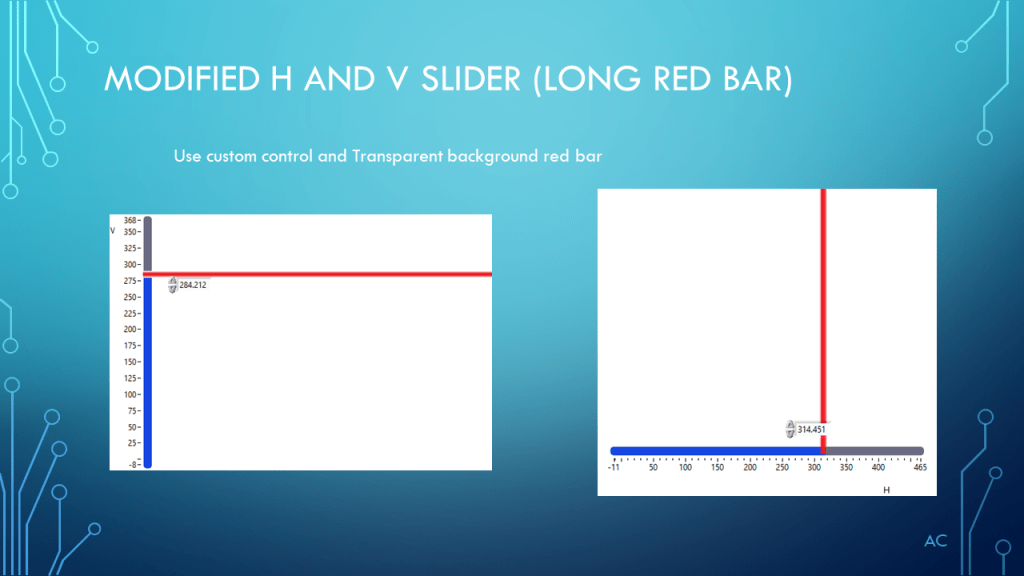
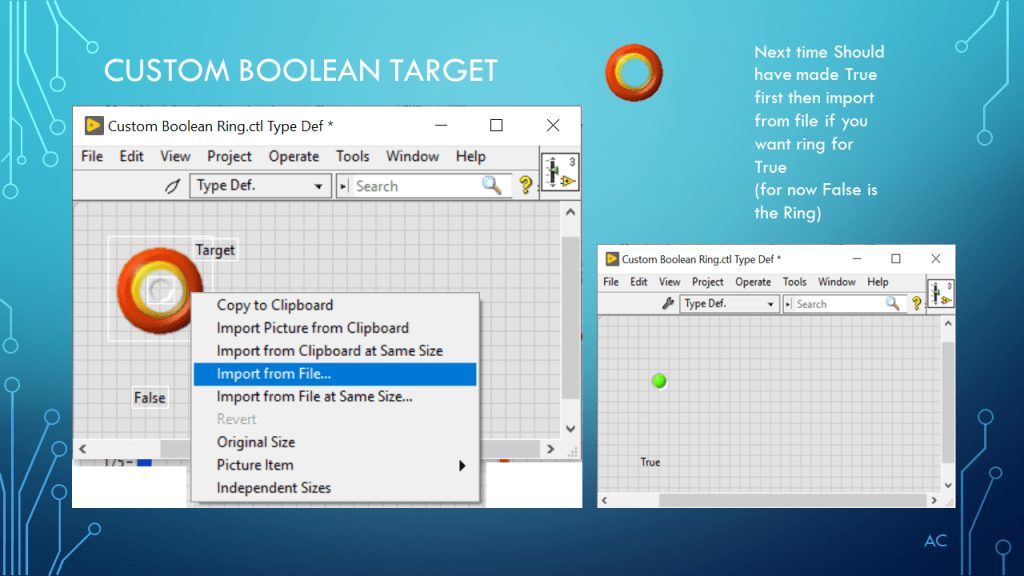
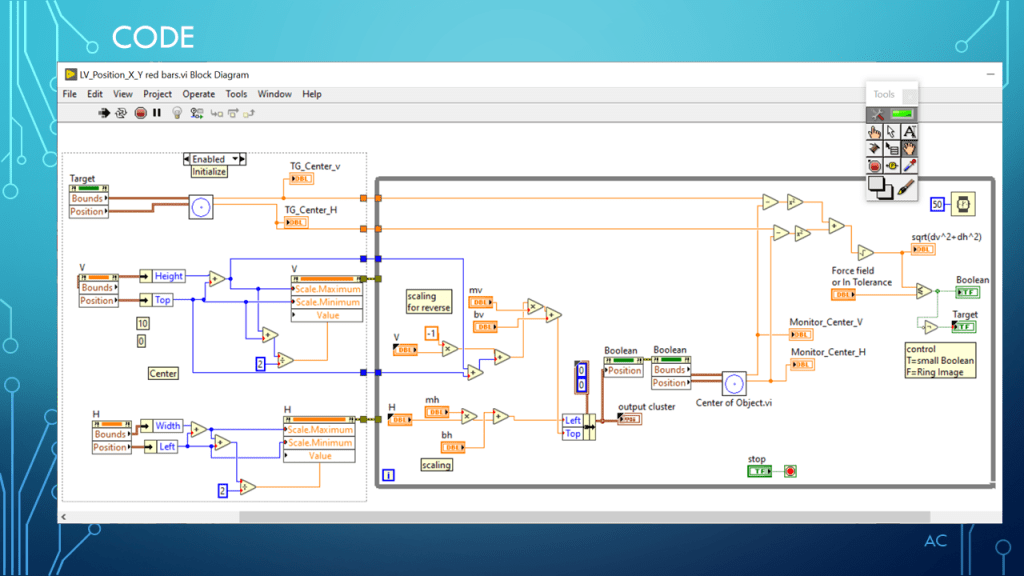
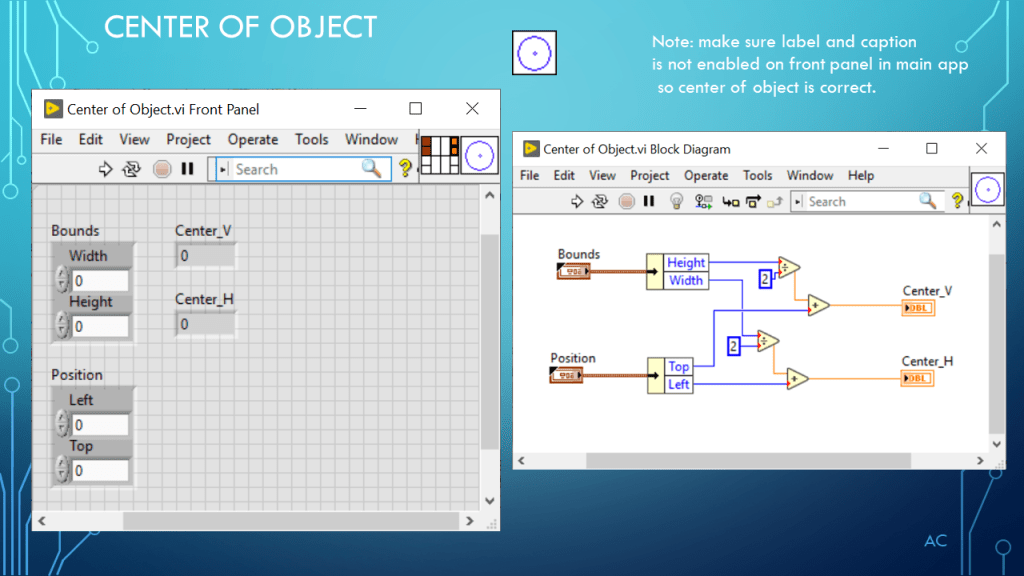
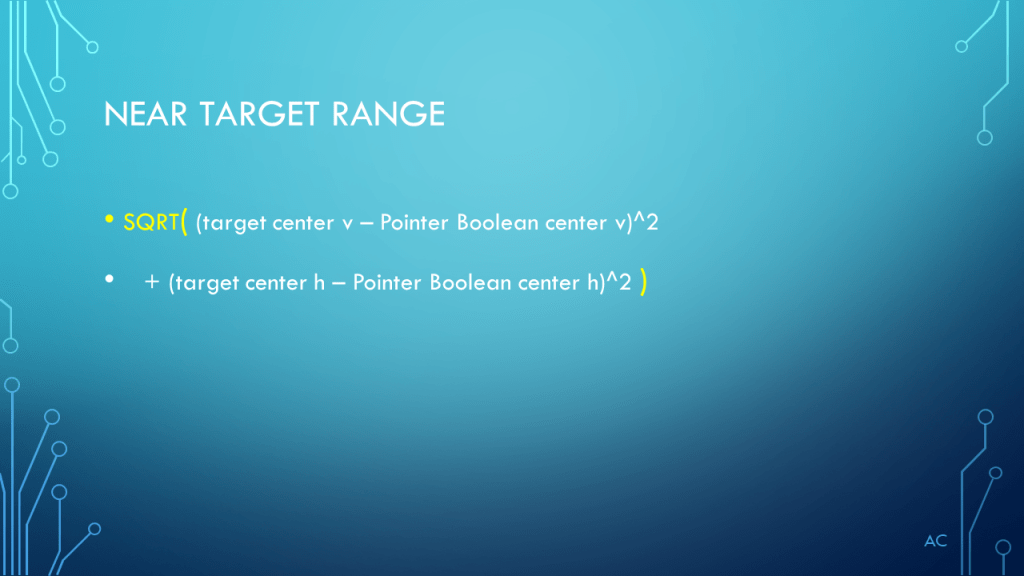
LV Modified Vertical and Horizontal Slider and Boolean

Using example xy and target to show custom control and indicator

Notes

•Presentation on custom control modification on Vertical and Horizontal Slider pointer and Modified Boolean control.

•Used LabVIEW® for coding.

•LabVIEW® is a NI (National Instruments) product.

•Presentation app: Microsoft’s PowerPoint

•Presentation shown to spark ideas of use.

•This presentation is not connected to or endorsed by any company.

•Use at your own risk.

Posted in LabVIEW(r), Slider, Test Sector | Tagged , , , | Leave a comment

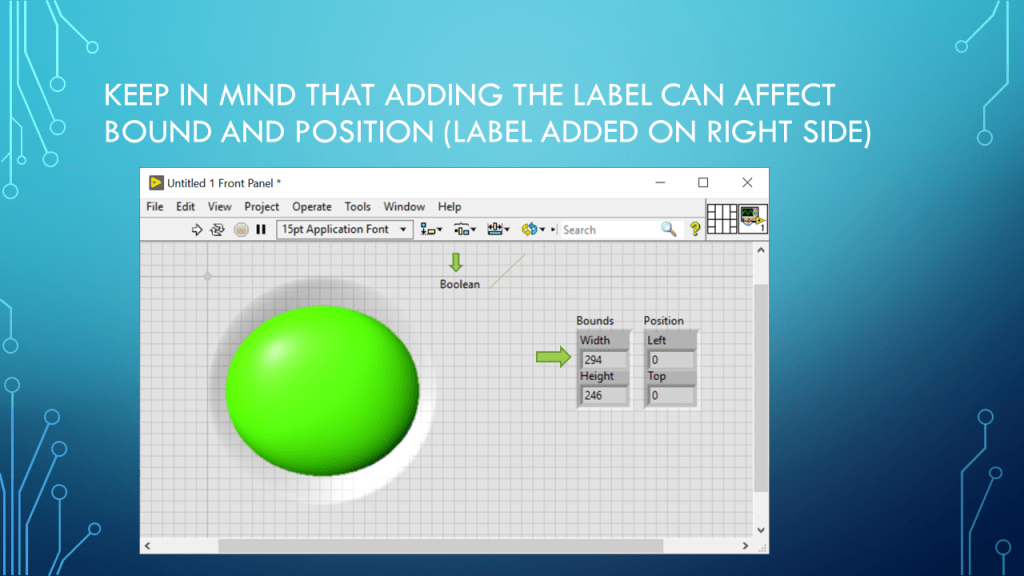
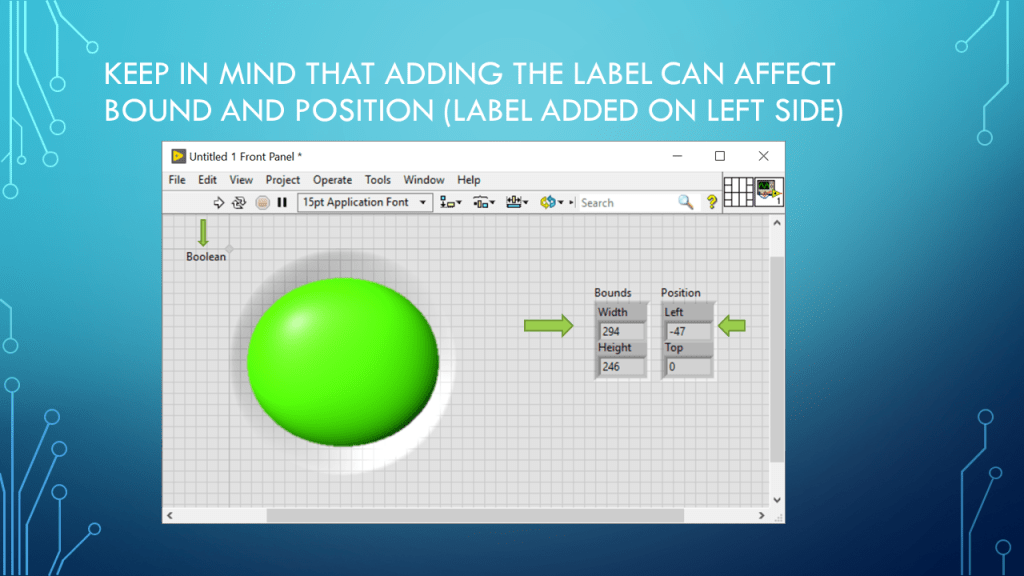
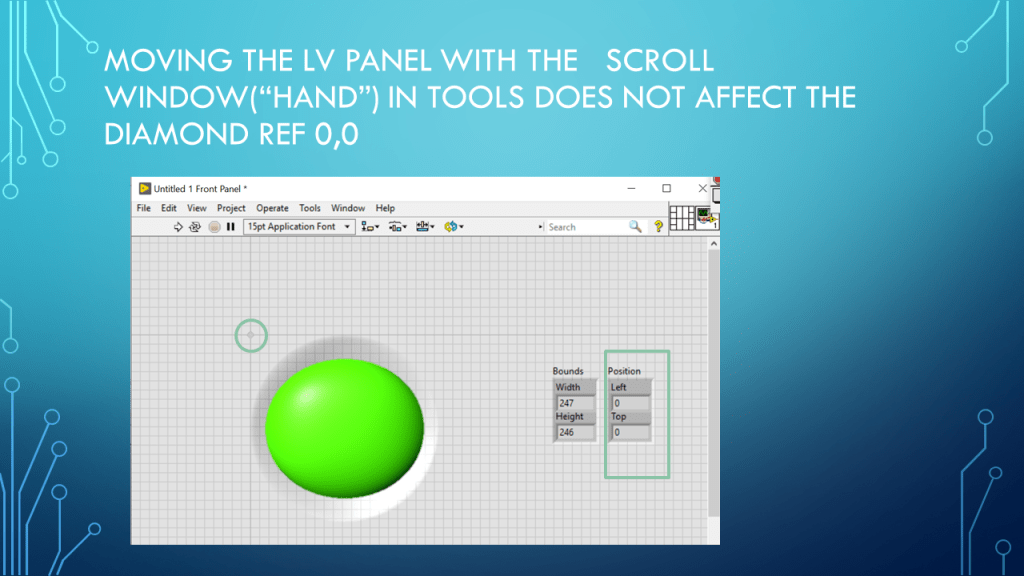
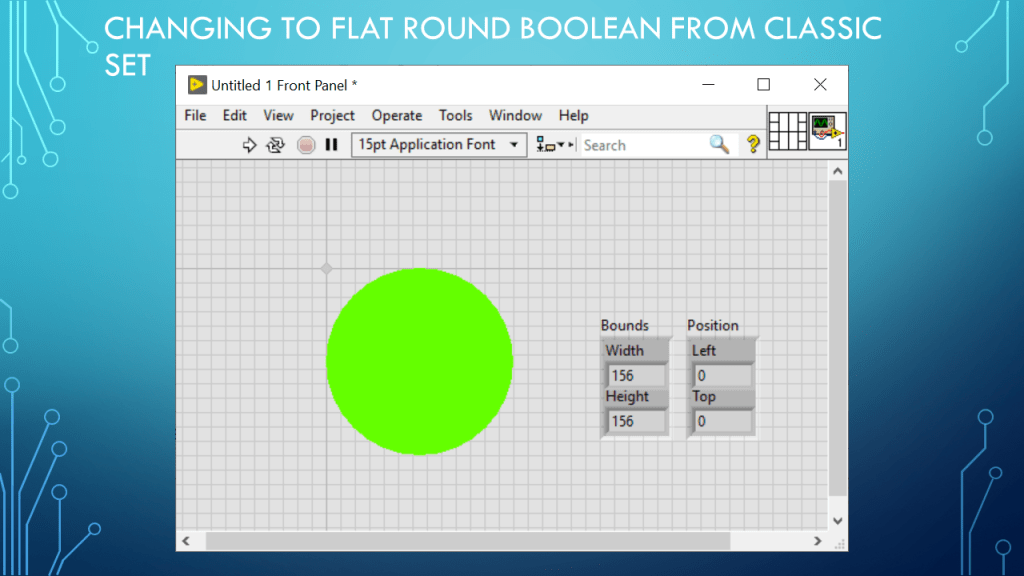
LV Position and Bounds

Presentation on LabVIEW(r) Position and Bounds

Notes

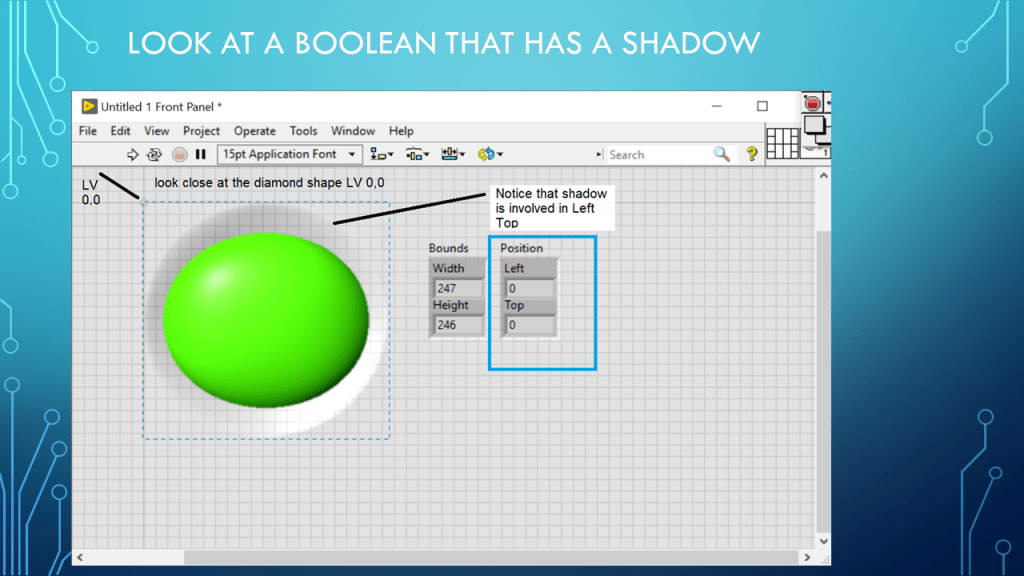
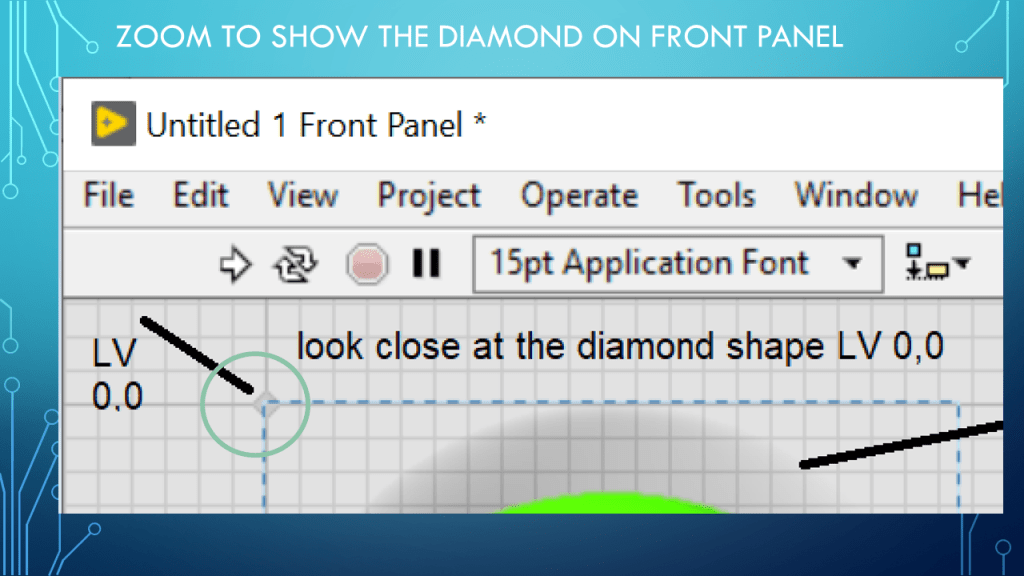
•Presentation Position and Bounds

•Programming Language used: LabVIEW® 2019 Base version

•LabVIEW is a NI (formally National Instruments) product
•Presentation app: Microsoft’s PowerPoint

•Presentation shown to spark ideas of use.

•This presentation is not connected to or endorsed by any company.

•Use at your own risk.

Posted in Test Sector | Tagged , , | Leave a comment

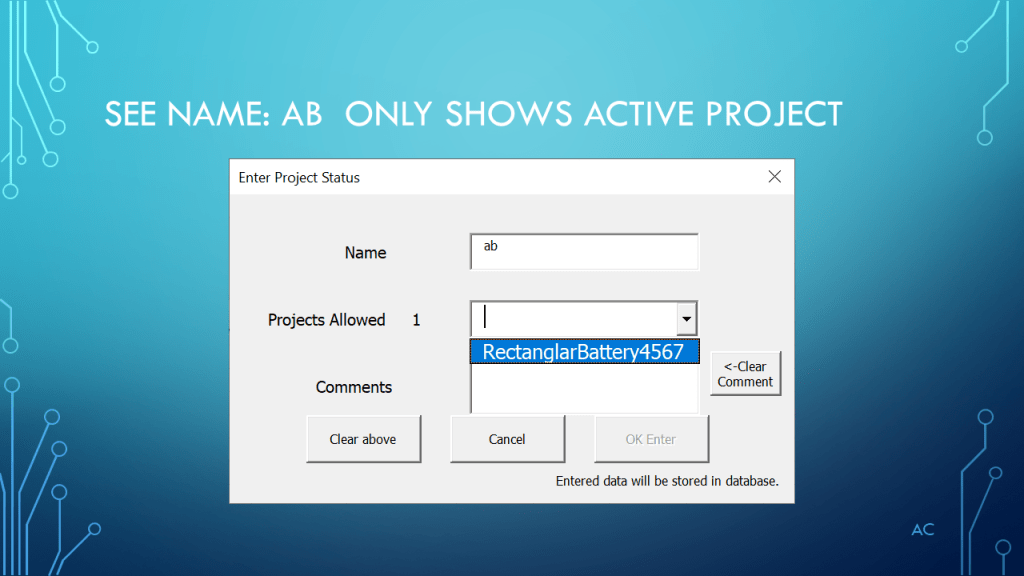
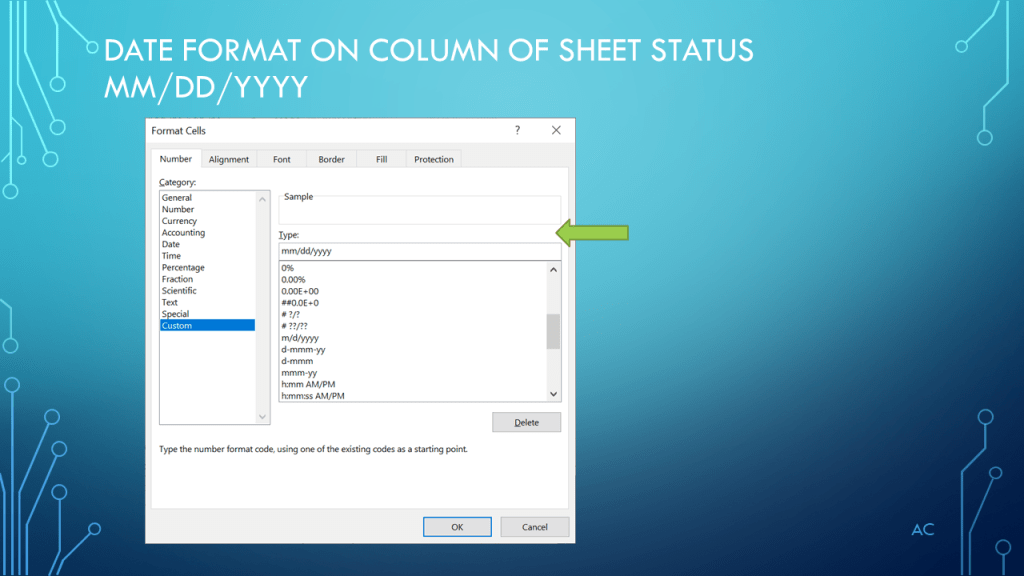
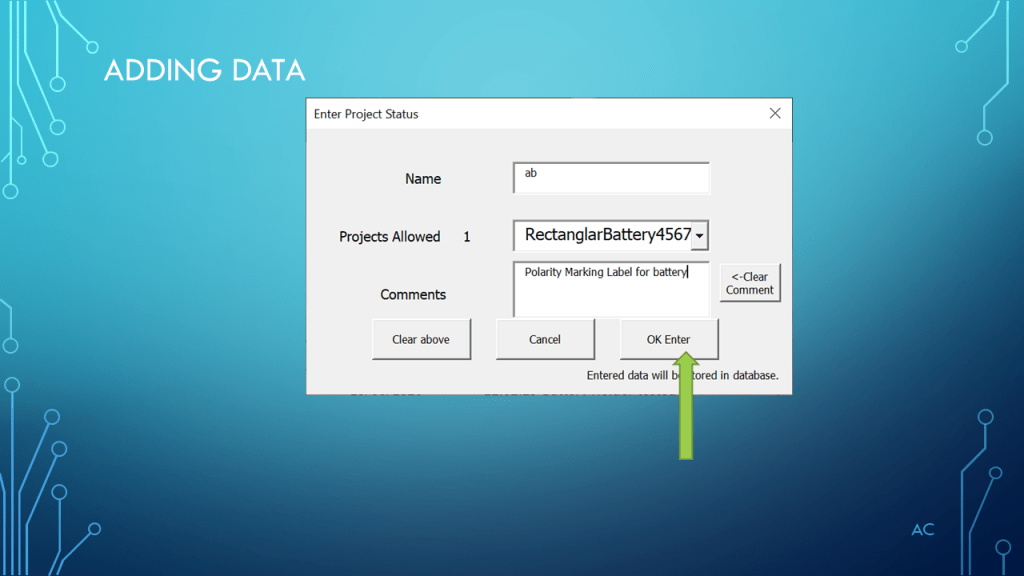
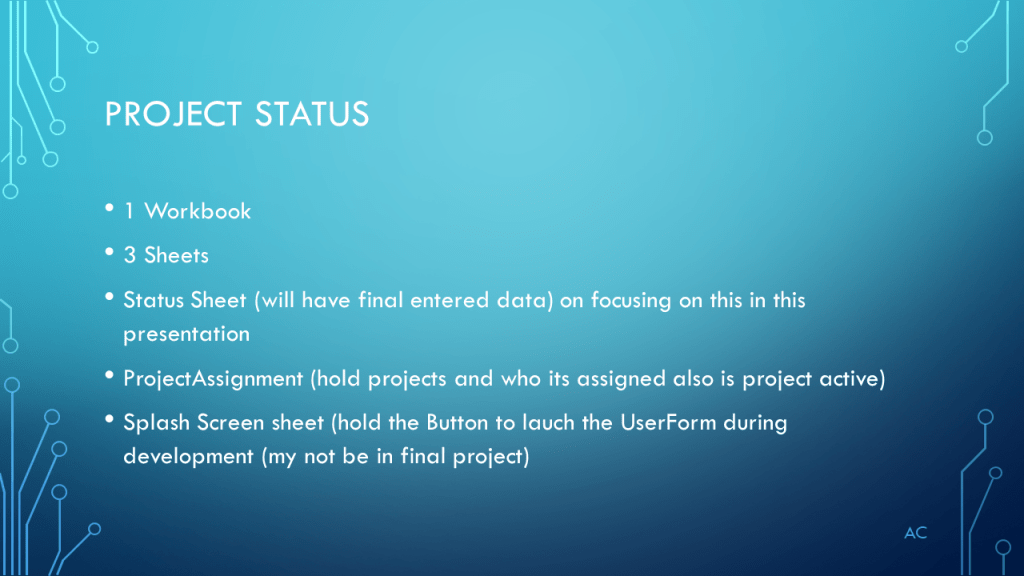
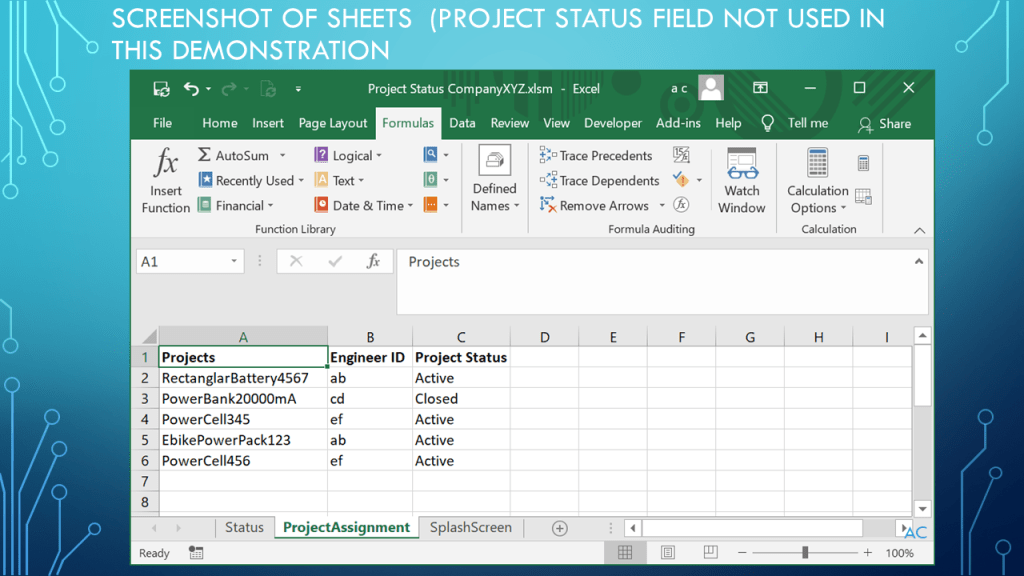
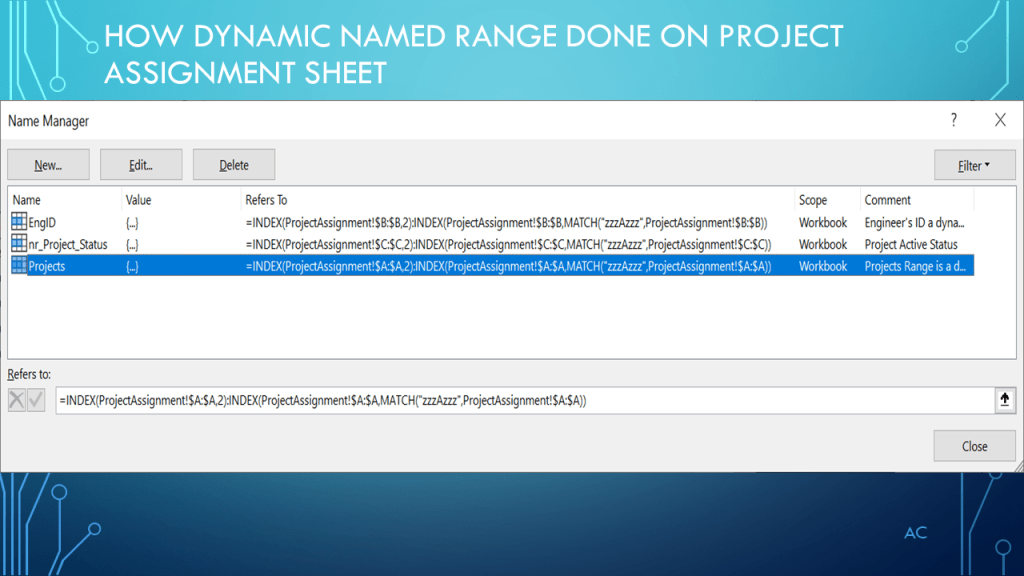
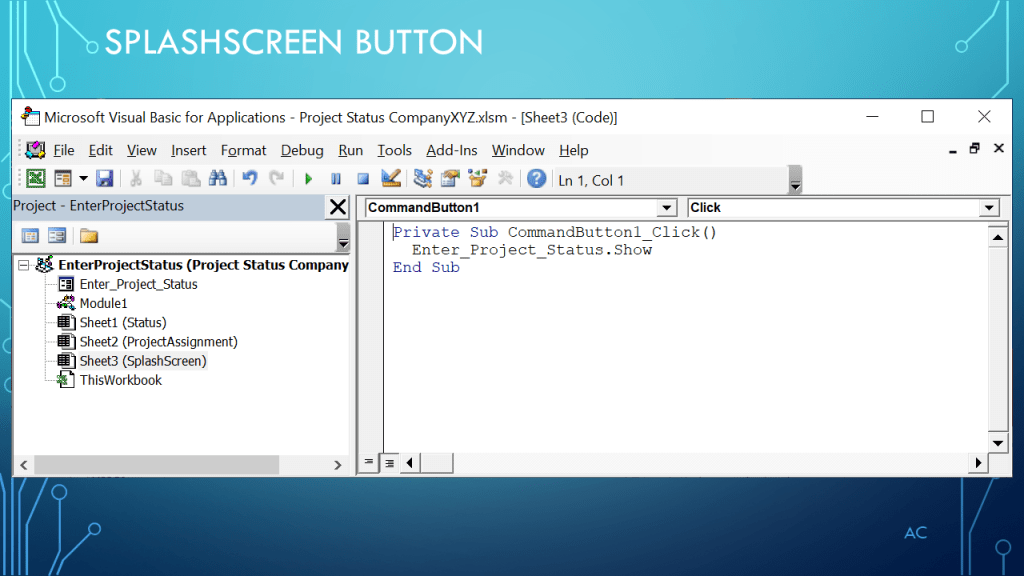
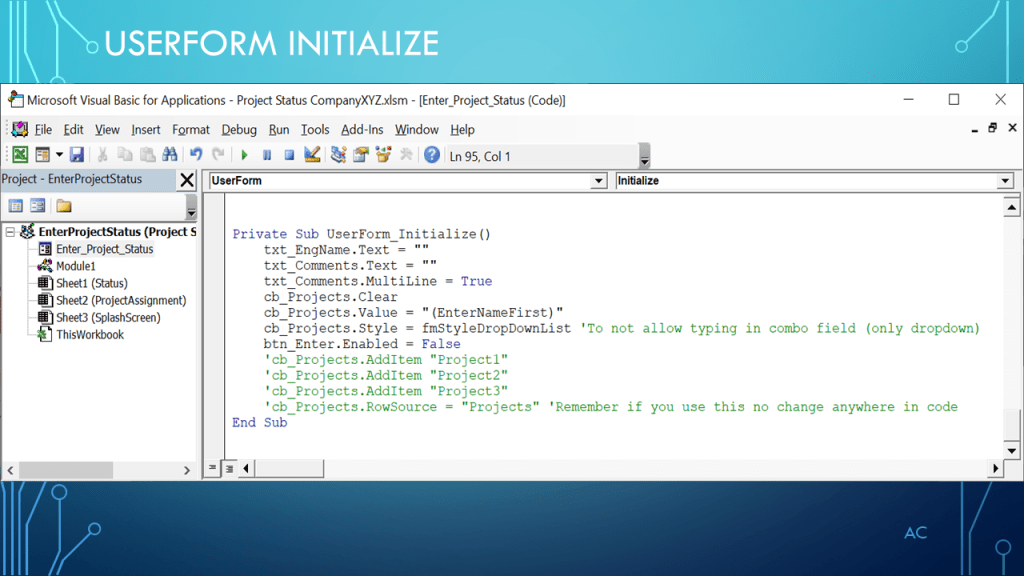
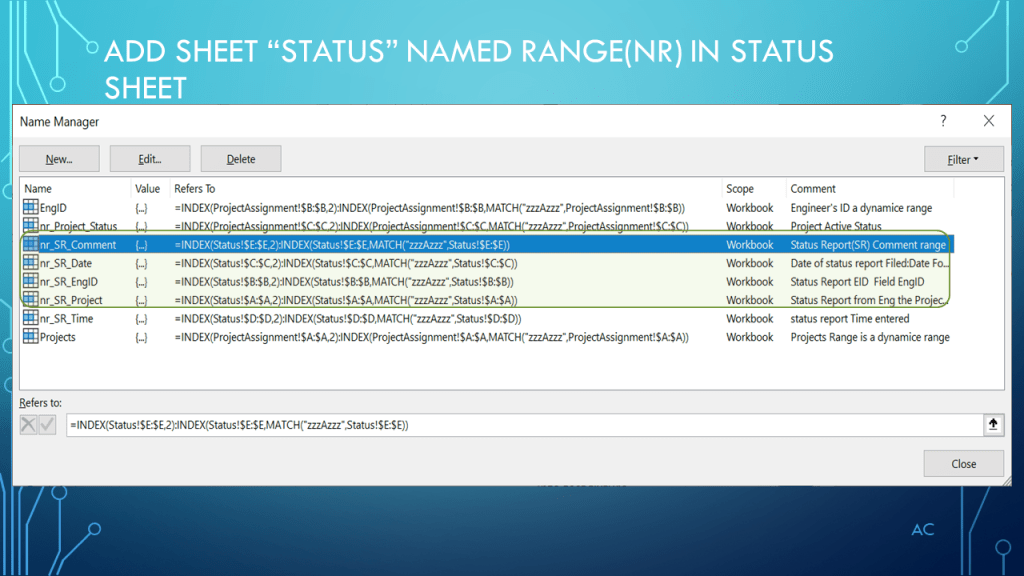
EXCEL VBA UserForm Project Status continued (Enter button)

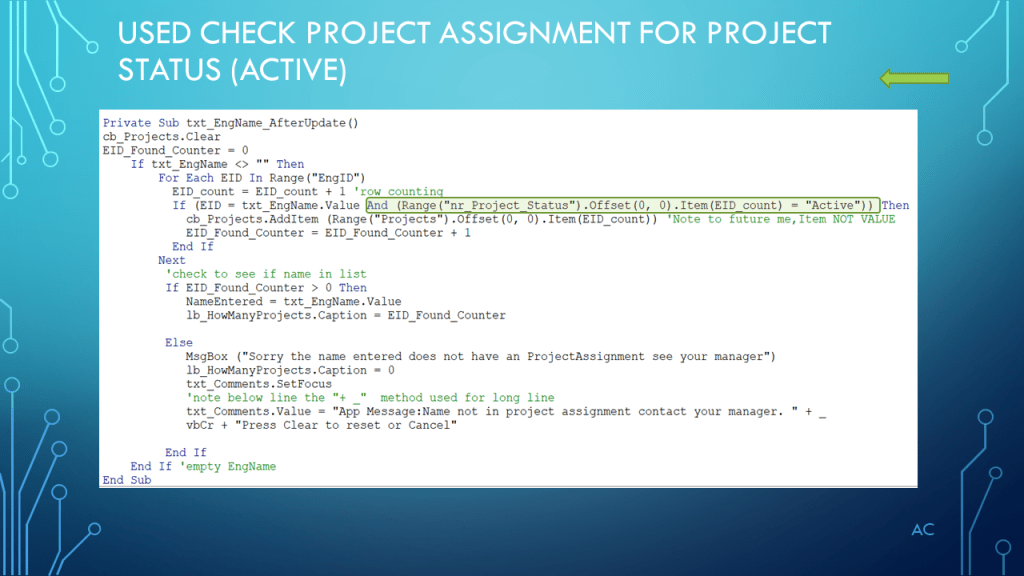
Continuing form previous presentation , focusing on the Enter button

Notes

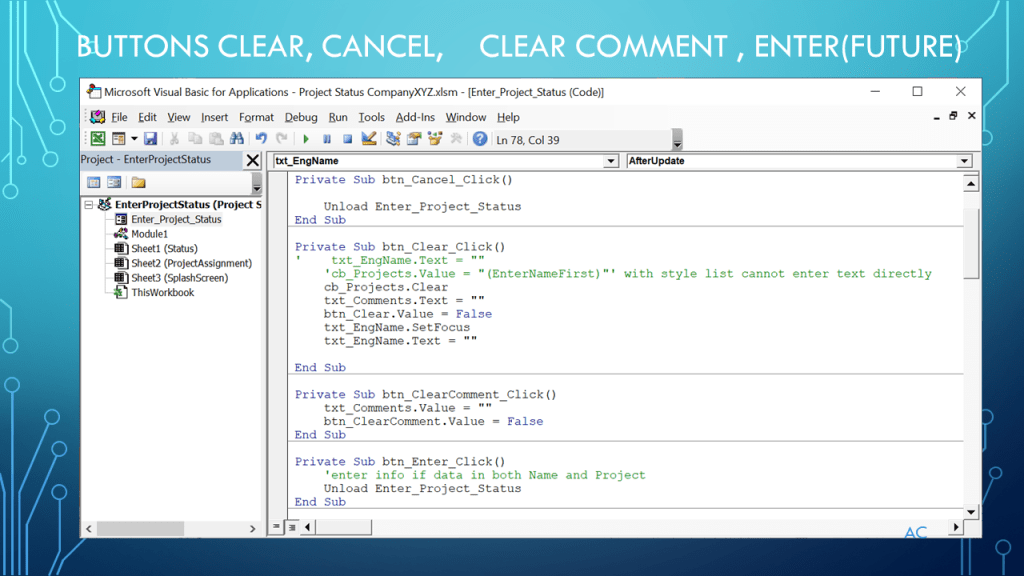
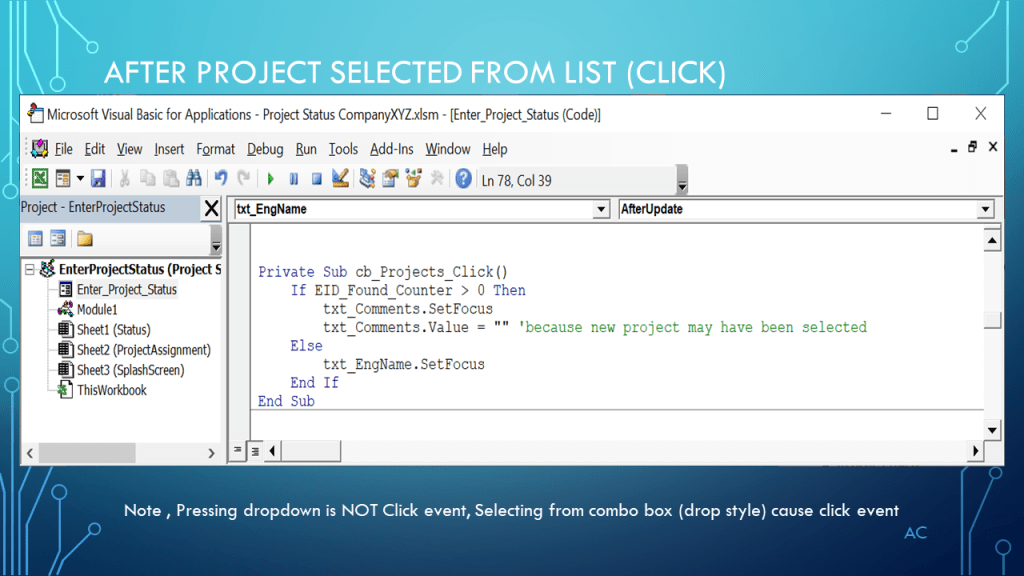
•Presentation focus on example Project Status  UserForm  Enter button operation (continued from previous presentation)

•Excel® used in the presentation is a Microsoft product.

•Presentation create using Microsoft’s PowerPoint

•Presentation shown to spark ideas of use.

•This presentation is not connected to or endorsed by any company.

•Use at your own risk.

Posted in Test Sector | Tagged , , , , , | Leave a comment

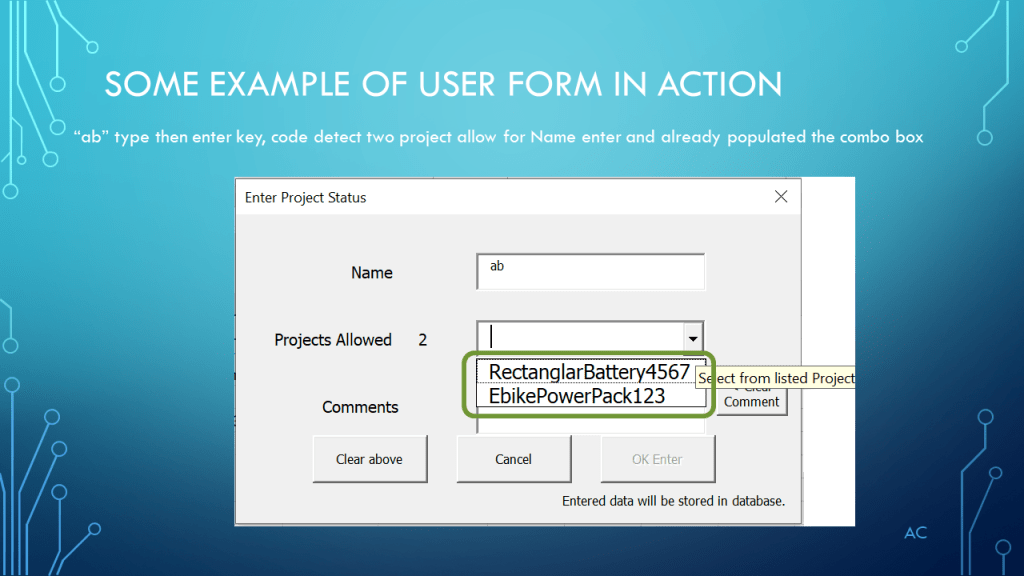
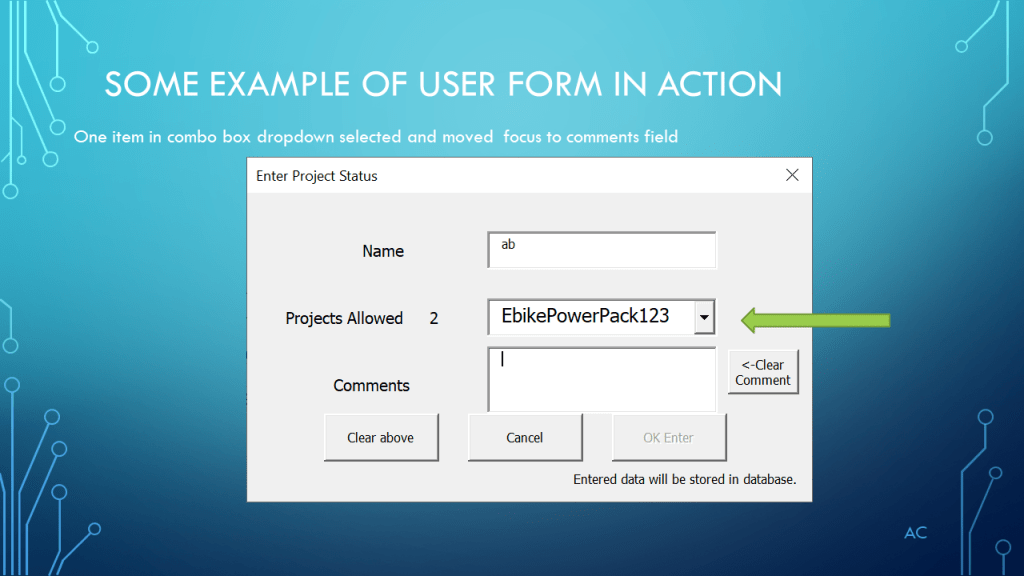
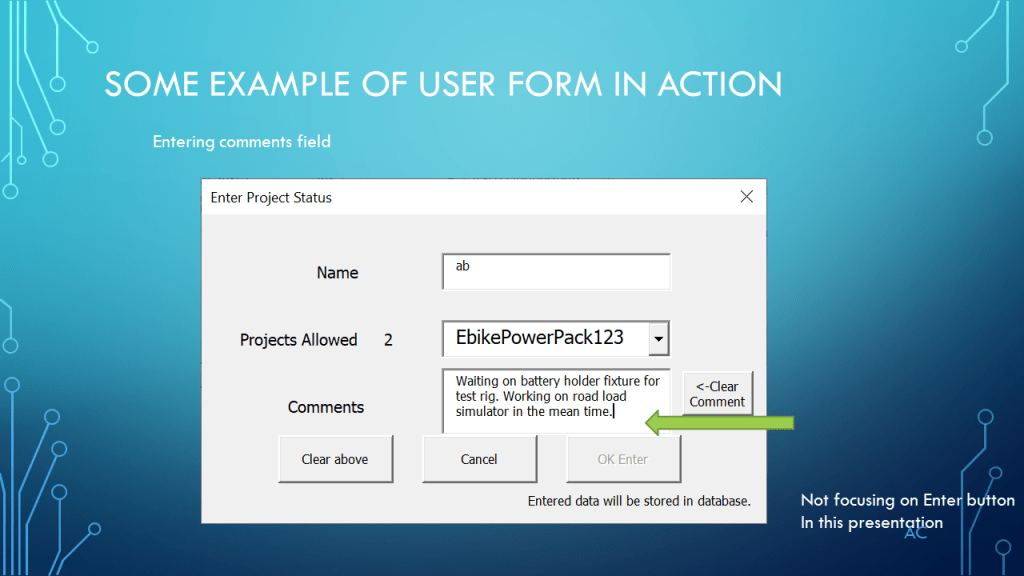
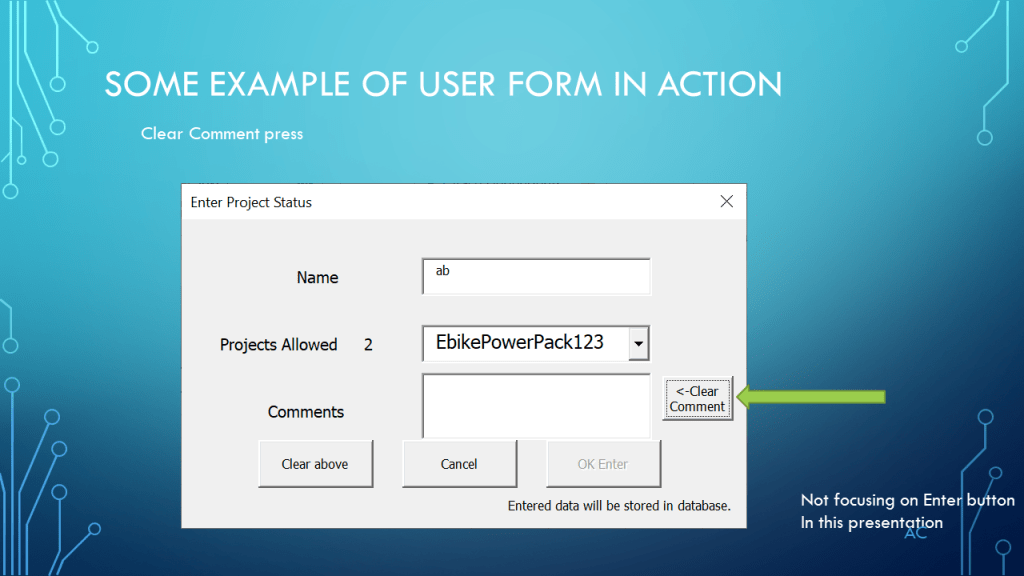
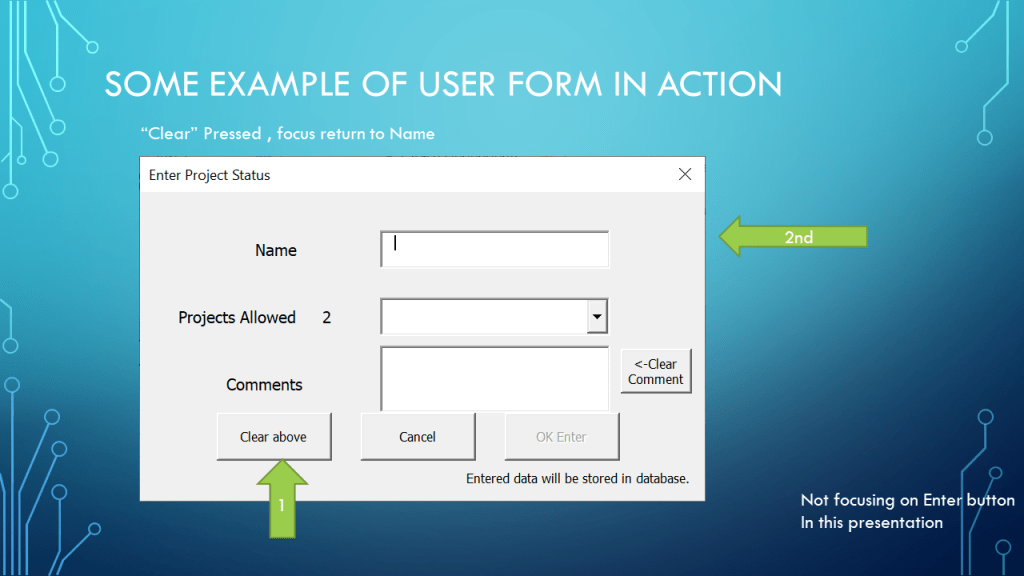
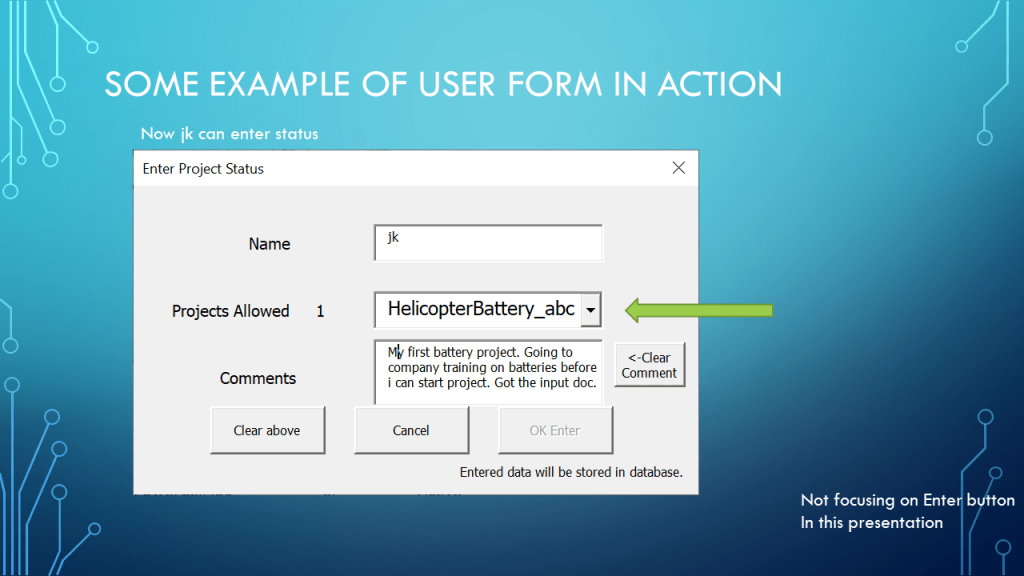
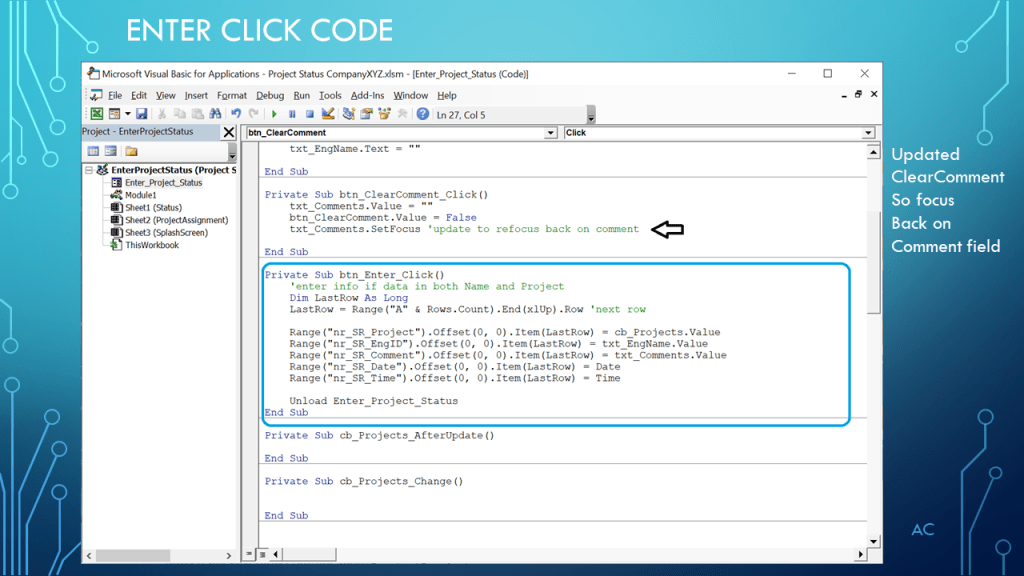
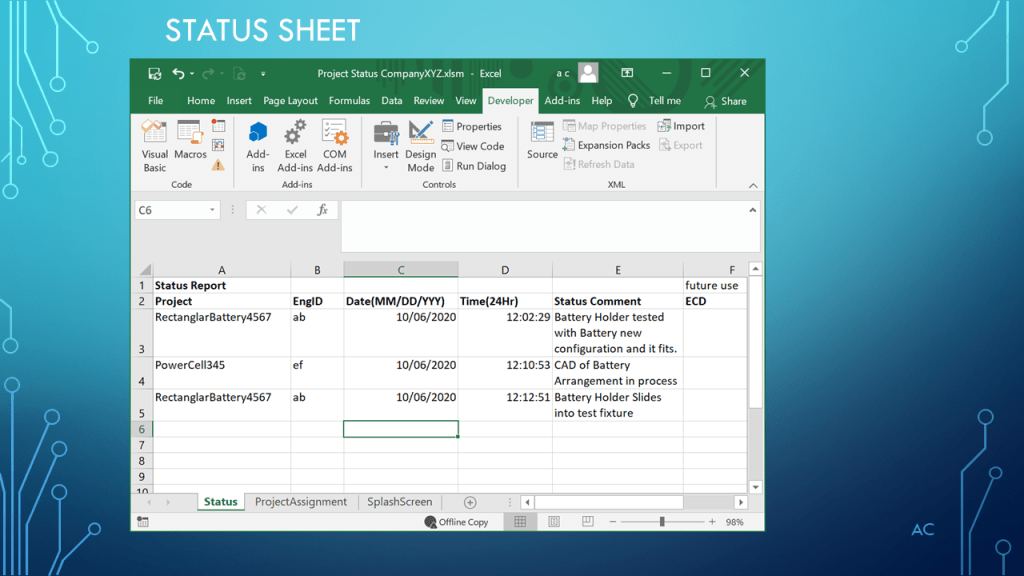
Excel® Focus on Userform VBA operation in a ProjectStatus example

Userform in a Project status example.

Notes

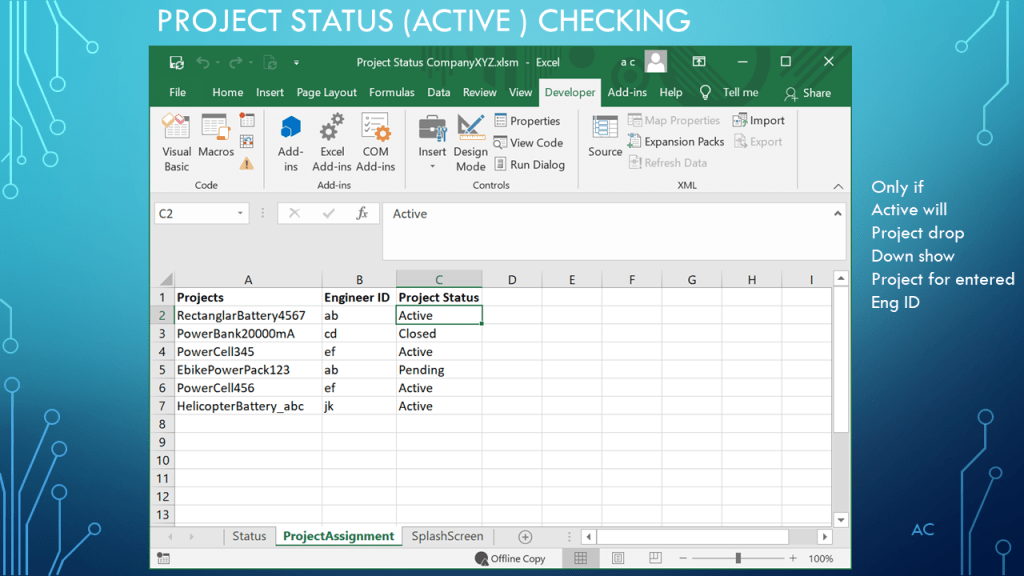
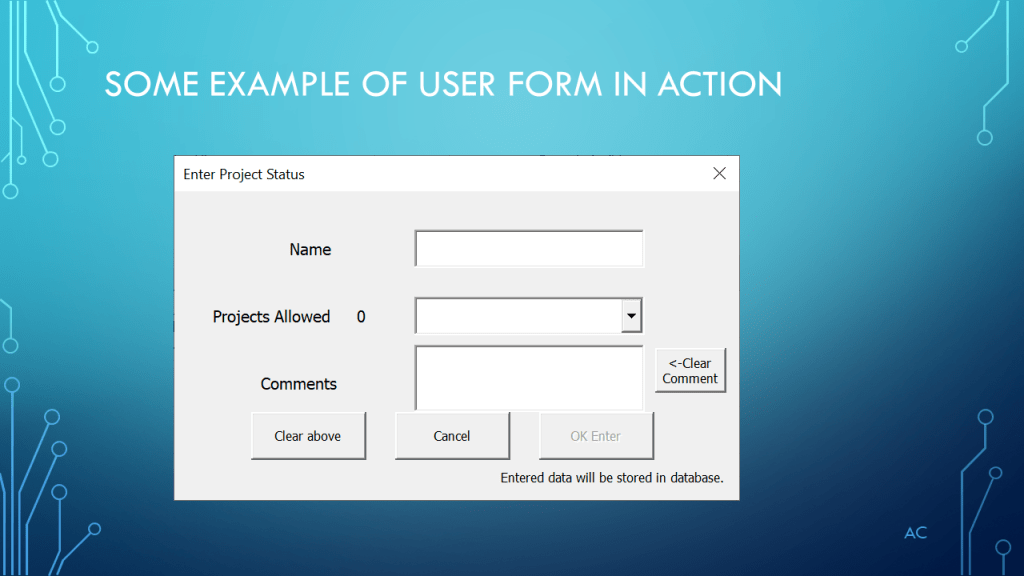
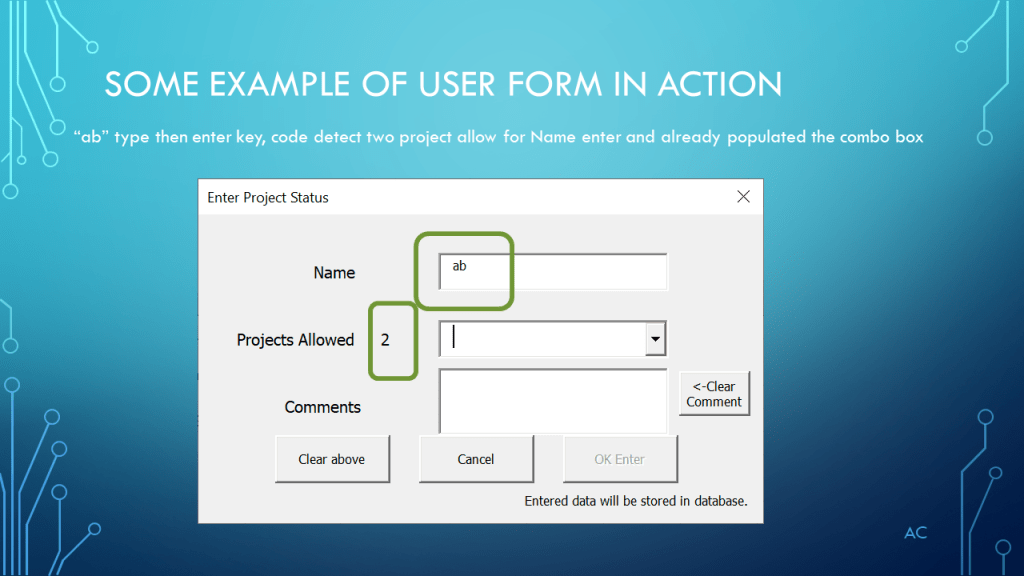
•Presentation focus on example Project Status  UserForm

•Excel® used in the presentation is a Microsoft product.

•This is not  a complete solution, focusing on  userform operations before working on “Ok Enter” (the last step)” of the Userform.

•Presentation create using Microsoft’s PowerPoint

•Presentation shown to spark ideas of use.

•This presentation is not connected to or endorsed by any company.

•Use at your own risk.

Posted in Test Sector | Tagged , , , , , , | Leave a comment

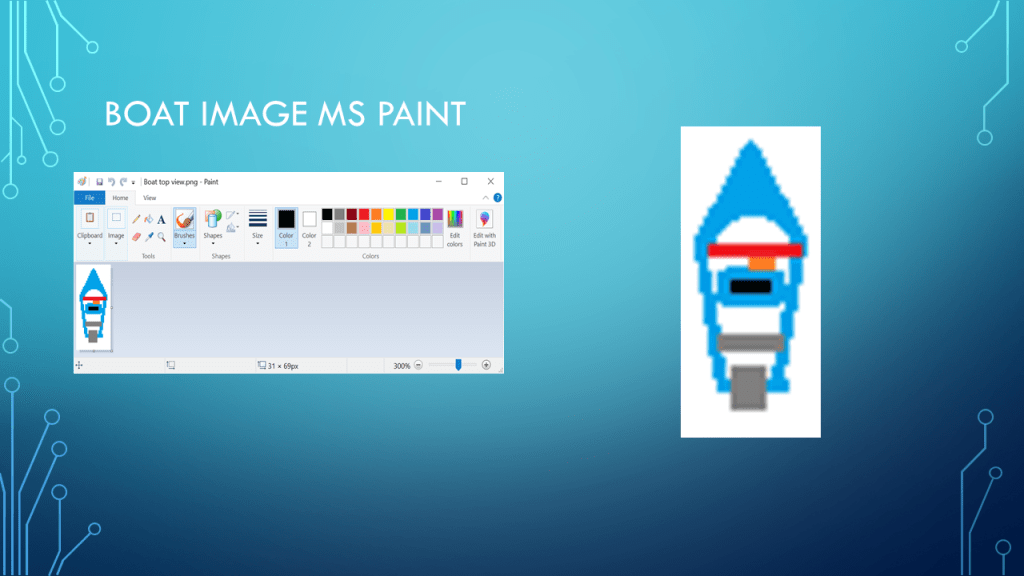
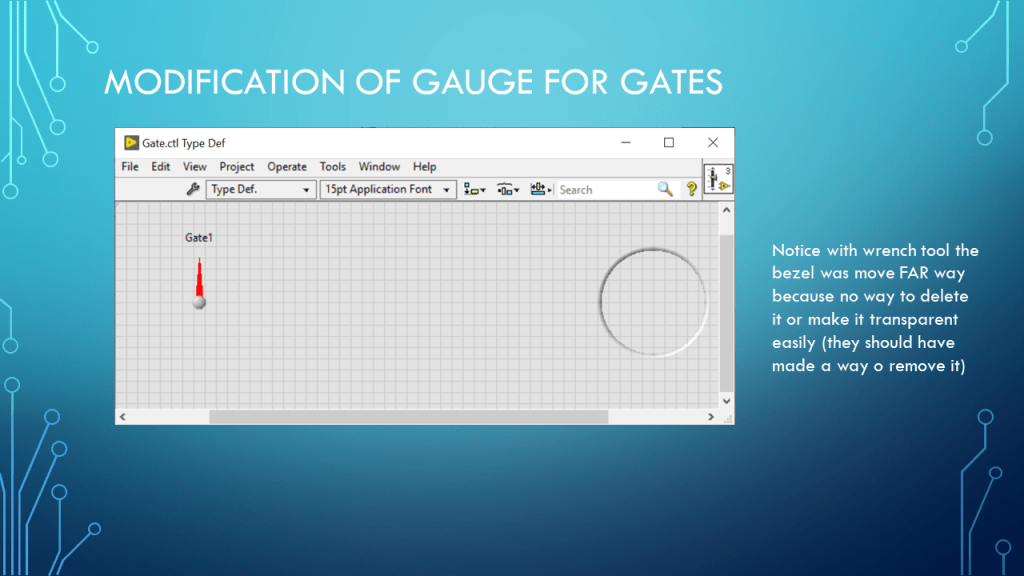
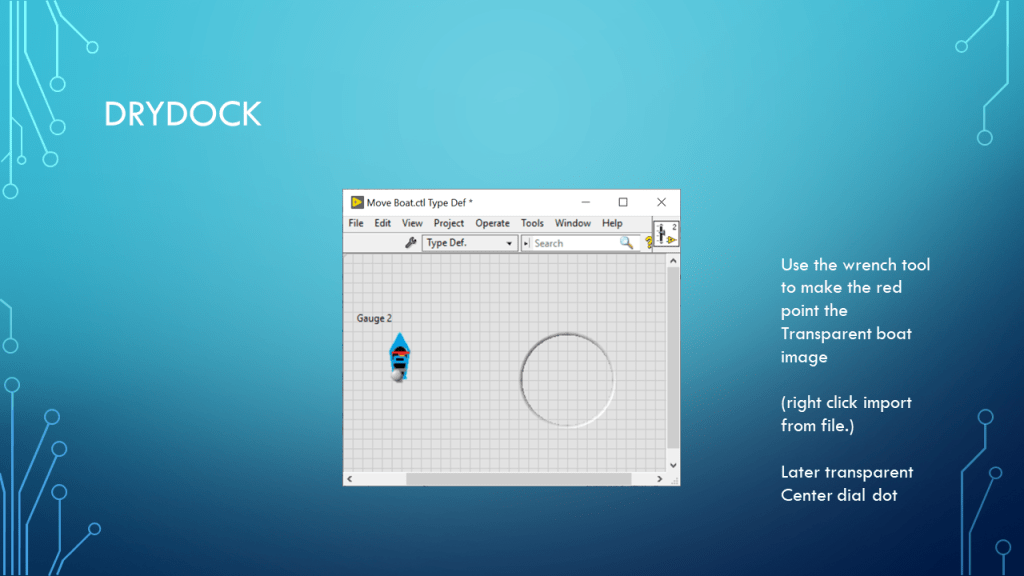
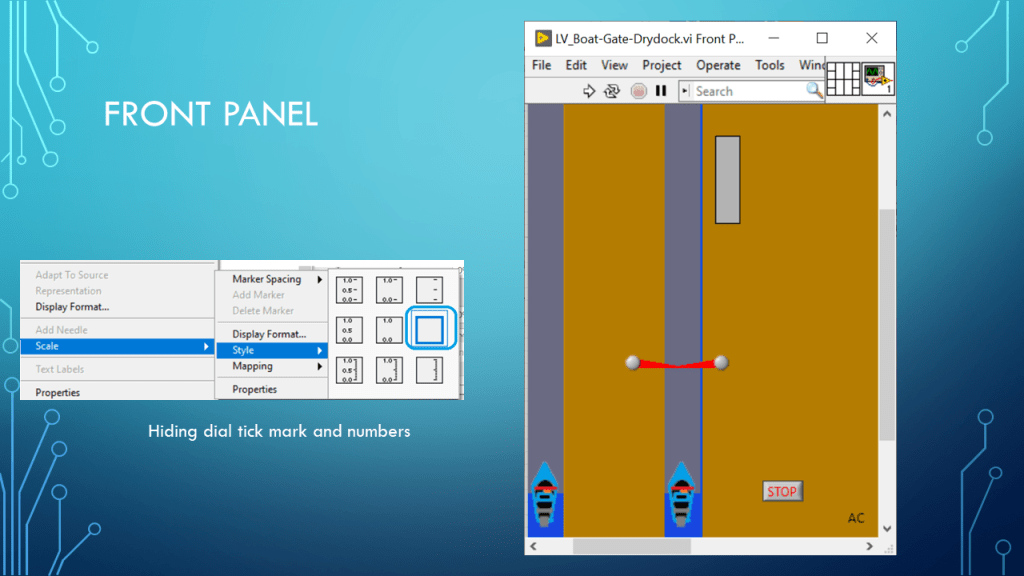
LV_BOAT_GATE_Drydock

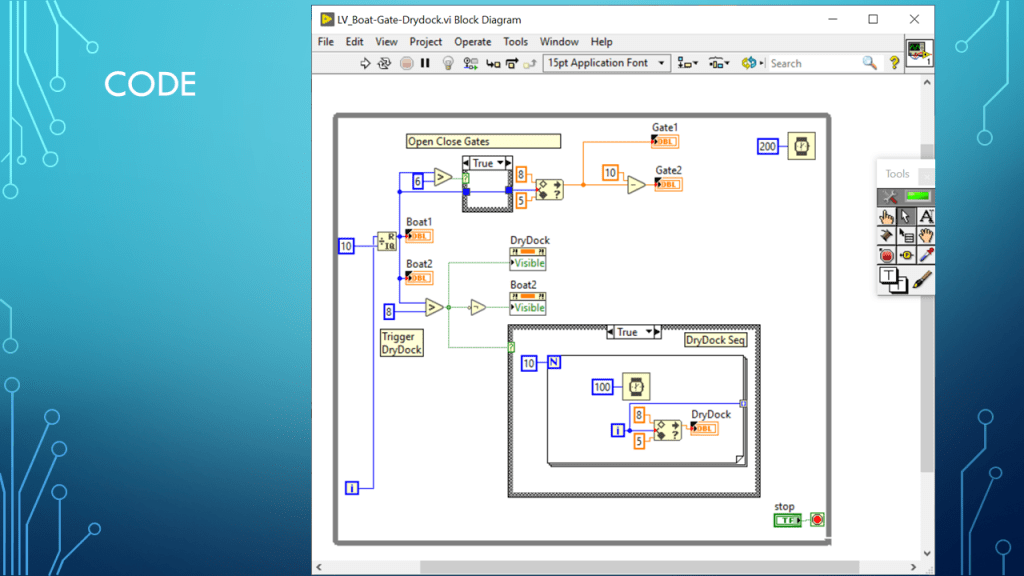
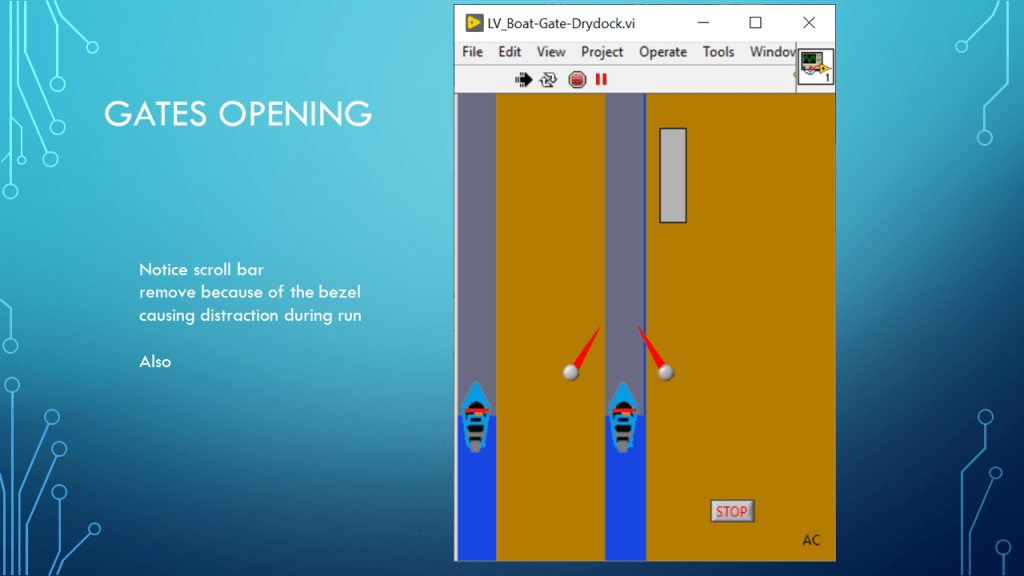
Using common LV indicators to create custom look using type def and showing in a mini animation.


Notes

•Presentation on changing common tool indicator so specific use.

•Type Def custom control

•LabVIEW 2019 base version used in presentation

•LabVIEW® is a NI (National Instruments) product •Presentation create using Microsoft’s PowerPoint •Presentation shown to spark ideas of use.

•This presentation is not connected to or endorsed by any company.

•Use at your own risk.

Posted in Test Sector | Tagged , , , , | Leave a comment

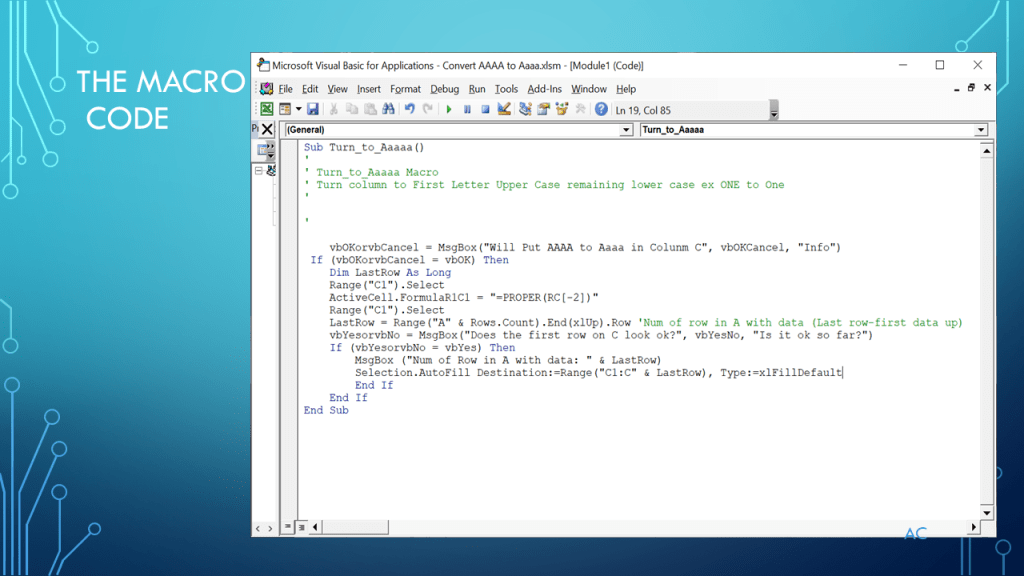
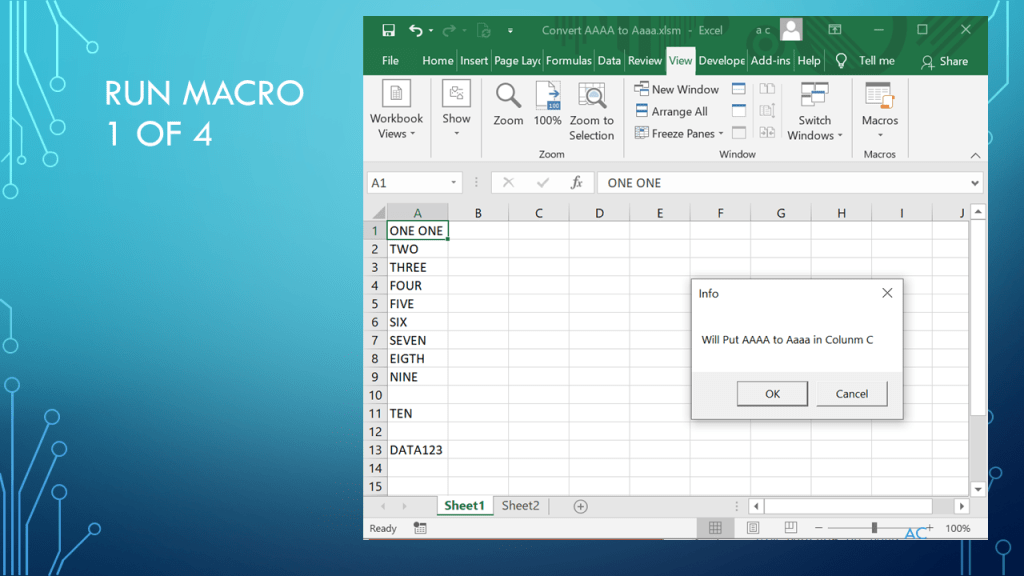
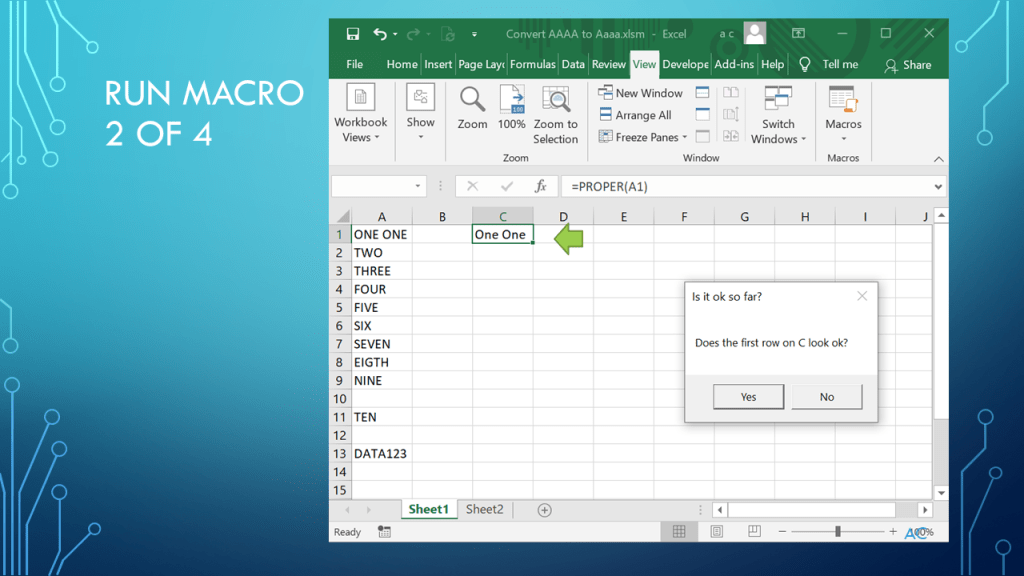
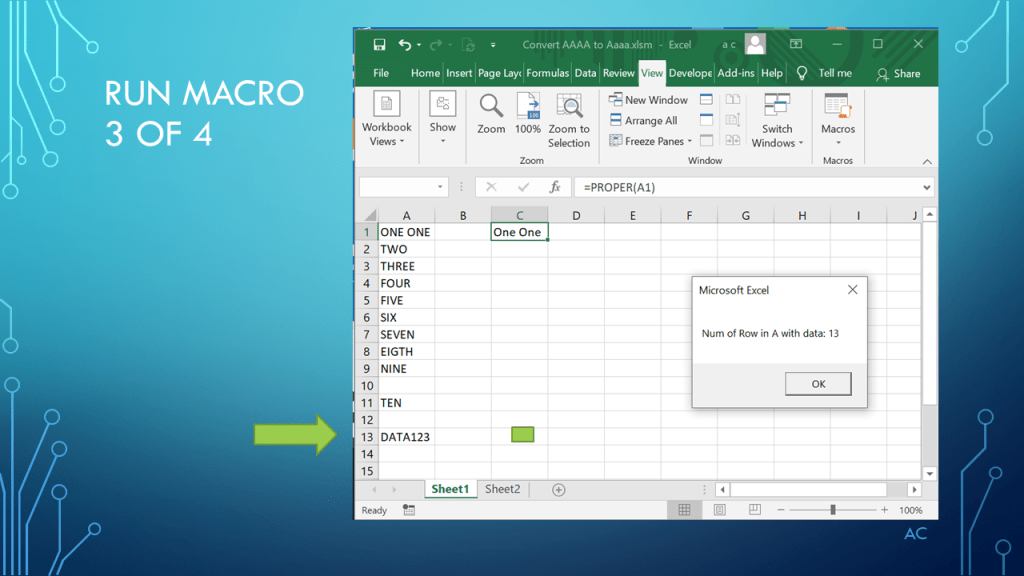
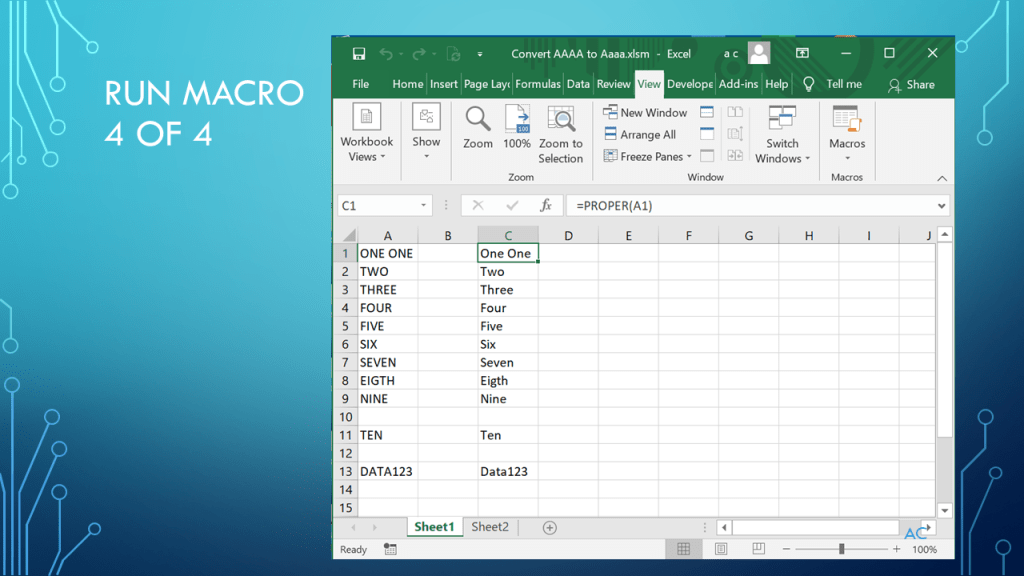
VBA Excel_All Upper Case to First Letter of word Upper Case

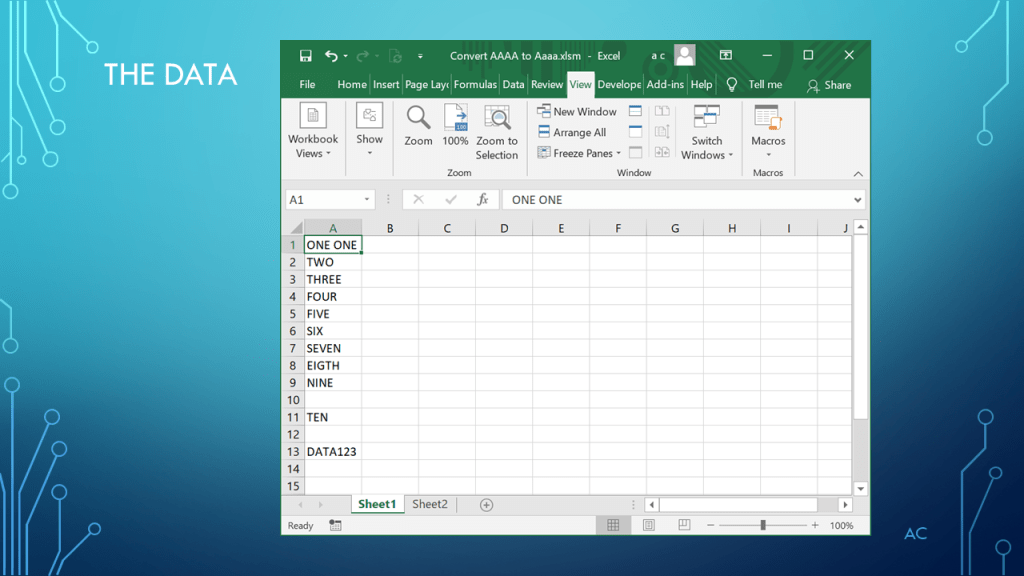
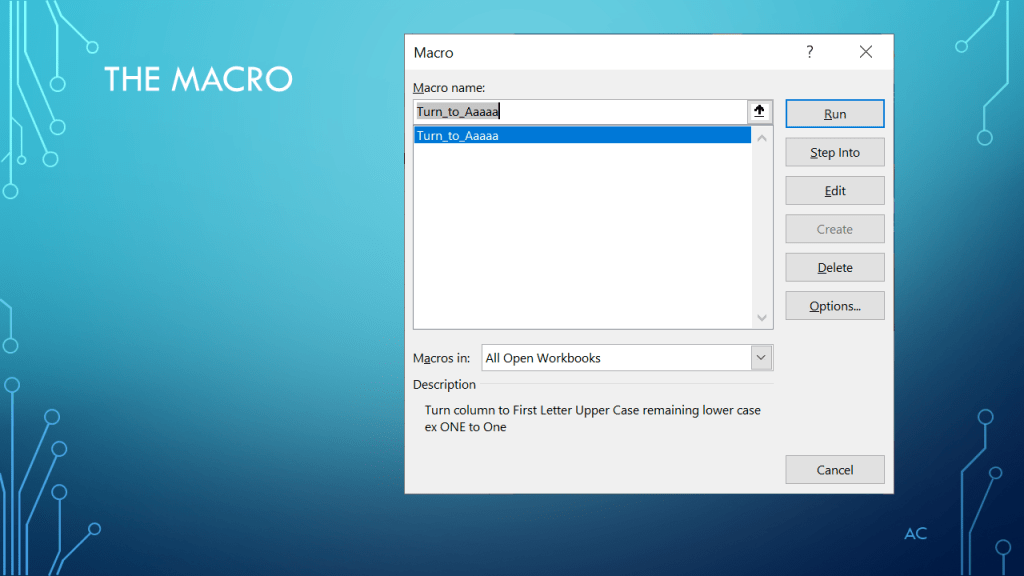
Presentation on VBA used to convert All Upper Case to First Letter of word Upper Case


Notes

•Presentation show use of “Proper” function in a Macro. Data in the A column and output on the C column in this example.

•Technology used: MS’s Excel and VBA in Excel

•Excel® used in this presentation is a Microsoft product

•Presentation app: Microsoft’s PowerPoint

•Presentation shown to spark ideas of use.

•This presentation is not connected to or endorsed by any company.

•Use at your own risk.

•Always backup data before trying any new venture in excel or macro.

Posted in Test Sector | Tagged , , , , , | Leave a comment

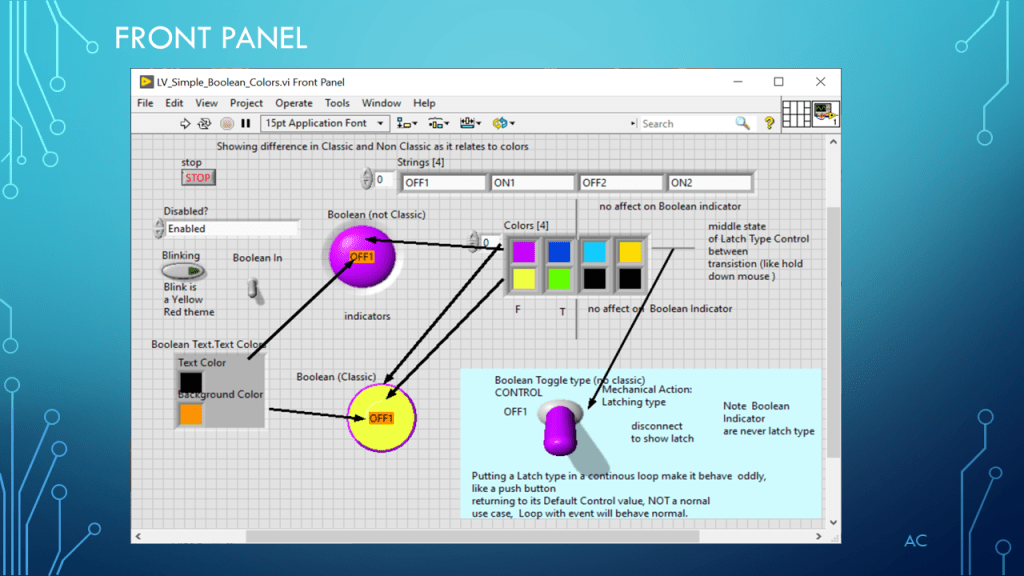
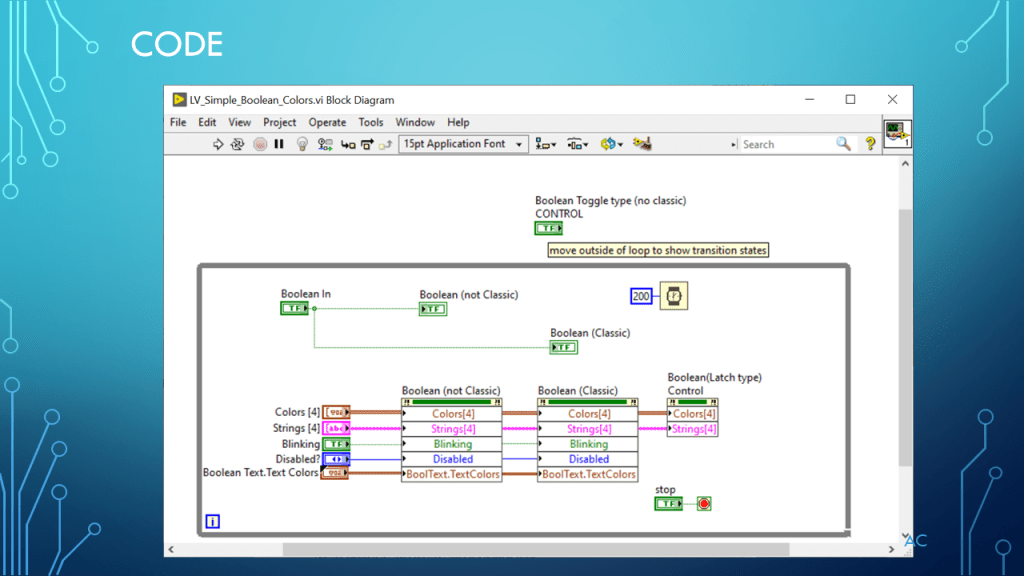
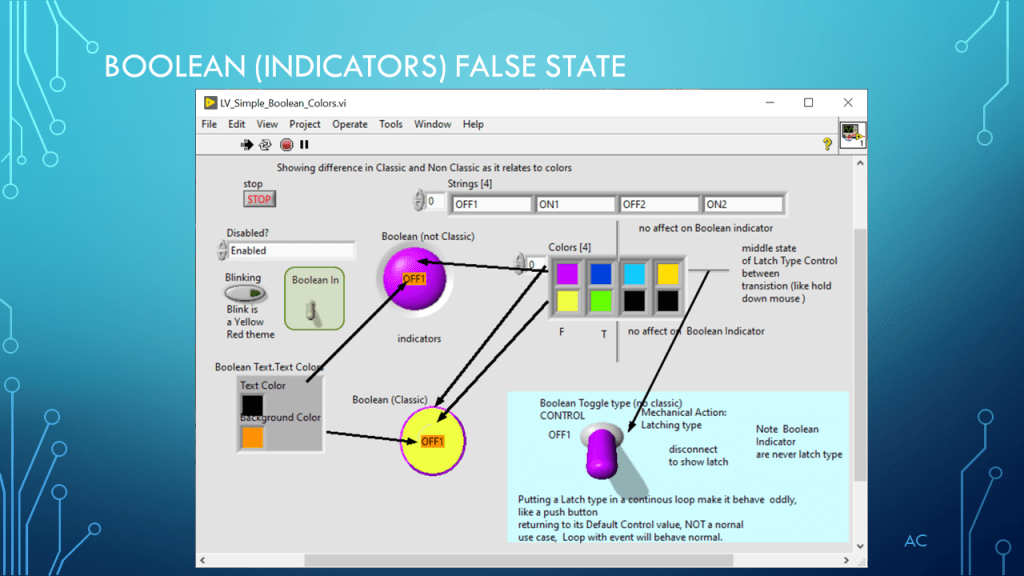
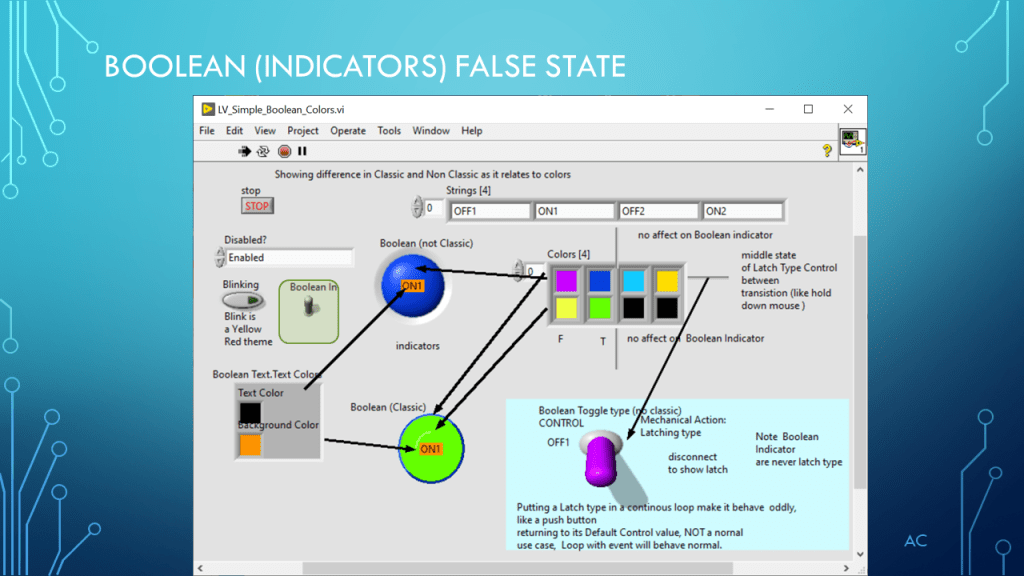
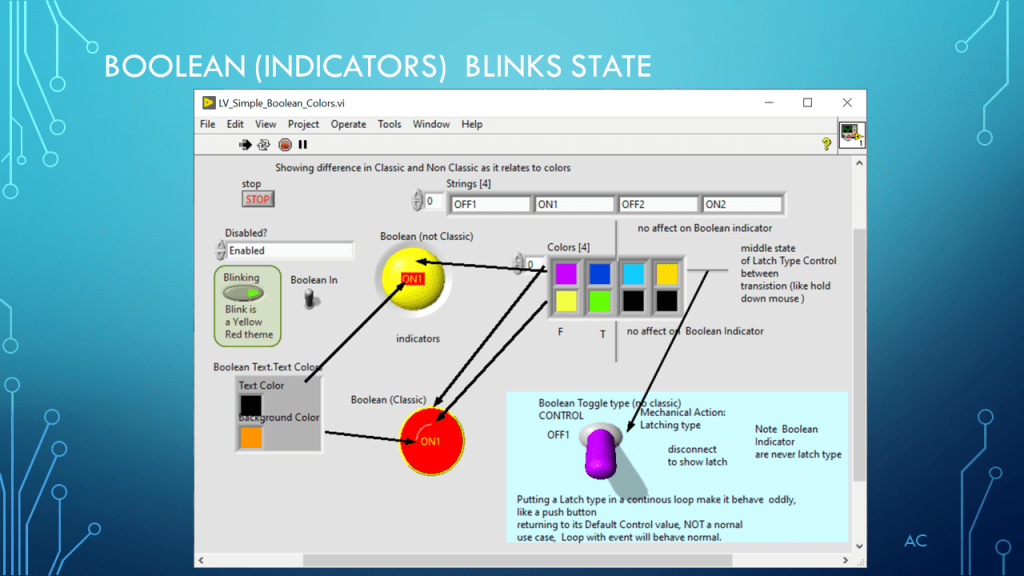
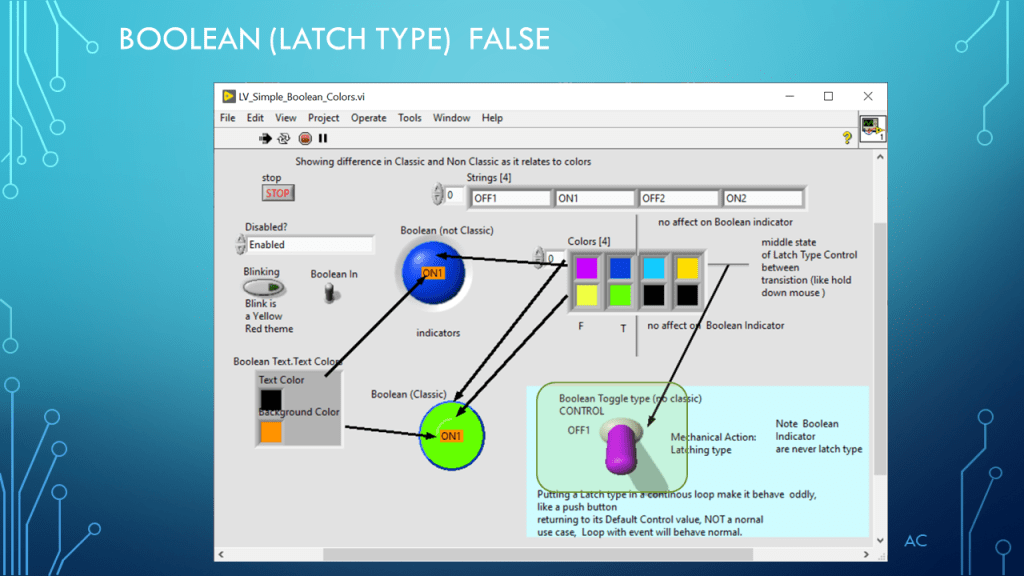
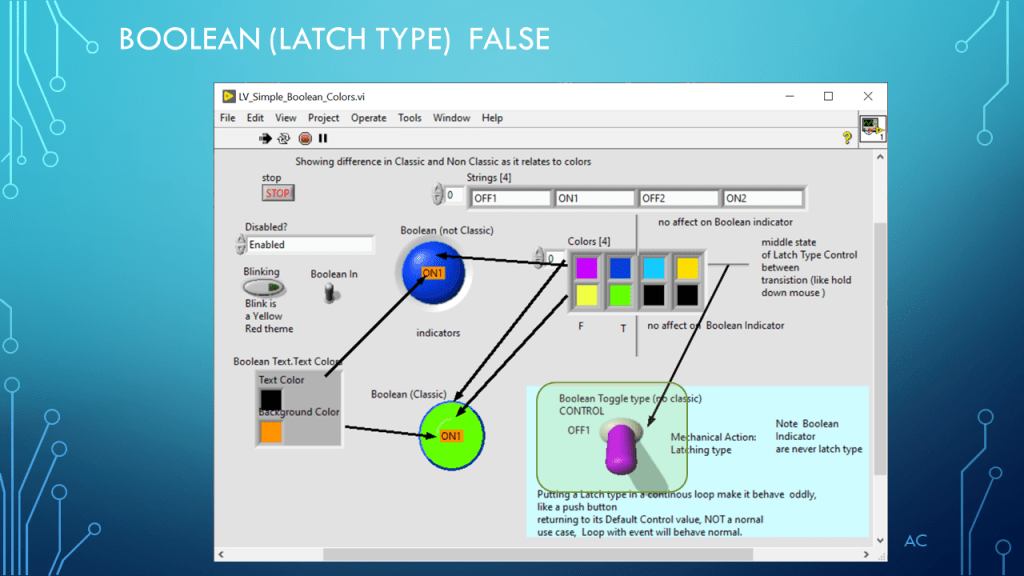
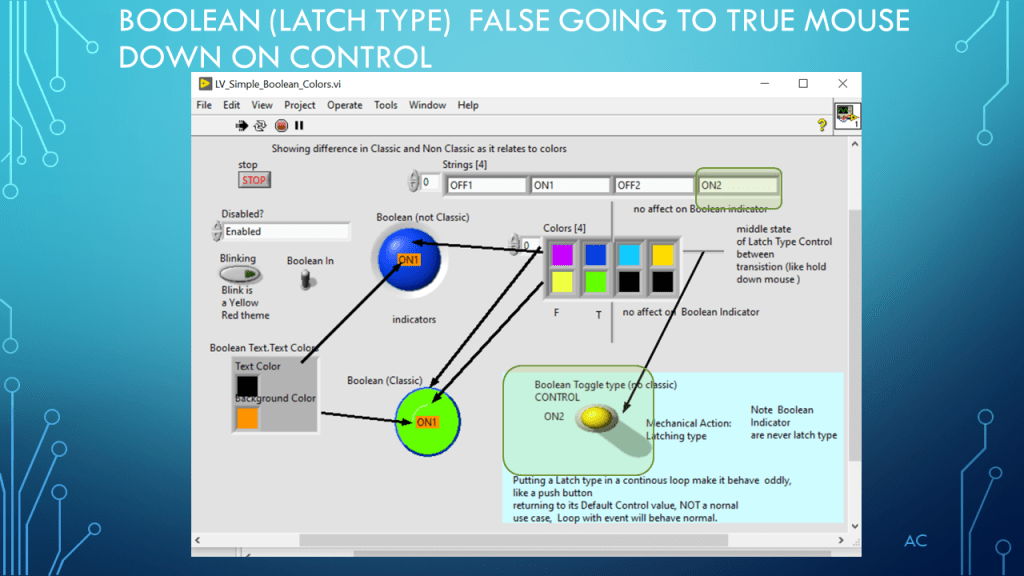
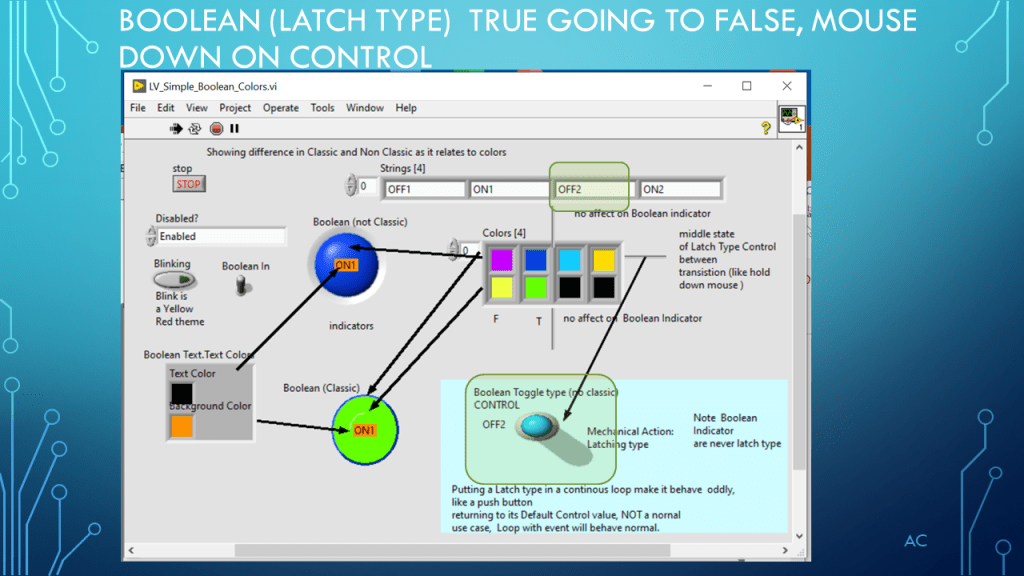
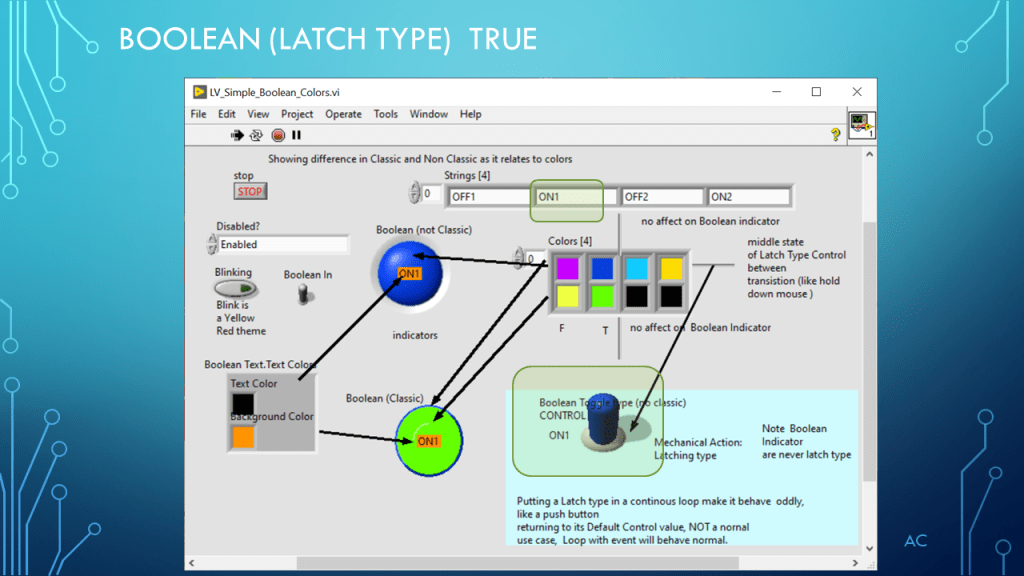
LV Boolean Color(4) Property

Show how color(4) affect Boolean look.

Notes

•Presentation showing Boolean and Color(4) property (demonstration only)

•Programming Language used: LabVIEW® 2019 Base version

•LabVIEW is a NI (formally National Instruments) product
•Presentation app: Microsoft’s PowerPoint

•Presentation shown to spark ideas of use.

•This presentation is not connected to or endorsed by any company.
•Use at your own risk.

Posted in Test Sector | Tagged , , , | Leave a comment