
A presentation on my search for a Python equivalent to Cluster and Array of Cluster.
What was used
- LabVIEW® 2019 a National Instrument product
- Python 3.7
- Anaconda, Spyder IDE
- PowerPoint a Microsoft product
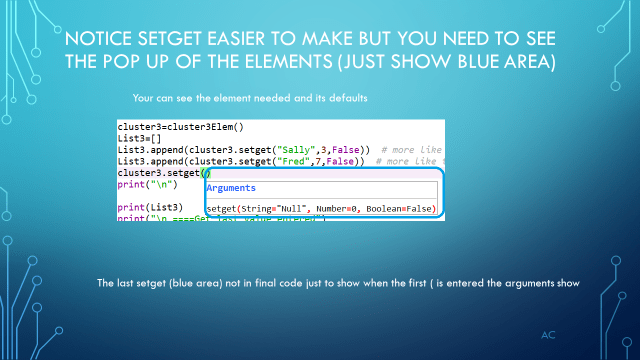
I was focusing on finding a why to use dot notation for the element in dictionary while in the Spyder IDE so when i type “.” i can see the elements that can be used.
I tried two method to show some possibility and by no means the only solutions.
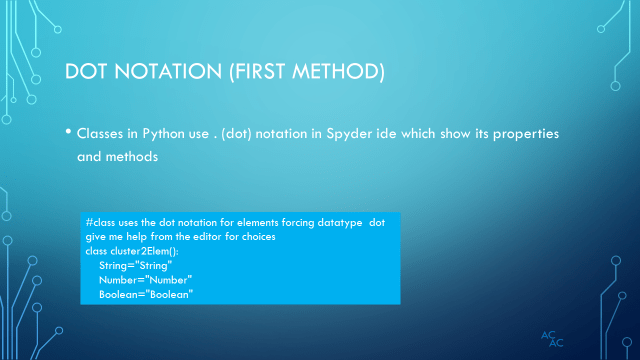
Method one get me the .dot notation (Classes uses dot notation that will show drop-down for selection inside the IDE).
Method two just a expansion into classes for easier dictionary construction.
After the presentation i will add the python code and console output




#
# -*- coding: utf-8 -*-
"""
Created on Mon Oct 28 18:15:47 2019

@author: aleja
"""
print("regular dictionary with defaults\n")
cluster= {"String":"Null","Number":0,"Boolean":False}
print (cluster)
print (cluster["Boolean"])
print (cluster["String"])
print (cluster["Number"])

#want something like in Lv cluster.Boolean  so when i type. a list of element appear for selection
print("\n Method1 using class just for the . notation")
#class uses the dot notation for elements forcing datatype  dot give me help from the editor for choices
class cluster2Elem():
    String="String"
    Number="Number"
    Boolean="Boolean"

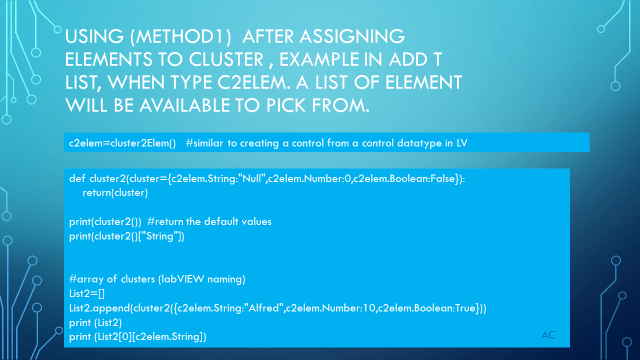
c2elem=cluster2Elem()   #similar to creating a control from a control datatype in LV

def cluster2(cluster={c2elem.String:"Null",c2elem.Number:0,c2elem.Boolean:False}):
    return(cluster)

print(cluster2())  #return the default values
print(cluster2()["String"])

#array of clusters (labVIEW naming)
List2=[]
List2.append(cluster2({c2elem.String:"Alfred",c2elem.Number:10,c2elem.Boolean:True}))
print (List2)
print (List2[0][c2elem.String])

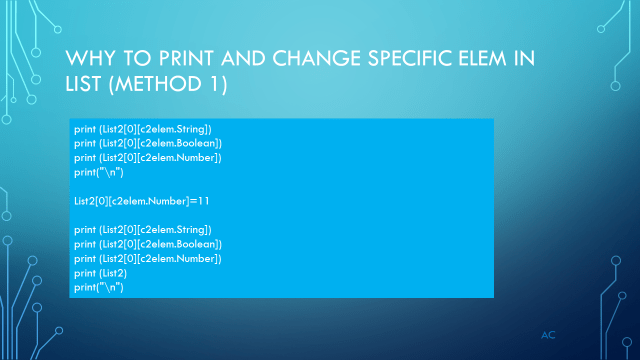
print (List2[0][c2elem.String])
print (List2[0][c2elem.Boolean])
print (List2[0][c2elem.Number])
print("\n")

List2[0][c2elem.Number]=11

print (List2[0][c2elem.String])
print (List2[0][c2elem.Boolean])
print (List2[0][c2elem.Number])
print (List2)
print("\n")

List2.append(cluster2({c2elem.String:"Fred",c2elem.Number:5,c2elem.Boolean:False}))
print (List2)
List2.append(cluster2({c2elem.Number:20,c2elem.String:"Sally",c2elem.Boolean:False})) #check if order will hurt
print (List2)
print("\n")

print("number of cluster in array/List= ",len(List2))
list=[]
for list in List2:
    print(list[c2elem.String])
#look ok because of key,value , this is close to what i want
#===========================================================================
#let look a class a bit more
print("\n ====Method2 using class just for the . notation and easier dict build setget s,n,b====")
print("\n ====first create the class and properties and methods==")

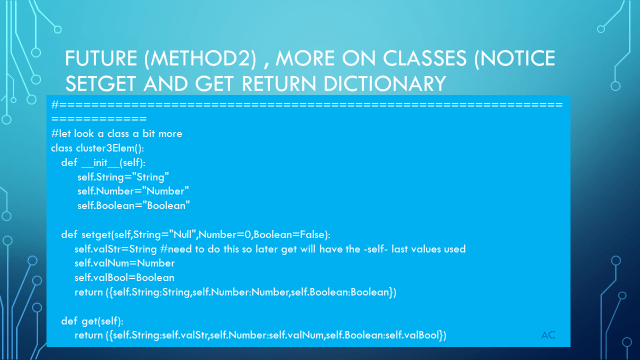
class cluster3Elem():
   def __init__(self):
        self.String="String"
        self.Number="Number"
        self.Boolean="Boolean"

   def setget(self,String="Null",Number=0,Boolean=False):
       self.valStr=String #need to do this so later get will have the -self- last values used
       self.valNum=Number
       self.valBool=Boolean
       return ({self.String:String,self.Number:Number,self.Boolean:Boolean})

   def get(self):
       return ({self.String:self.valStr,self.Number:self.valNum,self.Boolean:self.valBool})

print("\n==")

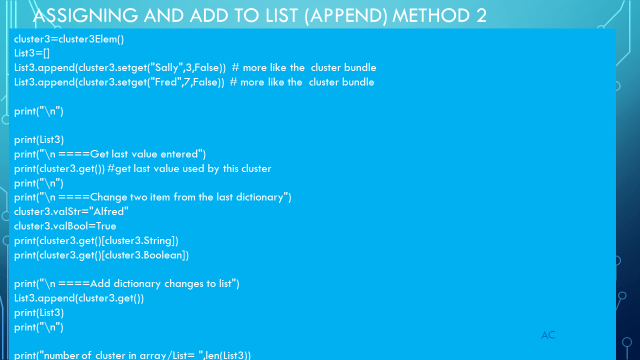
cluster3=cluster3Elem()
List3=[]
List3.append(cluster3.setget("Sally",3,False))  # more like the  cluster bundle
List3.append(cluster3.setget("Fred",7,False))  # more like the  cluster bundle

print("\n")

print(List3)
print("\n ====Get last value entered")
print(cluster3.get()) #get last value used by this cluster
print("\n")
print("\n ====Change two item from the last dictionary")
cluster3.valStr="Alfred"
cluster3.valBool=True
print(cluster3.get()[cluster3.String])
print(cluster3.get()[cluster3.Boolean])

print("\n ====Add dictionary changes to list")
List3.append(cluster3.get())
print(List3)
print("\n")

print("number of cluster in array/List= ",len(List3))
list=[]
for list in List3:
    print(list[cluster3.String])
#
Console Output in Spyder
#
regular d<span id="mce_SELREST_start" style="overflow:hidden;line-height:0;"></span>ictionary with defaults
{'String': 'Null', 'Number': 0, 'Boolean': False}
False
Null
0
Method1 using class just for the . notation
{'String': 'Null', 'Number': 0, 'Boolean': False}
Null
[{'String': 'Alfred', 'Number': 10, 'Boolean': True}]
Alfred
Alfred
True
10
Alfred
True
11
[{'String': 'Alfred', 'Number': 11, 'Boolean': True}]
[{'String': 'Alfred', 'Number': 11, 'Boolean': True}, {'String': 'Fred', 'Number': 5, 'Boolean': False}]
[{'String': 'Alfred', 'Number': 11, 'Boolean': True}, {'String': 'Fred', 'Number': 5, 'Boolean': False}, {'Number': 20, 'String': 'Sally', 'Boolean': False}]
number of cluster in array/List= 3
Alfred
Fred
Sally
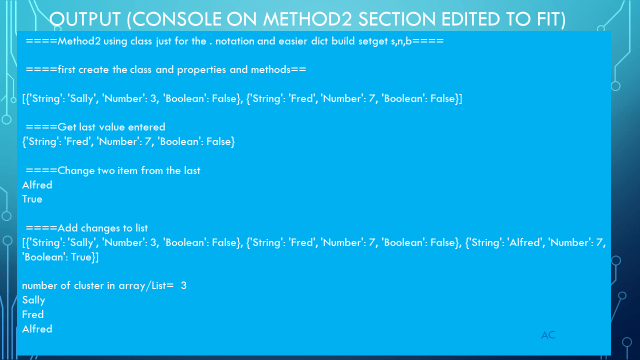
====Method2 using class just for the . notation and easier dict build setget s,n,b====
====first create the class and properties and methods==
==
[{'String': 'Sally', 'Number': 3, 'Boolean': False}, {'String': 'Fred', 'Number': 7, 'Boolean': False}]
====Get last value entered
{'String': 'Fred', 'Number': 7, 'Boolean': False}
====Change two item from the last dictionary
Alfred
True
====Add dictionary changes to list
[{'String': 'Sally', 'Number': 3, 'Boolean': False}, {'String': 'Fred', 'Number': 7, 'Boolean': False}, {'String': 'Alfred', 'Number': 7, 'Boolean': True}]
number of cluster in array/List= 3
Sally
Fred
Alfred
#

 Test Engineers Resource